





Library: MARC21 cataloguing, OPAC search, circulation, fines and self-checkout

+$2.96/mo at 500 students. Free instant access, no credit card required.

Works with
  • EduPrime Core
Library in the EduPrime: MARC21 cataloguing, OPAC search, circulation, fines and self-checkout
01

A catalogue built to library standards

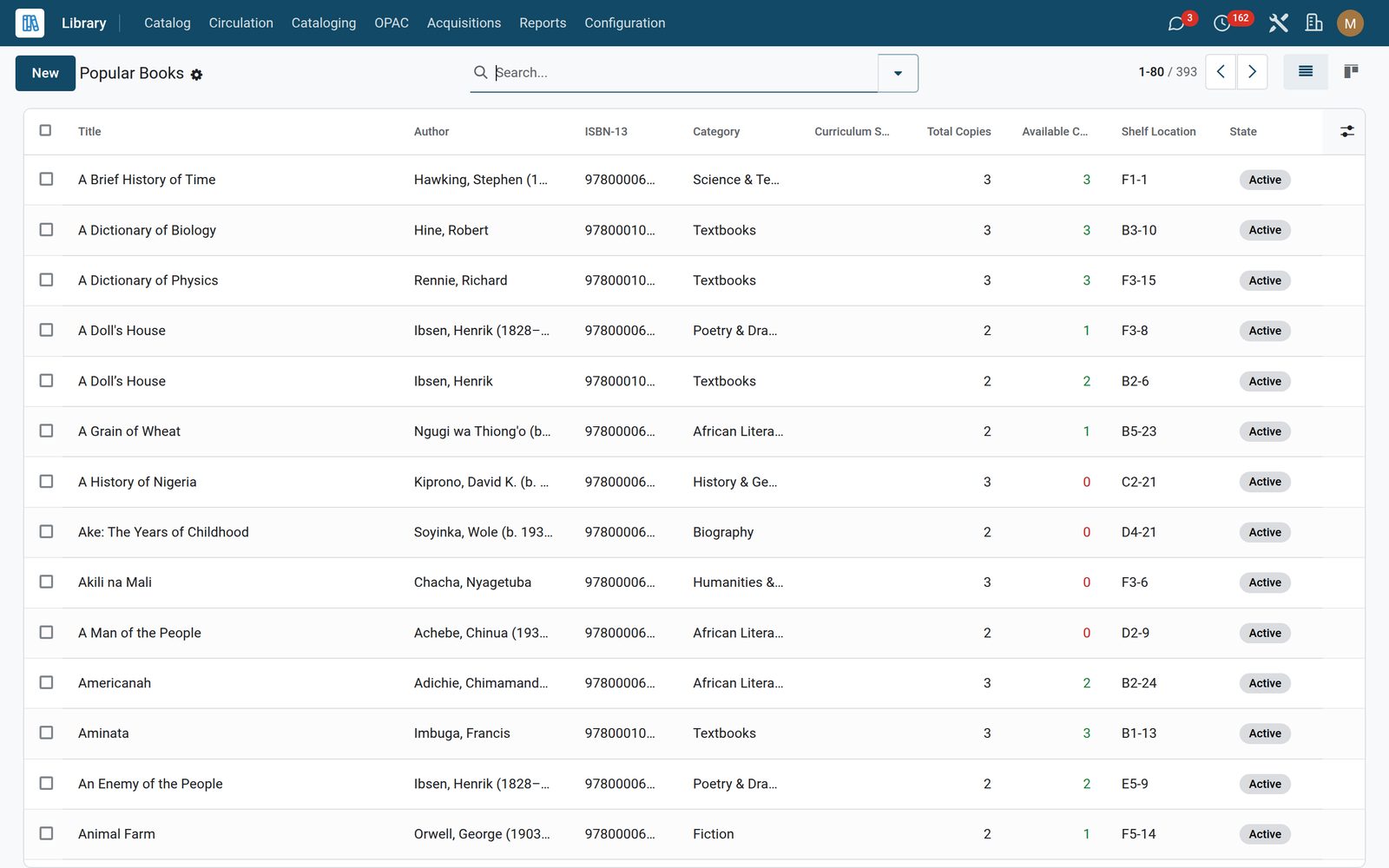
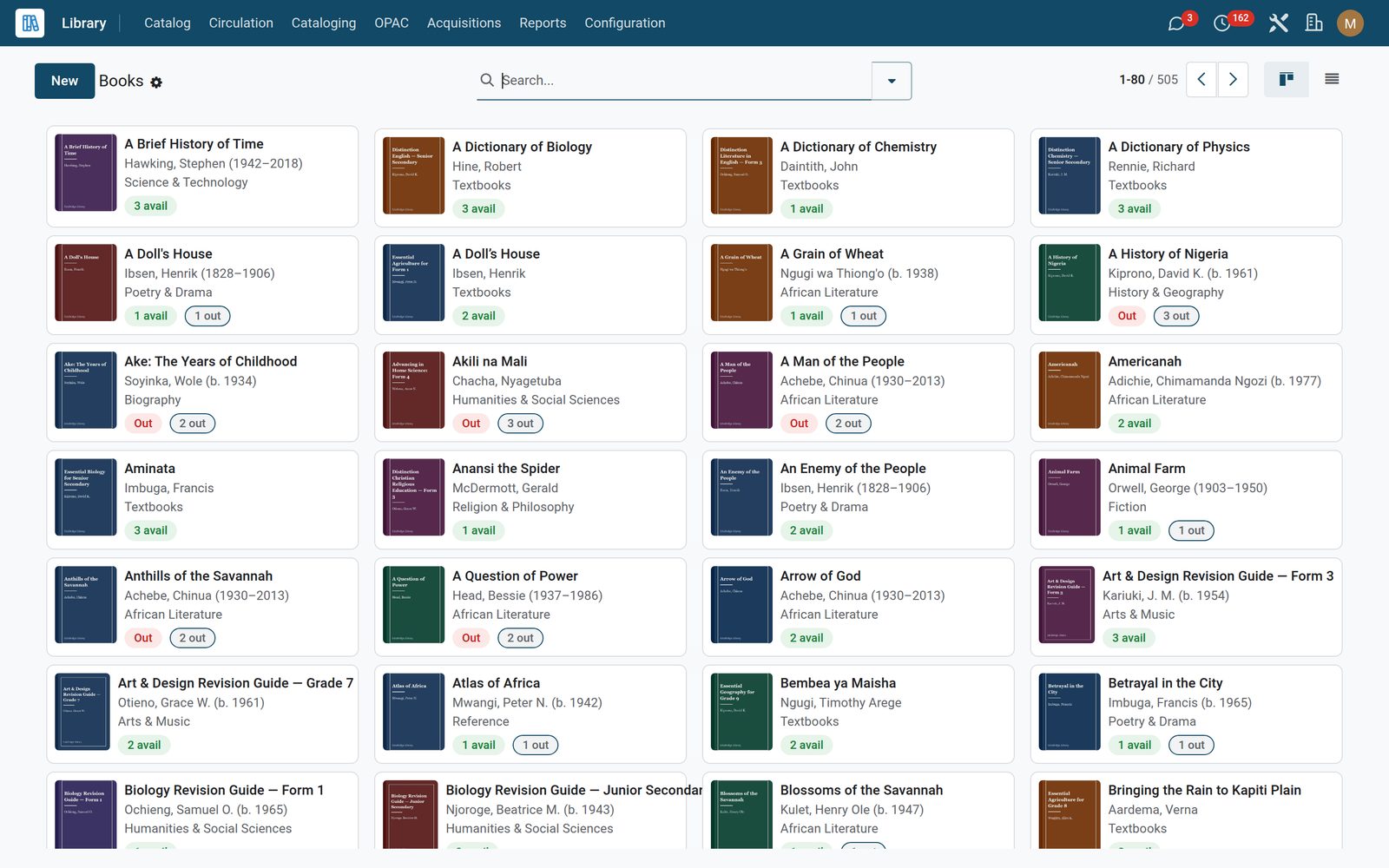
Catalogue by title, ISBN, Dewey number and copy — every physical copy tracked separately with its own barcode, shelf and condition. Categories and a seeded Dewey Decimal tree keep the shelves findable, and the dashboard puts holdings, loans and overdues on one board.
Library: A catalogue built to library standards
02

Catalogue a shelf in an afternoon

Type an ISBN and the record fills itself from Google Books and Open Library — title, authors, publisher, year, cover art. Import an existing collection with MARC21 (ISO-2709 .mrc or line-mode .mrk) and export it back out, so you are never locked in. Authority control keeps one canonical author and subject heading each.

Library: Catalogue a shelf in an afternoon
03

The issue desk, on a barcode

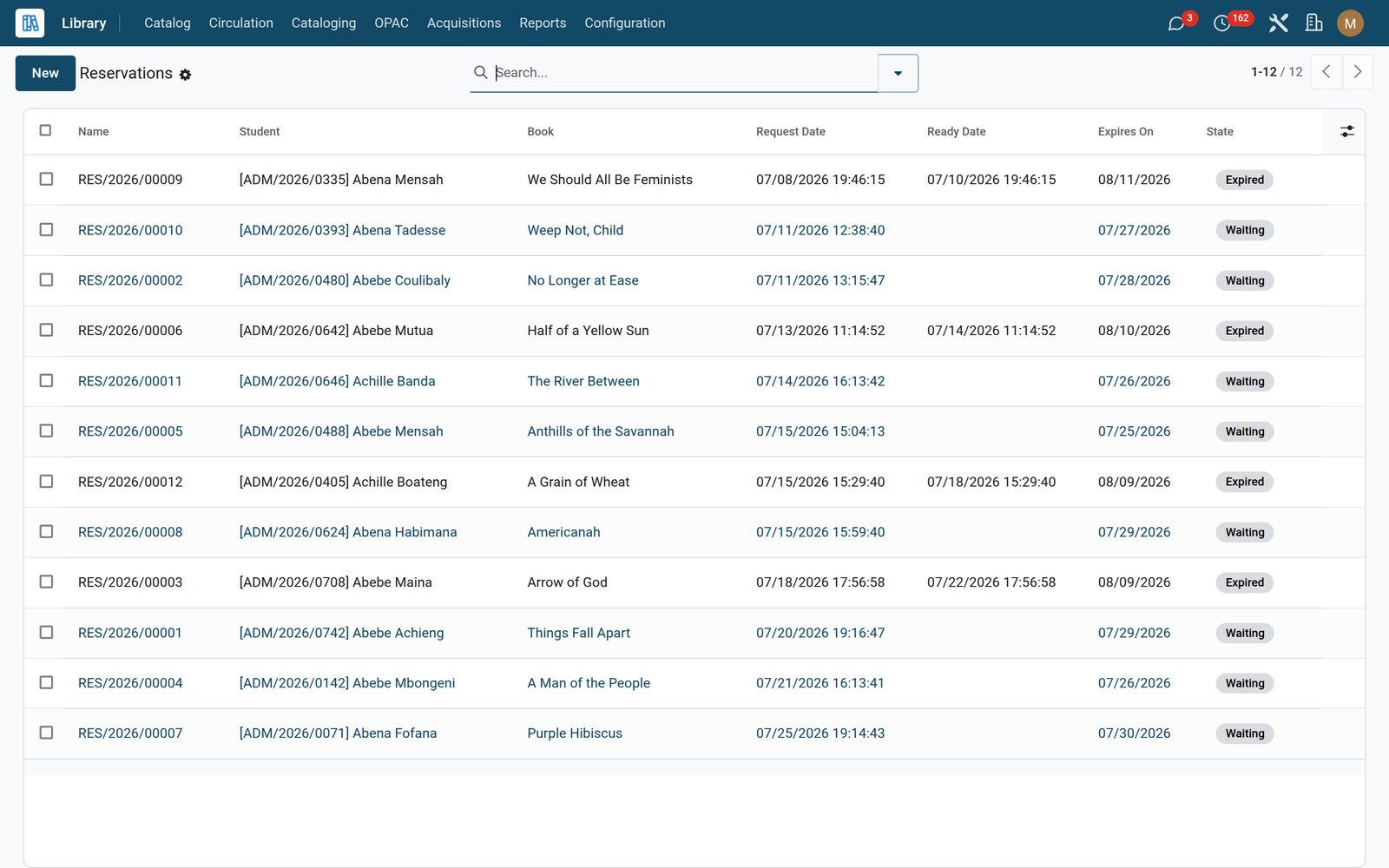
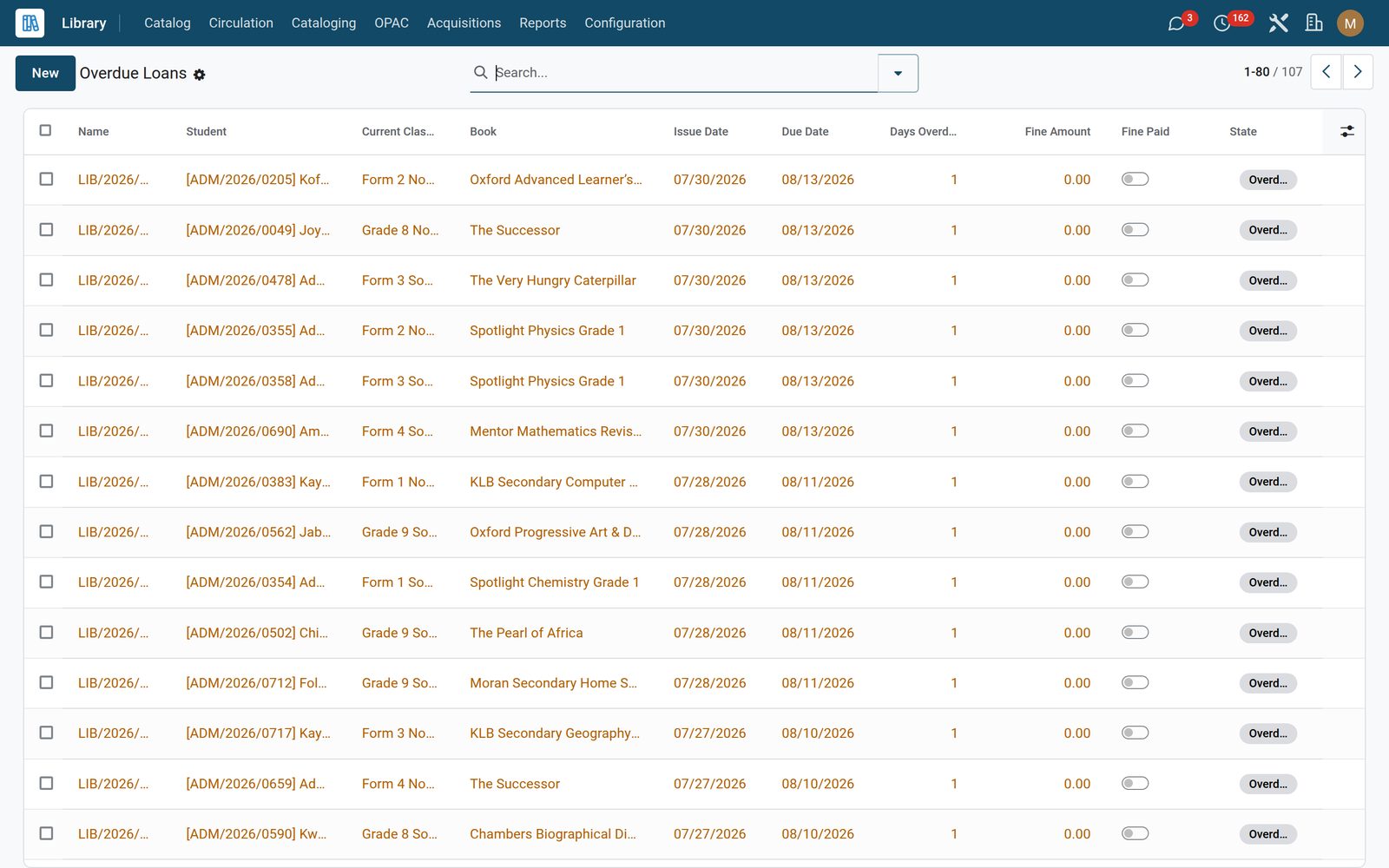
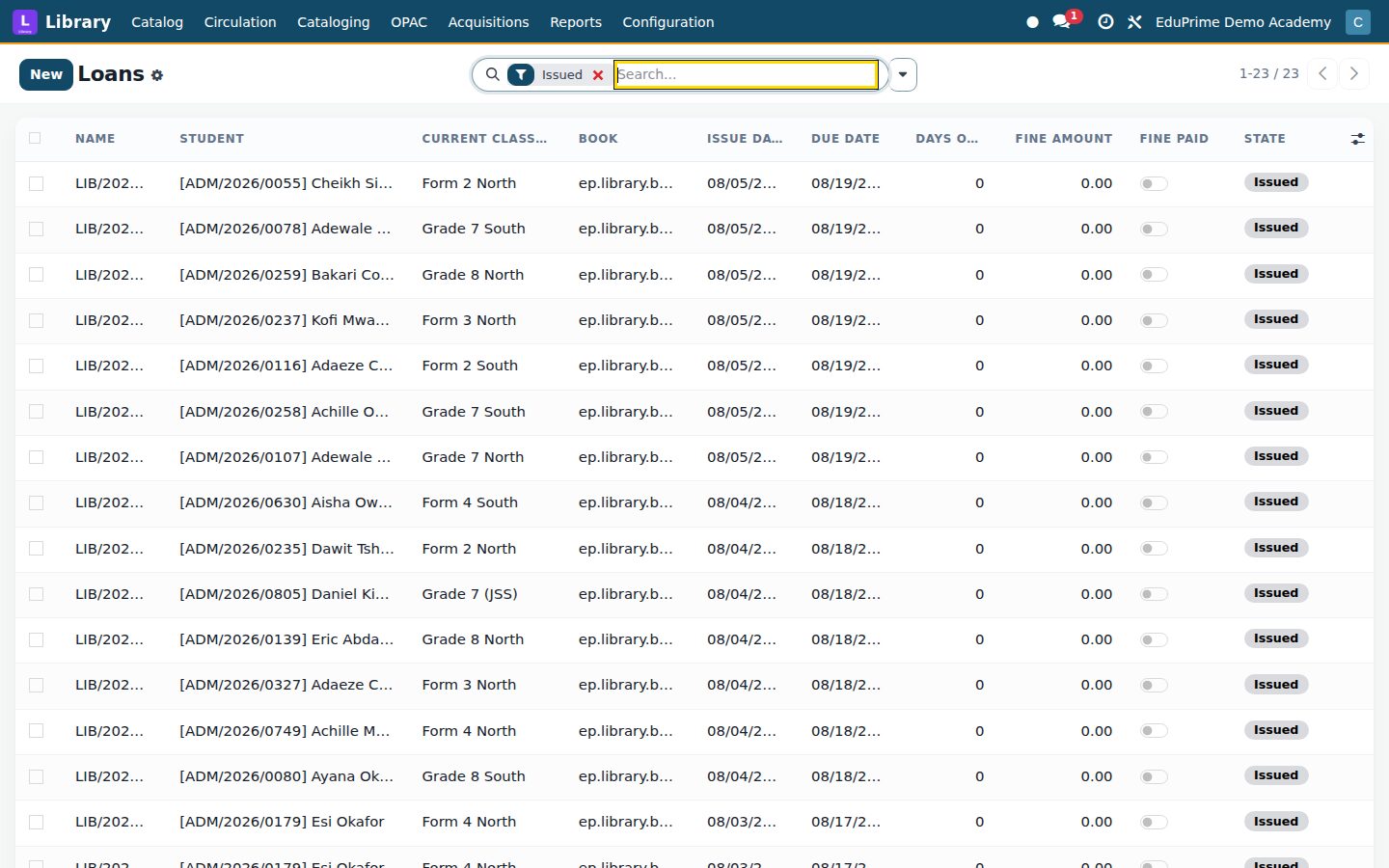
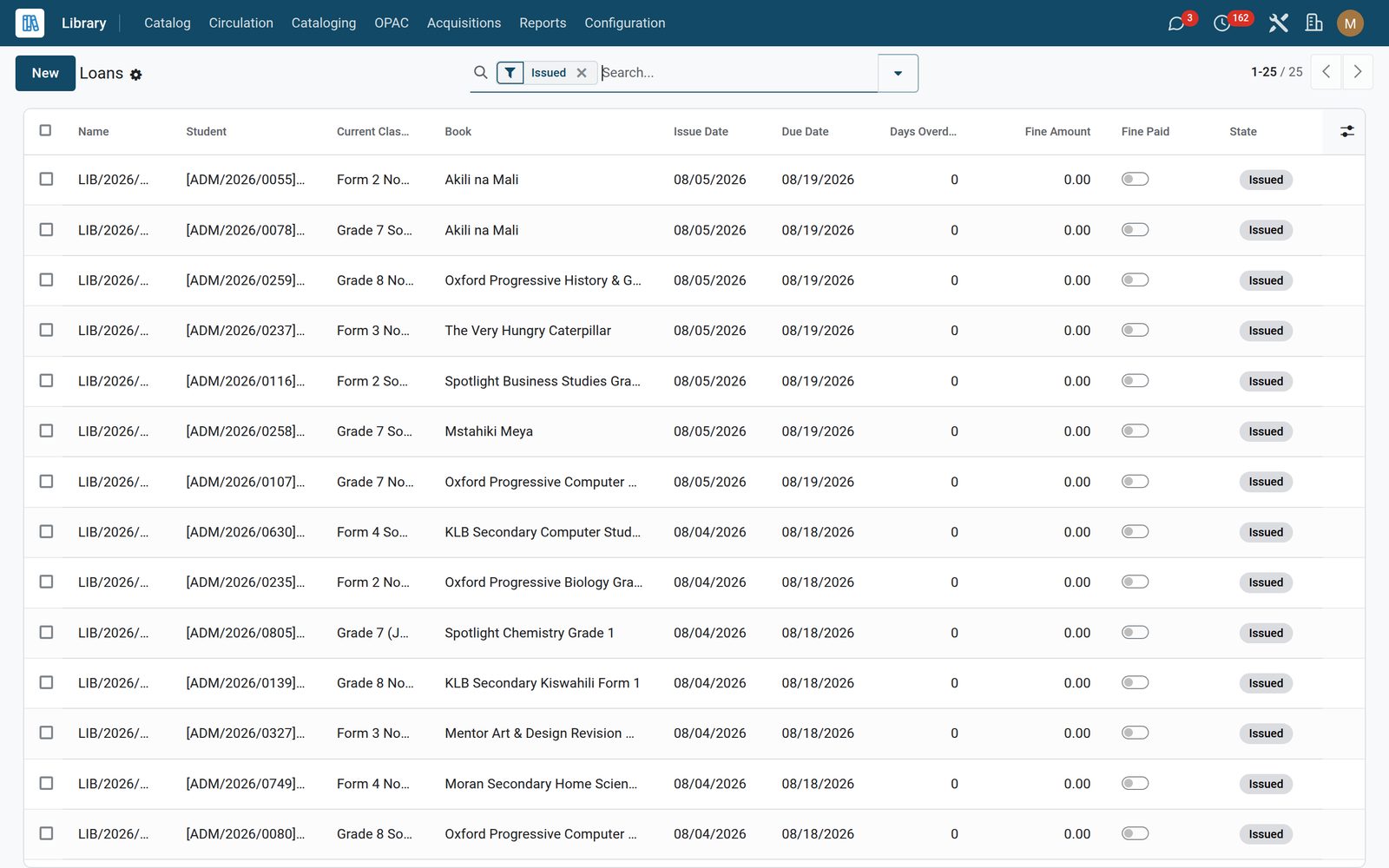
Issue, renew and return by scanning. Loans show who has what and when it is due, overdue loans compute their own fines, reservations queue holds with pickup deadlines, and bulk issue hands a whole class its set texts in one pass.

Library: The issue desk, on a barcode
04

Different rules for different borrowers

Patron categories give juniors, seniors and staff their own loan limits, loan lengths, grace periods, fine caps and reservation quotas. Patron blocks raise automatically on overdues, unpaid fines or expiry — and a nightly check clears them the moment the reason is gone.

Library: Different rules for different borrowers
05

Your catalogue, public on your own website

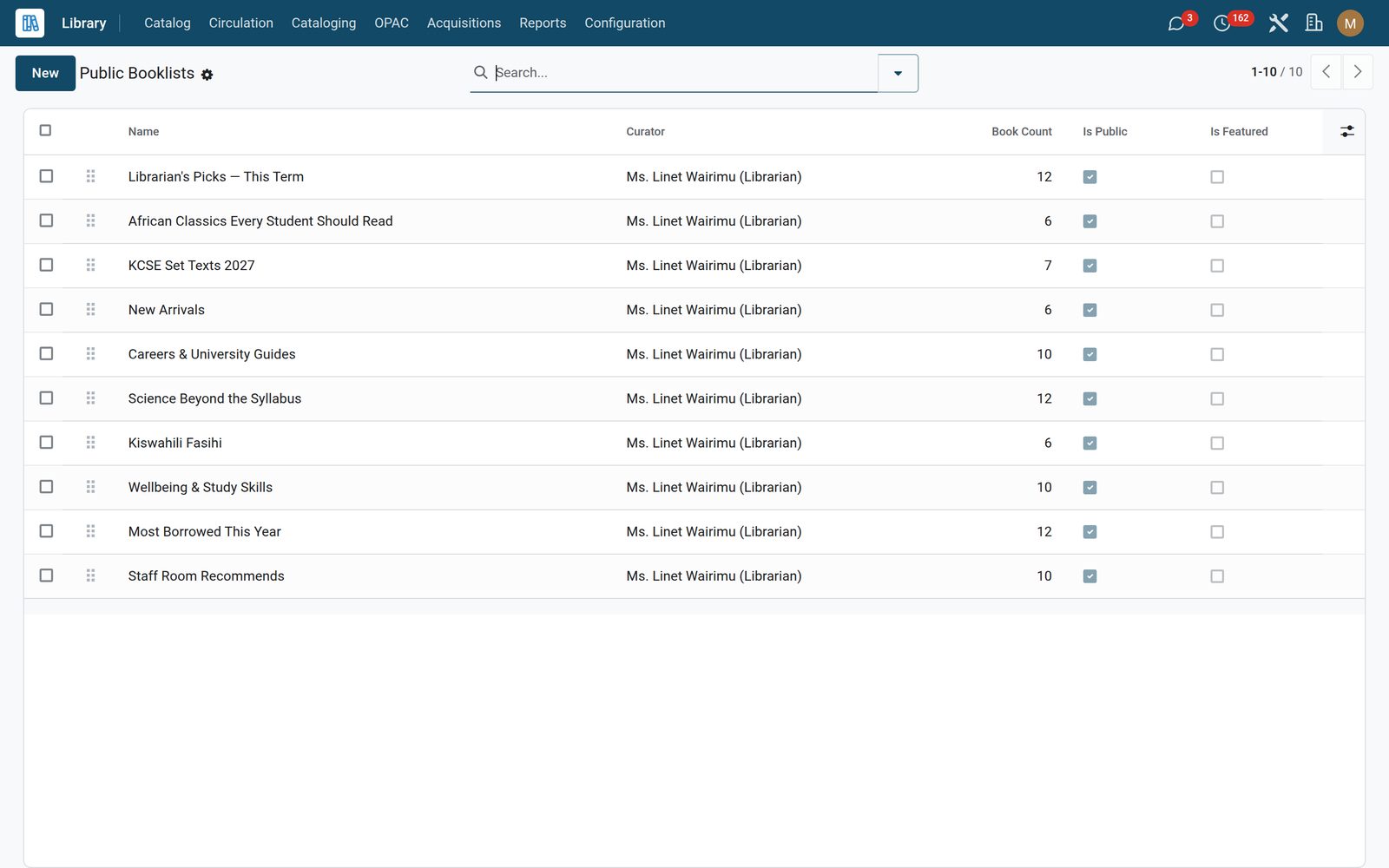
The OPAC lets anyone browse and search your holdings with faceted filters by author and subject, see live availability and place a hold. Curated booklists feature the librarian’s picks, and every family gets a my library page showing loans, due dates and fines. OPAC settings control the theme and which facets appear.

Library: Your catalogue, public on your own website
06

The whole collection, not just books

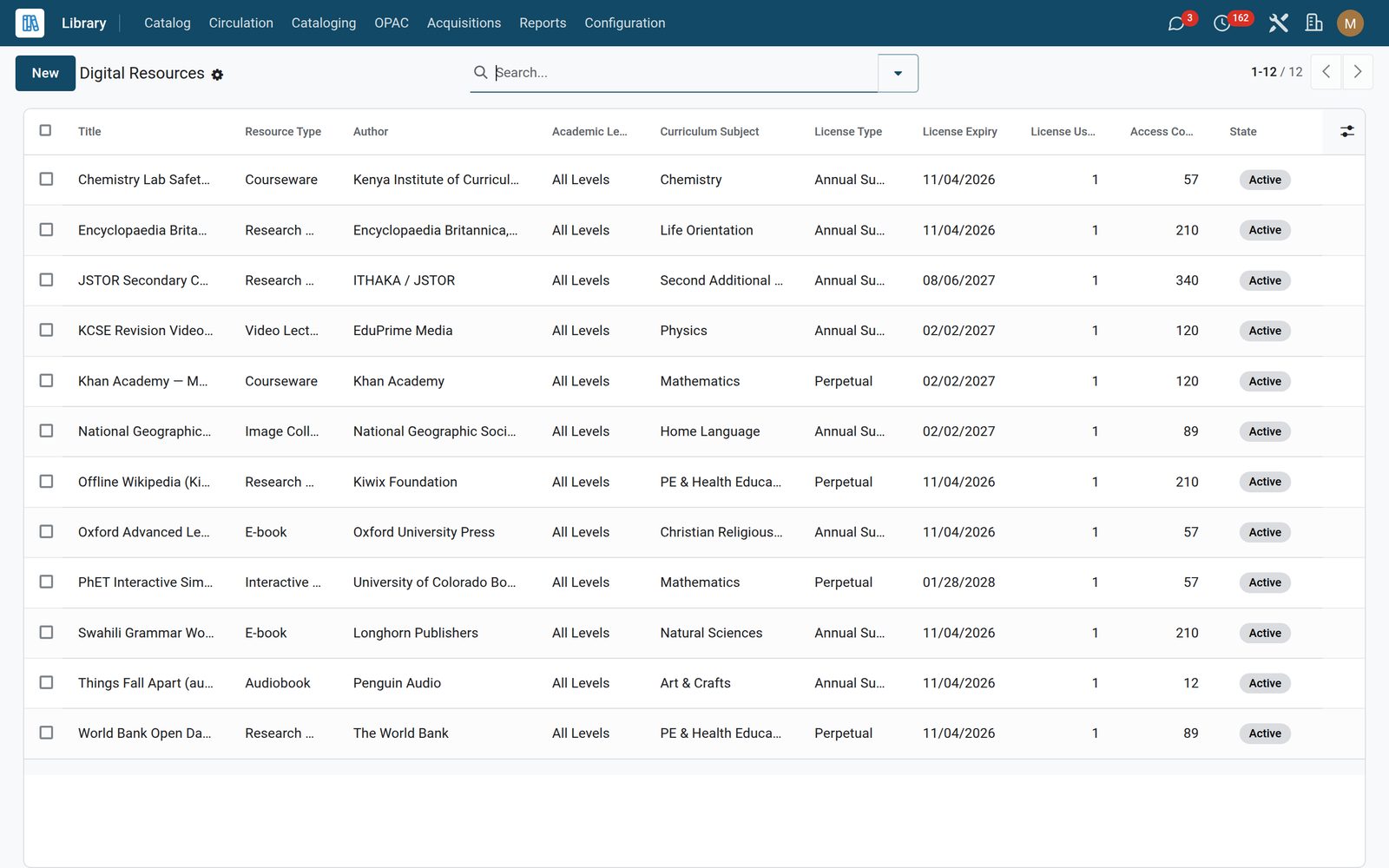
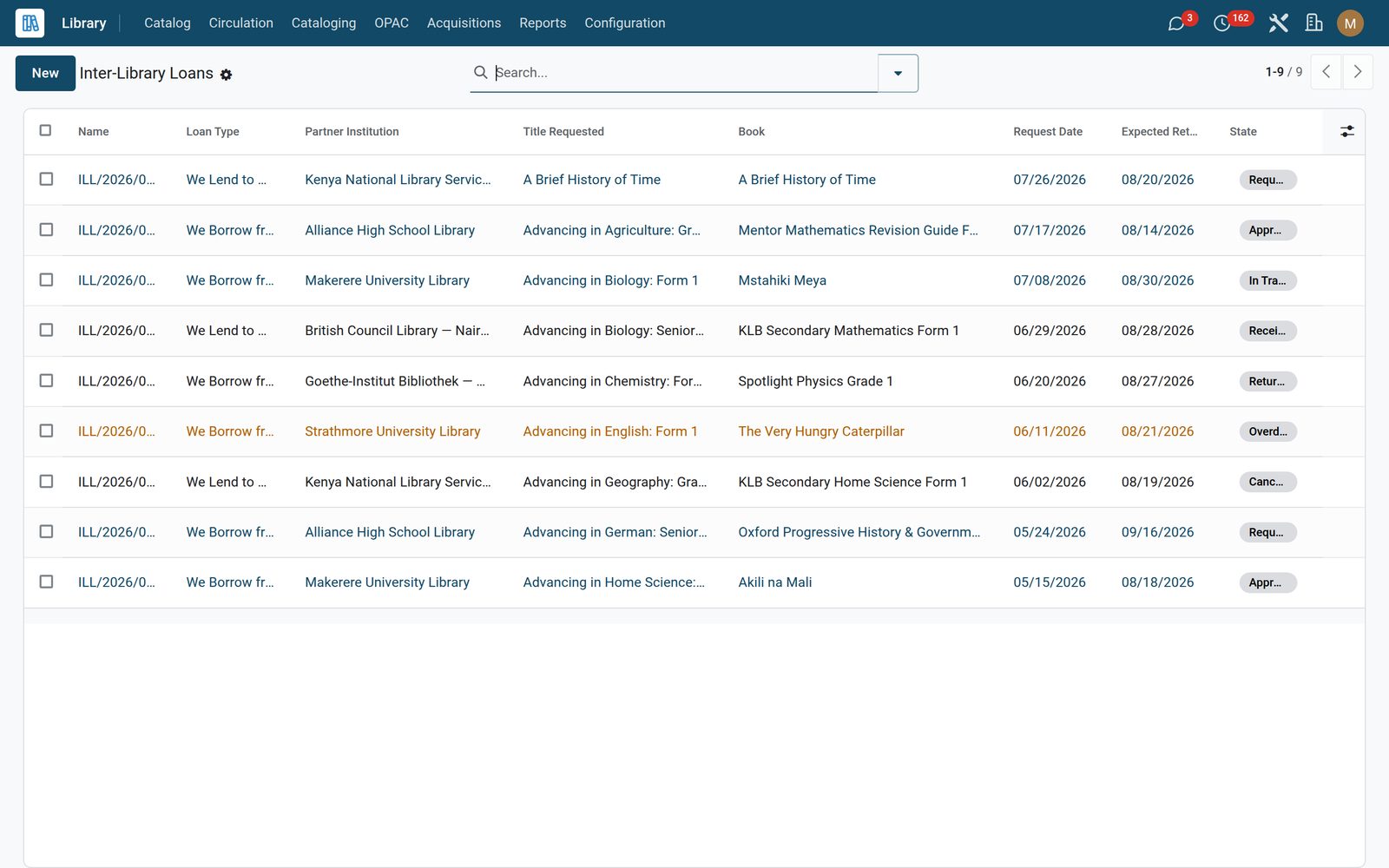
Track periodicals from dailies to annuals with expiry alerts, catalogue digital resources — ebooks, audiobooks, databases, courseware, simulations, even offline packs — and run inter-library loans both ways with partner institutions.

Library: The whole collection, not just books
07

Buying books, with the money tracked

Acquisitions record what you bought, for which branch and from which pot — budget, donation, grant, parent contribution or government — and the accession register prints the bound-book record auditors ask for. Multi-branch libraries keep separate holdings under one system.

Library: Buying books, with the money tracked
08

Built for a school, not a data centre

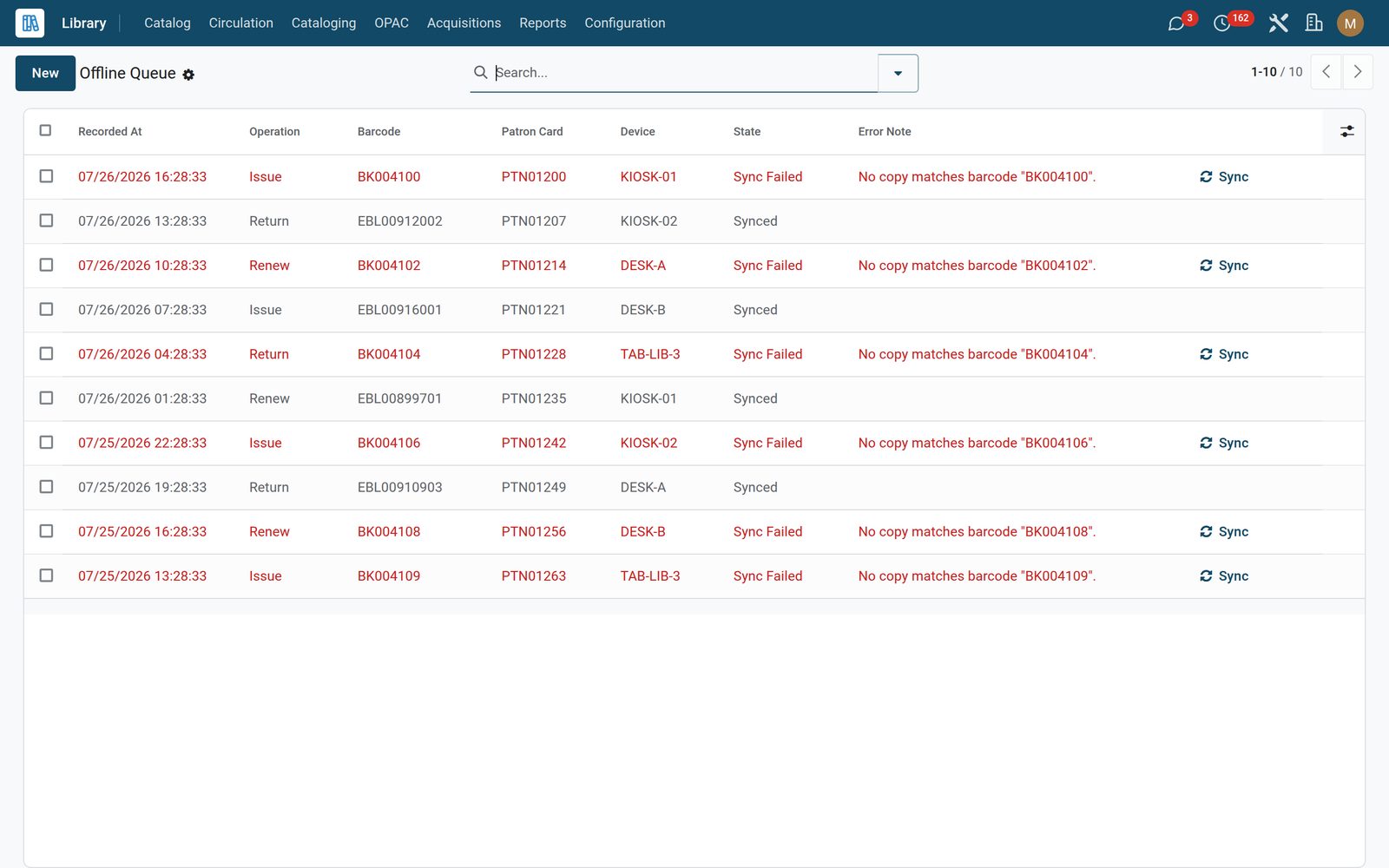
When the network drops, the desk keeps working: scans land in an offline circulation queue and sync themselves when the connection returns. Nothing is lost, nothing is re-keyed.

Library: Built for a school, not a data centre
09

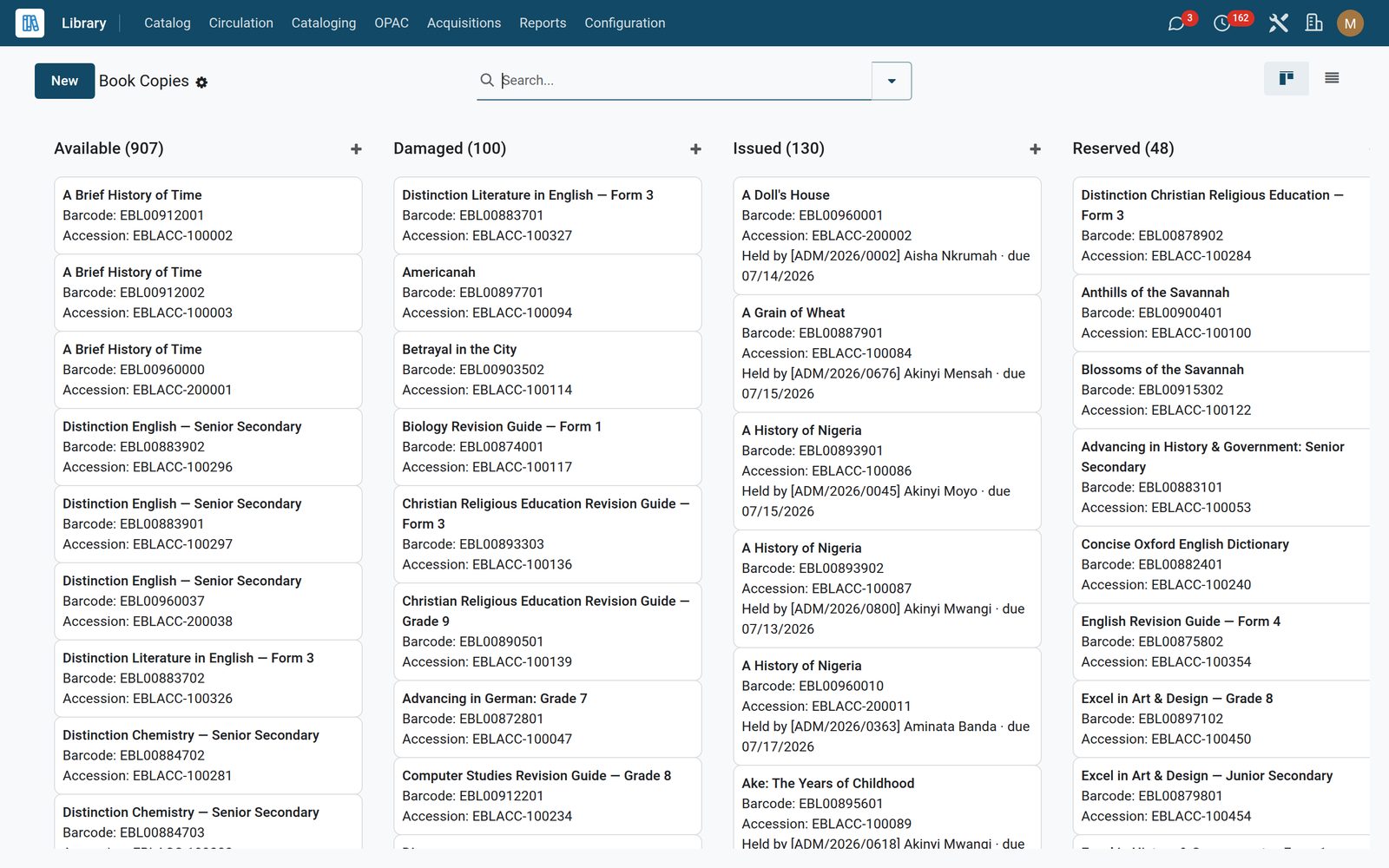
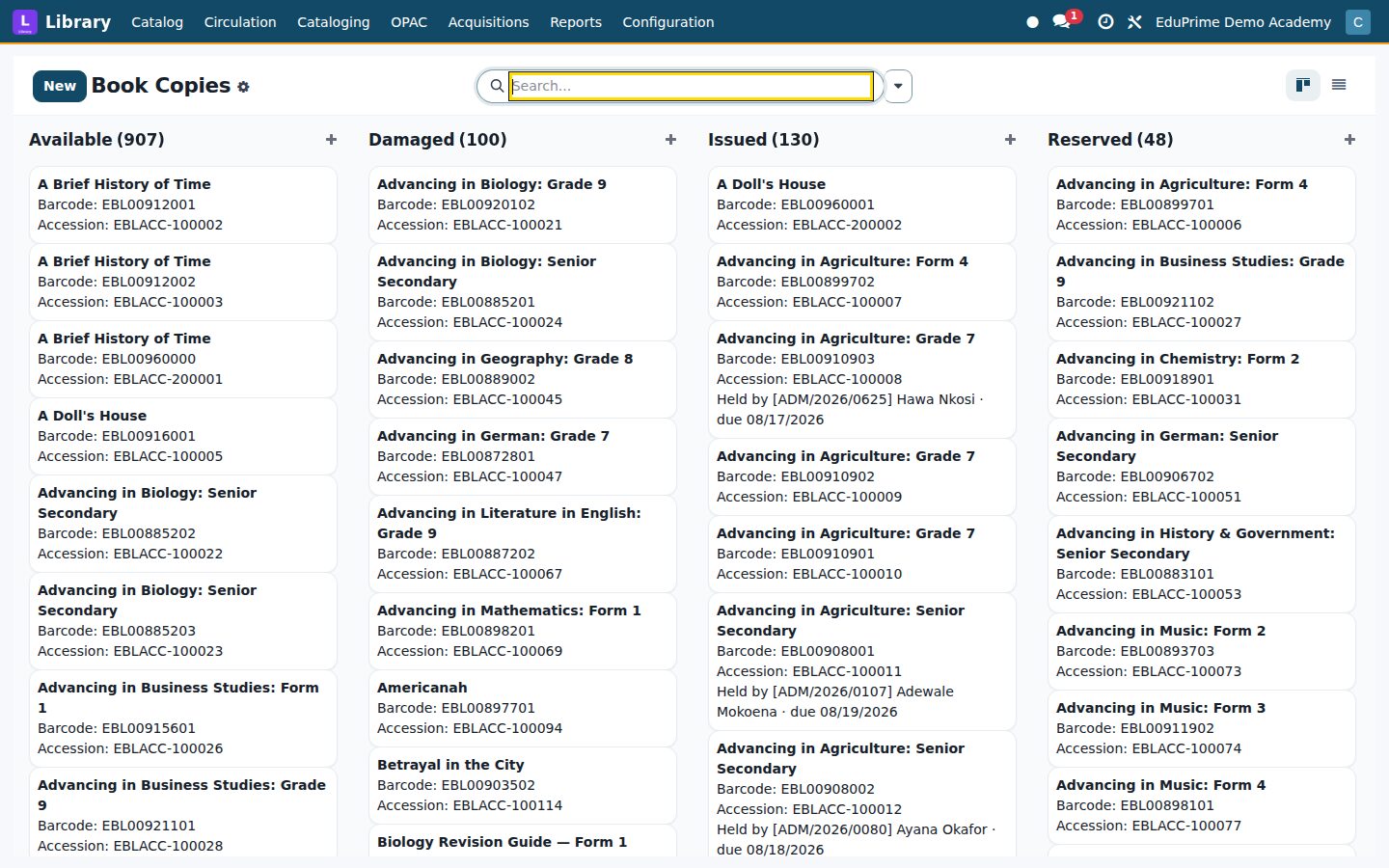
Copies (Barcoded)

Each barcoded copy with its branch and status.

Library: Copies (Barcoded)
10

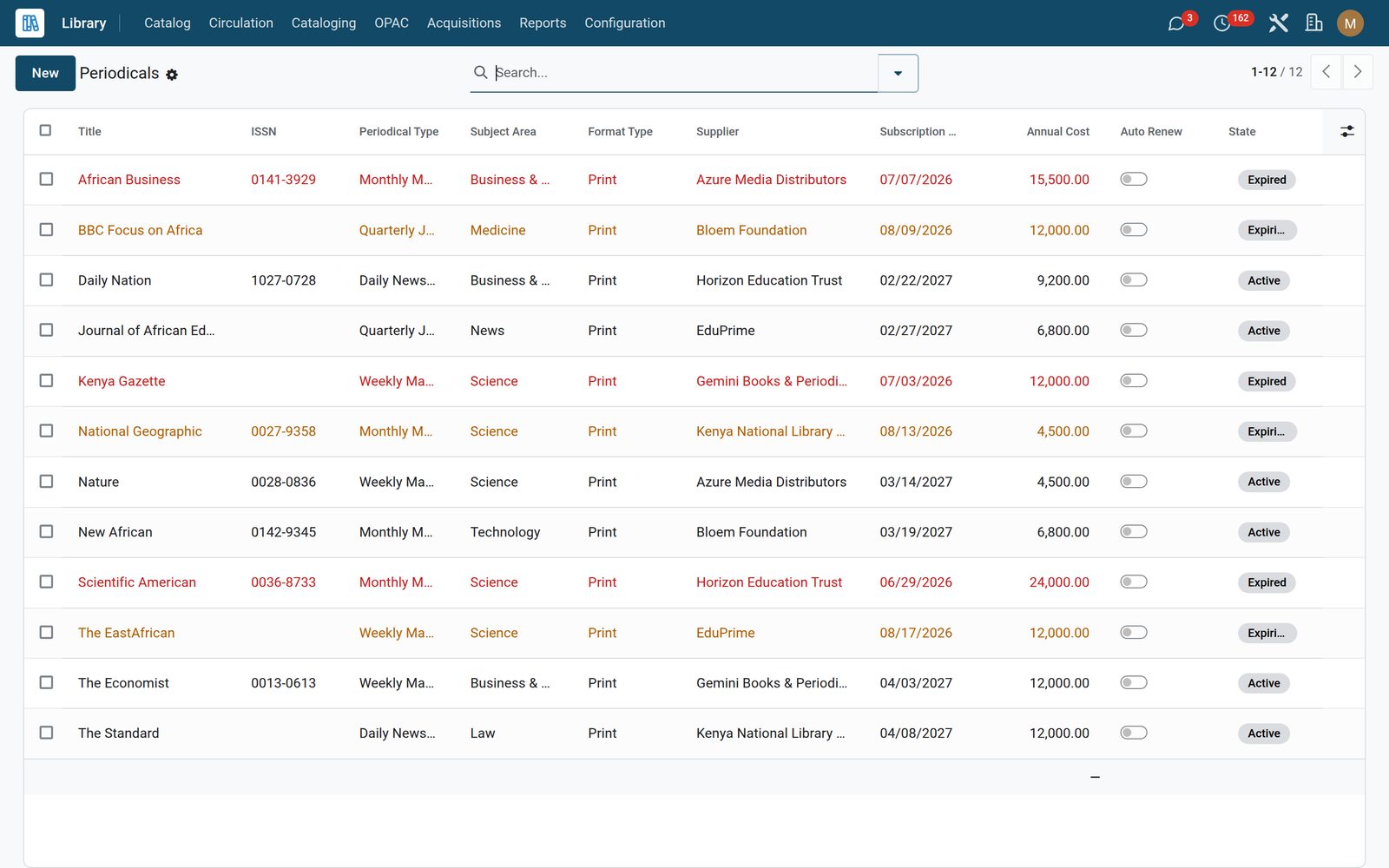
Periodicals & Journals

Periodicals and journals with ISSN, supplier, subscription end, cost and auto-renew.

Library: Periodicals & Journals
11

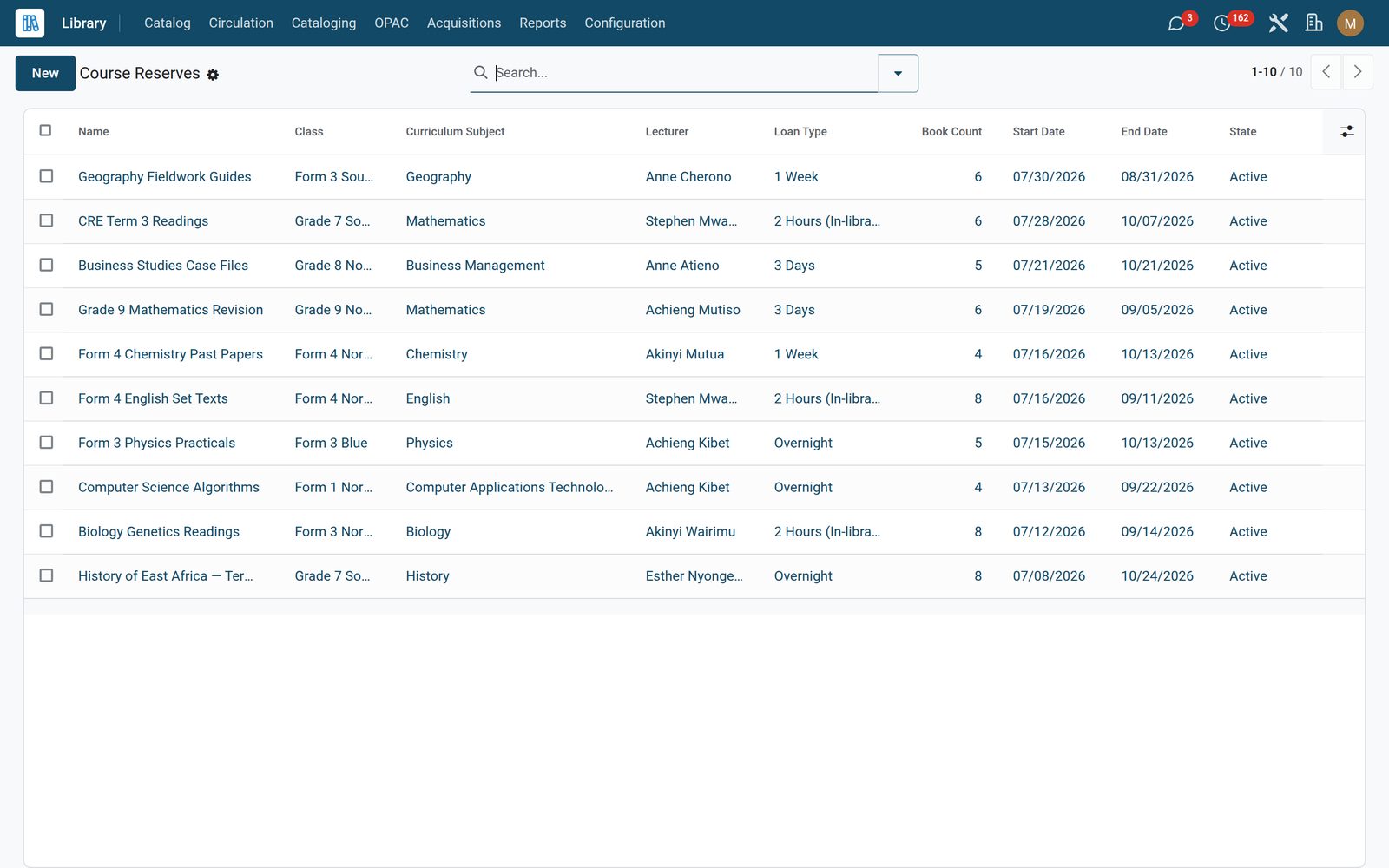
Course Reserves

Short-loan class shelves: 2-hour, overnight, 3-day or weekly.

Library: Course Reserves
12

Inter-Library Loans

Borrow and lend with partner institutions.

Library: Inter-Library Loans

What's inside

Everything in Library

64 items in 12 areas, every one shipping with the app today.

  • Circulation

    • Loans
    • Overdue
    • Reservations
    • Bulk Issue
    • Quick Return
    • Reading History
    • Course Reserves
    • Offline Queue
    • Inter-Library Loans
  • Configuration

    • Settings
    • Branches
    • Categories
    • Patron Categories
    • Patron Blocks
    • OPAC Settings
  • Catalog

    • Catalog Dashboard
    • Popular Books
    • Books
    • Copies (Barcoded)
    • Periodicals & Journals
    • Digital Resources
  • Cataloging

    • ISBN Auto-fill
    • MARC21 Import
    • MARC21 Export
    • Authors (Authority)
    • Subject Headings
    • Dewey Classification
  • Acquisitions

    • Purchase Plans
    • All Stock Lots (Library)
    • Generate Barcodes
    • Where Is Every Book?
    • Accession Register
  • Reports

    • Accession Register
    • Overdue Loans
    • Reading History
  • OPAC

    • Public Booklists
  • Documents it prints

    • Library Card
    • Overdue Loans Report
    • Accession Register
    • Barcode Sticker
  • It runs by itself

    • Library · Update Overdue LoansRuns daily
    • Library · Expire Reservation PickupsRuns daily
    • Library · Flag Expiring PeriodicalsRuns daily
    • Library · Auto-resolve Patron BlocksRuns daily
    • Library · Sync Offline Circulation QueueRuns every 15 minutes
  • Roles it ships

    • Librarian
    • Library Manager
    • Library — Cataloger
    • Library — Circulation Desk
    • Library — Acquisitions
    • Library — Full Librarian (v3 alias)
    • Feature: Course Reserves
    • Feature: Offline Circulation Queue
  • Guided assistants

    • Bulk Library Issue Wizard
    • Quick Return via Barcode
    • Library Barcode Generator
    • Accession Register Report Wizard
    • MARC21 Import Wizard
    • MARC21 Export Wizard
    • ISBN Auto-fill Wizard
    • EduPrime Adaptive Institution Settings
  • What it sends

    • EduPrime: Library Overdue Reminder
    • EduPrime: Library Reservation Ready
    • EduPrime: Library Fine Notice

Put Library to work

Add it to your EduPrime plan, priced per student, or start a free trial and see it running first.