





School HR & Payroll: Teaching and support staff records, contracts, leave and payroll

+$2.96/mo at 500 students. Free instant access, no credit card required.

Works with
  • Employees
School HR & Payroll in the EduPrime: Teaching and support staff records, contracts, leave and payroll
01

Every member of staff, on one record

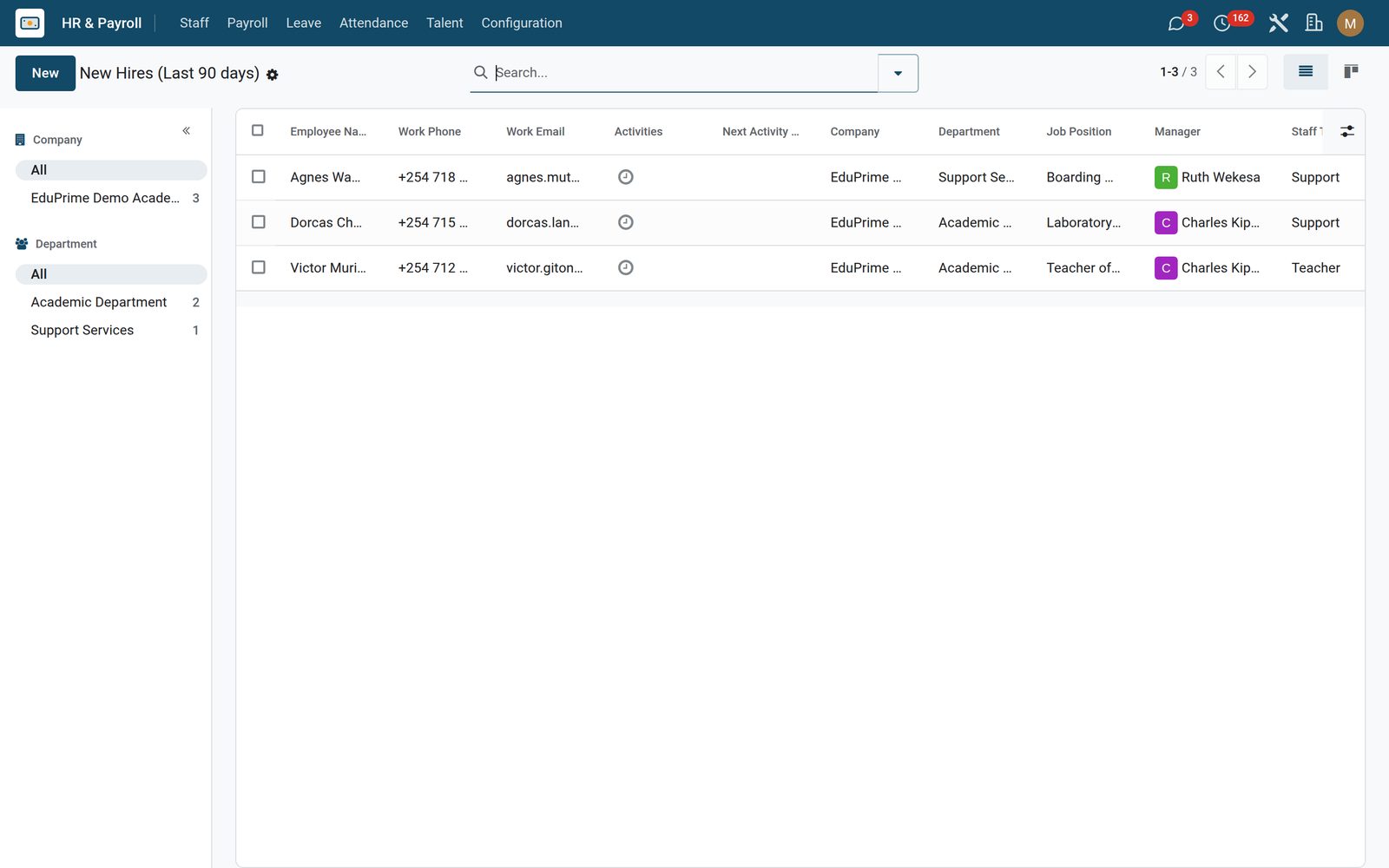
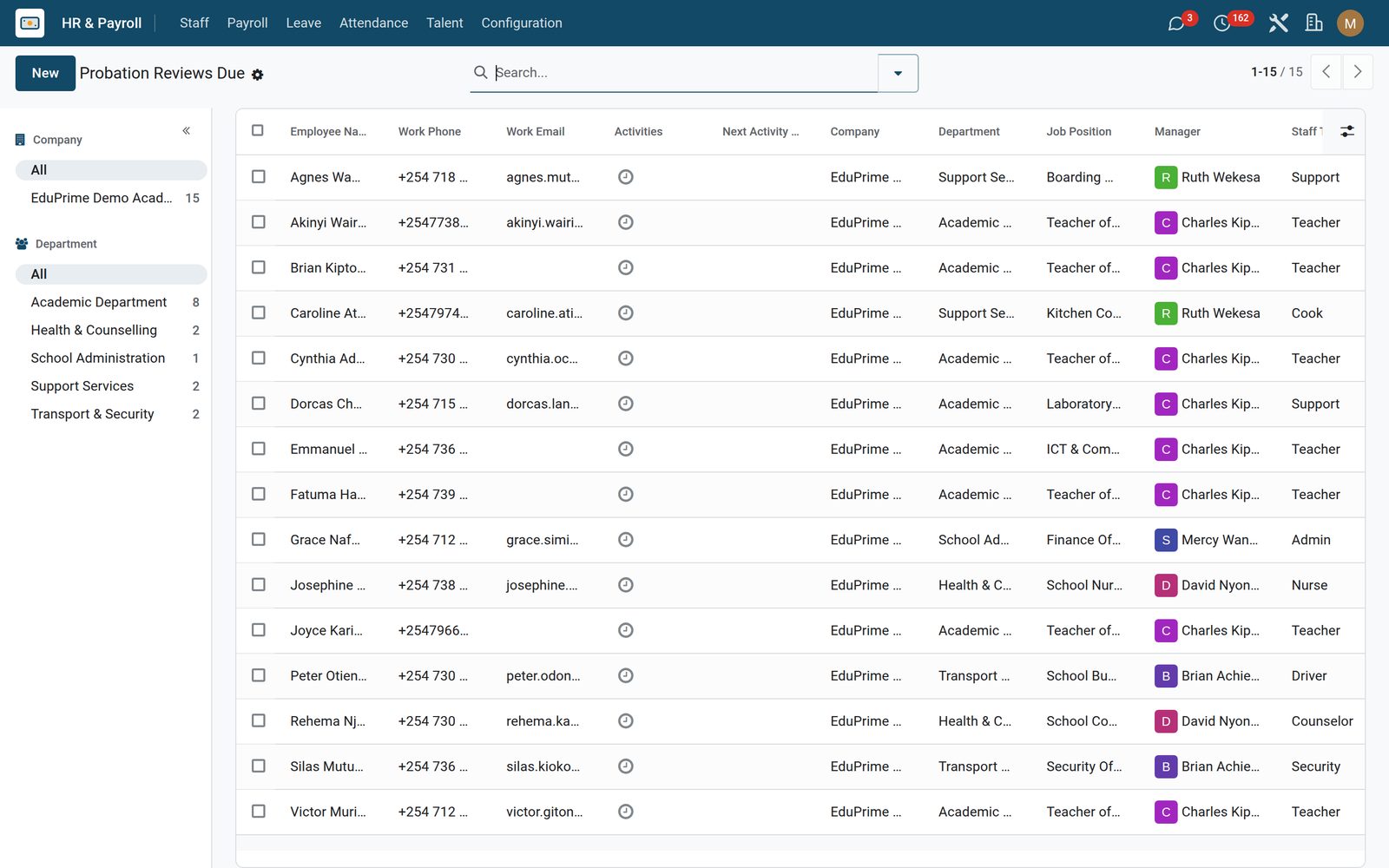
The directory gains its own filters too: Teachers, Admin, Support and TSC Certified — a flag the record raises for itself the moment a TSC number is on file — plus group-by staff type, department and job. New Hires lists everyone who joined in the last ninety days; Probation Reviews Due lists everyone who has a joining date but no confirmation date. Contracts carry the school’s own six contract types, the notice period, the TSC number and a salary breakdown whose basic and allowance lines add up to the gross the payroll then uses — and where there is no breakdown the plain wage stands in. Salary Structures keep the standard component set for each staff type on file as the reference that breakdown is typed from.
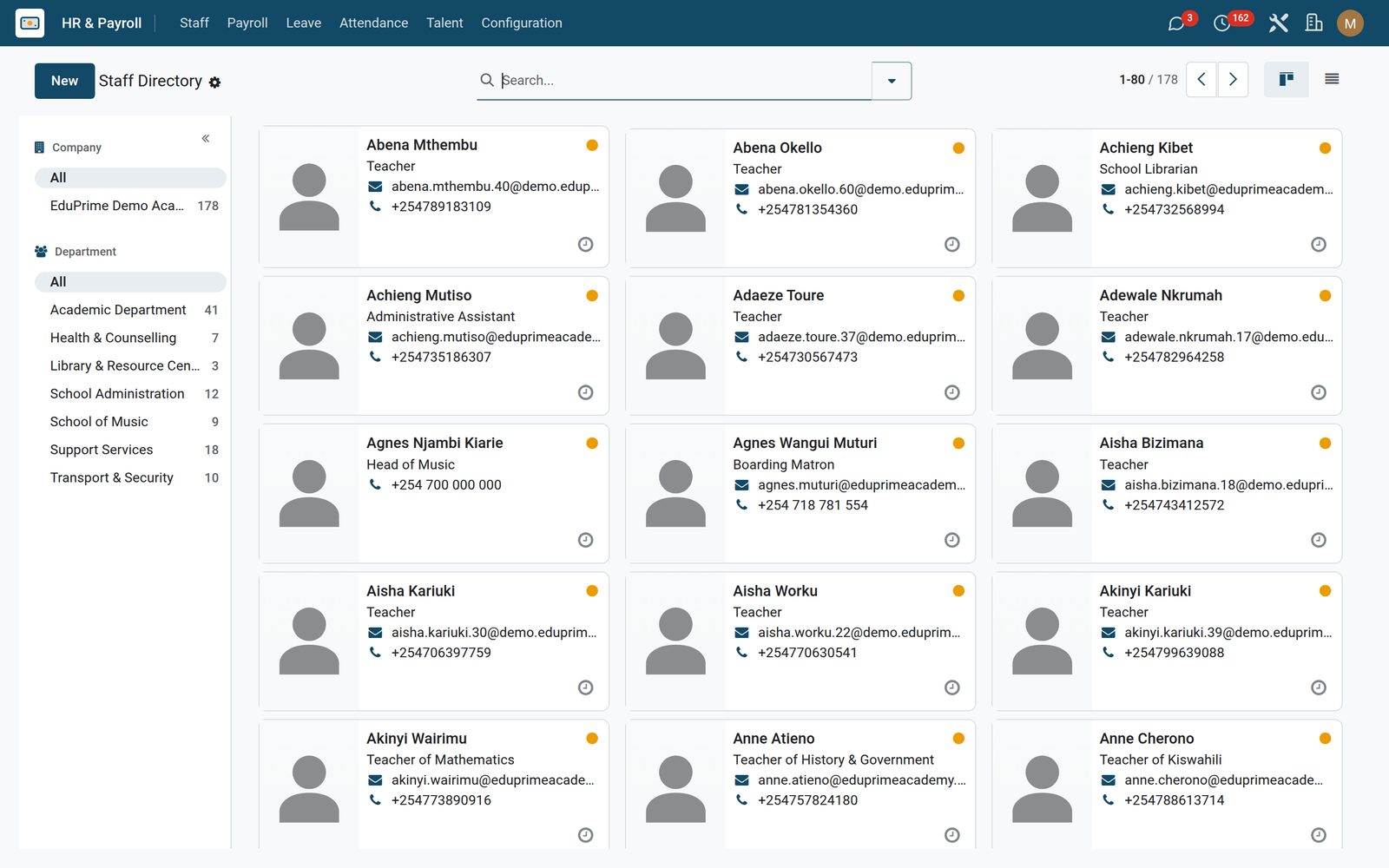
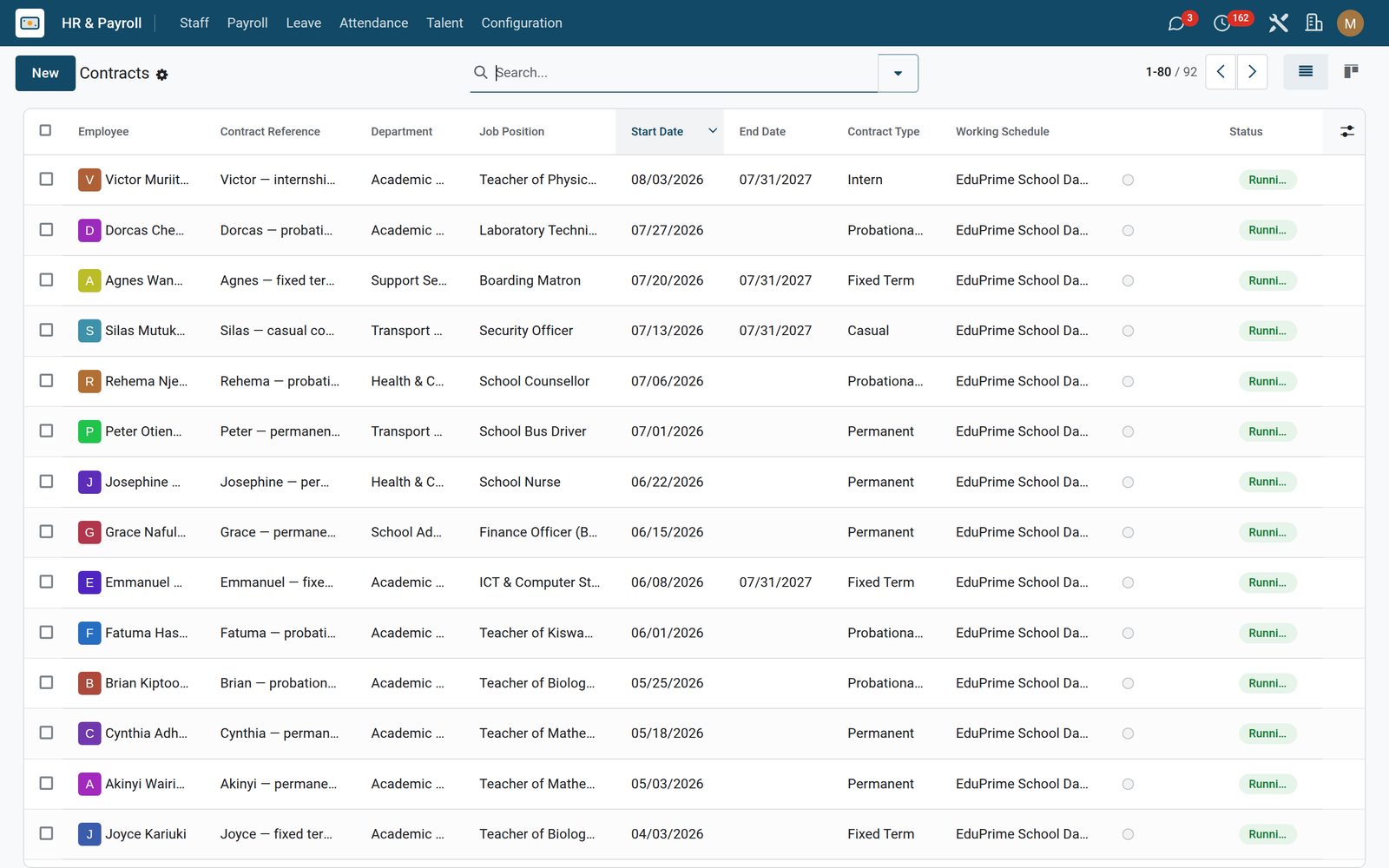
School HR & Payroll: Every member of staff, on one record
02

A month of payroll, from Draft to Paid

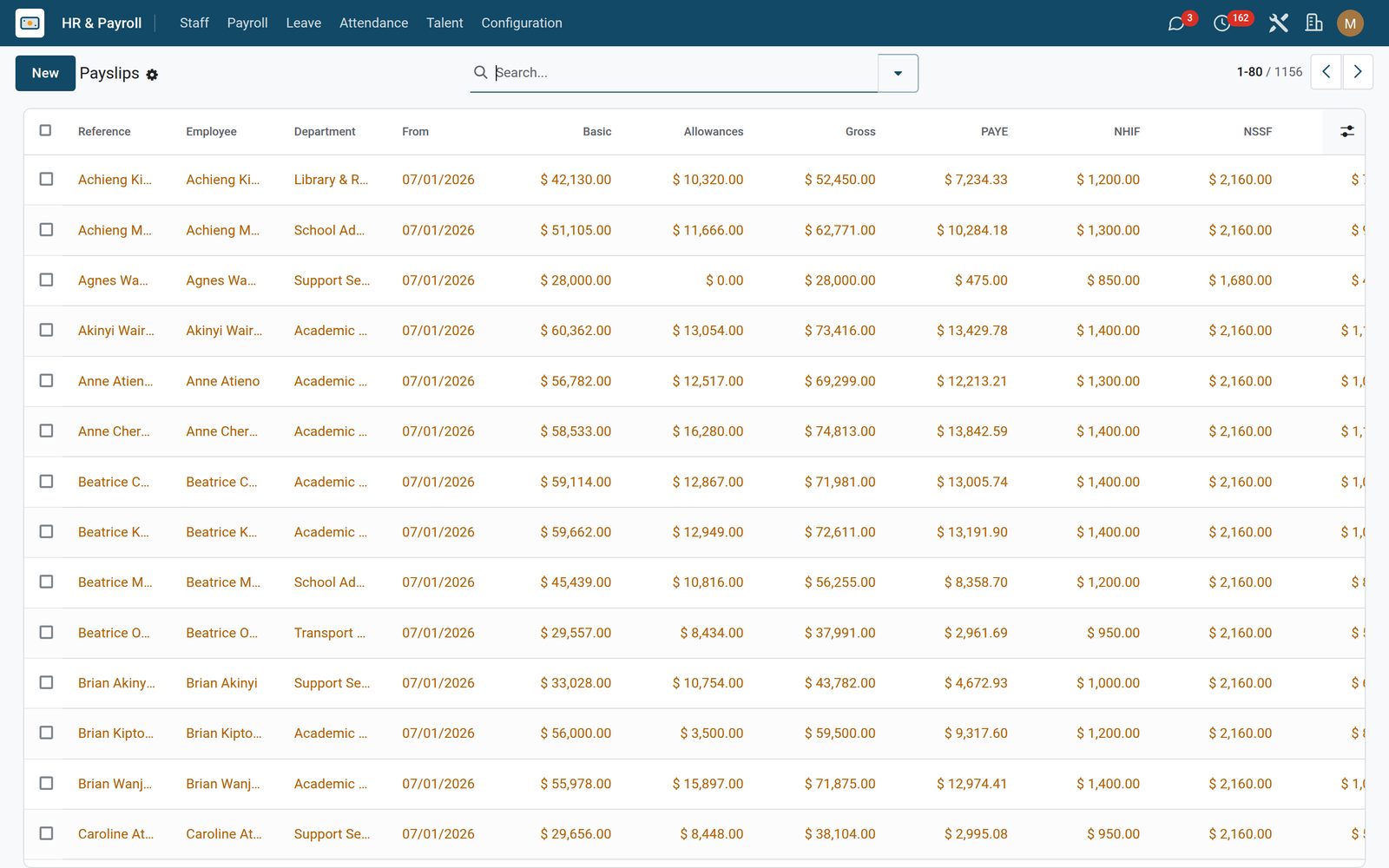
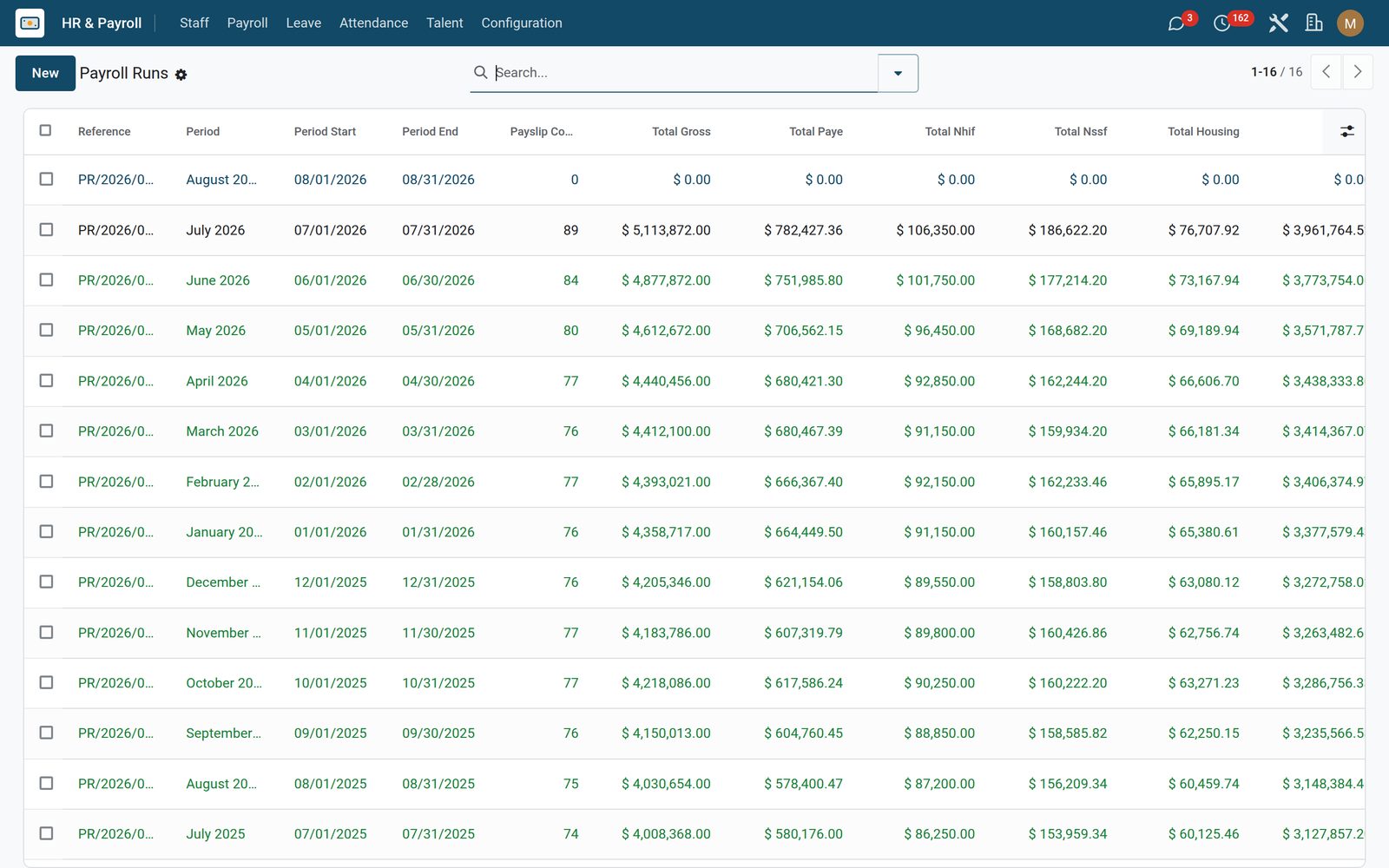
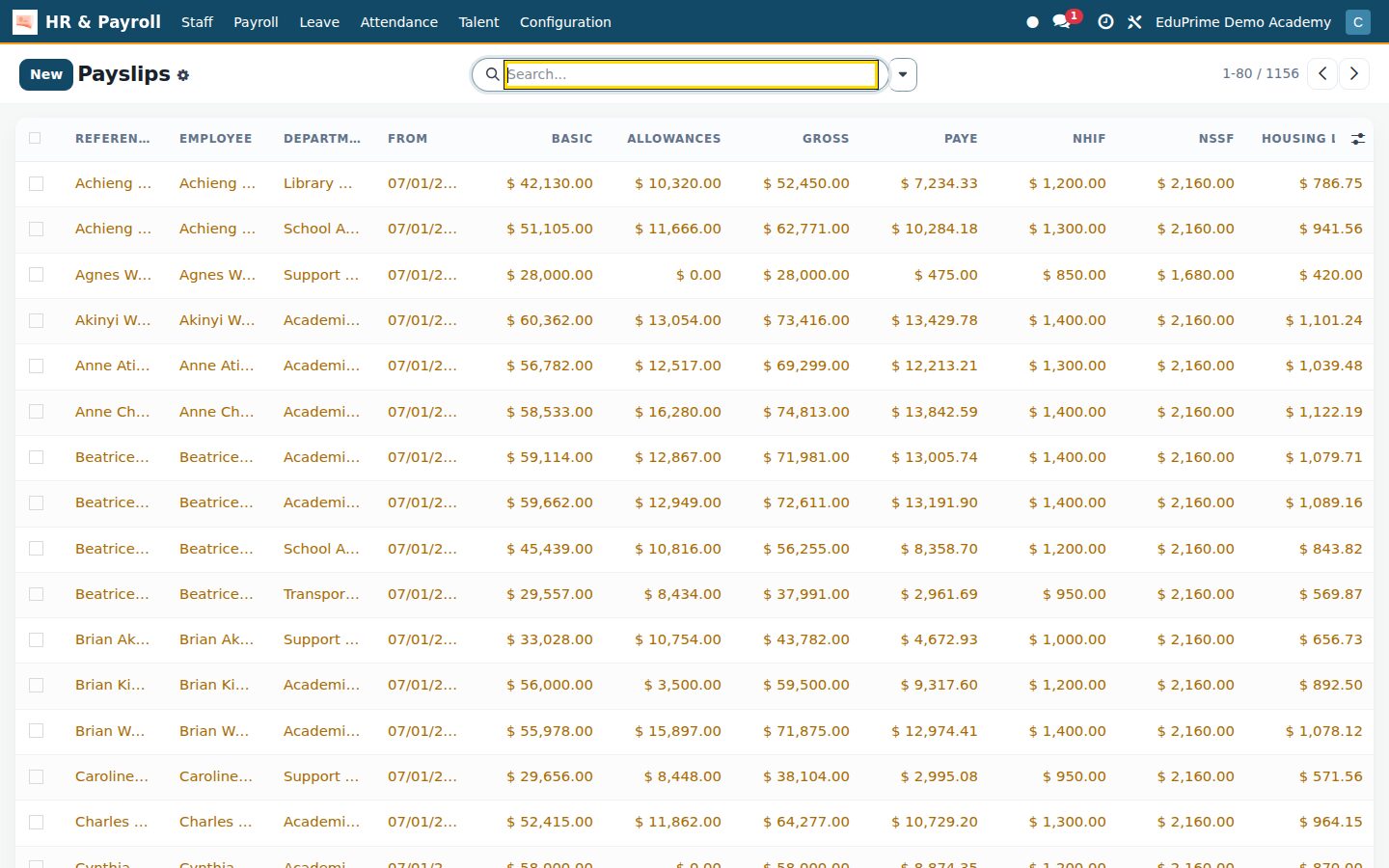
A payroll run is a period with a status bar. Compute raises one payslip per active employee holding a running contract with a wage — one pass over the whole school, never a subset — and logs how many slips it raised in the run’s own history; Post locks the slips; Mark as Paid closes the month — and a paid run can no longer be cancelled or reset to draft. Re-computing only wipes the draft slips, so posted pay is never quietly rewritten. Every slip carries its own line breakdown — basic, each contract allowance, gross, NSSF, housing levy, PAYE, NHIF and net — and the run totals gross, PAYE, NHIF, NSSF, housing and net across the whole school, summed in the list view and printed on the payroll summary PDF.

School HR & Payroll: A month of payroll, from Draft to Paid
03

Kenya statutory, computed the way KRA reads it

NSSF splits into Tier I on the first 7,000 and Tier II up to 36,000 at six percent, and the Housing Levy takes 1.5 percent — both come off before tax. PAYE is then charged on what is left across the five 2024 bands with the monthly personal relief deducted, and the NHIF contribution comes off afterwards on its seventeen-band graduated table, 150 under 6,000 up to 1,700 at 100,000 and above. One honest note: the payslip line and the return option are labelled “NHIF / SHIF”, and the amount is always the graduated NHIF figure — not a percent-of-gross SHIF rate. Three of the numbers — personal relief, the NSSF rate and the housing-levy rate — are editable rows in the Statutory Rates table, no code involved. Filing is two wizards: the P9 tax-deduction card for one employee and a tax year, and the statutory returns export for a run as PAYE (iTax), NHIF, NSSF or Housing Levy — the returns pulling the KRA PIN, the NHIF number and the NSSF number straight off the staff record, both reading posted or paid payslips only, and both writing a CSV you download and file yourself.

School HR & Payroll: Kenya statutory, computed the way KRA reads it
04

Leave on the school’s own entitlement table

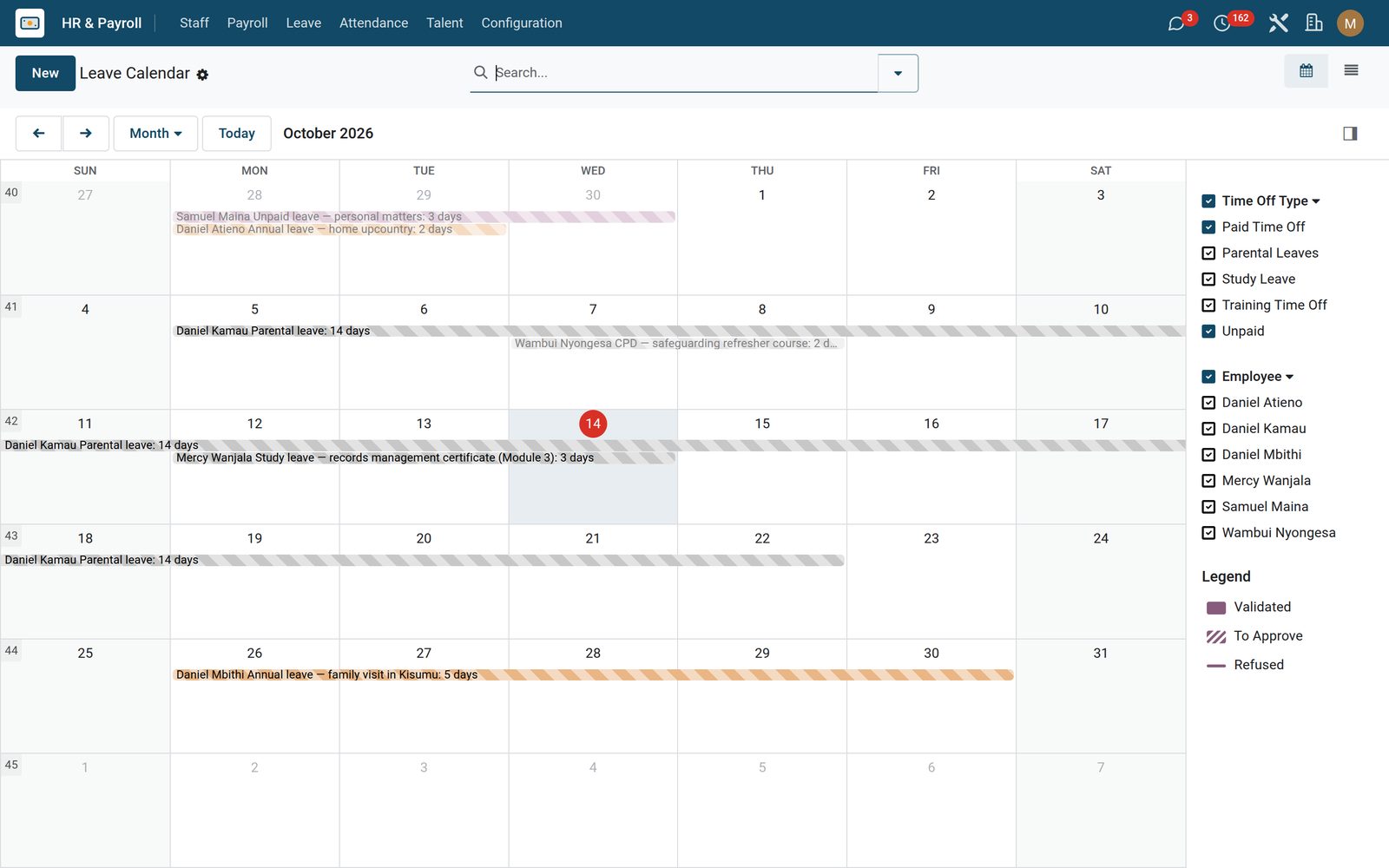
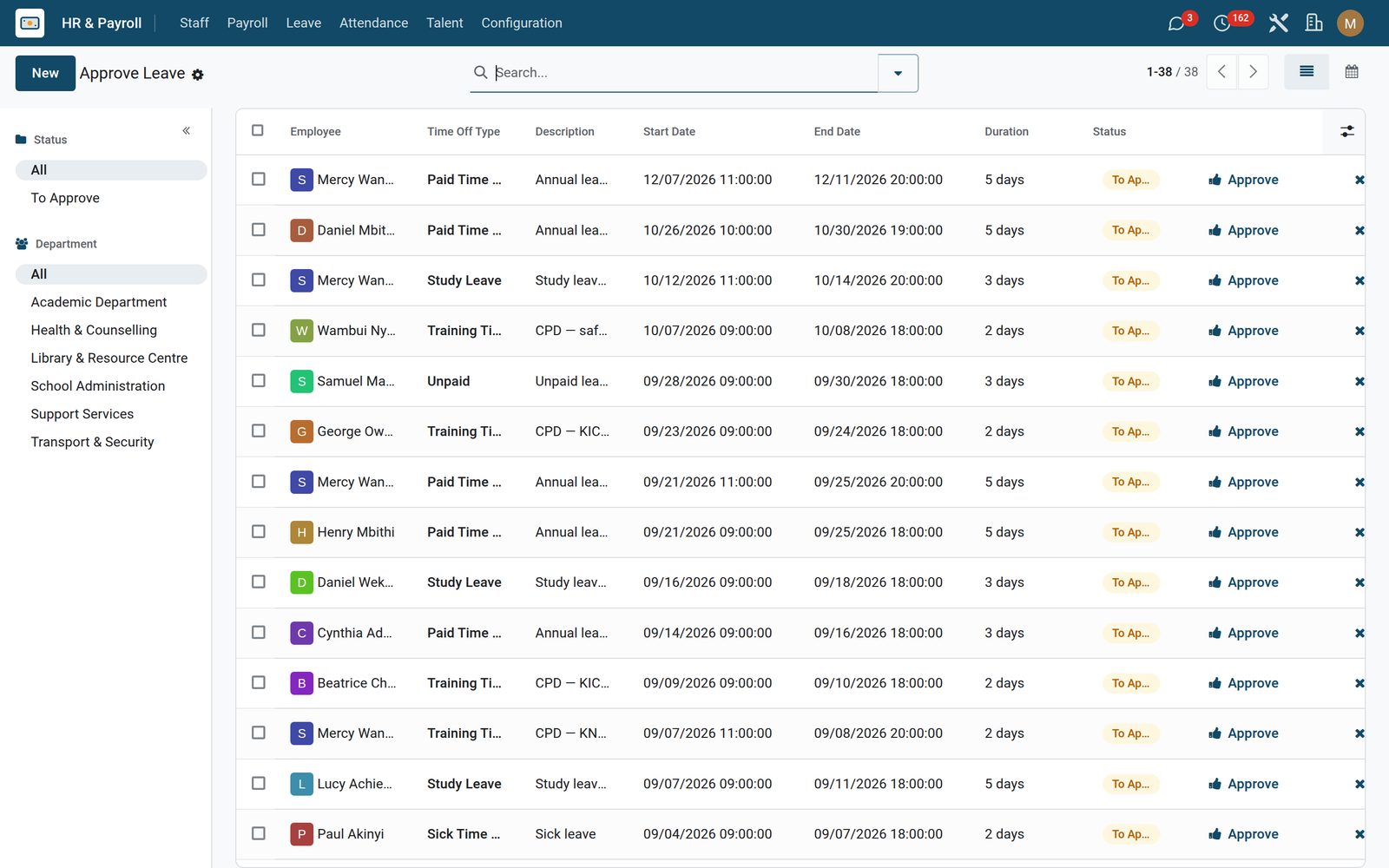
Leave policies record days per year and whether approval is required for each staff type, so a teacher and a driver are not written down as one number. The install seeds the first four rows — teacher annual 21 days, teacher sick 14, compassionate 5 and study 10 for all staff — and the table above is what a school grows that into: eighteen entitlements, one per staff type and leave type. Two school leave types that standard leave does not ship come with it, Compassionate and Study, and a study-leave request is flagged as needing head-of-department sign-off.

School HR & Payroll: Leave on the school’s own entitlement table
05

Hiring a teacher, with the checks on file

Applicants gain a School Hiring tab: the target staff type, an interview score out of 100, structured rubric notes, and reference and background check status — pending, in progress, clear or flagged — with the checking provider named. When you hire, the new employee record is seeded with that staff type and today’s joining date, so the person lands in the directory already classified. Open Positions shows only the jobs still recruiting, and Offers shows the applicants already turned into staff.

School HR & Payroll: Hiring a teacher, with the checks on file
06

Appraisal cycles, and CPD that expires

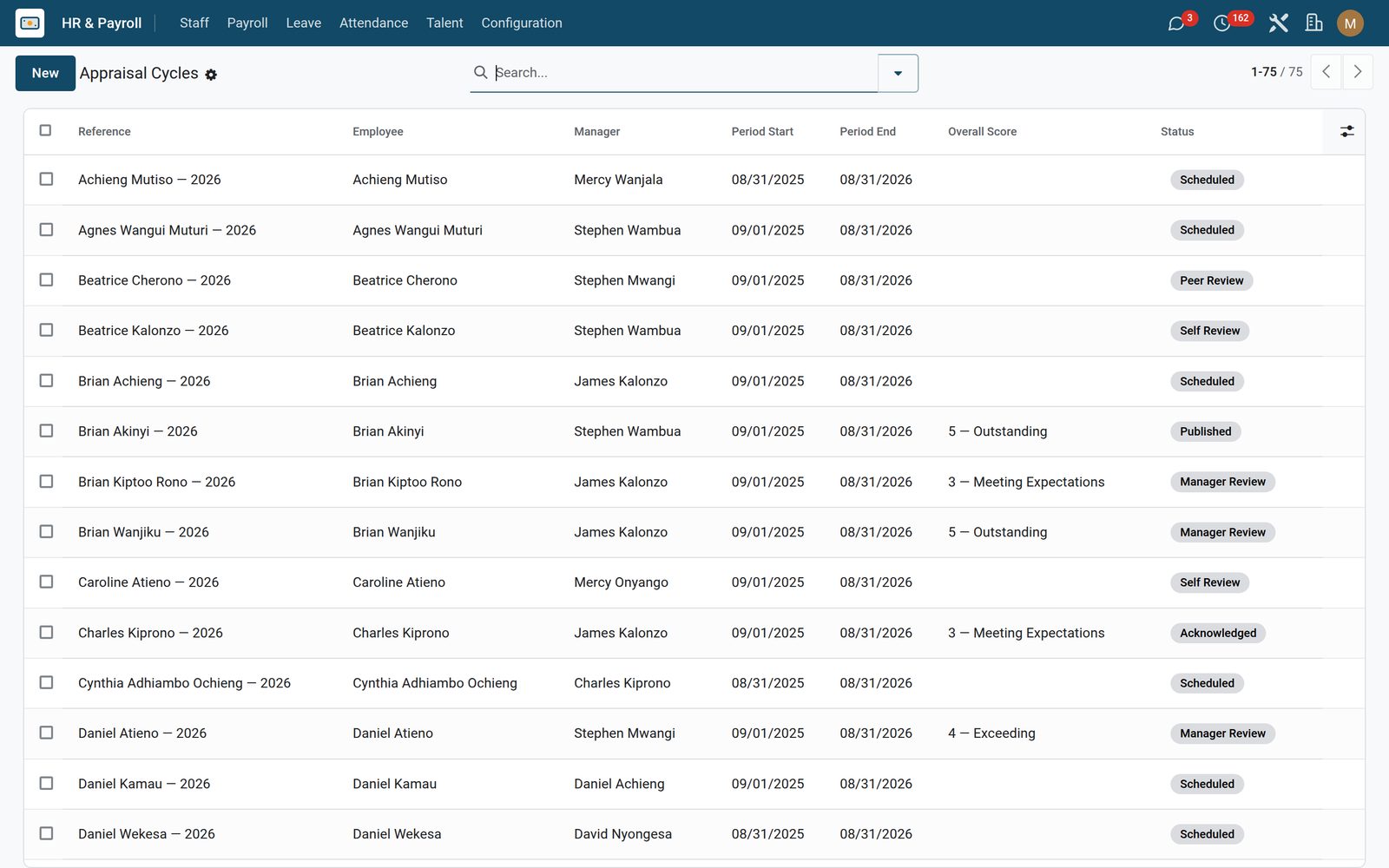
An appraisal walks scheduled, self review, peer review, manager review, calibration, published and acknowledged, with each peer reviewer scoring 1 to 5 on their own line. Publishing is refused without an overall score; when it goes through, the score and date are written back onto the employee — which sets the next appraisal a year out, and the weekly appraisal check (once you switch automation on in Settings) schedules that cycle for anyone falling due inside thirty days. Training records the provider, CPD hours, cost, participants and the certificate, and every course carries a validity in months that becomes an expiry date; tick a course mandatory and a second weekly check posts a warning on the record thirty days before that date.

School HR & Payroll: Appraisal cycles, and CPD that expires
07

Discipline, PIPs, and who is allowed to see them

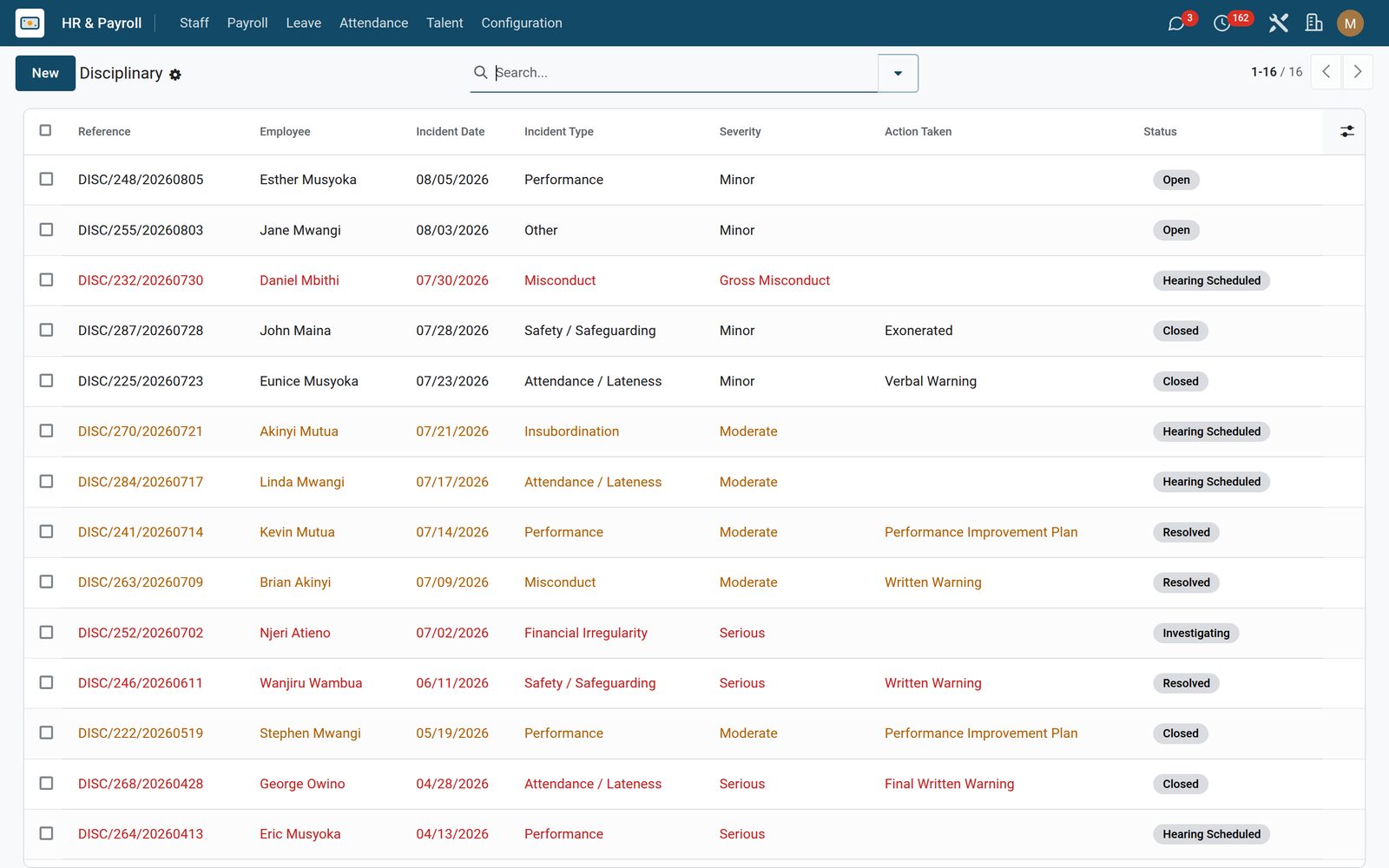
A disciplinary case records the incident across seven categories, a severity that colours the list red or amber, the hearing date, the witnesses and the action taken — verbal through final written, suspension, demotion, dismissal, exoneration, or a performance improvement plan whose objectives, dates and outcome appear only once PIP is the chosen action — and walks open, investigating, hearing scheduled, resolved and closed. Cases are confidential by design: HR sees every case, an employee sees only their own, and the same rule keeps payslips private. Three permission groups — Payroll Officer, Payroll Manager and Recruitment Officer — decide who computes pay and who may change a statutory rate: only the Manager may edit statutory rates or salary structures, or delete a run or a payslip.

School HR & Payroll: Discipline, PIPs, and who is allowed to see them
08

Probation Reviews

Staff on probation with their department, manager and next review.

School HR & Payroll: Probation Reviews
09

Periods

Monthly payroll periods with payslip count, gross, statutory deductions and net pay.

School HR & Payroll: Periods
10

Approve (Manager)

Leave requests waiting for a manager, with type, dates and duration.

School HR & Payroll: Approve (Manager)

What's inside

Everything in School HR & Payroll

53 items in 12 areas, every one shipping with the app today.

  • Talent

    • Open Positions
    • Cycles
    • Catalog
    • Applicants
    • My Reviews
    • My Training
    • Interviews
    • Calibration
    • Offers
    • Disciplinary
  • Configuration

    • Settings
    • Job Titles
    • Departments
    • Salary Structures
    • Leave Policies
    • Statutory Rates
  • Staff

    • Staff Directory
    • New Hires
    • Probation Reviews
    • Contracts
  • Payroll

    • Periods
    • Payslips
    • Statutory Returns
    • Annual Tax Certificate (P9)
  • Leave

    • Apply
    • Approve (Manager)
    • Calendar
    • Balances
  • Attendance

    • Today
    • Late Arrivals
    • Overtime
    • Reports
  • Documents it prints

    • Payslip
    • Annual Tax Certificate (P9)
    • Payroll Summary
  • It runs by itself

    • EduPrime: Auto-create monthly payroll runRuns daily
    • EduPrime: Schedule annual appraisalsRuns every 7 days
    • EduPrime: Mandatory training expiry alertsRuns every 7 days
  • Roles it ships

    • Payroll Officer
    • Payroll Manager
    • Recruitment Officer
    • Feature: Recruitment
    • Feature: Appraisals
    • Feature: Training and CPD
    • Feature: Disciplinary
    • Feature: Attendance Tracking
  • Guided assistants

    • EduPrime Payroll Compute Wizard
    • EduPrime Annual Tax Certificate Export (P9)
    • EduPrime Statutory Returns Export (KRA iTax)
    • EduPrime Adaptive Institution Settings
  • What it sends

    • EduPrime: Payslip Published
  • More in this app

    • Who is in, who was late, who worked overFour ready-made views cover the day and the term: today, late arrivals, overtime, and a pivot and graph report. Each employee record shows their late count for the current month alongside a TOIL balance kept on the record.
    • Turn on only the sections your school runsThe app ships its own Settings page, not a page of defaults. Six feature switches — Recruitment, Appraisals, Training & CPD, Disciplinary, Attendance Tracking and Kenya Statutory Payroll — each reveal or hide a whole menu section, and all six are off on a fresh install, so a new install opens on Staff, Payroll, Leave and Configuration and nothing else; switching one back off hides the menus and keeps the data. Two attendance rules are numbers you set here rather than fixed values: the hour of day after which a check-in counts as late (8.25 means 08:15) and the length of a standard workday, past which the school overtime figure starts. One Automation switch drives all three scheduled checks together — they ship off, so installing this app never creates a payroll run on its own. Configuration is HR-manager only, and it is where Settings, job titles, departments, salary structures, leave policies and the statutory rates all live.

Works with

What School HR & Payroll works with

School HR & Payroll shares one database with the rest of the EduPrime and BridgeERP: these are the apps it already talks to, with nothing to buy in between.

Builds on

School HR & Payroll needs these to run; they come with it in the same plan.

Put School HR & Payroll to work

Add it to your EduPrime plan, priced per student, or start a free trial and see it running first.