





Counselling: Confidential counselling case notes with record-rule protected access

+$1.48/mo at 500 students. Free instant access, no credit card required.

Works with
  • Academics
Counselling in the EduPrime: Confidential counselling case notes with record-rule protected access
01

The session record — and the short list of people who can read it

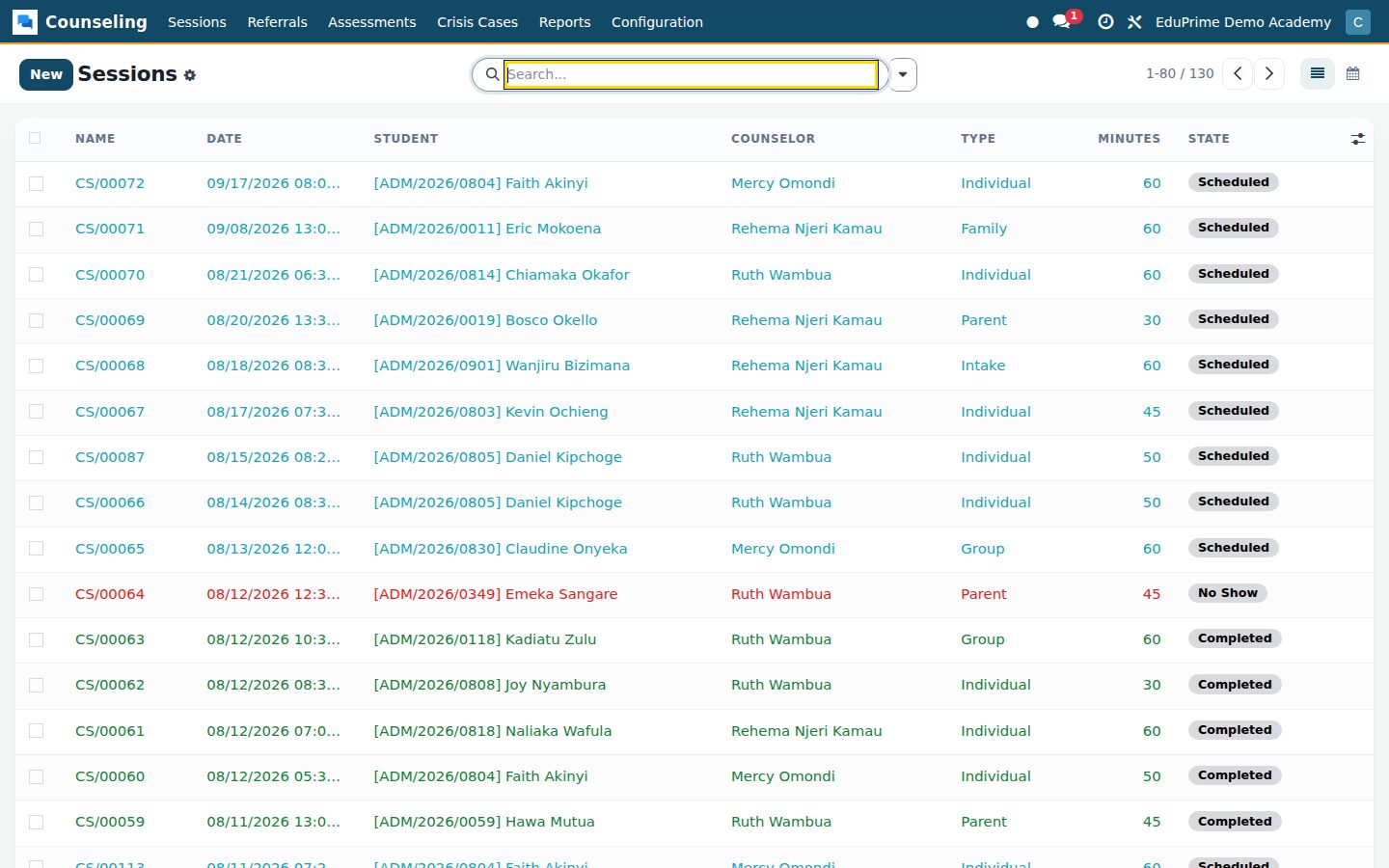
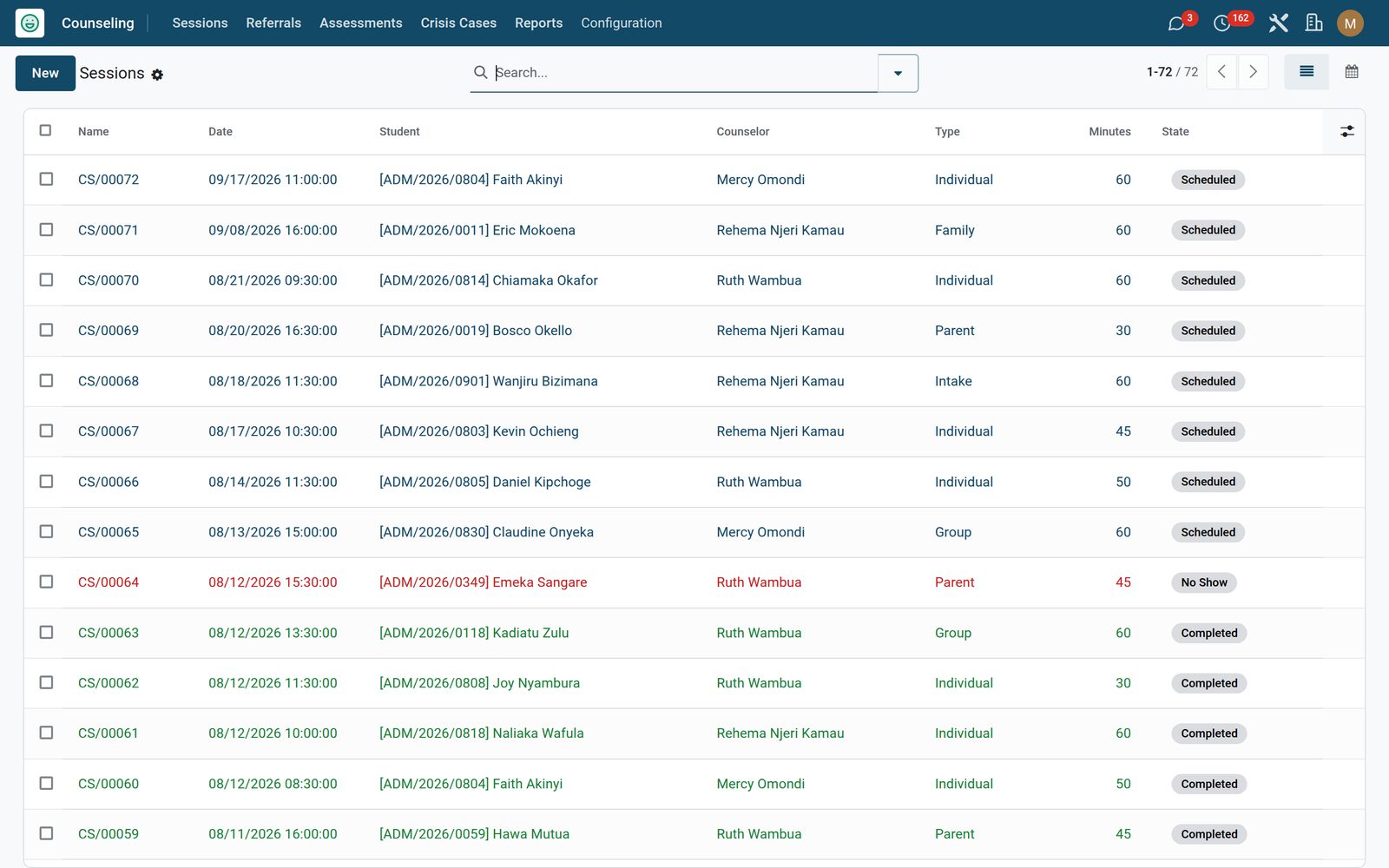
Log intake, individual, group, parent, family and crisis sessions against the student, each numbered CS/00001, timed in minutes and moved along the status bar by Start, Complete, No Show and Cancel, with the next appointment date on the record. The Confidential Notes page holds the presenting concern, the session notes and the goals set — and all three are open only to the Counselor group, so a colleague outside the service cannot reach them through a form, a list, a filter or an export. Each counsellor sees only the sessions where they are the assigned counsellor, while the Counseling Manager sees the whole service. My Caseload and Upcoming are one click, the month calendar colours by counsellor, and the student, counsellor, date, type, concern, notes, next date and status are each tracked on the record’s history as they change.
Counselling: The session record — and the short list of people who can read it
02

From first concern to first appointment, without a paper form

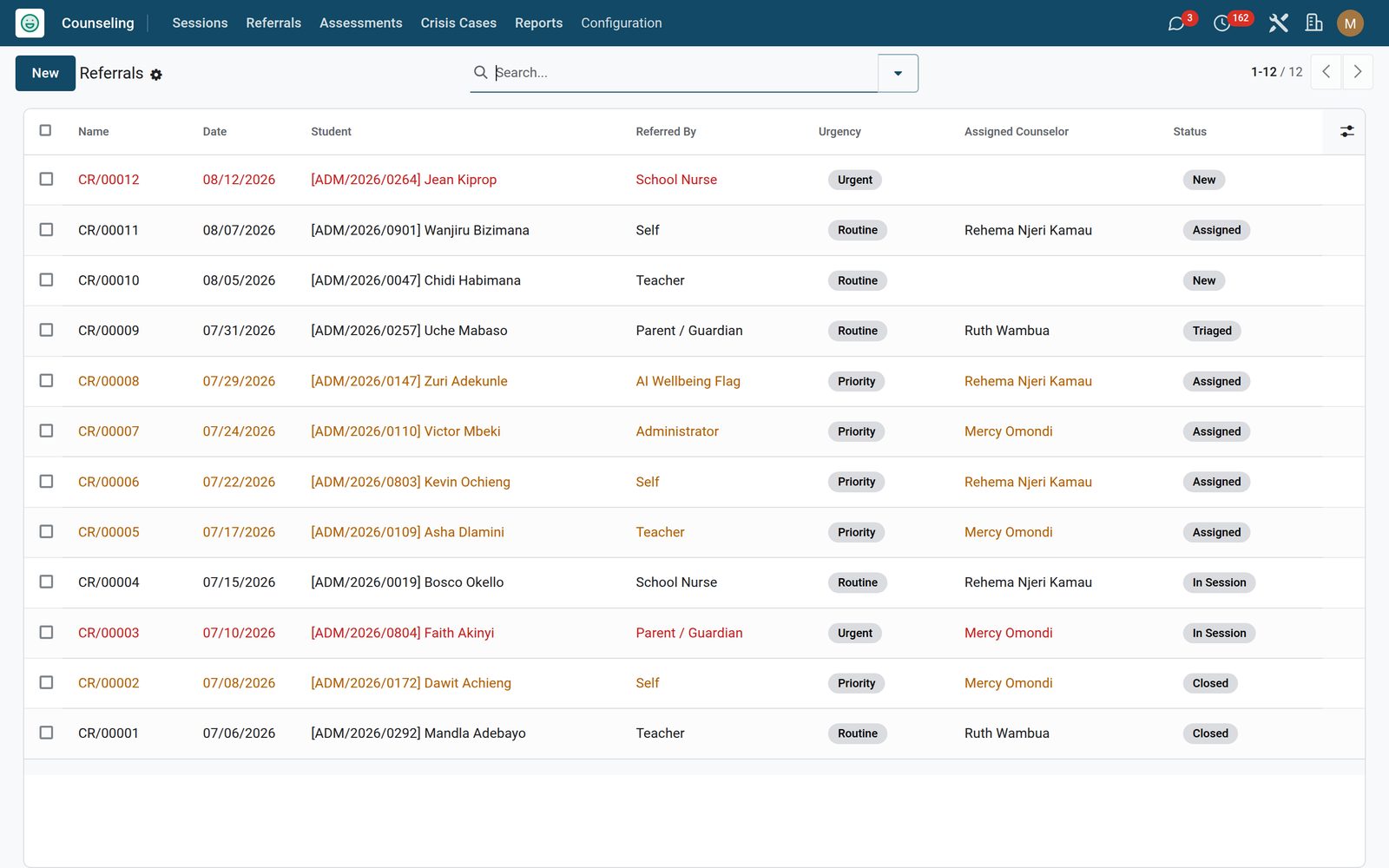
A referral records who raised it — teacher, parent or guardian, the student themselves, the school nurse, an administrator, an AI wellbeing flag or another source — the presenting concern, and an urgency that colours the queue red for urgent and amber for priority. The status bar runs new, triaged, assigned, in session, closed; Assign refuses to move a case on until a counsellor is named, and Start Session opens an intake session for that student with the concern already carried across. Print Confidential Case File from any referral and you get one document — the referral itself, then that student’s counselling sessions, crisis history and assessments — under a red CONFIDENTIAL banner. The report action is restricted to the counselling team, and the document only ever shows what the reader is already allowed to see: the Counseling Manager prints the complete history, a counsellor gets the whole crisis history plus the sessions and assessments they are already entitled to see.

Counselling: From first concern to first appointment, without a paper form
03

PHQ-9, GAD-7 and SDQ, banded as you type

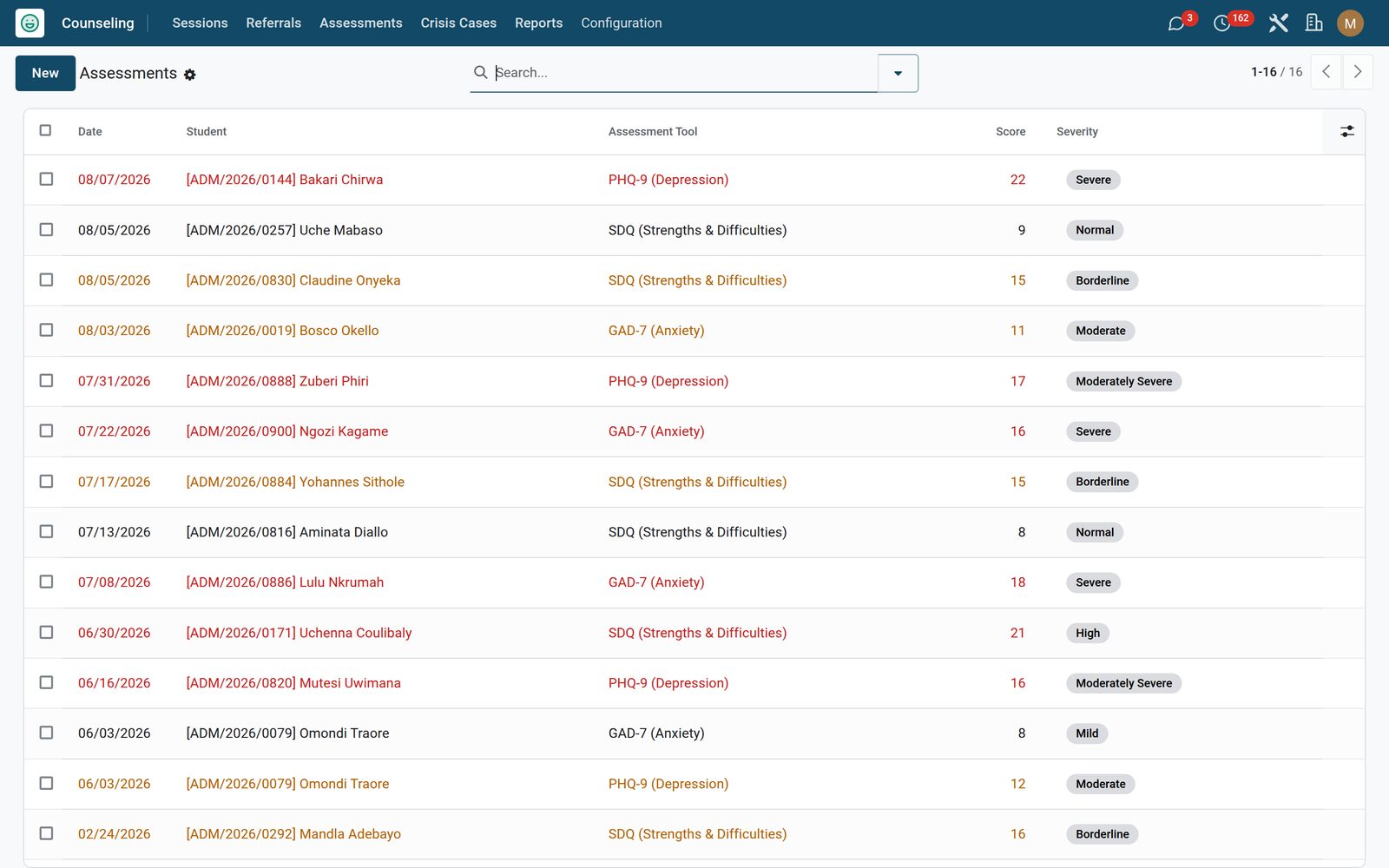
Record a screener against the student and the severity computes and stores itself from the total. PHQ-9 uses its published cut-points of 5, 10, 15 and 20 for normal, mild, moderate, moderately severe and severe; GAD-7 uses its published cut-points of 5, 10 and 15 for normal, mild, moderate and severe; the SDQ total bands into normal, borderline and high. The list turns amber in the middle of the range and red at the severe end, so the scores that need attention are visible without opening a record. A Custom option records the score for whatever instrument your team already administers — only the three named screeners are banded, so a custom entry stays at the Normal band and the reading is yours to write. The interpretation and the action plan are counsellor-only fields, and a counsellor sees only the assessments recorded under their own name — the manager sees them all.

Counselling: PHQ-9, GAD-7 and SDQ, banded as you type
04

Crisis response, with the safeguarding trail attached

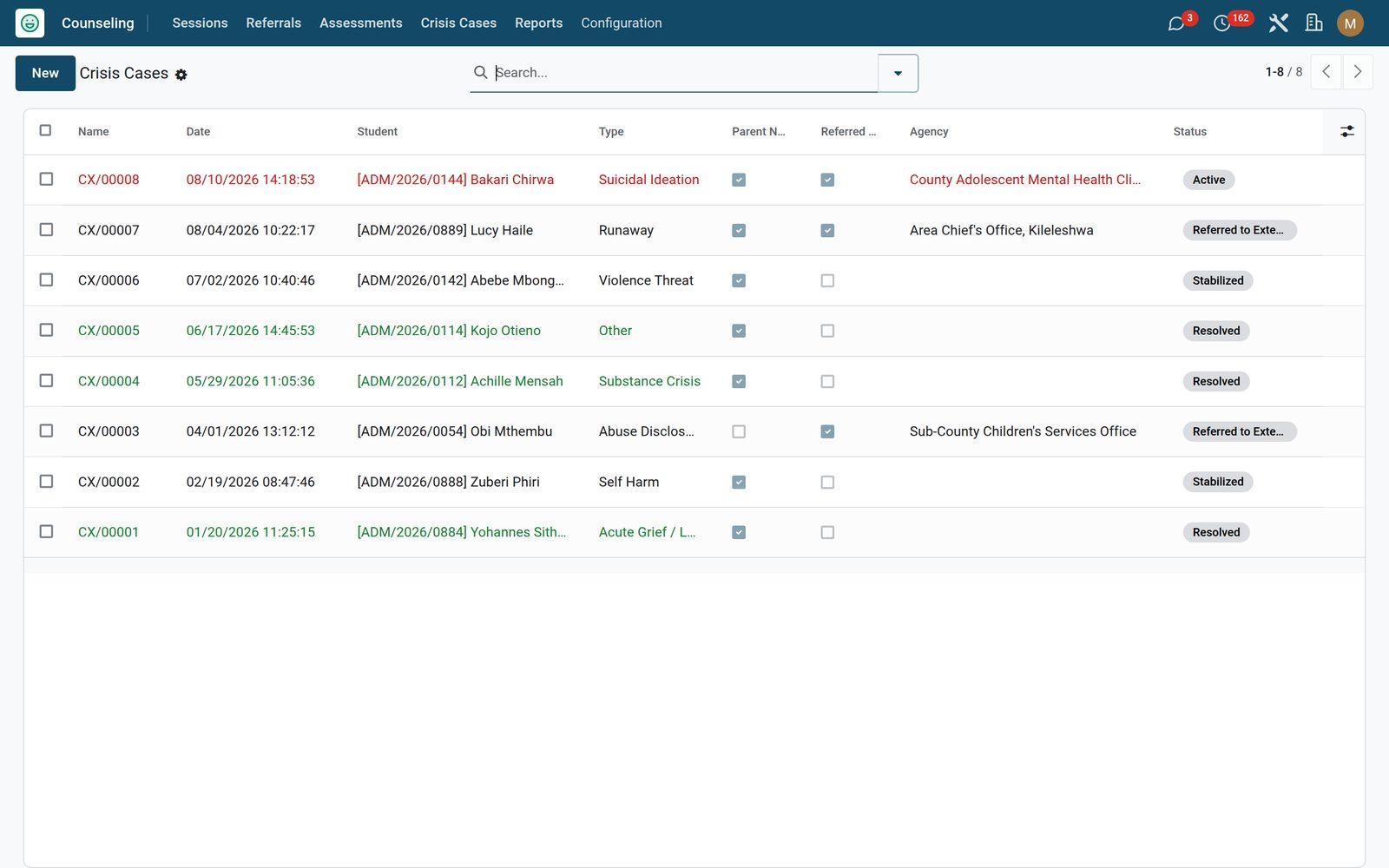
Log a crisis under one of eight types — self harm, suicidal ideation, abuse disclosure, acute grief, substance crisis, violence threat, runaway or other — each numbered CX/00001, with the immediate action taken written into a counsellor-only field. Notify Parent stamps the exact time and posts the notification into the history; Refer External moves the case to Referred to External, flips the agency flag and reveals the field where you name the agency; Stabilize and Resolve close the loop. Every crisis is visible to the whole counselling team, deliberately, because cover matters more than caseload privacy at that moment — and only the Counseling Manager can delete one. A daily check posts a safeguarding follow-up on every case still Active, so nothing goes quiet on its own.

Counselling: Crisis response, with the safeguarding trail attached
05

Let a teacher refer a student without joining the counselling team

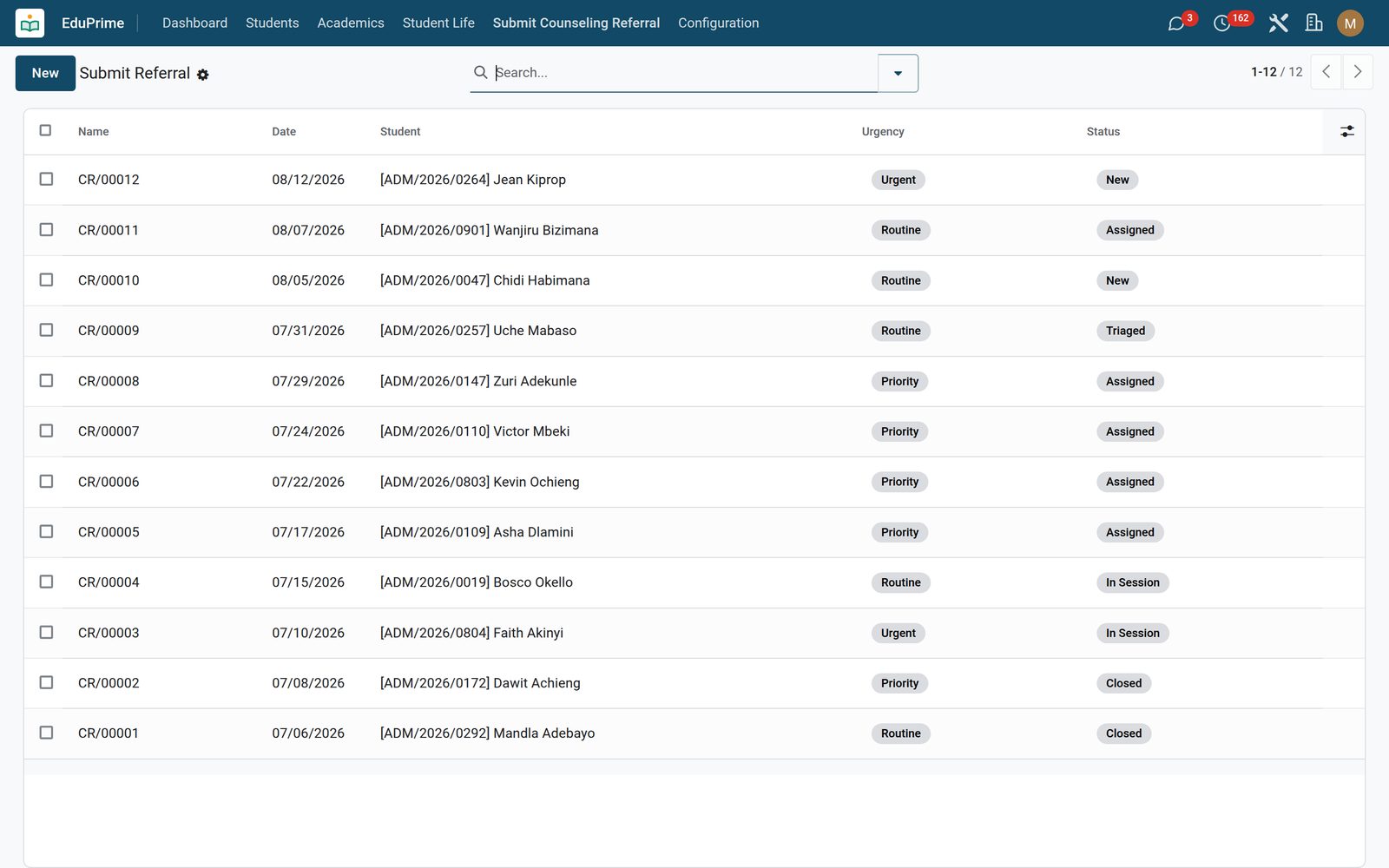
Switch on Staff Referral Intake and a Submit Counseling Referral entry appears on the EduPrime menu — outside the counsellor-only app, with its own stripped-down list and form. A teacher, nurse or head of year names the student, the urgency and the concern (the referrer defaults to Teacher), and that is all: the fields lock the moment the referral is saved, the list is create-only with editing switched off, and access is read-and-create only, so each member of staff sees the referrals they raised and nobody else’s. The same records land in the counselling team’s full queue for triage, so nothing is re-keyed. Leave the switch off and the menu never appears for your staff.

Counselling: Let a teacher refer a student without joining the counselling team
06

Numbers for the senior team, notes for nobody

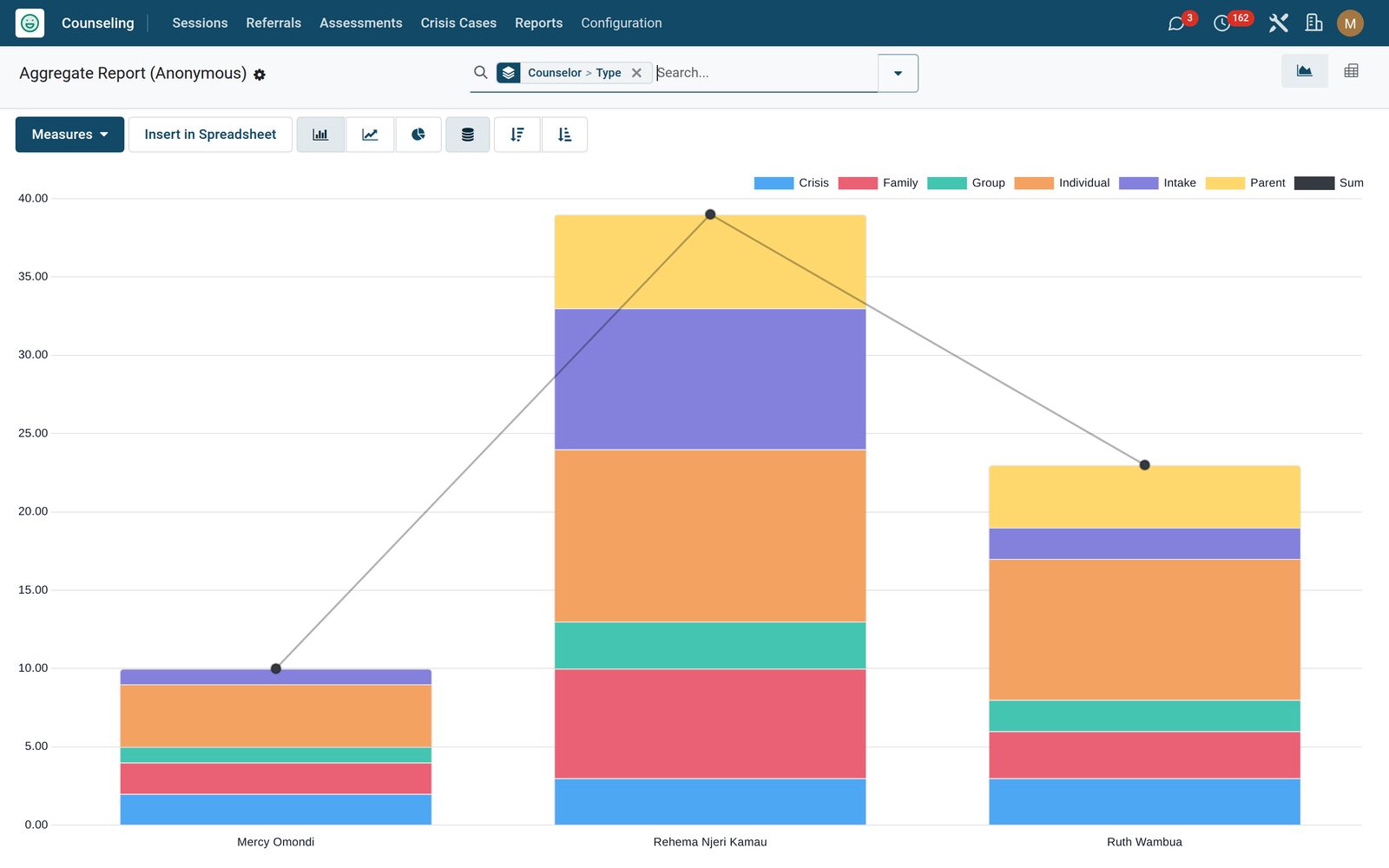
The Aggregate Report (Anonymous) opens the counselling workload as a graph and a pivot — and only those two views, so there is no list to click into and no form to open. It arrives pre-grouped by counsellor and session type, so a head or a board can see the volume and how the load falls across the service: how many sessions in all, how many each counsellor is carrying, which kinds of session dominate. Slice it further in the pivot if you want. The menu that reaches it is restricted to the Counseling Manager, and the counsellor-only fields stay unreadable there exactly as they are everywhere else in the system.

Counselling: Numbers for the senior team, notes for nobody

What's inside

Everything in Counselling

19 items in 9 areas, every one shipping with the app today.

  • Everything a school counselor needs, kept confidential.

    • Confidential sessionsIntake, individual, group, parent, family and crisis sessions — case notes visible only to counselors, enforced by access rules.
    • Referral triageTeachers, parents, nurses or students raise a referral; triage by urgency, assign a counselor and open a session in one click.
    • Standardized assessmentsRecord PHQ-9, GAD-7 and SDQ scores and get an auto-computed severity band, plus a private interpretation and action plan.
    • Crisis & safeguardingEscalate self-harm, abuse or grief cases, track parent and external-agency notification, and get daily follow-up reminders until resolved.
  • Configuration

    • Settings
  • Counseling

    • Sessions
    • Referrals
    • Assessments
    • Crisis Cases
    • Reports
  • EduPrime

    • Submit Counseling Referral
  • Documents it prints

    • Confidential Case File
  • It runs by itself

    • Counseling: active-crisis safeguarding follow-upRuns daily
  • Roles it ships

    • Counselor
    • Counseling Manager
    • Feature: Standardized Assessments
    • Feature: Staff Referral Intake
  • Guided assistants

    • EduPrime Adaptive Institution Settings
  • More in this app

    • Two roles, two switches, and a menu most of your staff never seeThere are exactly two roles: Counselor and Counseling Manager, the manager inheriting the counsellor. The whole Counseling menu carries the counsellor group, so to everyone else in the school the app simply is not there, and deletion is the manager’s alone on all four record types. Two feature switches — Standardized Assessments and Staff Referral Intake — start off and hide their menus until you want them, and the data stays either way; the Counseling settings page that holds them is itself behind both the system-administrator group and the Counseling Manager role. Multi-company rules on sessions, referrals, assessments and crises keep one school’s casework out of another’s on a shared install.

Put Counselling to work

Add it to your EduPrime plan, priced per student, or start a free trial and see it running first.