











 : From pickup to proof of delivery
Bridge Courier runs the whole parcel lifecycle on one waybill: online booking, pickup allocation, hub scanning and manifests, a rider app with signature and photo proof, public tracking, cash-on-delivery remittance and rate-card billing. Twelve courier apps on the BridgeERP platform, with Courier Core included.
Free instant access. No credit card required. Priced per shipment.
 Courier Core
 Dispatch & Scanning
 Tracking
 SLA Monitoring
 Pickup Requests
 Rating & Billing
Your network, defined once
Courier Core is the map every other app reads: branches, hubs and agents in one tree, service types with transit hours and cut-offs, zones matched by city, postcode range or prefix, and the exception rules for a failed attempt. Book a parcel and the system already knows which hub it passes through, what it may weigh and what proof the door requires.
 Courier Core
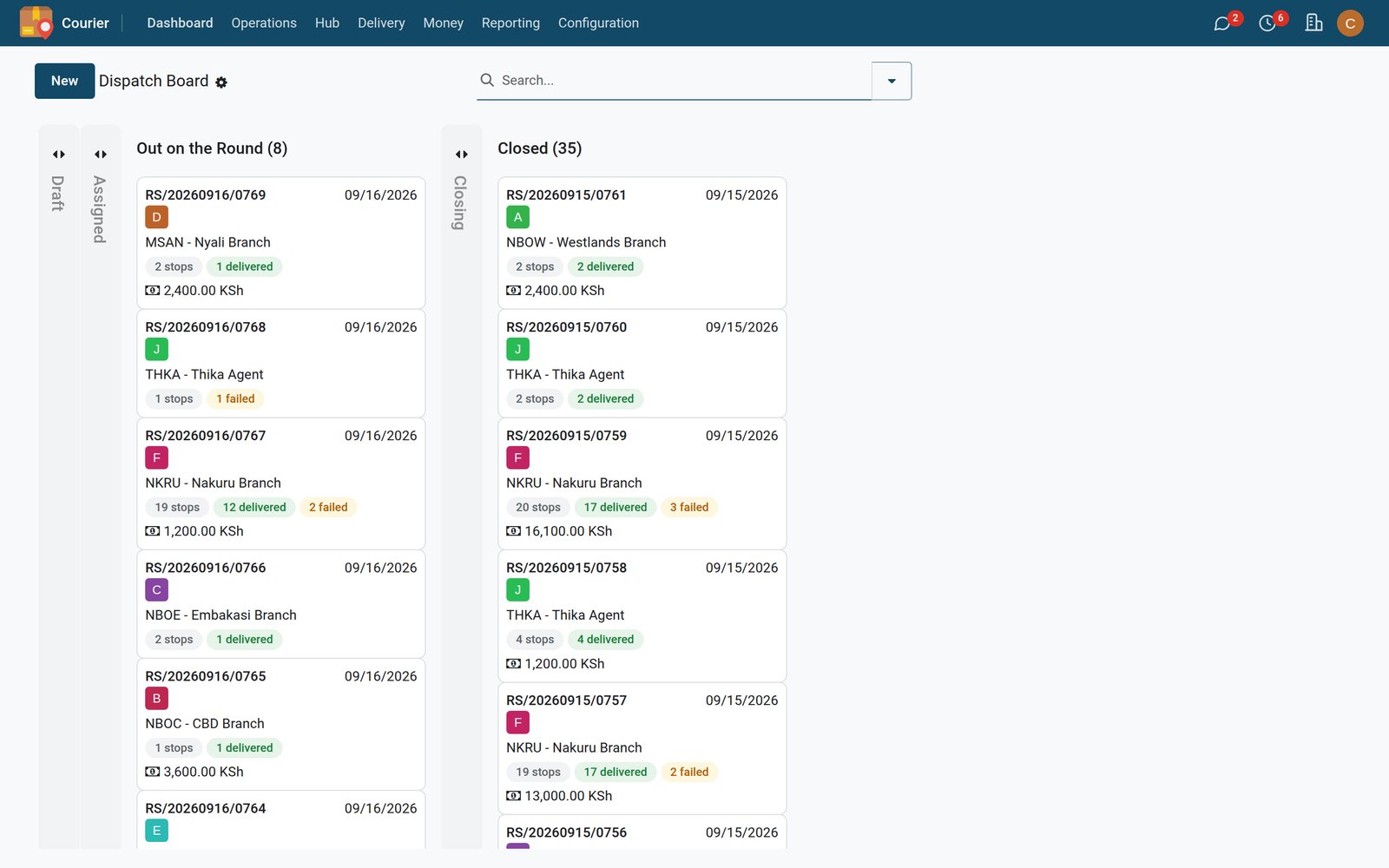
Shipments, live
Every waybill with sender, recipient city, service, chargeable weight, COD amount and current status, grouped the way a hub supervisor reads the day.
Explore Courier Core →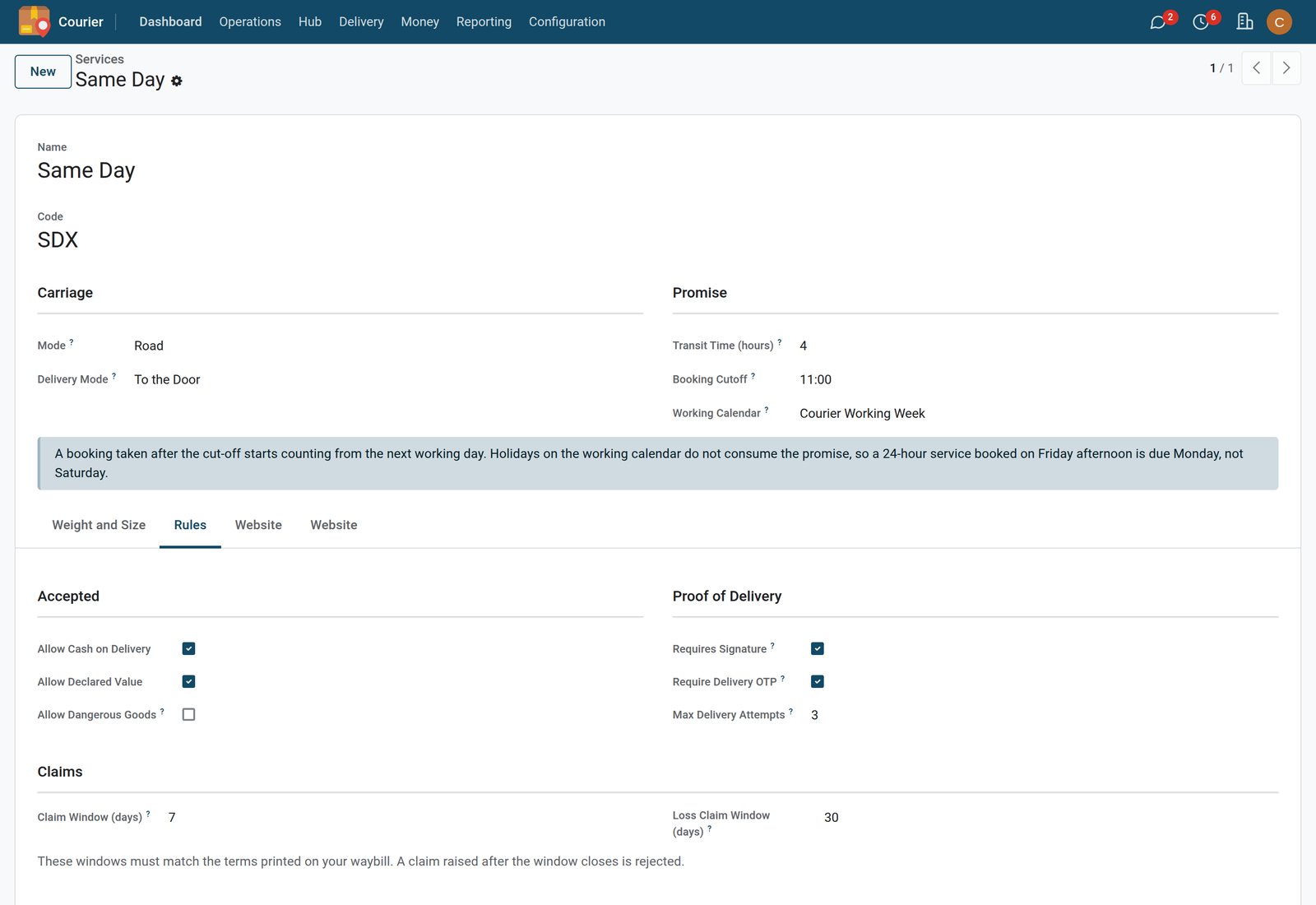 Courier Core
The service as rules
Transit time, cut-off and working calendar, whether the service accepts cash on delivery, declared value or dangerous goods, the proof a delivery needs and the claim windows.
Explore Courier Core →
Riders
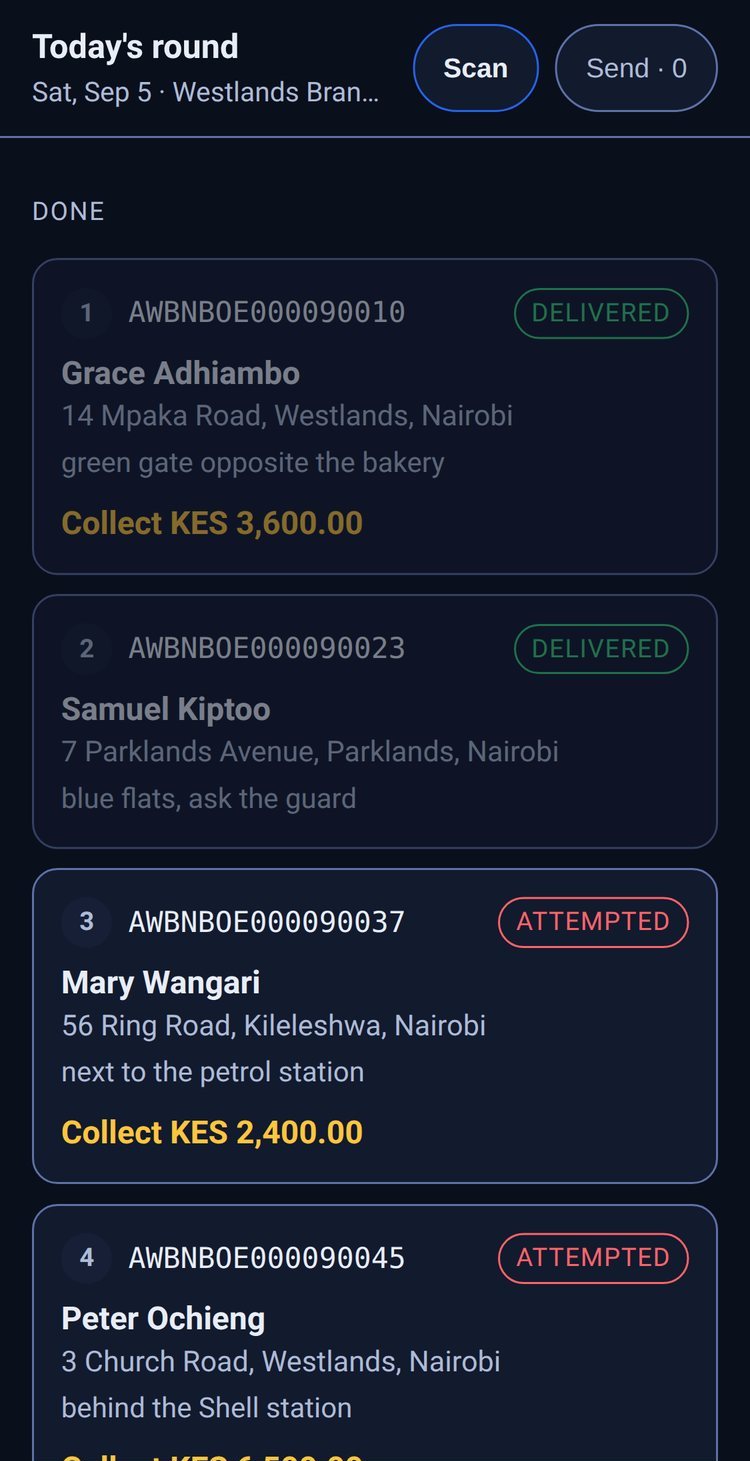
The day's stops in the rider's hand
- Today's round in stop order, with a landmark for every door
- Scan at the door: delivered or attempted
- The cash to collect shown on every stop
What is inside Courier Core
Included with every plan. Six record types that turn an operations manual into something the software enforces.
Branches, hubs and agents
One tree of locations typed branch, hub or agent, each with code, parent, daily capacity, opening hours, coordinates and an optional franchise commission. Publish any of them to the public branch finder.
Service levels
Promised transit hours and daily cut-off per service. Volumetric divisor, threshold, minimum chargeable weight and rounding are computed, not negotiated at the counter.
Zones and coverage
Typed zones so pickup, delivery and rating coverage can differ. Areas match by city, from-to postcode range or prefix, whichever your market actually uses.
Parcel types
Length, width, height, computed volume, tare and maximum weight on every packaging type, each with its price and a switch to publish it on the booking page.
Non-delivery reasons
Every reason carries fault attribution (courier, sender, recipient), whether a re-attempt is allowed, whether it auto-returns or holds at hub, the evidence it requires and whether it pauses the SLA clock or is chargeable.
Company and staff scope
Network-wide defaults sit on the company record so a multi-country operator differs by entity. Users are tied to their branch, which scopes what they see and where their scans land.
Step by step
One parcel, six scans, one waybill
Book, scan, move, deliver, collect, settle. Each hop is handled by an app that reads the same record, so nothing is re-keyed between the counter, the hub, the road and finance.
- Step 1
1. Book
The customer books on the portal or calls in a pickup request. Pickup windows, rider allocation and route grouping by zone.
Pickup Requests - Step 2
2. Scan
The parcel is scanned into the hub: waybill, weight, dimensions. It joins a dispatch batch with a bag, a manifest and a line-haul leg to the destination branch.
Dispatch & Scanning - Step 3
3. Move
Every scan writes to the status history. The customer follows it on the public tracking page and receives an SMS at each hop, so the office phone stays quiet.
Tracking - Step 4
4. Deliver
The rider opens the day's numbered stops in the driver app, calls or navigates from the stop, and captures signature and photo proof at the door.
Driver App - Step 5
5. Collect
Cash on delivery is held against the rider's float until it is remitted, settled by mobile money and reconciled against each waybill.
Cash on Delivery - Step 6
6. Settle
Rate cards by weight, zone and volumetric divisor price the shipment; corporate accounts are billed on credit with one consolidated invoice per period.
Rating & Billing

Dispatch
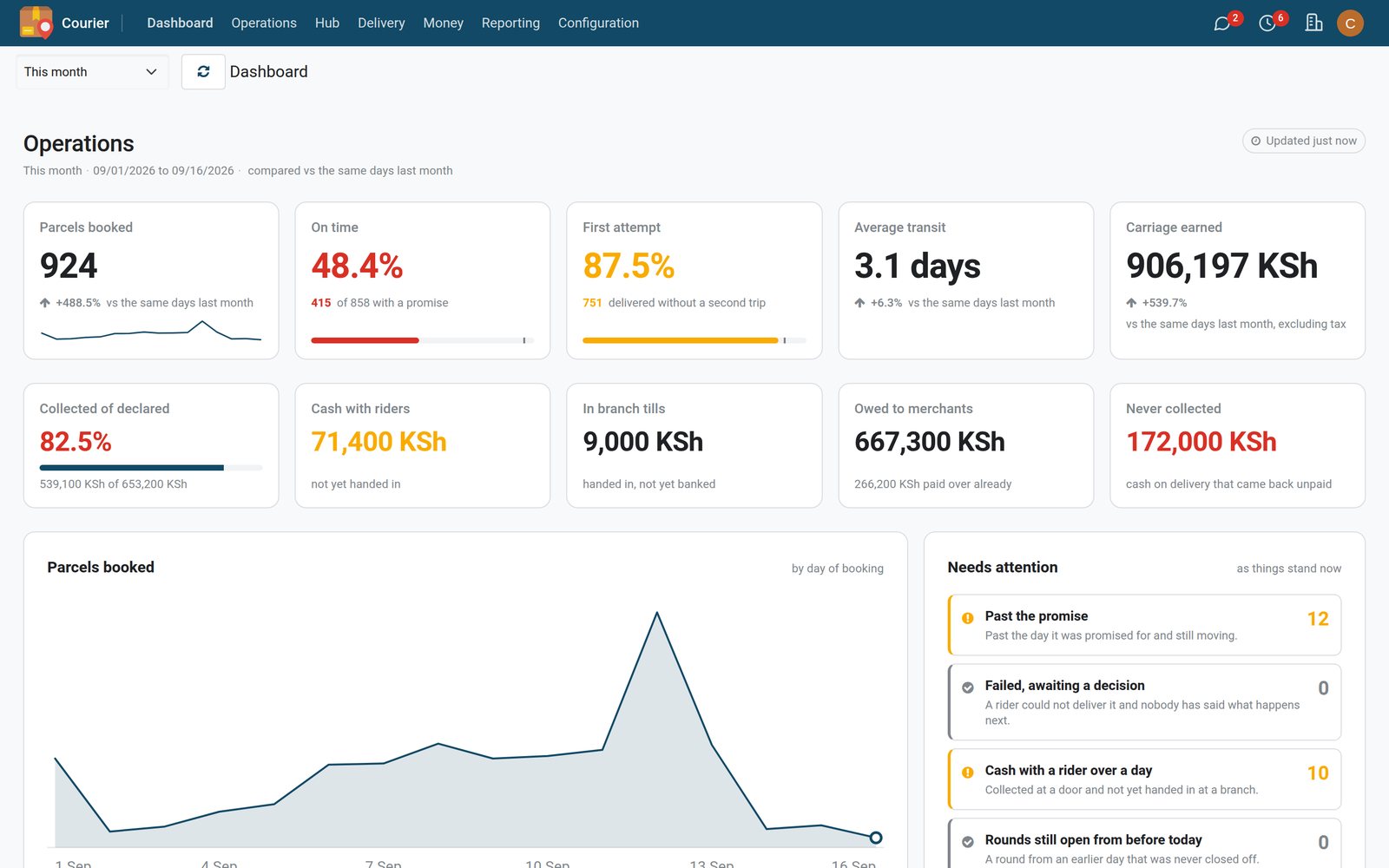
The whole network on one screen
- Parcels booked, on-time and first-attempt rates this month
- Cash with riders and money owed to merchants at a glance
- Parcels past their promise and failed deliveries waiting for a decision
The last mile, in the rider's hand
The driver app is a progressive web app: no store install, the day's stops in sequence, barcode scanning from the phone camera, Call and Navigate on every stop, a two-step failure flow tied to your non-delivery reasons, and signature plus photo proof that lands on the waybill the moment it is captured.

 Driver App
Today's route
Numbered stops, parcel count and COD to collect per stop, with scan, deliver and fail actions on each.
Explore Driver App → Tracking
Proof on the waybill
Signature, OTP or both as the service demands, plus the photo, on the waybill beside every message sent and every delivery attempt, where dispatch and the customer can see it.
Explore Tracking →Cash on delivery you can reconcile
Every amount a rider collects is a line against that rider until it is remitted. Settlement by mobile money, driver float control, and a remittance to each shipper that decomposes to the waybill, including the unpaid carriage recovered from the collection.

 Cash on Delivery
Remittances by rider
What was collected, what fee applies, what is due to the shipper and what is still in the rider's hands.
Explore Cash on Delivery → Cash on Delivery
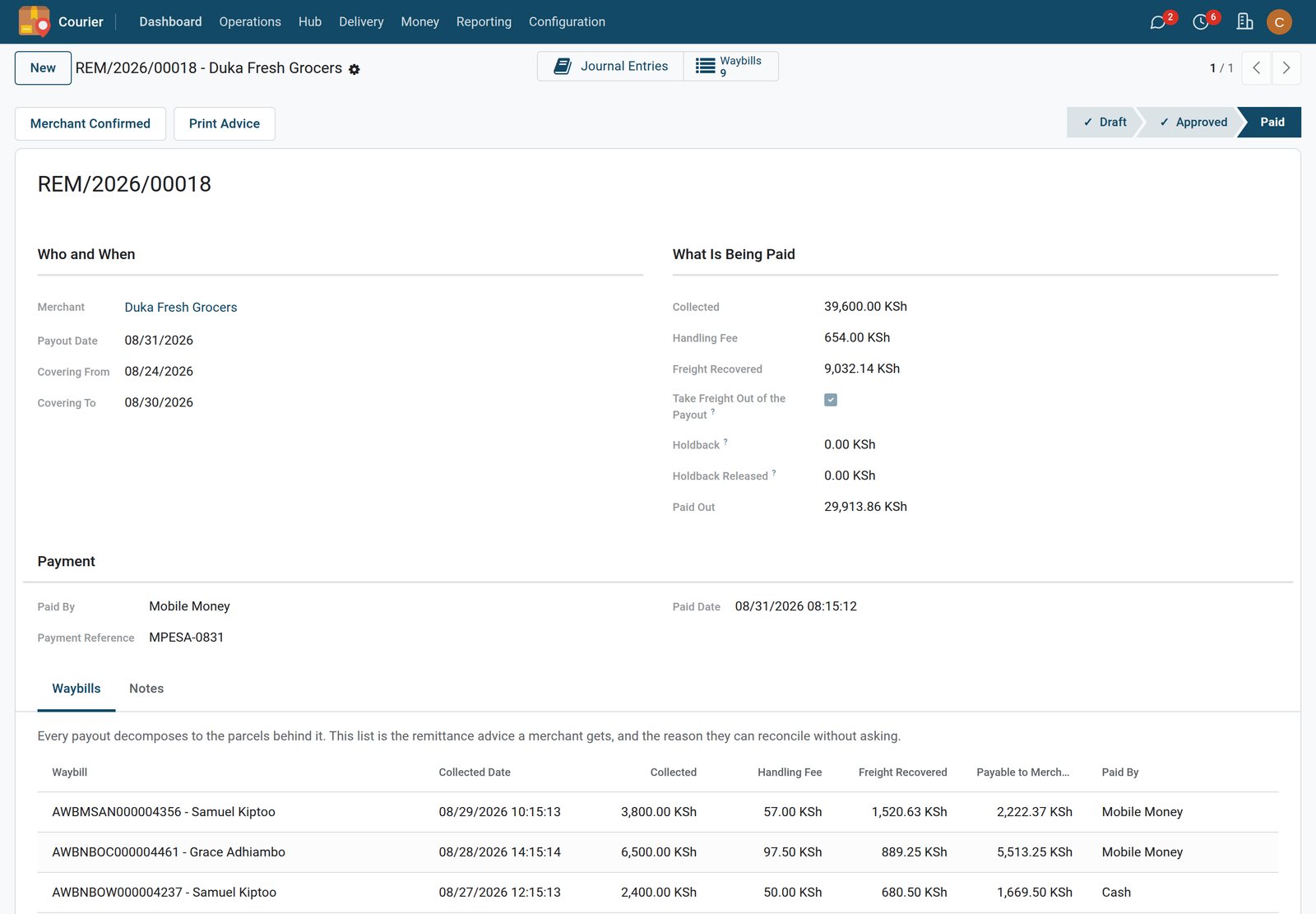
Shipper payout detail
The payout a corporate shipper receives, line by line: collected, fee, carriage recovered, net paid over.
Explore Cash on Delivery →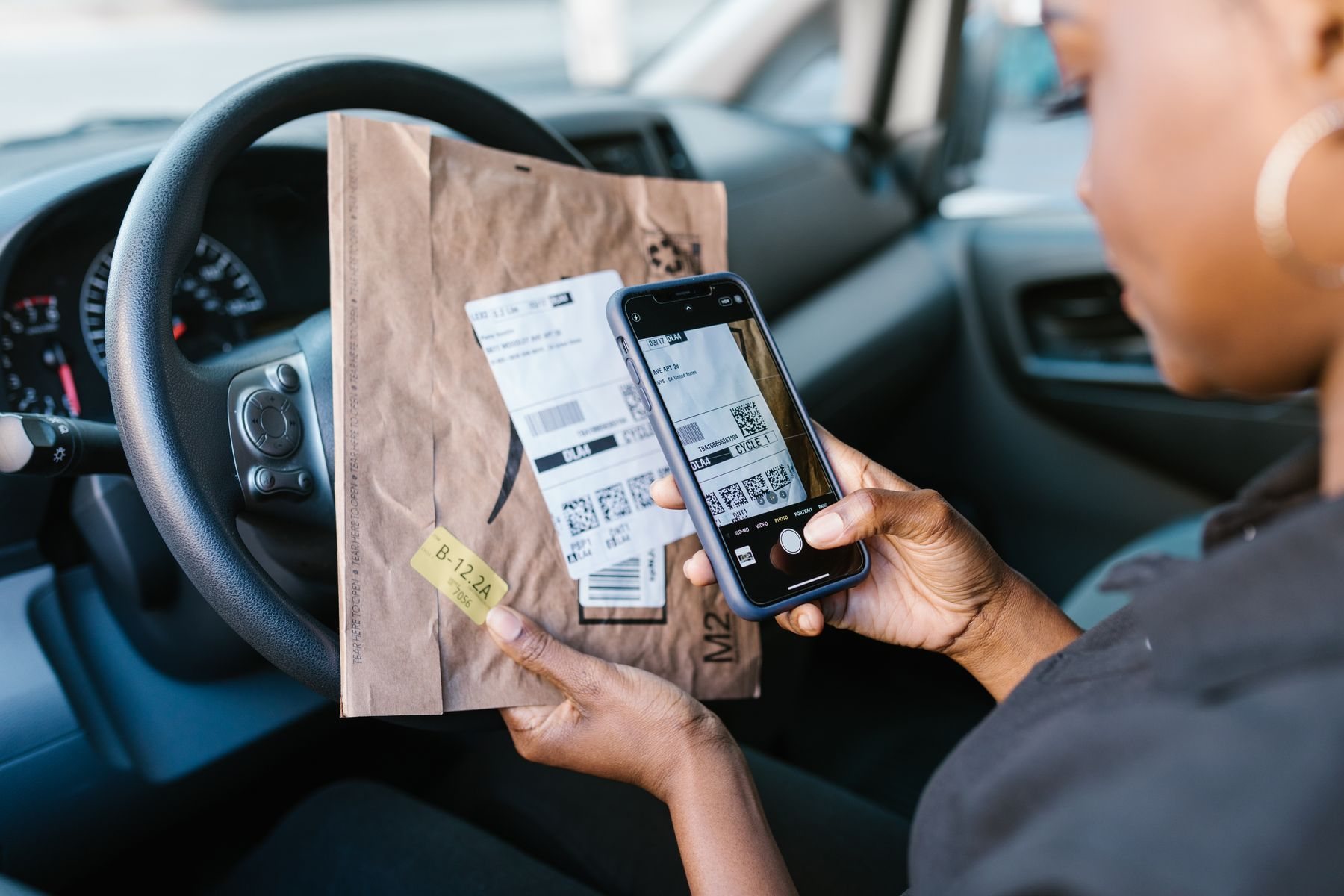
Hubs and vans
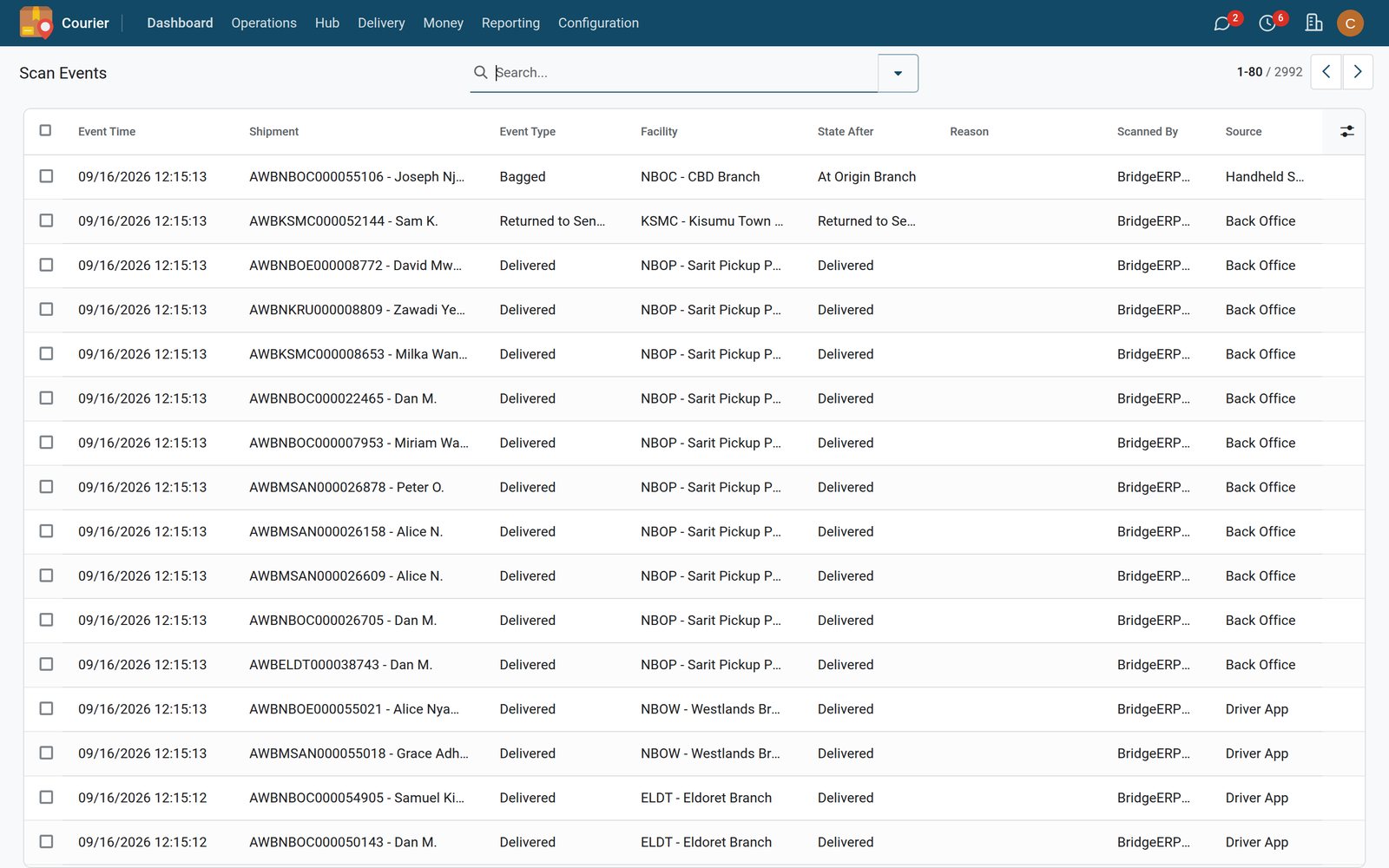
Every scan is a status
- Every scan records who, where and the new status
- Handhelds, the driver app and the back office all scan
- Returns to sender logged like any other scan
Rated, billed and measured
The apps that turn a delivery network into a business you can price, promise and prove.
Rating & Billing
Rate cards by weight band, zone and volumetric divisor. Fuel and surcharges. Corporate accounts on credit, invoiced consolidated per account through BridgeERP Invoicing.
SLA Monitoring
A service-level clock on every shipment from the promised transit hours and cut-off. Breach alerts, auto-escalation, and reasons outside your control pause the clock instead of burning the promise.
Courier Analytics
Volume, on-time performance, cost-to-serve and branch dashboards, with the exceptions listed by lane, branch and customer.
Courier Fleet
Vehicle assignment per dispatch, fuel and servicing from BridgeERP Fleet, and cost per shipment so a route's margin is visible.
Cross-Border
Customs documents, HS codes and duties for regional cross-border movements, attached to the same waybill.
Customer Portal
Self-service booking with a live rate quote and label, address book, bulk upload, shipment history, proof of delivery, payouts and CSV export, or an API from the shipper's shop.
Know which promises you kept
On-time performance by lane, branch and customer, breaches listed with their reason and fault attribution, and the volume behind every number.
 Courier Analytics
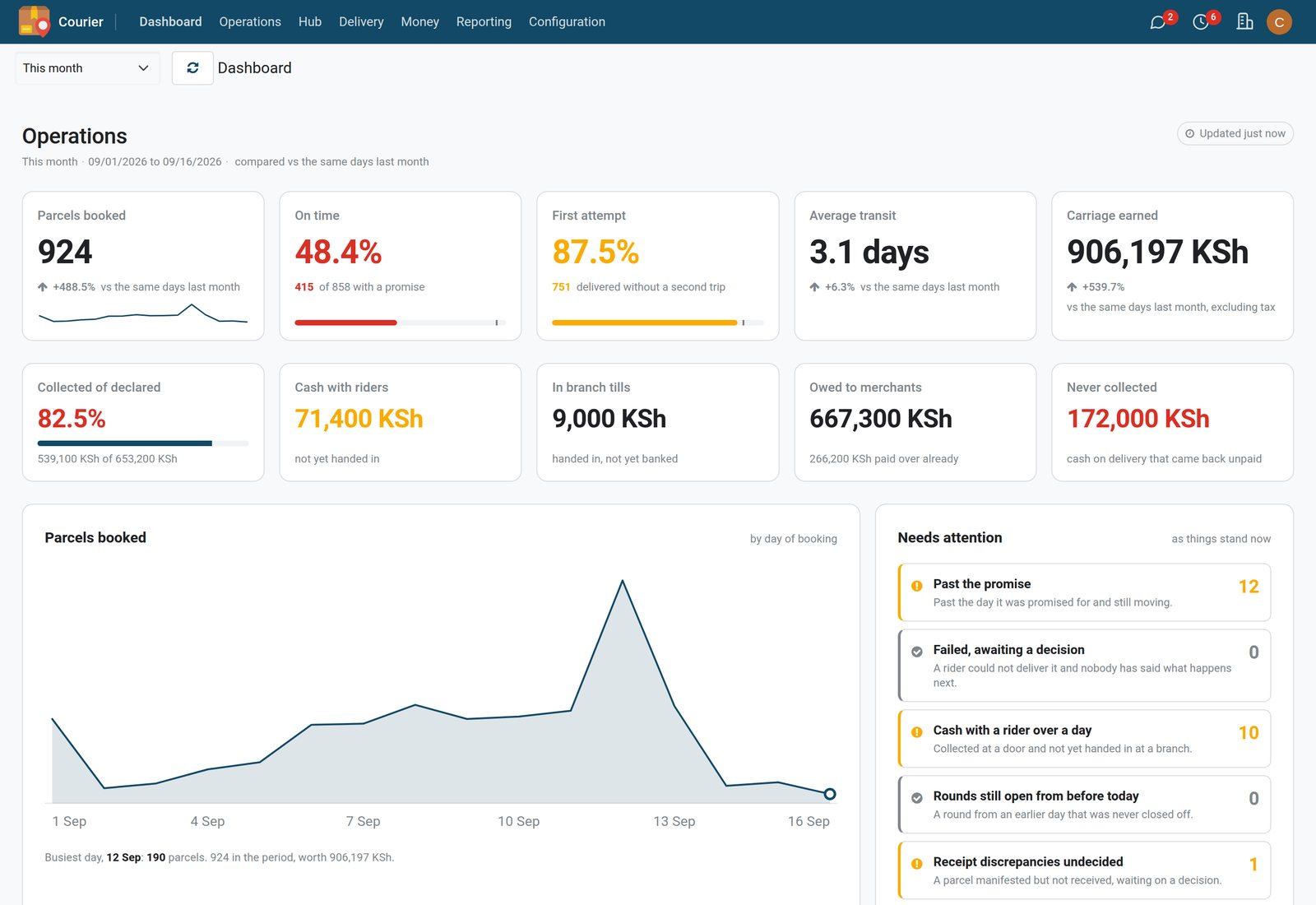
The month on one screen
Parcels booked, on-time and first-attempt rates, average transit, carriage earned and the cash still out, each against the same days last month, with what needs a decision today.
Explore Courier Analytics → SLA Monitoring
Breaches, listed
Every shipment that missed its promise, grouped by customer account, with the service, the promised time and the last scan, ready for the customer review.
Explore SLA Monitoring →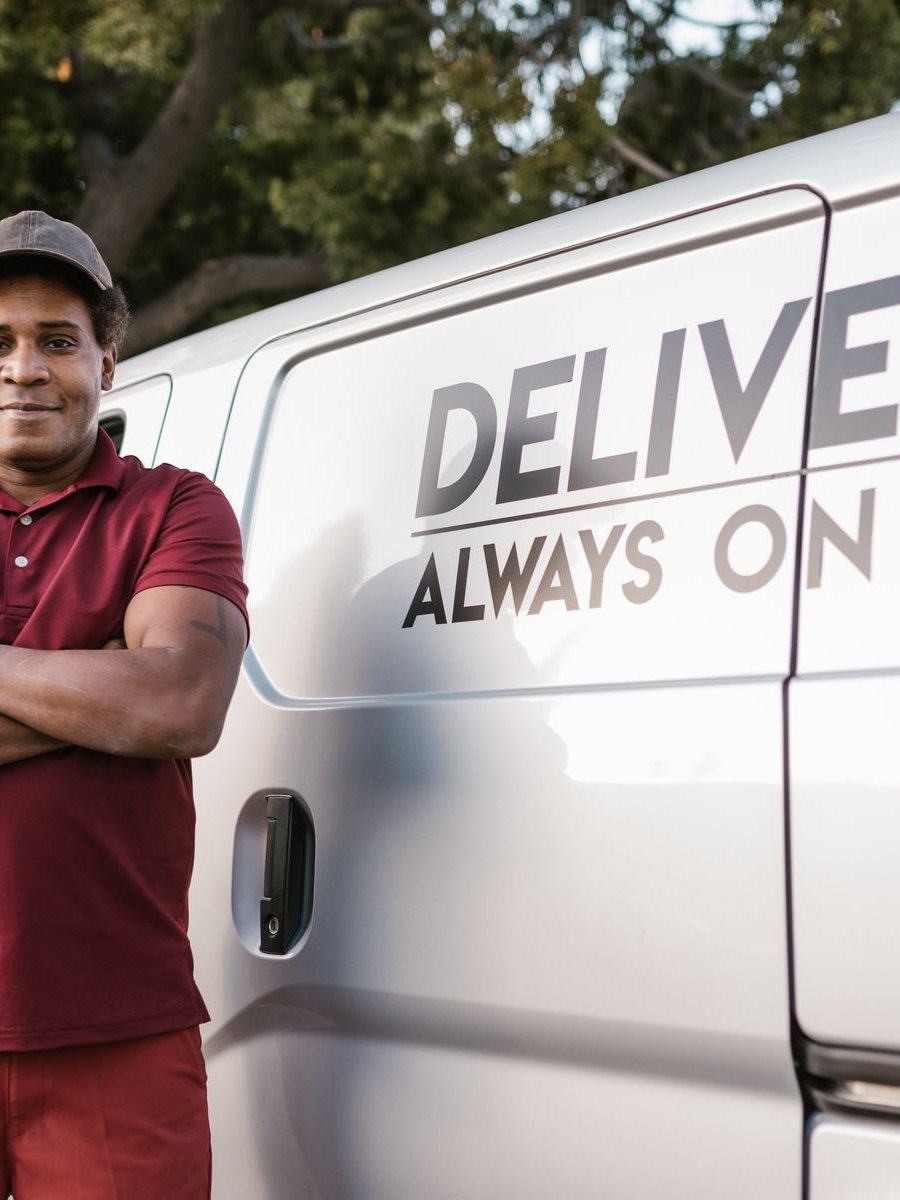
Cash on delivery
COD paid out to the merchant, parcel by parcel
- Cash collected on delivery, waybill by waybill
- Handling fee and freight taken out before the payout
- Paid by mobile money, with a remittance advice
By the numbers
The suite at a glance
Facts about the software, not marketing figures.
- 12 courier apps
- Courier Core included; add Dispatch, Tracking, SLA, Pickup, Billing, COD, Driver App, Portal, Fleet, Cross-Border and Analytics as the network needs them.
- 1 waybill
- Booking, hub, line-haul, last mile and finance all read and write the same shipment record.
- 3 kinds of proof
- Signature, OTP and photo, required per service type and captured in the driver app.
- 3 fault attributions
- Courier, sender or recipient on every non-delivery reason, feeding SLA and the monthly review.
Step by step
From plan to go-live in three steps
Build the plan, try it in your own environment, then take the first shipments live with data import and training.
- Step 1
1. Build your plan
Choose the courier apps your network needs and shape your plan on the pricing page. Courier Core is included.
Courier Core - Step 2
2. Start your free trial
Instant provisioning, no credit card. Your own environment, ready in minutes, with demo branches, zones and shipments to click through.
Courier Core - Step 3
3. Go live
Import branches, zones, rate cards, corporate accounts and open shipments; train the hub and riders; hands-on support for the first live dispatches.
Dispatch & Scanning
One parcel, gate to door
Booking, hub, line-haul, last mile and the money — one waybill through all of it.
Booked online in the morning, signed for the same afternoon.
- Customer
- Operations
- On the road
- Finance
Shipment booked
Self-service booking, rate quote and label — or an API from the shipper's shop.
Customer Portal →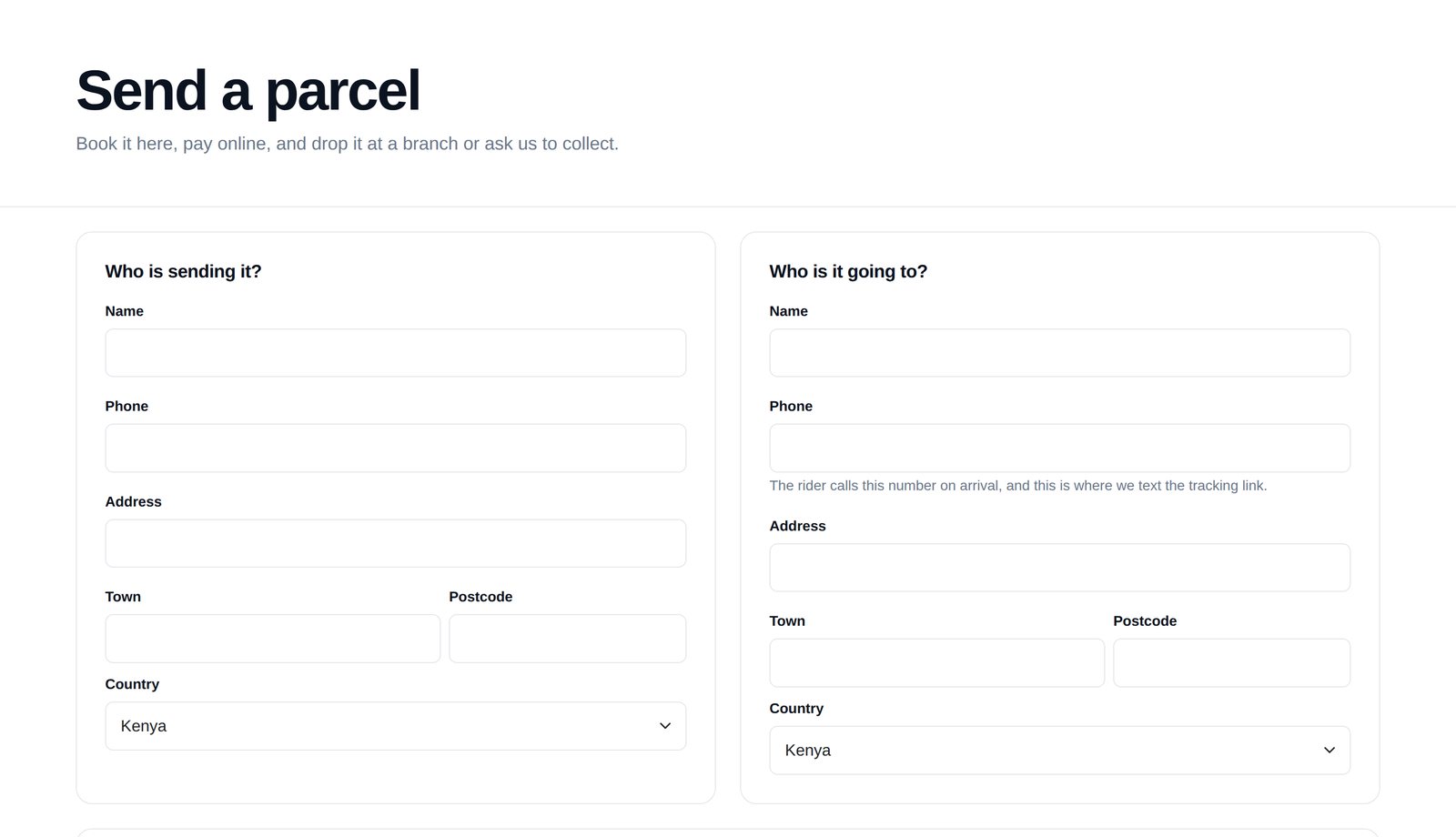
In the suite
The courier apps that run your network
Purpose-built logistics apps cover the whole shipment lifecycle — from the first booking scan to the last remittance.
- Courier CoreParcel booking, shipments, branches, zones, routes, service types and corporate accounts.Included in every plan
- Dispatch & ScanningDispatch batches, barcode scanning, driver assignment and manifests.No extra charge
- TrackingStatus history, photo proof of delivery and public tracking pages.No extra charge
- SLA MonitoringService-level clocks, breach alerts and auto-escalation.+$7.50/mo at 1,000 shipments
- Pickup RequestsCustomer pickup requests with driver allocation and windows.No extra charge
- Rating & BillingRate cards by weight, zone and volumetric divisor; corporate credit and consolidated invoicing.No extra charge
- Cash on DeliveryCOD collection, driver float, mobile-money settlement and remittance to shippers.No extra charge
- Driver AppProgressive web app for scanning, route sequence, signature and photo proof.No extra charge
 Customer PortalSelf-service booking, address book, bulk upload and shipment history.No extra charge
 Courier FleetVehicle assignment, fuel, servicing and cost per shipment.+$7.50/mo at 1,000 shipments
 Cross-BorderCustoms documents, HS codes and duties for regional cross-border movements.+$7.50/mo at 1,000 shipments
- Courier AnalyticsVolume, on-time performance, cost-to-serve and branch dashboards.+$7.50/mo at 1,000 shipments
Plus the whole BridgeERP platform
The same plan can carry any of these: one login, one database, no integrations to buy. Pick them app by app on the pricing page; every plan already includes BridgeERP Core.
 BridgeERP Core
 Accounting
 Expenses
 Invoicing
 Sign
Sign Subscriptions
 CRM
CRM Point of Sale
 Rental
 Restaurant & Bar
 Sales
Sales Advanced Warehouse
 Inventory
 Purchase
 Repairs
 Employees
 Fleet
Fleet Frontdesk
 Payroll
 Recruitment
 Shift Planning
 Time Off
 Appointments
 Field Service
 Helpdesk
 Projects
 Timesheets
 Email Marketing
 Events
 Marketing Automation
 SMS Marketing
 Surveys
 eCommerce
 eLearning
 Live Chat
 Website Builder
 Approvals
 Discuss
 Documents
 Internet of Things
 Knowledge
 Meeting Rooms
 VoIP
VoIP
Questions
Questions about Bridge Courier
Not covered here? Contact us.
How is Bridge Courier priced?
Per shipment, per month, never per staff or rider login: every plan carries unlimited users. The price is a $12 monthly platform base plus a shipment rate that falls as volume grows, from $0.21 a shipment for the first 250 a month to $0.045 a shipment above 50,000. Courier Core (shipments, branches, zones, service types and corporate accounts) and Dispatch & Scanning, Tracking, Pickup Requests, Rating & Billing, Cash on Delivery, Driver App and Customer Portal come at no extra charge; SLA Monitoring, Courier Fleet, Cross-Border and Courier Analytics each add a share of the shipment charge, so a two-branch operator and a regional network pay for what they run. Build the exact plan on the Courier pricing page.
Can we bring our existing shipments, customers and rate cards?
Yes. Branches, zones and areas, service types, parcel types, corporate accounts and rate cards are ordinary records and import from spreadsheets through the BridgeERP import tool. Open shipments can be imported with their current status so tracking history starts on day one. Data import is part of the go-live step.
Does cash on delivery work with mobile money?
The Cash on Delivery app records each collection as cash or mobile money against the rider who took it, holds it against the driver's float until remitted, and settles the payout to the shipper by mobile money with the payment reference on the remittance. Each payout decomposes to the waybill, including any unpaid carriage recovered from the collection.
What happens when a rider loses signal?
The Driver App is a progressive web app, so it opens from the phone's home screen without an app store. The day's stops are loaded onto the phone, scans use the camera where the phone supports it and a typed entry with check-digit validation everywhere else, and results sync to the server when the connection returns; a result that keeps failing is flagged rather than retried silently.
Can our corporate shippers book and track without calling us?
The Customer Portal gives each account self-service booking with a live rate quote and label, an address book, bulk upload, shipment history, proof of delivery and payout statements with CSV export. The public tracking page and per-scan SMS cover the recipient side. Shippers who run their own shop can book through the API.
We run several branches and franchise agents. Does the system keep them apart?
Locations are a tree of branches, hubs and agents, each with its own code, capacity and opening hours. Staff are tied to the branch they work in, which scopes what they see and where their scans land. A location can be marked franchise and carry its own booking and delivery commission rates, and multi-country operators keep separate courier settings per company.
What about cross-border and customs paperwork?
The Cross-Border app attaches customs documents, HS codes and duties to the same waybill for regional cross-border movements, and the service type controls whether international carriage is allowed at all. Invoicing and tax handling run through BridgeERP Invoicing and Accounting.
How do we get from trial to live?
Start a free trial and you get your own environment in minutes with no credit card. Build your plan, then go live with data import, team training for the hub and riders, and hands-on support for the first live shipments.
Every parcel accounted for, from first scan to final settlement
Bookings, dispatch, driver coordination and cash-on-delivery control — one platform your whole courier operation can run on.