








School Website: Public school site with news, calendar and application forms — included at no extra charge

No extra charge. Free instant access, no credit card required.

Works with
  • EduPrime Core
School Website in the EduPrime: Public school site with news, calendar and application forms — included at no extra charge
01

Nineteen pages, published, at real URLs

Not templates waiting to be wired — nineteen real website pages, each with its own URL, published on install and editable in place in the website editor. /, /about, /academics, /admissions, /campus, /faculty, /partners, /research, /open-day, /events, /alumni, /jobs, /academic-calendar, /docs, /search, /donate, /contact, /terms, /privacy. Several of them are live rather than static: /faculty and /campus render your own records, /events and the /academic-calendar read the standard Events app and your academic years and terms, /jobs lists every published vacancy, and /search searches news, faculty, programmes and events at once. A polished 404 and a /robots.txt that points crawlers at two sitemaps come with them.
School Website: Nineteen pages, published, at real URLs
02

Faculty, families and the campus, on the page

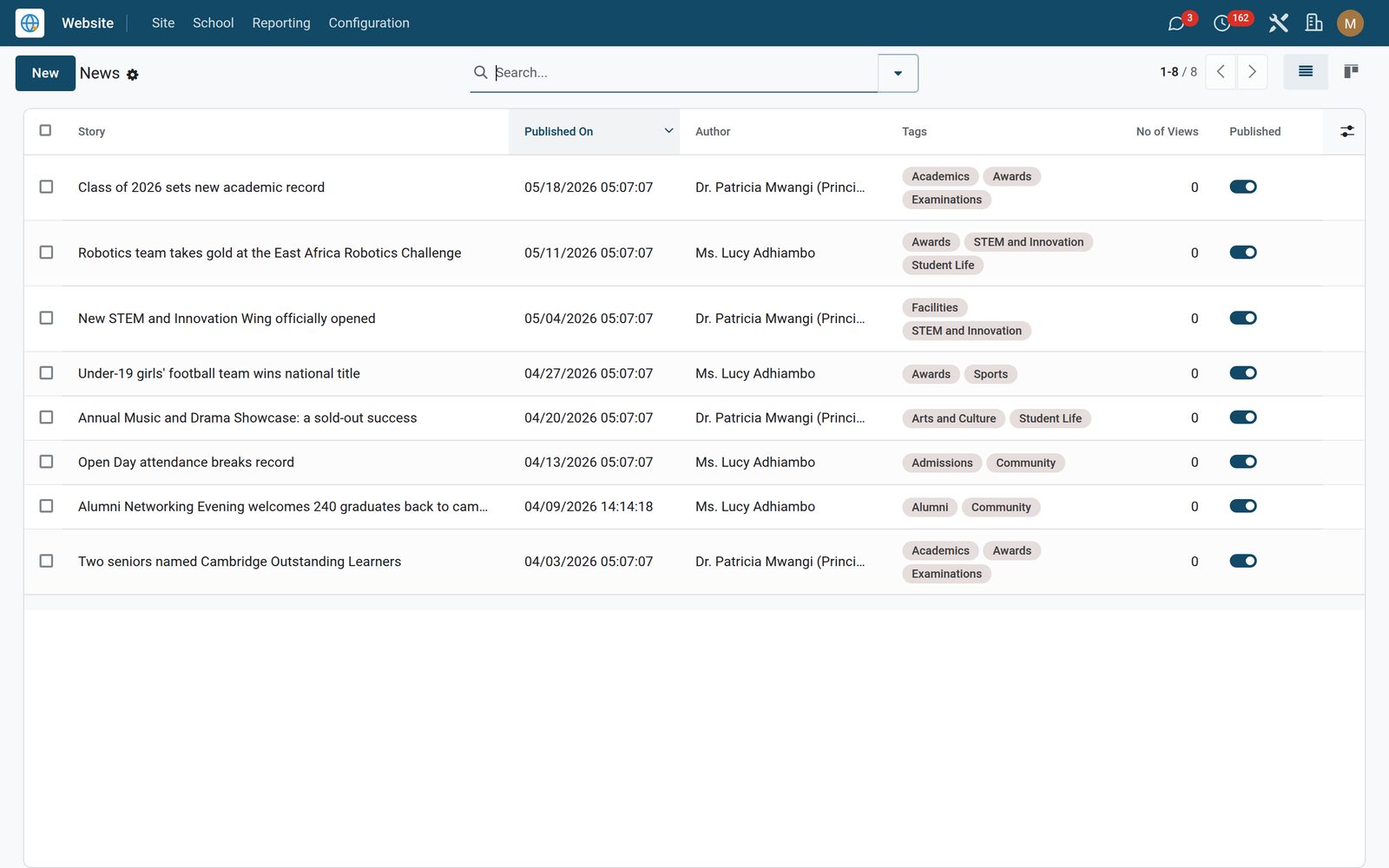
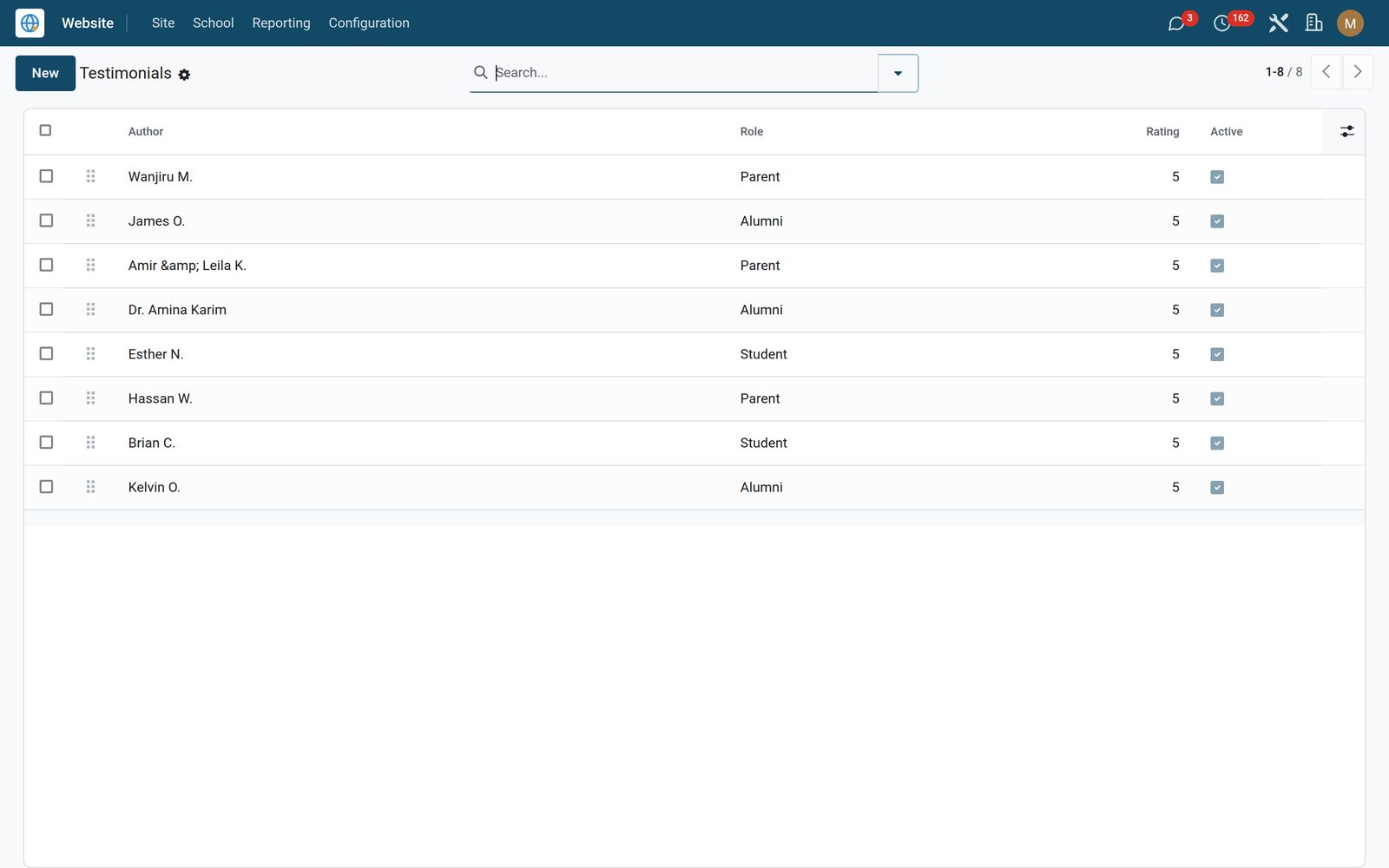
Faculty profiles carry a photo, position, qualifications, the courses they teach and a rich-text bio, ordered by drag handle and archivable when someone leaves — the whole active list fills the /faculty page as photo cards and feeds a drag-drop Faculty Wall snippet. Testimonials are tagged student, parent, alumni or staff, carry a star rating, order the same way, and the first three appear on the home page. Facilities take a name, a wide photo and a rich description, and the active list fills /campus as overlay cards, three across on a laptop, two on a tablet, one on a phone. Install day is not empty: as sample content, the app adds 12 faculty, 8 testimonials, 6 facilities and 8 news stories and downloads a stock photo for each one, so the site looks finished while you replace them. All three lists are edited from ordinary forms: no page editing, no HTML.

School Website: Faculty, families and the campus, on the page

What's inside

Everything in School Website

21 items in 6 areas, every one shipping with the app today.

  • A complete school web presence, without a web agency.

    • Country-aware setup wizardPick your country and institution type; the 5-step wizard brands the site and fills in curriculum and accreditation defaults for KE, UG, TZ, RW, NG and GH.
    • Ready-made page templatesHome, About, Academics, Admissions, Campus, News, Events, Alumni and Contact — snippet-rich and mobile-first, with faculty profiles, testimonials and facility cards.
    • Online admissions applyFamilies submit a multi-step application from the website — guardian, emergency and physician details — landing directly in EduPrime Admissions CRM.
    • Compliant Terms & PrivacyGenerate country-specific Terms and Privacy pages — Kenya DPA, Uganda, Tanzania, Rwanda, Nigeria, Ghana or the generic Malabo Convention template.
  • Content

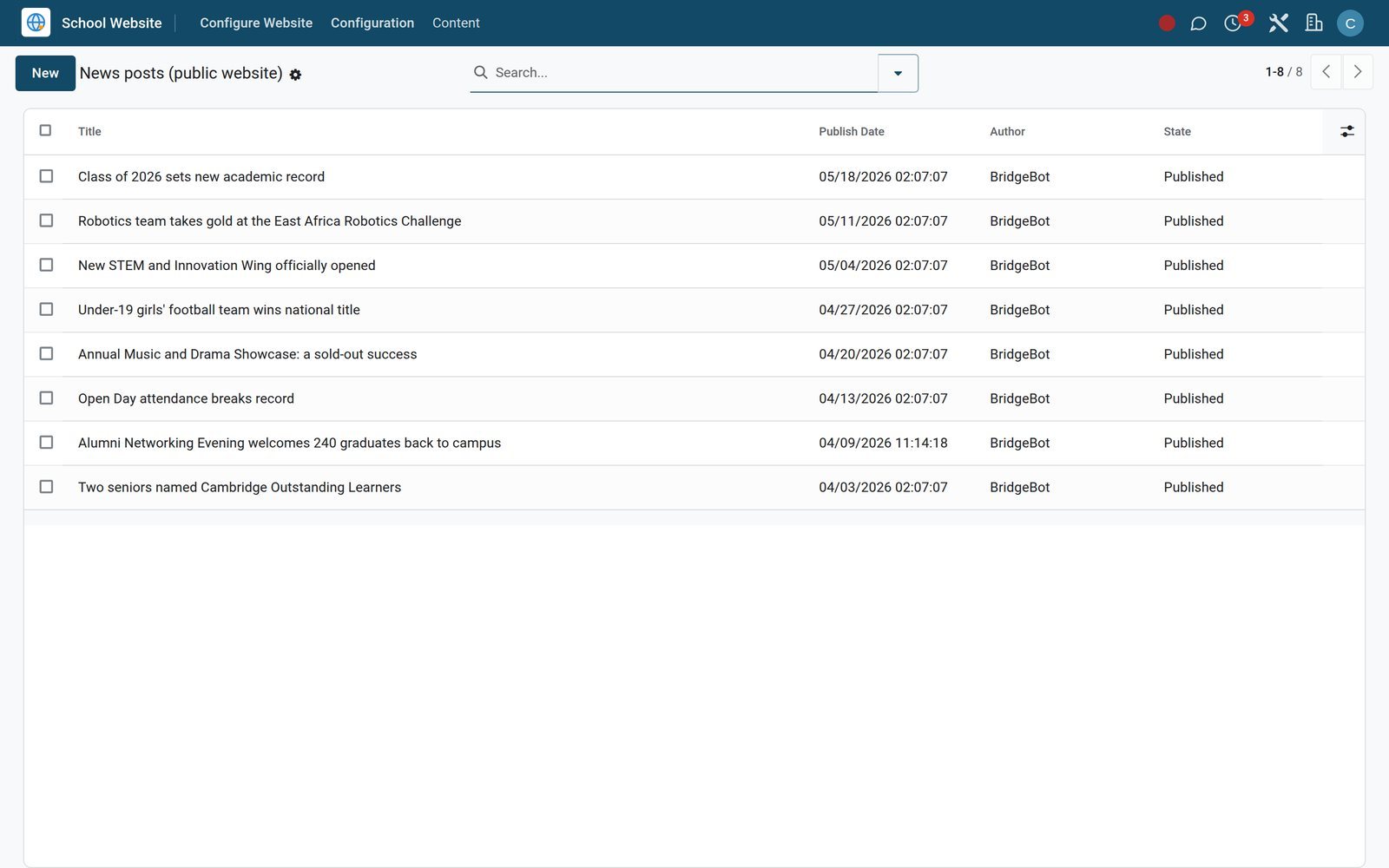
    • News Posts
    • News TagsOpens as a list. 130 in the live demo.
    • Featured Faculty
    • Testimonials
    • FacilitiesOpens as a list or form.
  • School Website

    • Configure Website
    • Configuration
  • Roles it ships

    • Website Editor
    • Website Manager
  • Guided assistants

    • EduPrime Website Setup Wizard
    • EduPrime Adaptive Institution Settings
  • More in this app

    • One settings screen behind the header, the footer and the themeThe header carries a utility strip — your phone, email and address on the left; Library, Parent Portal and Alumni links, five social icons, Sign In and a search modal on the right — then a mega-menu navbar of Home plus seven panels, and a proper offcanvas drawer on mobile. The footer runs an accreditation strip that prints your accreditation body, five link columns, a WhatsApp button built from your number with the plus sign and spaces stripped out, and a Terms / Privacy / Contact bar. Every one of those values comes from a single configuration record — one per website, created automatically the first time a page is opened. Pick one of five theme palettes (Royal Blue, Crimson Academy, Forest Heritage, Sunset Gold, Midnight Plum) and it is stamped on the body as a class, re-colouring the whole site. Four menu pickers let you re-point the utility bar and three footer columns at any menu tree you have built.
    • Every form on the site lands with the right teamFour public, secured forms, each redirecting back with a reference number the page prints in a success banner. The contact form creates a CRM lead on the Website team, tagged with the topic the visitor chose, with its source recorded and the whole enquiry posted into the history. The campus-visit form on /open-day creates a lead tagged Open Day on the Pre-Sales team, with the requested date as the deadline. The support form opens a Helpdesk ticket on the Customer Care team when Helpdesk is installed, and a CRM lead tagged Support when it is not. The giving form on /donate takes an amount tile or a custom figure, a cause and a frequency, and records a real donation on the donor’s alumni profile when EduPrime Alumni & Giving is installed and the donor says they are an alumnus — creating the contact and the profile if they are new — otherwise a lead tagged Donation with the pledge as expected revenue.
    • Apply online, then pay the application feeThis app rebuilds the EduPrime Core apply form as a seven-step wizard with per-step validation, a progress indicator, conditional reveals and autosave to the browser, so a parent who closes the tab halfway does not start again. It also adds 37 fields to the application record that the form collects and the admissions office actually needs: home address and county, languages at home, both parents with occupation, phone and email, an emergency contact and relationship, previous school and reason for transfer, achievements and extra-curricular interests, boarding preference, transport and pickup point, dietary requirements, blood group, allergies, regular medication, learning-support needs, vaccination status, family physician, and how they heard about you. When the application is in, the confirmation banner offers Pay application fee, which opens a payment page listing your enabled providers and fires an M-Pesa STK push when M-Pesa is the one chosen. That page cannot be reached by guessing a number in the URL: only the applicant’s own session or their private link opens it. The fee is a fixed KSh 2,500 in this release.
    • Terms and privacy written for your jurisdictionSeven legal packs, each with both a Terms of Service and a Privacy Policy body, naming the statutes and regulators that actually apply: Kenya (Basic Education Act 2013, Children Act 2022, Data Protection Act 2019 and the ODPC), Uganda (Education Act 2008, Data Protection and Privacy Act 2019 and the PDPO), Tanzania (Education Act CAP 353 and the Personal Data Protection Act 2022), Rwanda (REB and NESA, Law N°058/2021 and the NCSA), Nigeria (FME and NERDC, the Nigeria Data Protection Act 2023 and the NDPC), Ghana (GES and Act 843) and a pan-African default written to the Malabo Convention. Two independent switchers read the Terms choice and the Privacy choice separately, so the Configuration screen can run the Kenyan terms with the pan-African privacy text if that is what your counsel wants; the eighth option, Custom, falls back to the pan-African body until you write your own. A cookie consent banner ships switched on, with Accept all and Reject optional, a one-year consent cookie, and a link to your own privacy page.
    • Five steps from an empty to a configured school siteThe setup wizard walks country and institution type, then identity, then which sections you run, then contact details, then a review screen with a Generate Website button. Choose Kenya, Uganda, Tanzania, Rwanda, Nigeria or Ghana and it pre-selects that country’s Terms and Privacy pack, a curriculum default and the accreditation body — KICD and the Ministry of Education for Kenya, NCDC and the Ministry of Education and Sports for Uganda, TIE and MoEST for Tanzania, REB and NESA for Rwanda, NERDC and the FME for Nigeria, GES and NCCA for Ghana. Applying writes the whole configuration in one go, puts your school name and logo onto the website record itself so the header and footer pick them up, and drops you back on the front of the site. Re-run it whenever you like.
    • A newsroom with permanent URLs and scheduled publishingWrite the post, add a hero image, a summary and tags, and press Publish on the status bar. Every post gets its own web address the moment it is created — never shared with another post, numbered automatically if two stories share a title — so each article lives at the same /news address for good. Set a future publish date on a published post and it stays invisible to the public until that moment arrives and then appears on its own: the newsroom checks the date itself, so there is nothing to schedule and nothing to remember. /news serves nine stories a page with the newest as a featured banner, drafts are never served, and a supplementary sitemap at /sitemap-eduprime.xml lists every published article plus every open vacancy, with /robots.txt pointing search engines at it. Share an article and the Open Graph image is that article’s own hero photo.

Put School Website to work

Add it to your EduPrime plan, priced per student, or start a free trial and see it running first.