





Clubs & Activities: Co-curricular clubs, sign-ups, rosters and participation records

+$1.48/mo at 500 students. Free instant access, no credit card required.

Works with
  • Academics
Clubs & Activities in the EduPrime: Co-curricular clubs, sign-ups, rosters and participation records
01

Every club, society and team on one register

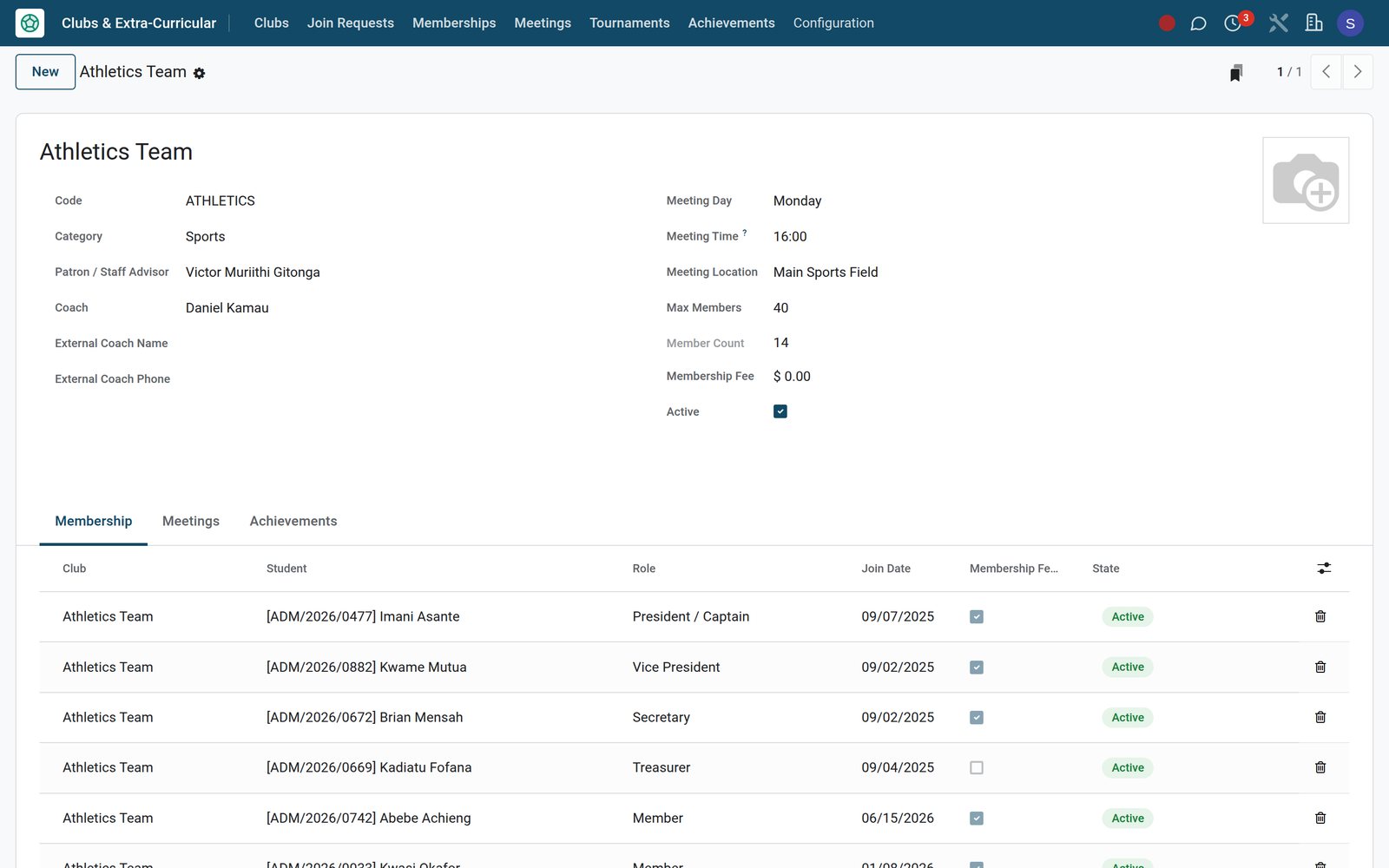
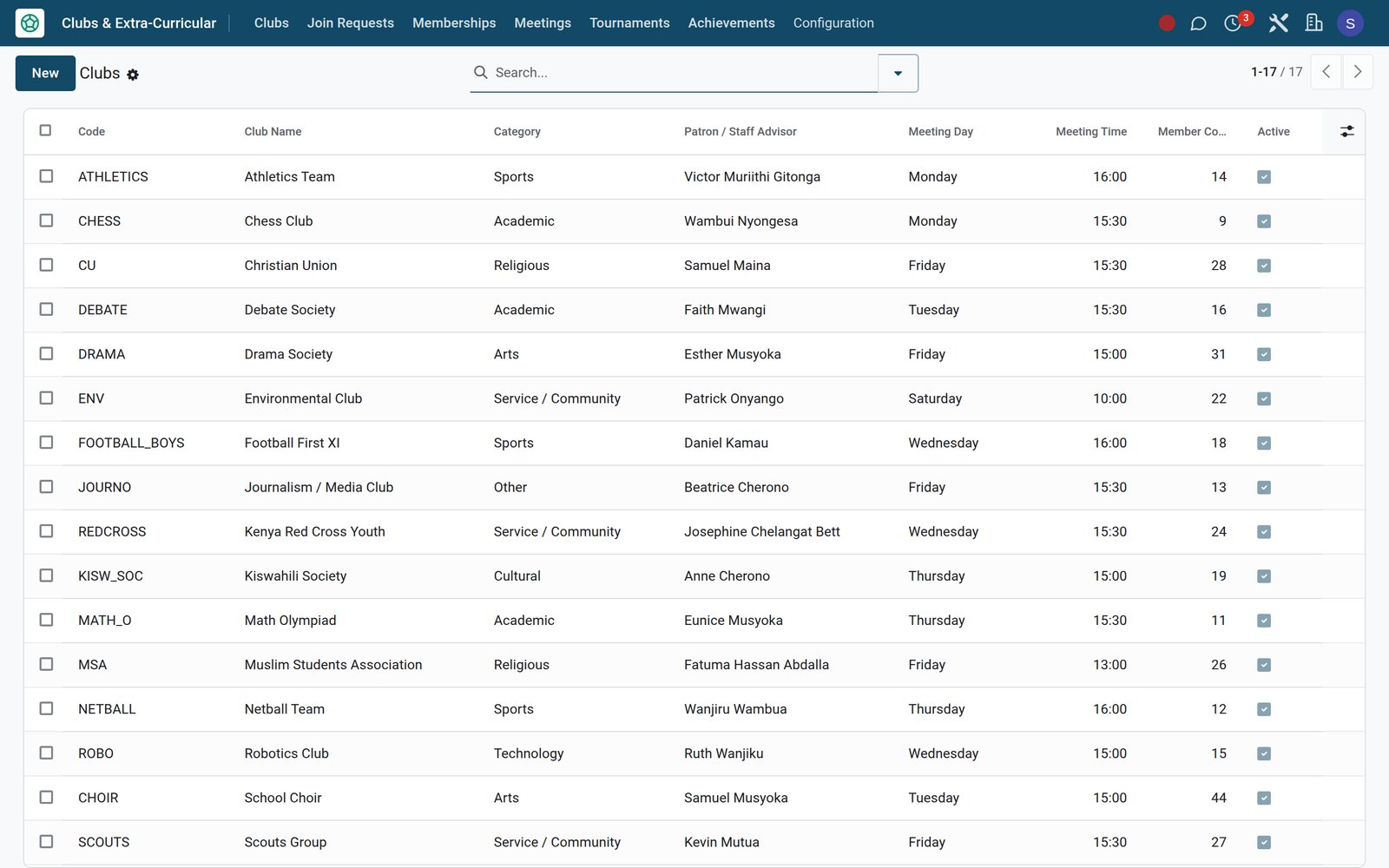
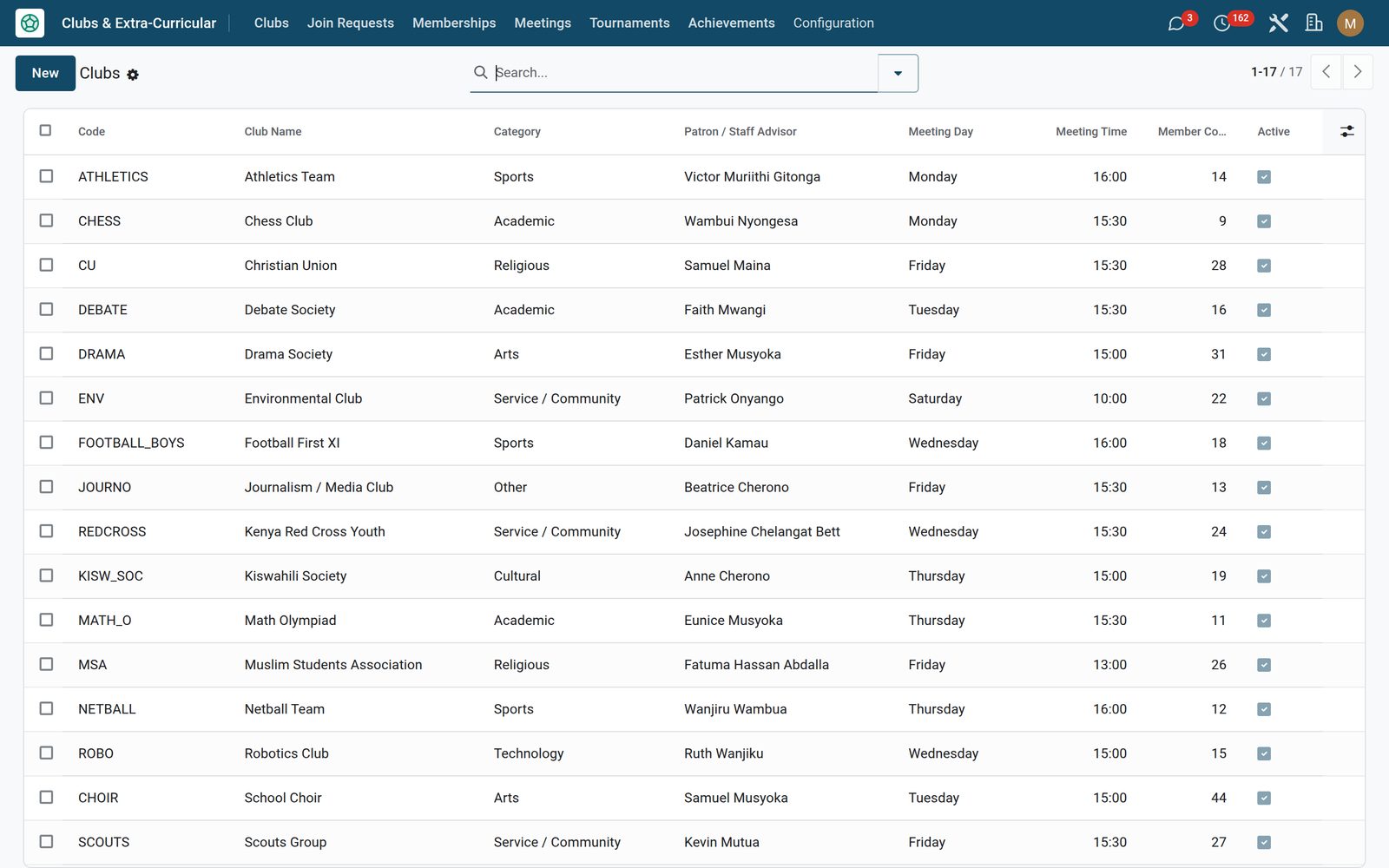
A club carries a short code, a logo, a category — academic, sports, arts, service, cultural, religious, technology, media, environmental or other — and the staff patron who answers for it. Coaching is recorded either way: an internal coach picked from Employees, or an external coach with a phone number for the ones you bring in. Each club holds its standing meeting day, time and venue, a member cap, and — once the Paid Clubs switch is on — a membership fee in your institution currency. The member count on the register is live and counts active members only, and clubs that fold are archived rather than deleted, so their history survives. Installing this app also retires Core’s older Life-on-Campus club menu, so there is one club record and one place to run it, never two.
Clubs & Activities: Every club, society and team on one register
02

A roster with a committee, not just a list of names

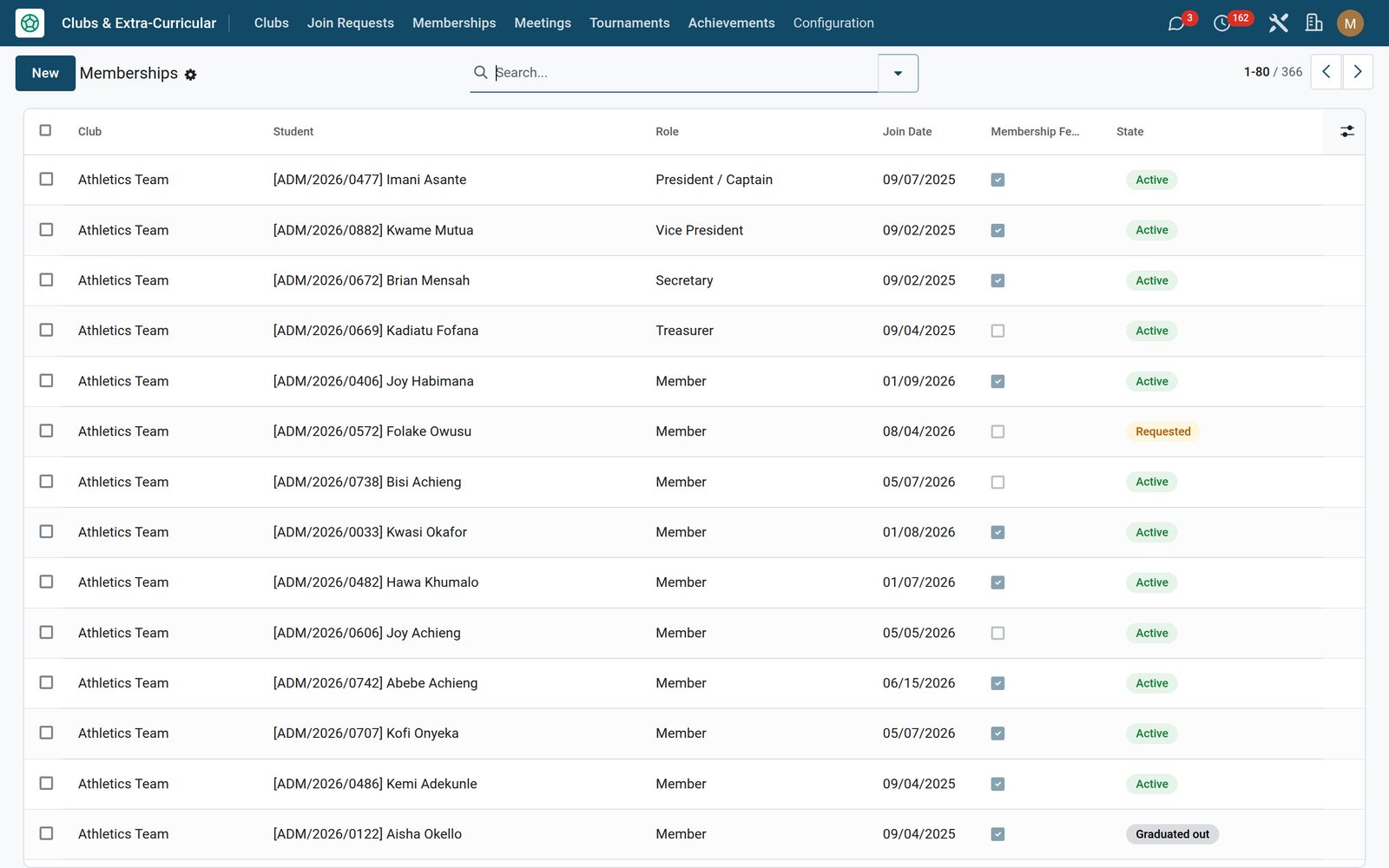
Membership ties a student to a club with a real role — president or captain, vice president, secretary, treasurer or member — and every roster sorts itself by officer rank, so the committee is always at the top of the list and of the printed report. Join date and leave date sit on the record, and where paid clubs are switched on a Toggle Fee Paid button flips the subscription flag from the same header. The lifecycle is buttons rather than typing: Activate, Deactivate, Graduate Out and Remove, the last two stamping the leave date for you, across six states from requested through active, inactive and graduated out to removed and declined. Every one of those changes is tracked in the membership’s own history.

Clubs & Activities: A roster with a committee, not just a list of names
03

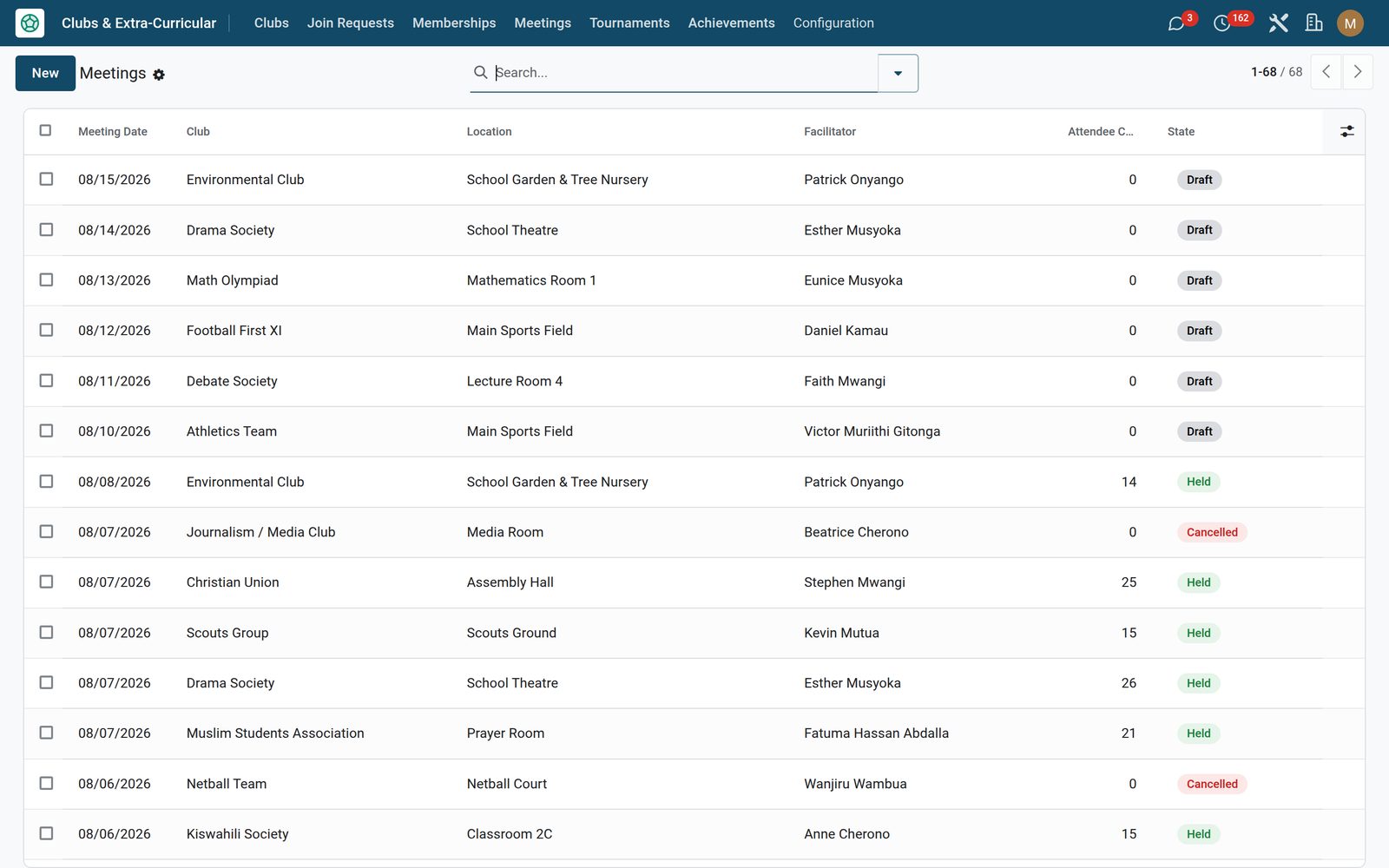
A meeting register that counts its own attendance

Each meeting records the date, start and end times, the venue and the staff facilitator, with full rich-text agenda and minutes kept on the meeting itself instead of in somebody’s notebook. One button, Add All Active Members, loads the club’s entire active roster into the attendance list — you take out whoever did not come, and log absent with apology in its own separate list so a courtesy is never confused with a no-show. The attendee count and the attendance rate against active membership are computed, stored and shown as a progress bar, and the meeting moves from draft to held, or is cancelled on the record.

Clubs & Activities: A meeting register that counts its own attendance
04

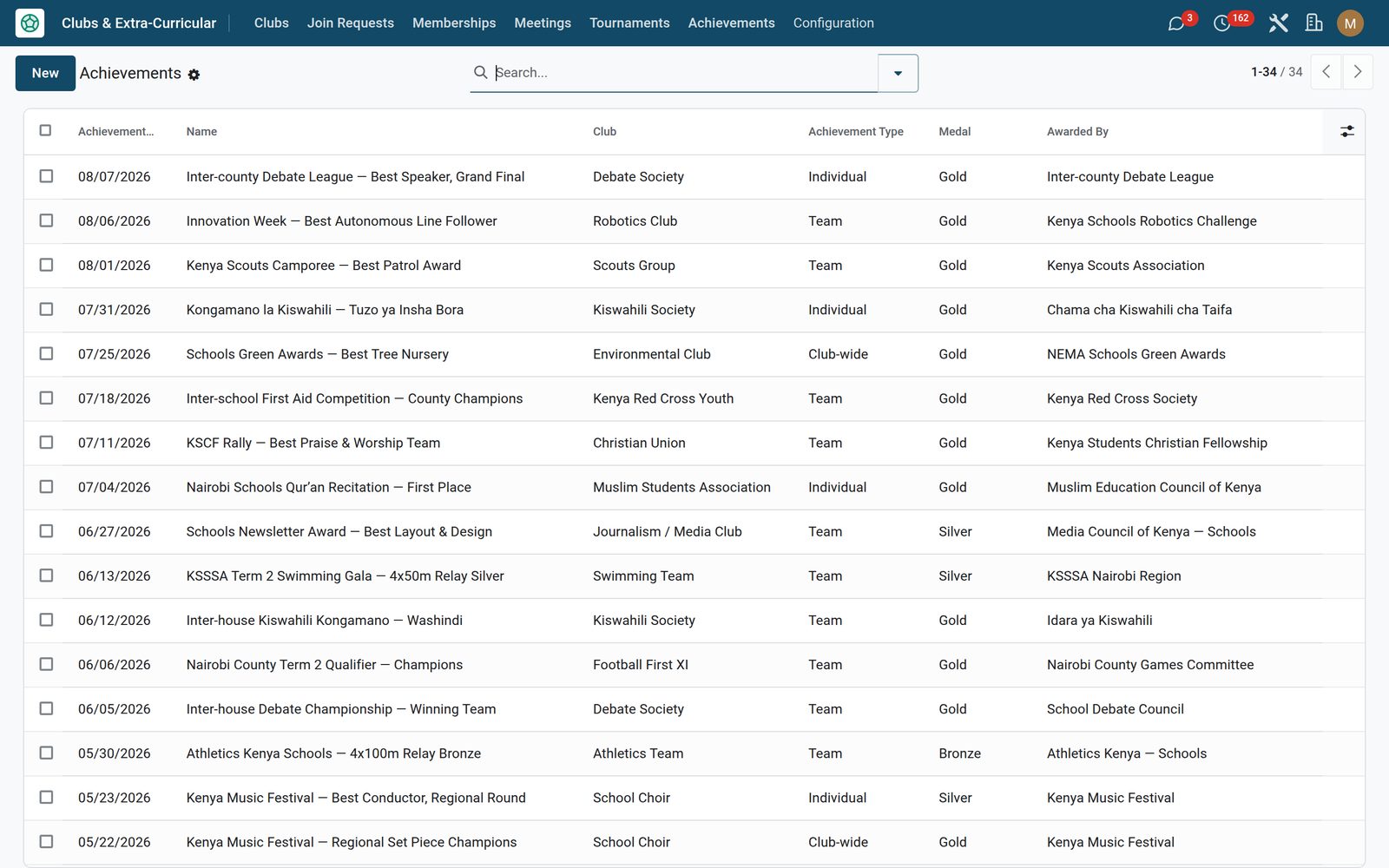
The trophy cabinet writes itself

The moment a fixture is completed, the placement is turned into a club achievement automatically — named for the competition and the result, dated to the fixture, credited to the whole squad, with gold, silver or bronze attached on a podium finish and the host school, or failing that the venue, recorded as the awarding body. It will not write the same award twice. Everything else is typed straight in: achievements can be individual, team or club-wide, carry the awarding body by name, a rich-text citation and a photo of the moment — which is what parents and inspectors actually want to see. Fixtures and honours are the same switch, so a school that competes turns both on together and a school that does not never sees either menu.

Clubs & Activities: The trophy cabinet writes itself
05

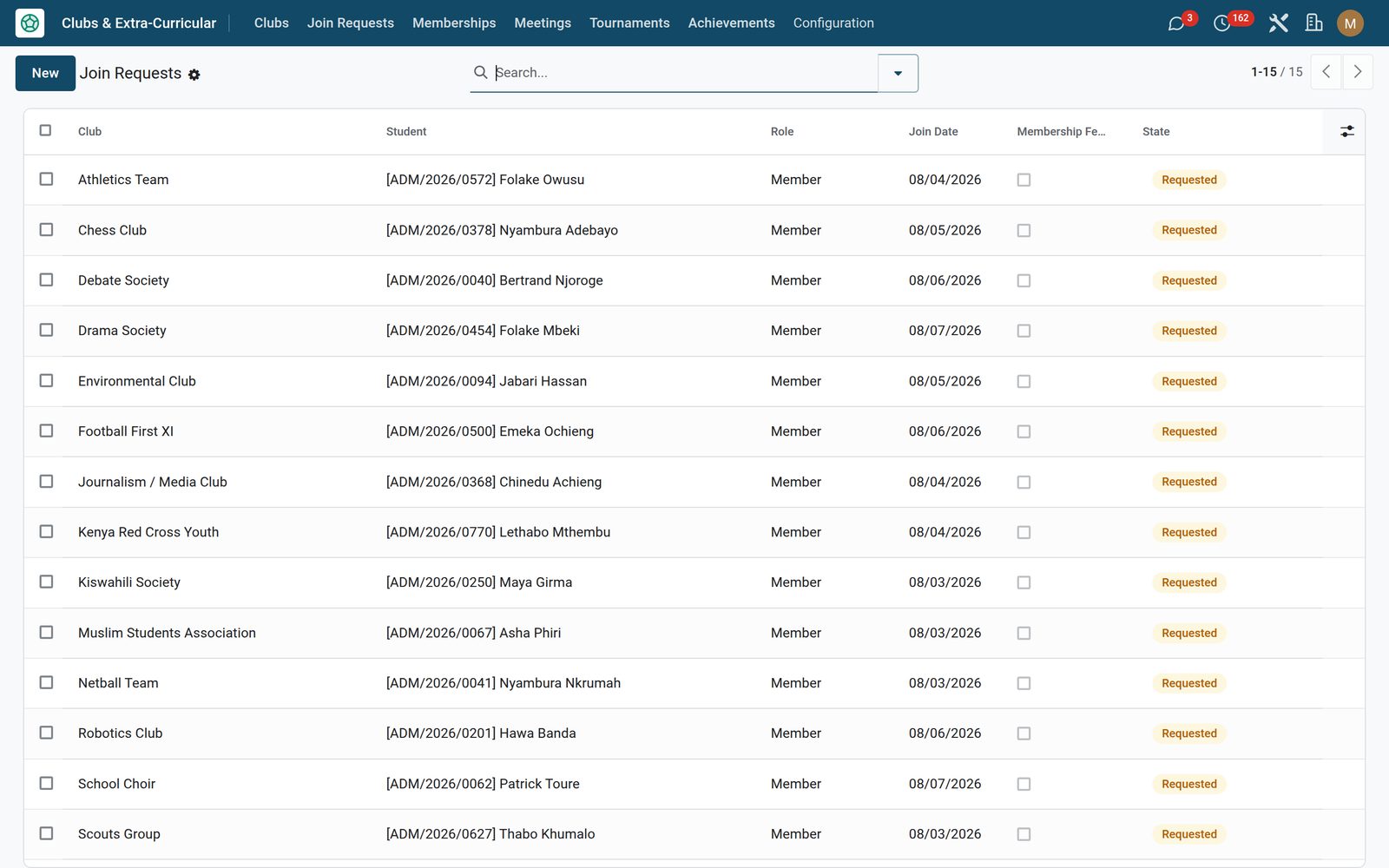
Parents enrol their own children; you approve

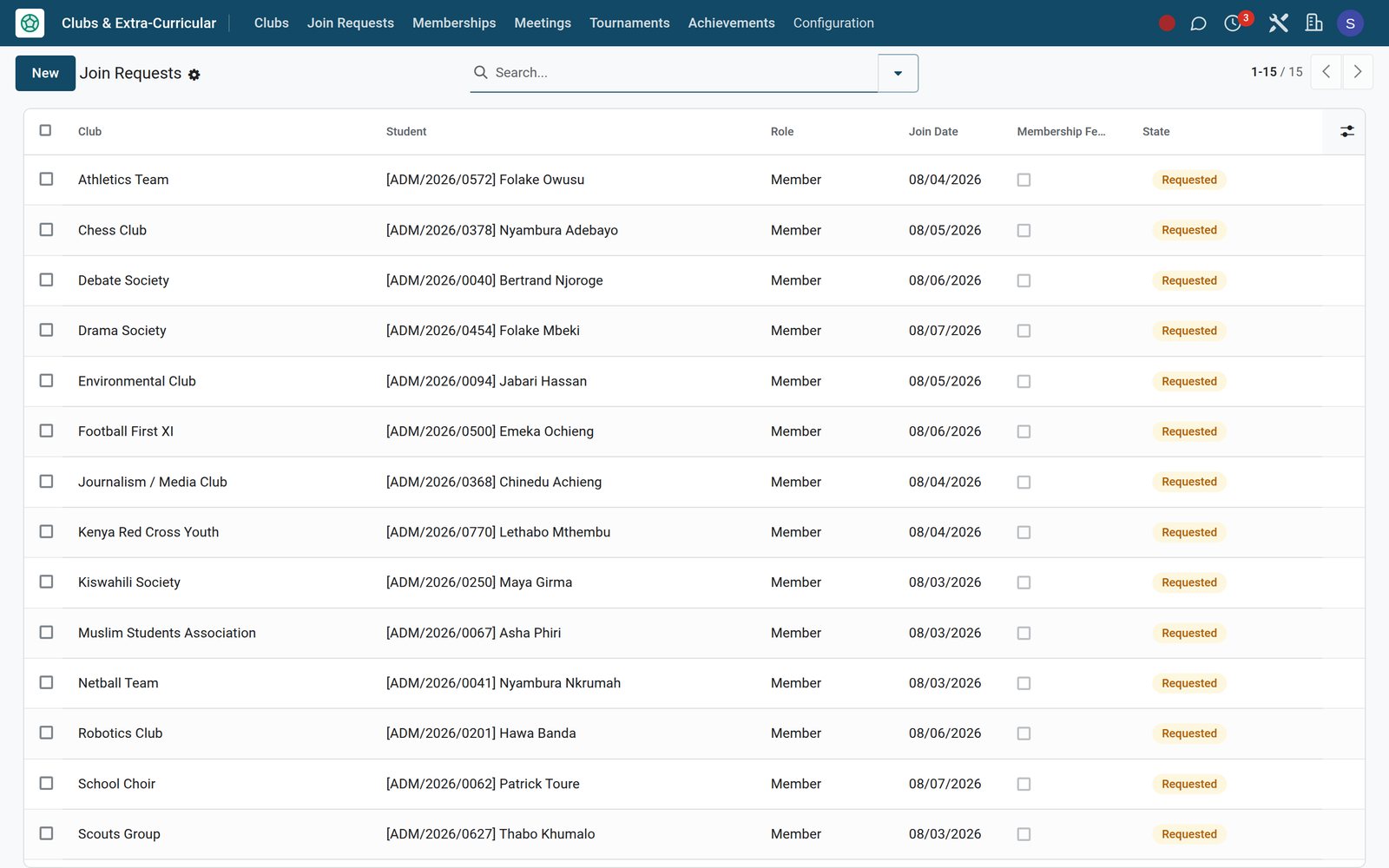
Switch Portal Club Sign-up on and a Clubs & Activities card appears on the parent portal home carrying a live count of their children’s memberships and pending requests. On the clubs page each family sees only its own students, their current memberships with status and — where paid clubs are on — paid or due badges, and a card per club showing the category, how full it is and the fee. Requesting a place is picking the child and pressing Request. The server checks every request before it lands: a family cannot enrol a student who is not theirs, cannot request a club that student already holds, has pending or has gone dormant in, cannot join an archived club and cannot push a club past its member cap. What arrives in the backend is a Join Requests queue — Approve activates the membership and posts the note on its history, Decline closes it without deleting the trail. Leave the switch off and there is no card, no clubs page and no queue: the portal simply does not carry clubs.

Clubs & Activities: Parents enrol their own children; you approve

What's inside

Everything in Clubs & Activities

21 items in 7 areas, every one shipping with the app today.

  • Everything co-curricular life needs, in one place.

    • Clubs, rosters & officer rolesDrama, Debate, Football, Chess, Robotics — each with its own roster, President, Secretary, Treasurer and an internal or external coach.
    • Meeting register & attendanceLog agenda and minutes, invite all active members in one click, mark who came, and get an attendance rate per meeting automatically.
    • Tournaments & competitionsRegister inter-class, regional, national or international fixtures, name the squad, record the placement — a podium finish files itself as an achievement.
    • Awards, medals & portal sign-upTrack gold, silver and bronze for individuals or teams, while students request to join clubs from the portal and coordinators approve.
  • Configuration

    • Settings
  • Clubs & Extra-Curricular

    • Clubs
    • Join Requests
    • Memberships
    • Meetings
    • Tournaments
    • Achievements
  • Documents it prints

    • Club Roster & Activity
  • Roles it ships

    • Clubs Officer
    • Clubs Manager
    • Feature: Portal Club Sign-up
    • Feature: Competitions & Awards
    • Feature: Paid Clubs
  • Guided assistants

    • EduPrime Adaptive Institution Settings
  • More in this app

    • Fixtures that cannot be closed without a resultSwitch Competitions & Awards on and the fixtures half of the app appears. Register a competition at any of six levels — inter-class, inter-house, regional, national, international or a school-exchange friendly — with the host school, the venue, the date, the team size, the squad picked from your own students and the coach travelling with them. The status bar runs registered, in progress, completed, with withdrawal as its own outcome rather than a deletion. Completing is gated: the app refuses to close a fixture until a placement is on the record, across seven results from champions and runner-up down through semi-finalist, quarter-finalist and group stage to plain participation. Points scored and a rich-text write-up go on the same record.
    • Two roles, one report, and the rest of the suiteStaff access splits in two: Clubs Officer reads, writes and creates clubs, memberships, meetings, tournaments and achievements, and Clubs Manager can also delete — the app’s three other groups are the feature switches above, not access levels. Portal families hold no direct access to club records at all: the portal pages run on the server on their behalf and never reach past their own children’s memberships and the list of active clubs. The Club Roster & Activity PDF prints straight from any club — the members in committee order with role, join date, fee state and status, the last ten meetings with their attendance, and the full list of achievements. The whole app is translated into seven languages besides English — Arabic, German, Spanish, French, Portuguese, Kiswahili and Chinese — and add EduPrime Fees and a separate Clubs-to-Fees bridge app, not included in this purchase, posts it to bill the paid clubs.
    • Three switches decide how much app you seeClubs installs the way most schools actually run it — Clubs, Memberships, Meetings and Configuration on the menu bar and nothing else. Three switches on the app’s own Settings page open the rest, one area at a time; the shots on this page were taken with two of them on, which is why their menu bar also carries Tournaments, Achievements and Join Requests. Competitions & Awards adds the Tournaments and Achievements menus and the achievements page on the club form. Portal Club Sign-up publishes the parent clubs page, the portal home card and the Join Requests queue. Paid Clubs reveals the membership fee on the club, the fee-paid flag and its button on the membership, and the paid-or-due badges on the portal. All three start off, and turning one back off hides its menus and fields without touching a single record — so a primary school with four societies and a university with an inter-varsity fixture list run the same app at two completely different sizes.

Put Clubs & Activities to work

Add it to your EduPrime plan, priced per student, or start a free trial and see it running first.