





Early Childhood: ECD observation-based assessment, milestones and daily journals

+$1.48/mo at 500 students. Free instant access, no credit card required.

Works with
  • Academics
Early Childhood in the EduPrime: ECD observation-based assessment, milestones and daily journals
01

The day the parent missed, written down as it happened

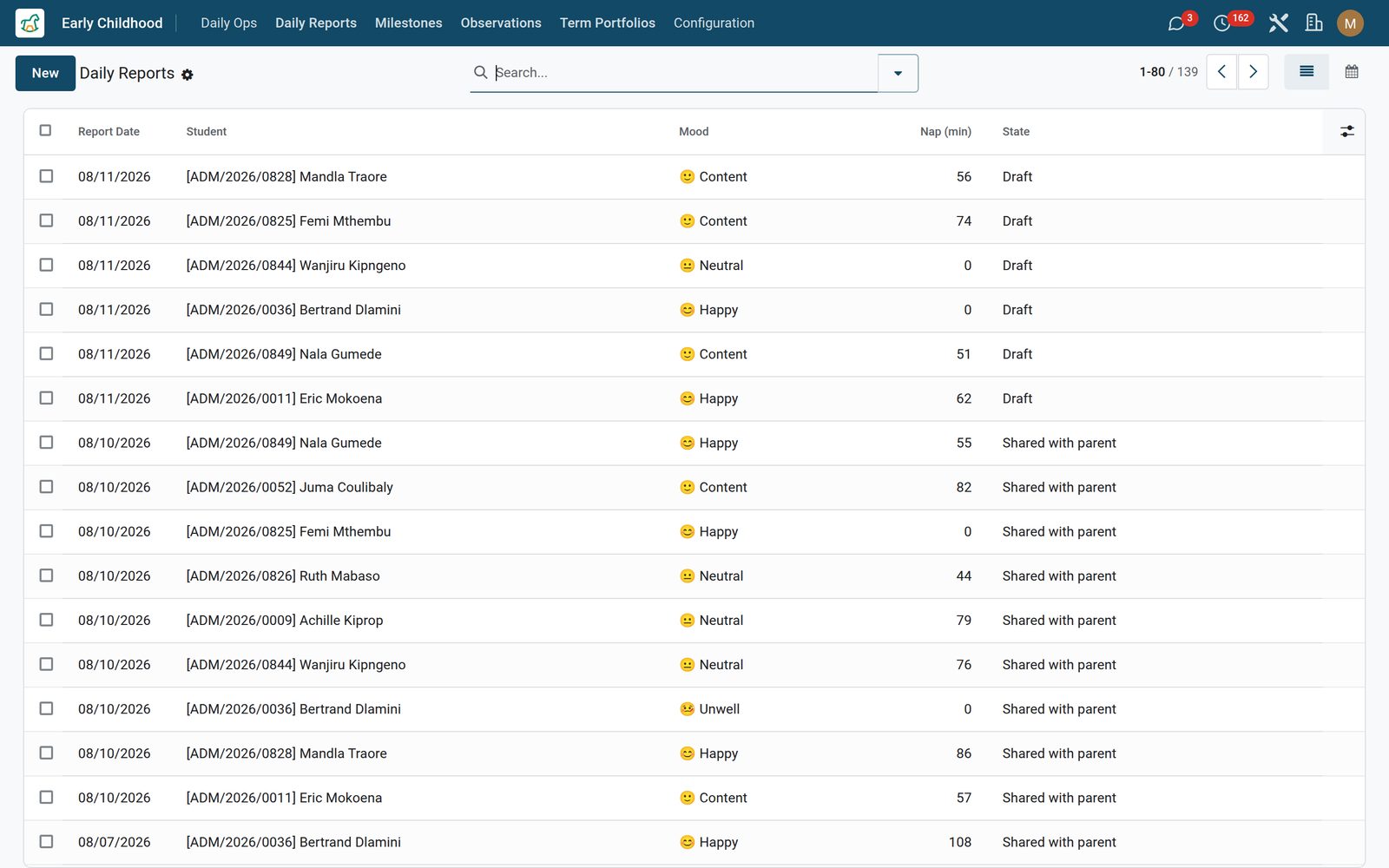
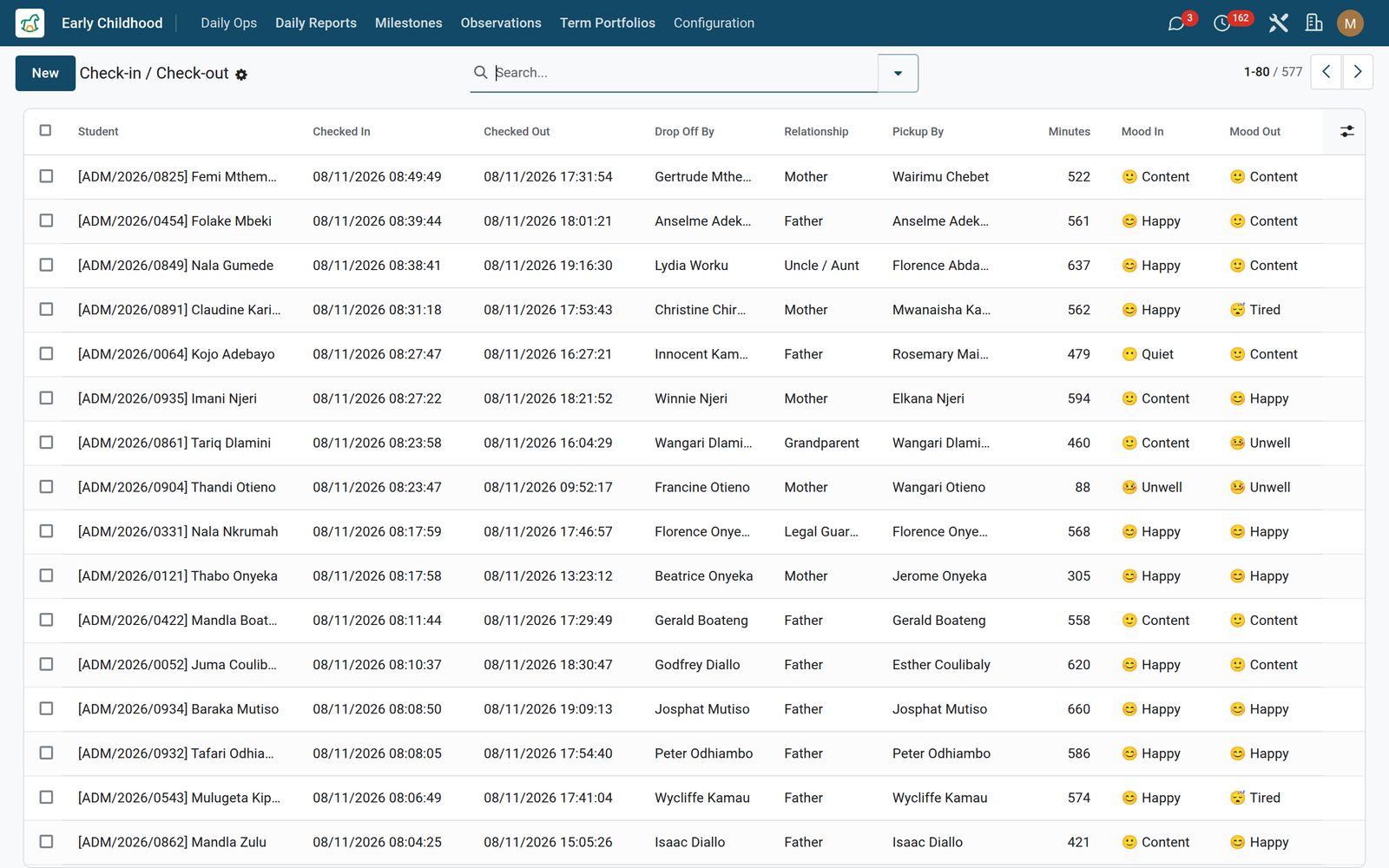
A daily report is one child’s day on one record: mood on a six-point scale from happy to unwell, the nap in minutes with its quality, breakfast, lunch and snack each scored all, most, some or none, toilet visits and nappy changes counted, what the child actually did, a note for the teacher’s own file and a separate note for the parent, plus up to three photos. Press Share with parent and the report moves from draft to shared and appears on the family’s portal timeline — nothing reaches a parent until you send it, and when the family confirms they have read it Parent acknowledged closes the day off on the record. A month calendar view colours the term by mood. Check-in and check-out is the other half: who dropped the child off and their relationship — mother, father, grandparent, legal guardian, nanny, uncle or aunt, older sibling or another authorised adult — the authorising guardian on file, an arrival and departure photo, mood at both ends of the day, and the minutes present worked out for you.
Early Childhood: The day the parent missed, written down as it happened
02

Naps, bottles and nappies, logged in the moment

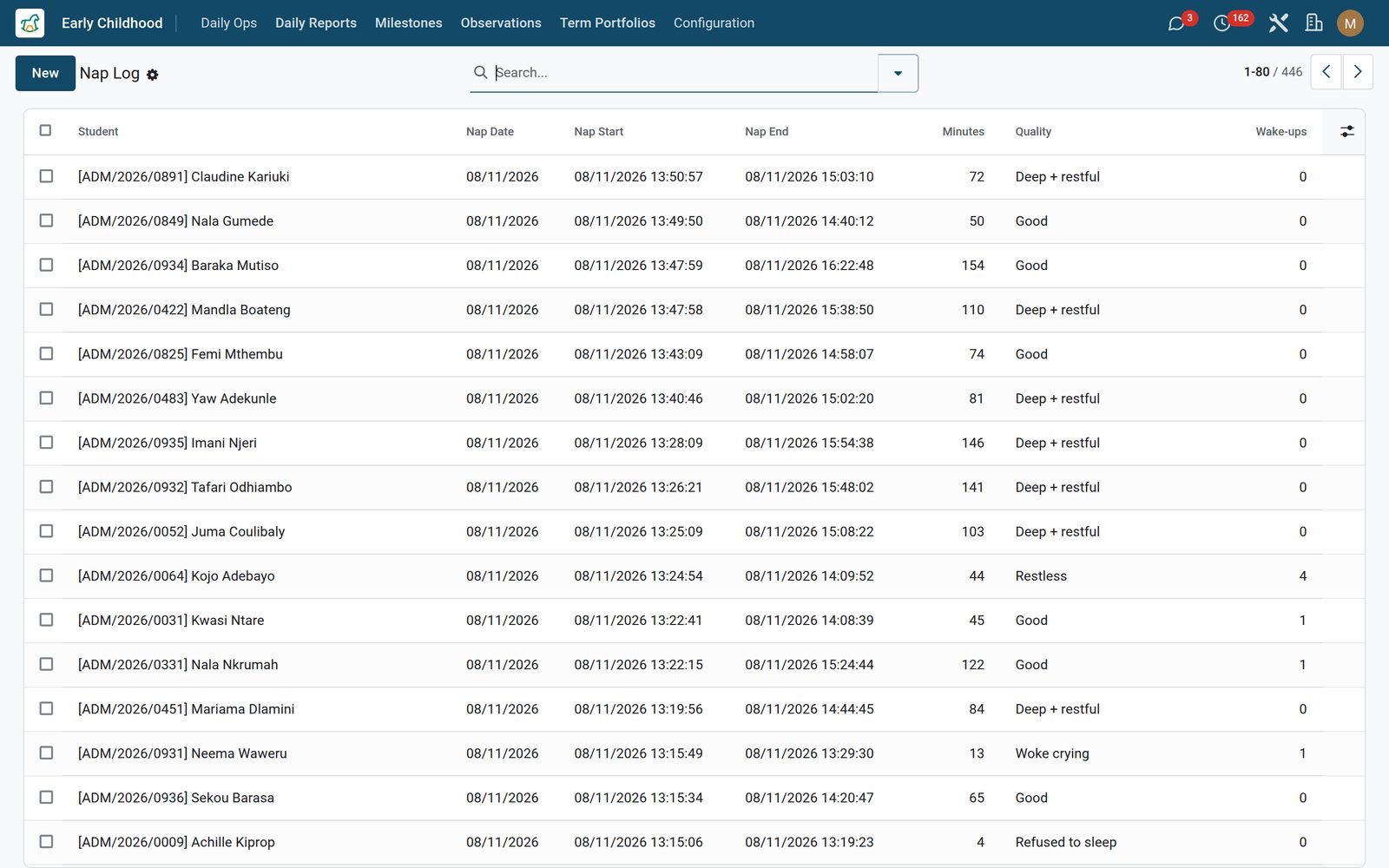
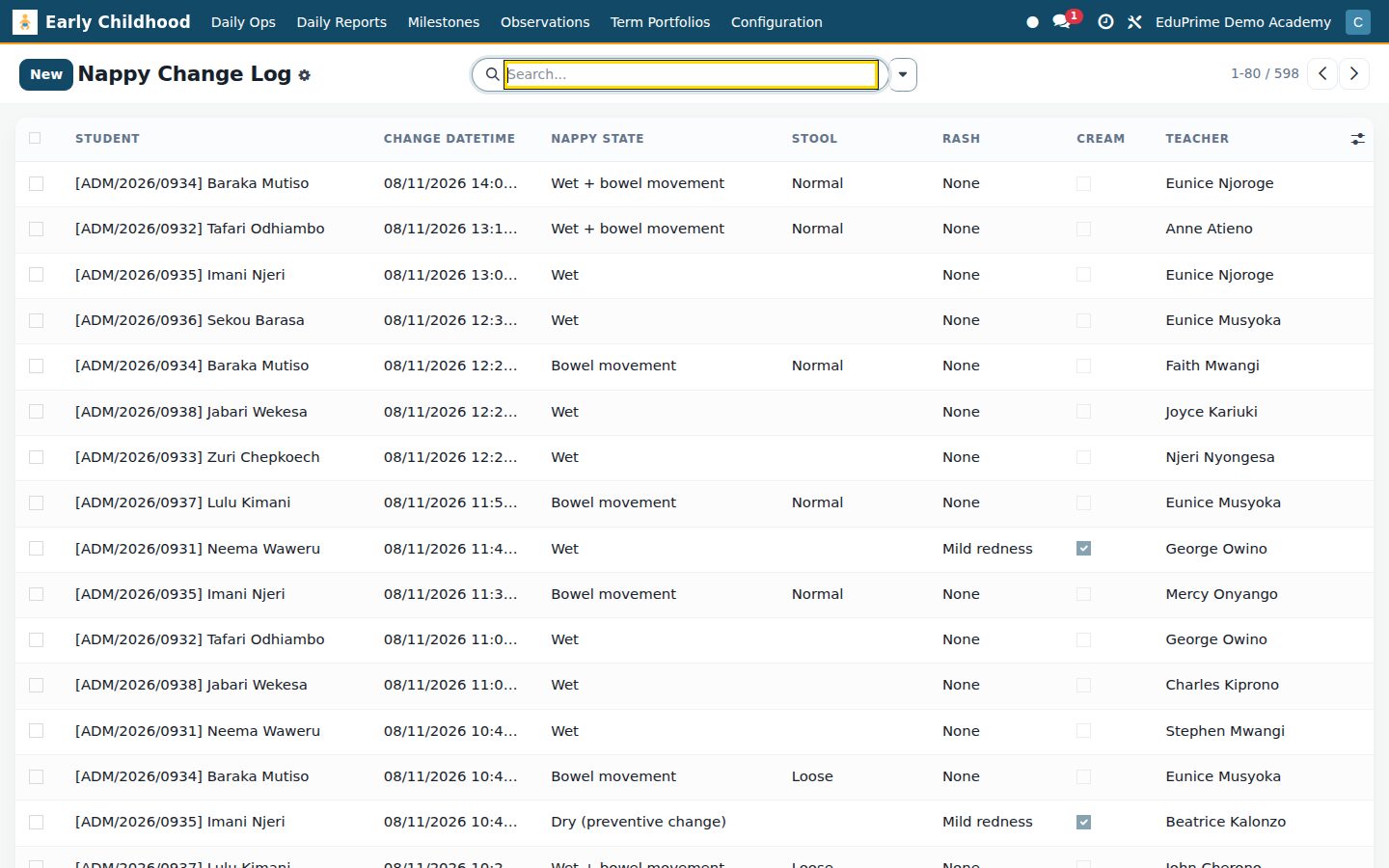
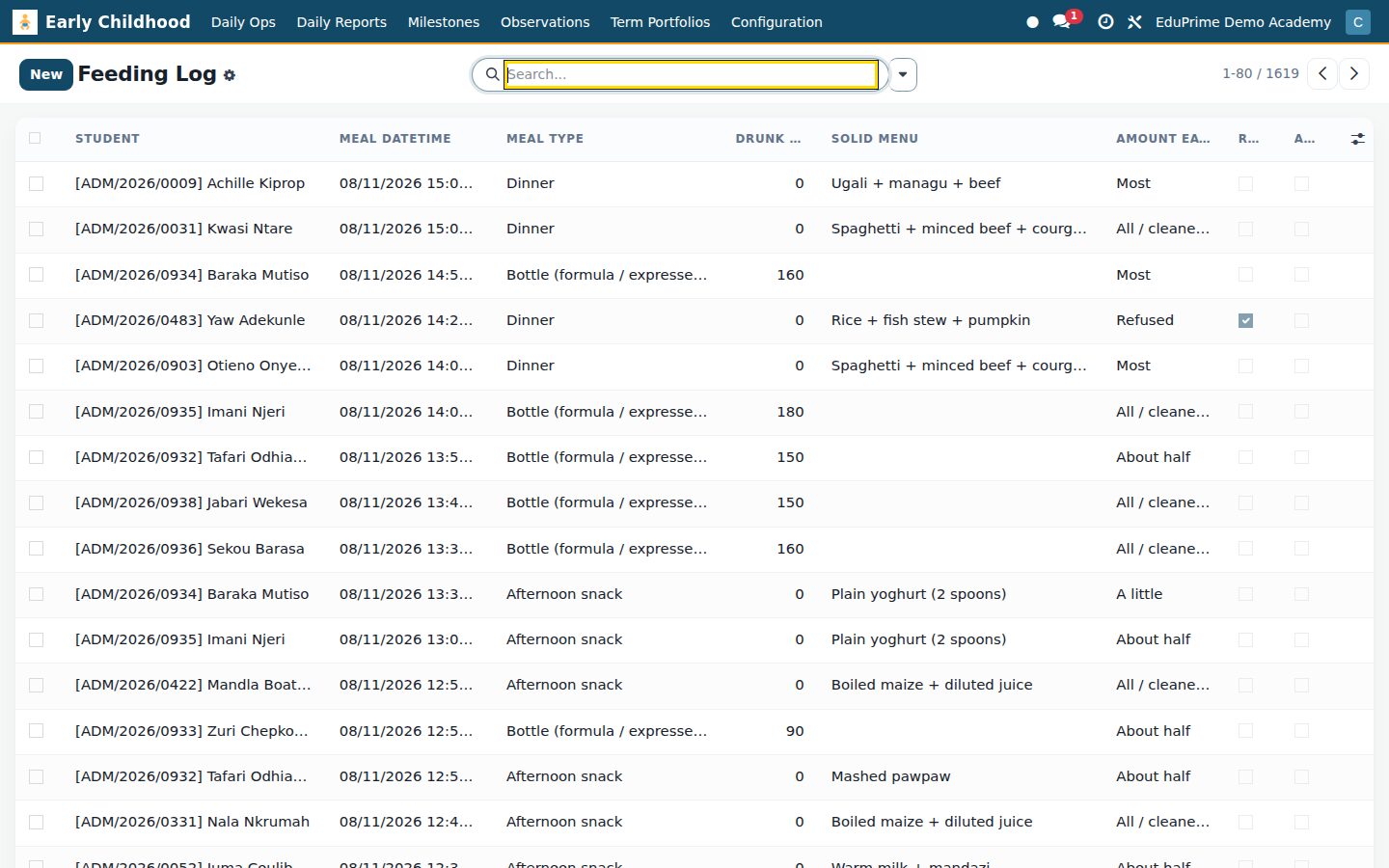
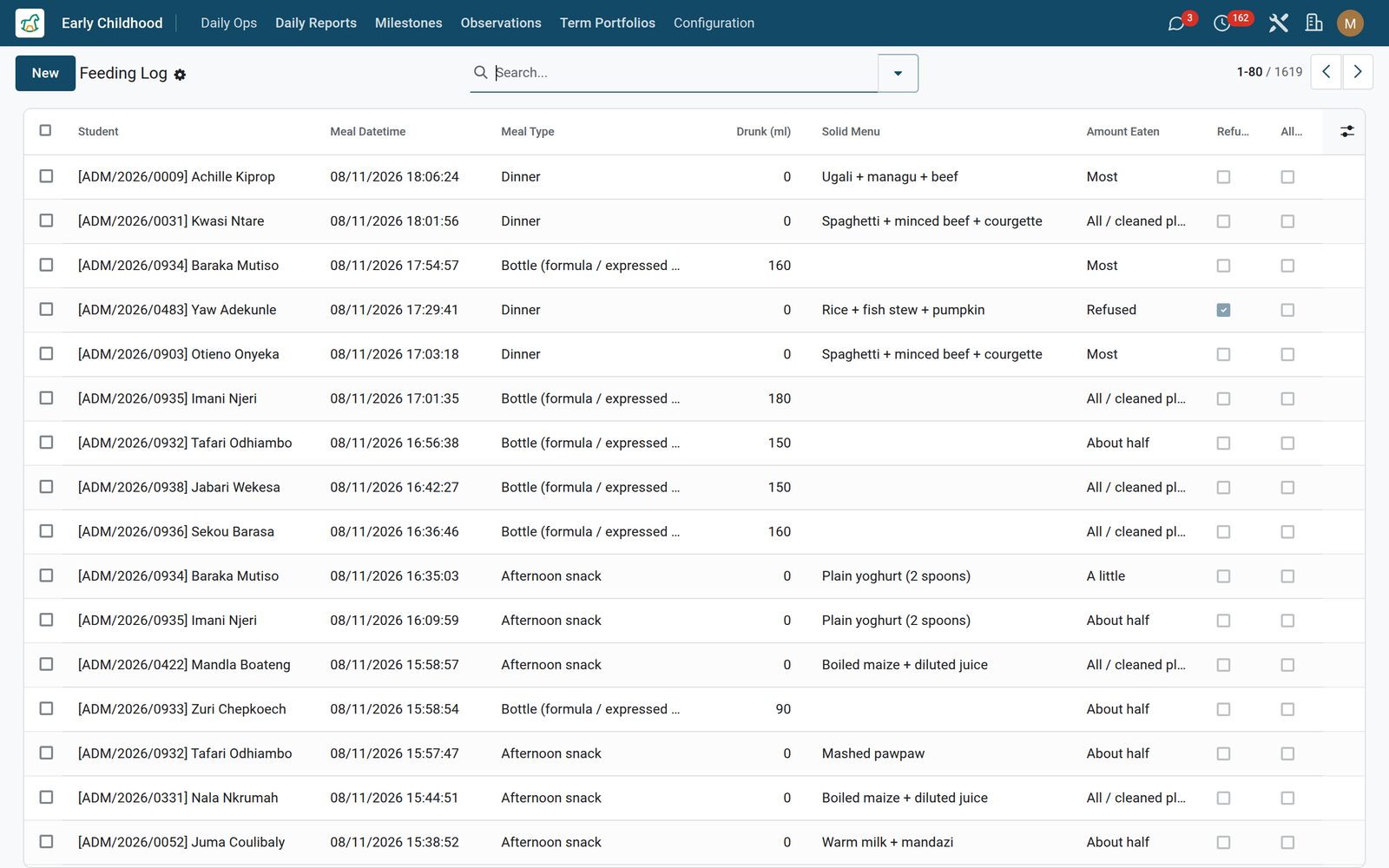
The nap log stamps start and end, computes the duration, records quality from deep and restful to woke crying or refused, counts awakenings and notes how the child was settled — self-soothed, rocking, singing, a back rub or a comforter. The feeding log covers six meal moments from bottle to dinner: for a bottle it asks how many millilitres were offered and drunk, for solids what was on the plate and how much of it went, with a refusal flag and an allergy watch whose notes field only appears when a reaction is ticked. The nappy log records the state of the change, the stool appearance including the one that tells you to call the parent and the nurse, a rash graded none to severe, and whether cream was applied and which brand.

Early Childhood: Naps, bottles and nappies, logged in the moment
03

Development recorded as progress, never as marks

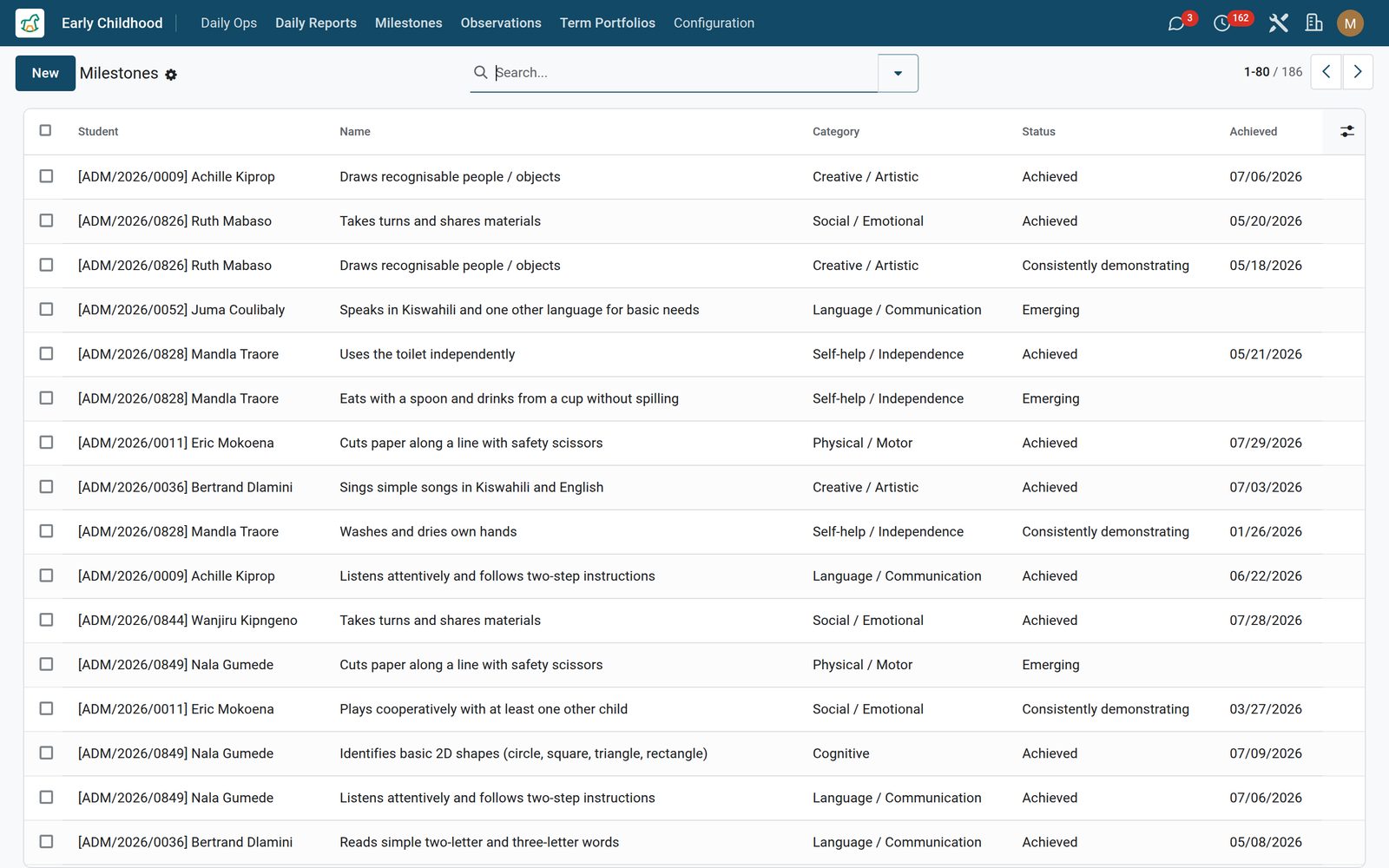
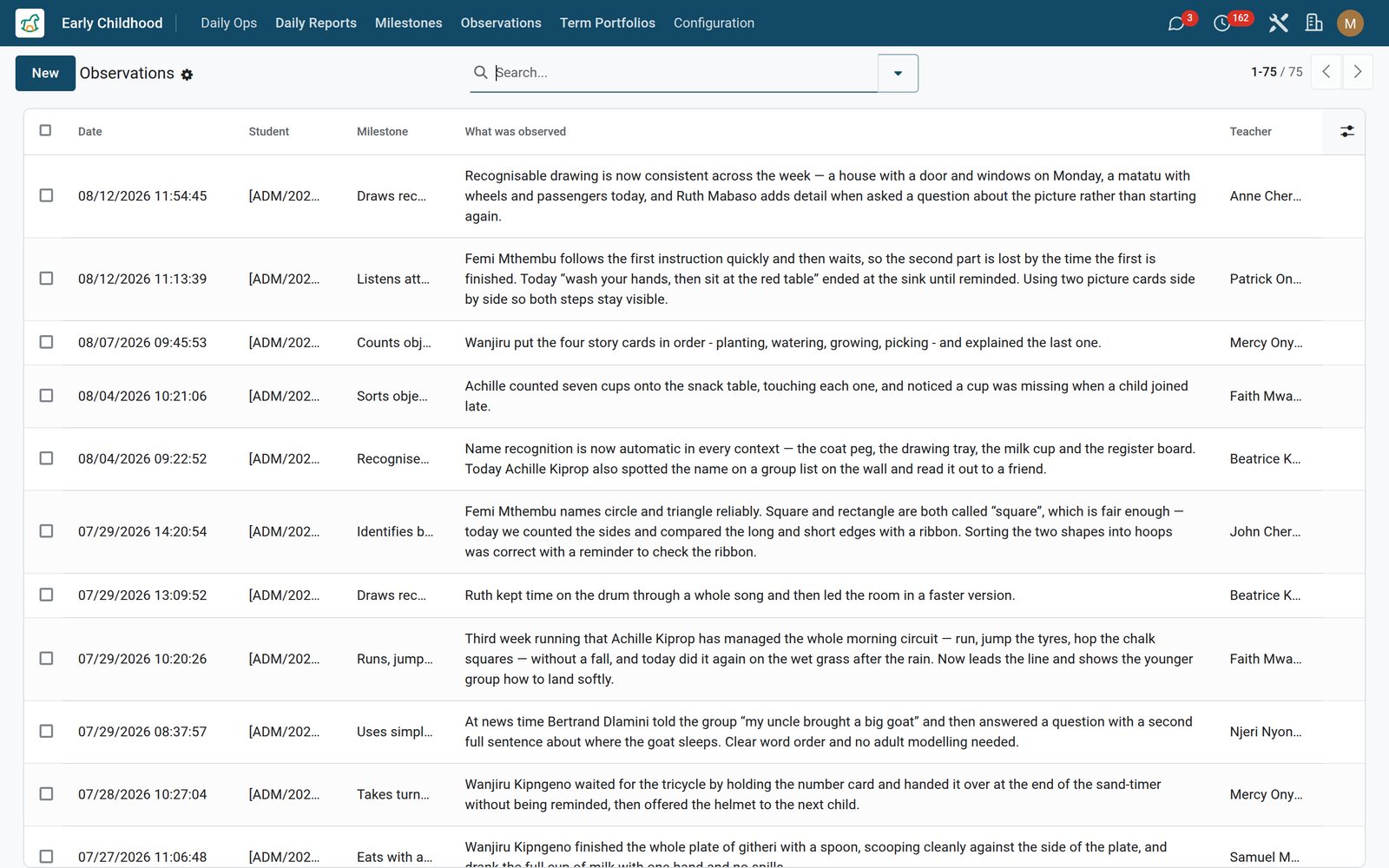
A milestone belongs to the child, not to a mark sheet. Each one sits in one of six domains — physical and motor, cognitive, social and emotional, language and communication, creative and self-help — carries the age in months at which it is typically seen, and moves along a status bar from not yet observed to emerging, achieved and consistently demonstrating, with every change tracked on the record. Observations are the evidence underneath: a dated, timed, written note from the teacher, with a photo and a link to the milestone it demonstrates, so a judgement about a child can carry the anecdote that produced it.

Early Childhood: Development recorded as progress, never as marks
04

CBC and EYFS outcomes, already typed in

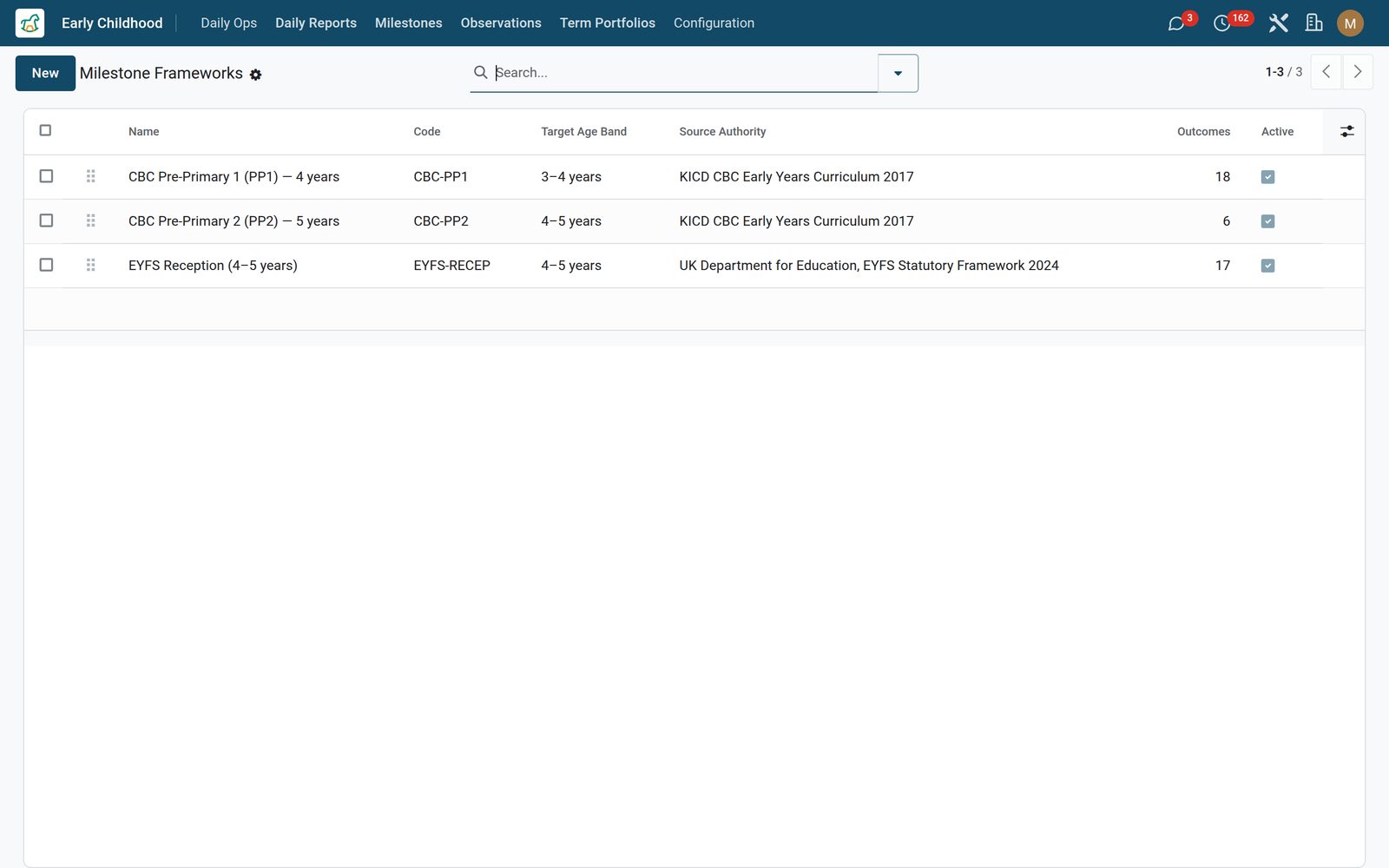
Three milestone frameworks ship with the app and are ready on the day you install: CBC Pre-Primary 1 and CBC Pre-Primary 2, sourced to the KICD Early Years Curriculum, and EYFS Reception, sourced to the UK Department for Education statutory framework. Between them they carry 41 outcomes, each with its own reference code in the shape your inspector expects — CBC-PP1-L-01, EYFS-ELG-01 — a domain and a typical age in months. Frameworks are editable master data with an inline list, an age band, a source authority and a code that can never be used twice, so you can add your own national or house framework beside them. The framework is the library a teacher writes from rather than a switch: each child’s milestone is created on that child’s own record and keeps its framework and reference code, and your implementation partner can load a whole framework onto a pupil in one pass during setup — there is no one-click apply button for staff.

Early Childhood: CBC and EYFS outcomes, already typed in
05

A term portfolio that assembles itself

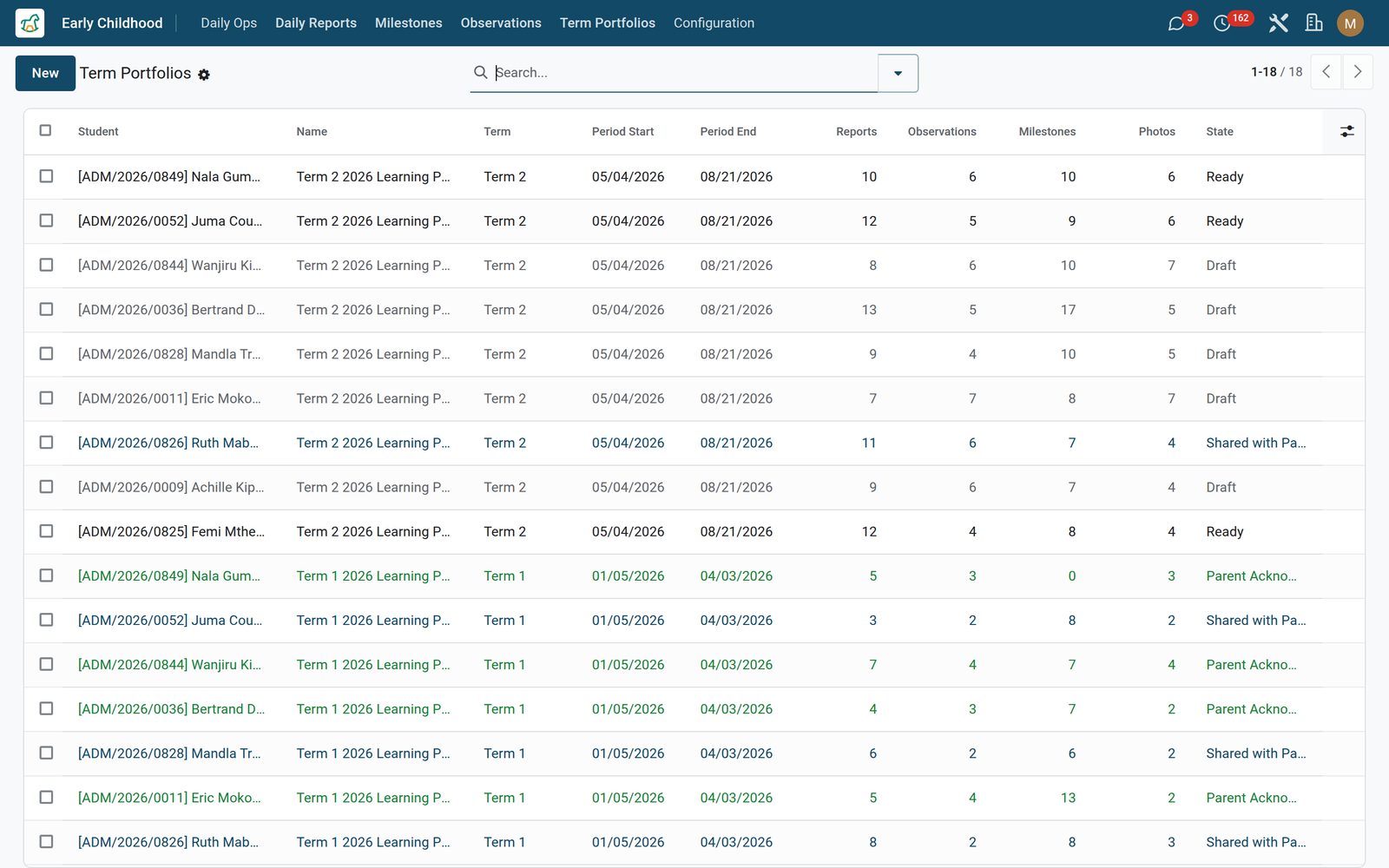
Give a portfolio a child and a start and end date and it gathers the term on its own: every daily report in the window, every observation in it, every milestone standing at achieved or consistent — those dated inside the window, plus any still carrying no achieved date — and a count of the photos shared along the way. You add the two things only a teacher can write — the term commentary and next term’s focus. Then Mark Ready, Share with Parent — which emails the primary guardian a link to the portfolio — and Print A4 PDF, which lays out the commentary, the term at a glance, the milestone table, the eight most recent observations and the next-term box under your own letterhead, filed as ECD-Portfolio-Name-Date.

Early Childhood: A term portfolio that assembles itself
06

What the family sees, and what they can forward

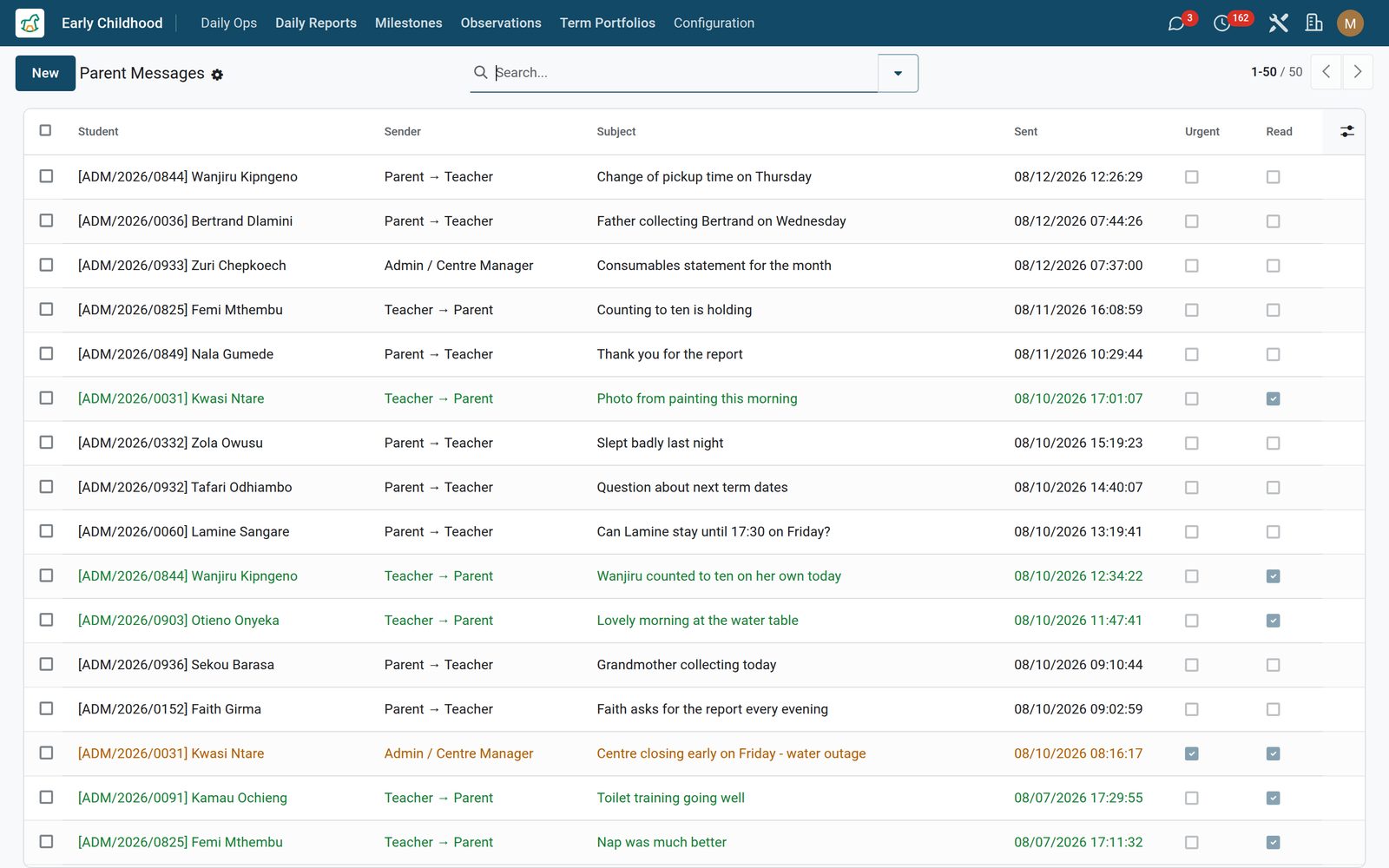
Each parent gets a page for their own child at /my/ecd/ showing the twenty most recent shared daily reports, milestones achieved, how many are emerging and every shared term portfolio — the daily reports as cards with the mood badge, the nap, the meals, the toilet and nappy counts, the photos shared and the teacher’s note called out in amber. The page checks the signed-in parent against that child’s guardians before it renders a thing. A shared portfolio carries its own private link, so the family can forward the link to grandparents abroad who have no login, and the parent’s acknowledgement is a button on the portfolio page — signed in, guardians only — that stamps the date on the record. Alongside it, an internal parent message log keeps teacher-to-parent and parent-to-teacher notes with subject, formatted body and attachments, an urgent flag that colours the row and a read receipt the office ticks.

Early Childhood: What the family sees, and what they can forward
07

Nap Log

Start, end, computed duration, quality, awakenings and how the child was settled.

Early Childhood: Nap Log
08

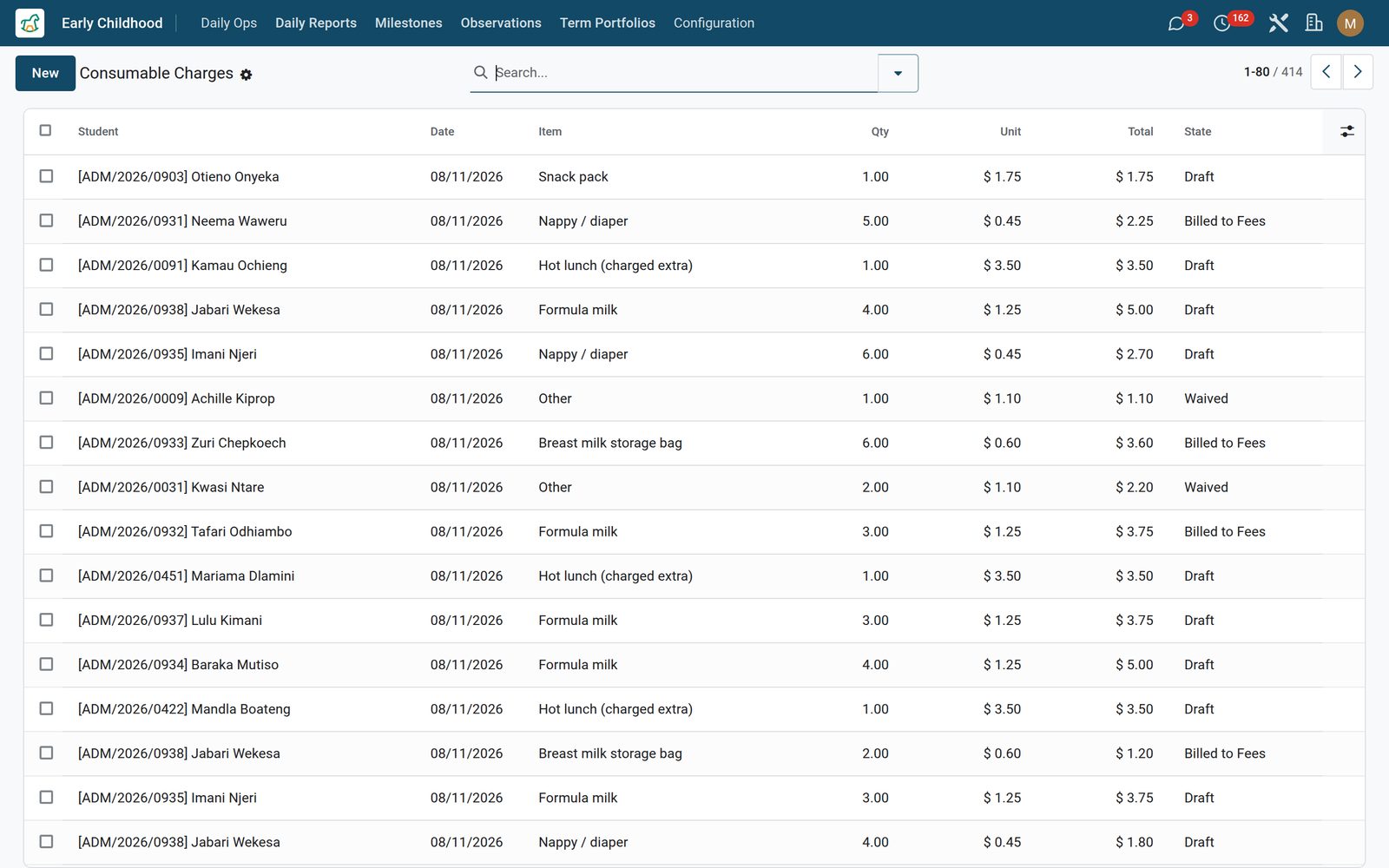
Consumable Charges

Nappies, milk, wipes and extras priced as quantity times unit price, tracked draft to paid or waived.

Early Childhood: Consumable Charges
09

Observations

Dated written evidence with a photo, linked to the milestone it demonstrates.

Early Childhood: Observations
10

Term Portfolios

The term gathered automatically, with commentary, PDF and a share link.

Early Childhood: Term Portfolios

What's inside

Everything in Early Childhood

23 items in 9 areas, every one shipping with the app today.

  • Built for the early years, not shrunk from big school.

    • The daily report parents loveMood, naps, meals, toilet and three photos per child per day — shared to the parent, then acknowledged, in one tap.
    • Drop-off to pickup, loggedCheck-in and check-out with the authorised pickup person, arrival photo, and time-present — plus nap, feeding and nappy logs through the day.
    • Milestones on CBC & EYFSPre-loaded milestone frameworks from Kenya's CBC Early Years and the UK EYFS — teachers tick what a child demonstrates instead of starting blank.
    • Term portfolio, auto-builtEvery report, observation, milestone and photo for a term bundles into one shareable portfolio the parent reads online or downloads as a PDF.
  • Daily Ops

    • Check-in / Check-out
    • Nap Log
    • Feeding
    • Nappy Changes
    • Parent Messages
    • Consumable Charges
  • Early Childhood

    • Daily Reports
    • Milestones
    • Observations
    • Term Portfolios
  • Configuration

    • Milestone Frameworks
    • Settings
  • Documents it prints

    • Term Portfolio
  • Roles it ships

    • Feature: Infant Care (nappies / bottles)
    • Feature: Bill Consumables to Fees
    • Feature: Two-way Parent Messaging
  • Guided assistants

    • EduPrime Adaptive Institution Settings
  • What it sends

    • ECD — Portfolio Shared with Parent
  • More in this app

    • Consumables, and only the features your centre runsConsumable charges price what a child actually used — nappies, wipes, formula, breast-milk bags, a hot lunch, a snack pack, art supplies — as quantity times unit price in your company currency, with a status running draft, billed, paid or waived so the office can see what has been raised and what has been written off. Three feature switches in Settings decide what your staff even see: infant care (nappy tracking), consumable billing and the parent message log all ship switched off, so a preschool that changes no nappies is never shown the menu — while check-in, naps and feeding are always there because every centre runs them. Master data and settings sit under an administrator-only Configuration menu, and while any member of staff can record and correct a day, deleting a record is reserved to administrators.

Put Early Childhood to work

Add it to your EduPrime plan, priced per student, or start a free trial and see it running first.