





Parent Portal: Guardian app for results, attendance, fees, messages and consent forms

+$1.48/mo at 500 students. Free instant access, no credit card required.

Works with
  • Academics
Parent Portal in the EduPrime: Guardian app for results, attendance, fees, messages and consent forms
01

Write it once, and the whole school has it

An announcement carries a title, a rich-text body and a file attachment box kept on the record, then picks who it is for: all parents, the parents of one or more classes, or a hand-picked list of students. Set a send-at time and schedule it, or send it now. Every notice is numbered from its own ANN/ sequence, moves draft → scheduled → sent on a status bar with Cancel and Reset beside it, and keeps every one of those messages on its history. The kanban groups the board by state so nothing sits half-written.
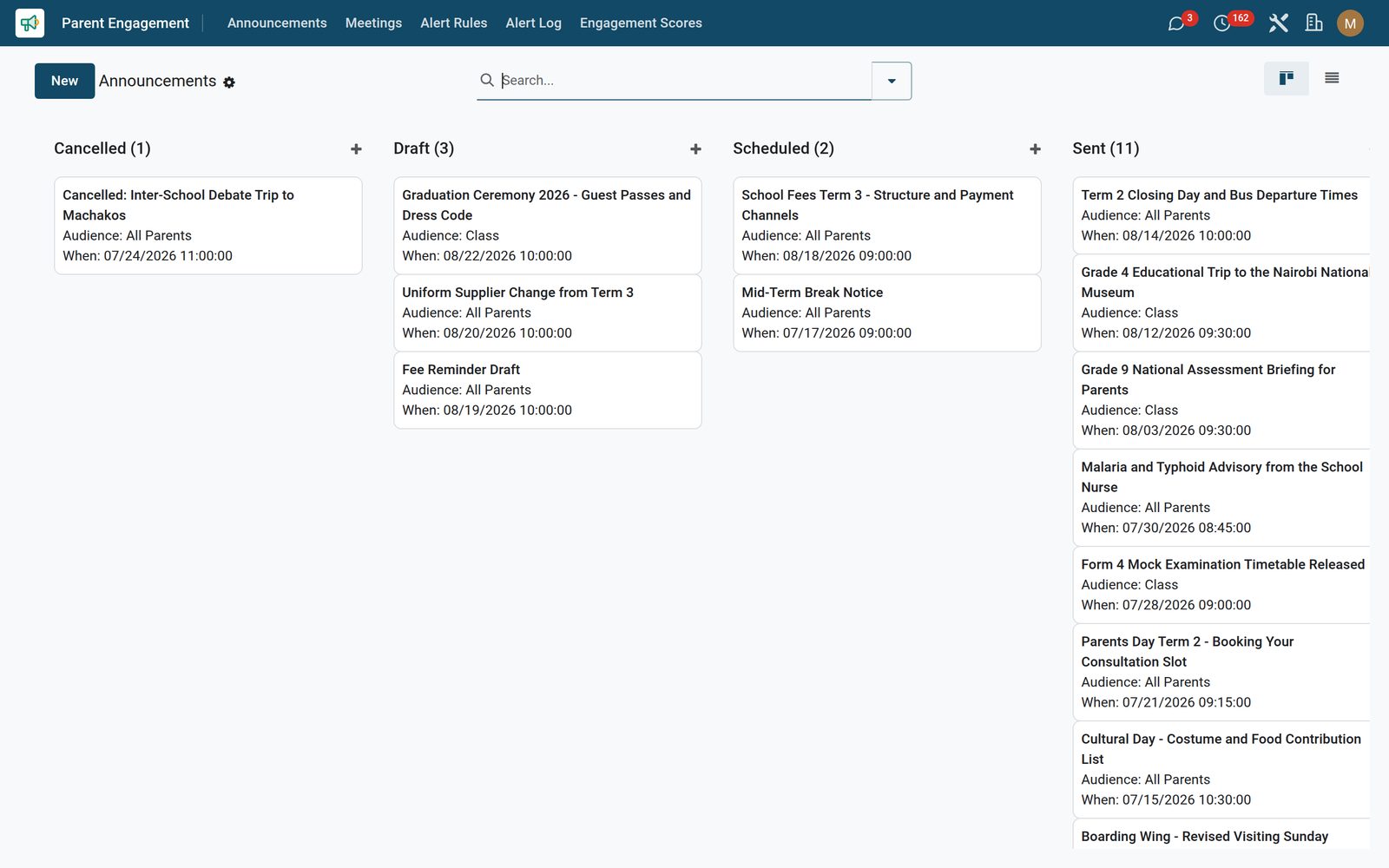
Parent Portal: Write it once, and the whole school has it
02

Parent-teacher meetings on a calendar, not a notebook

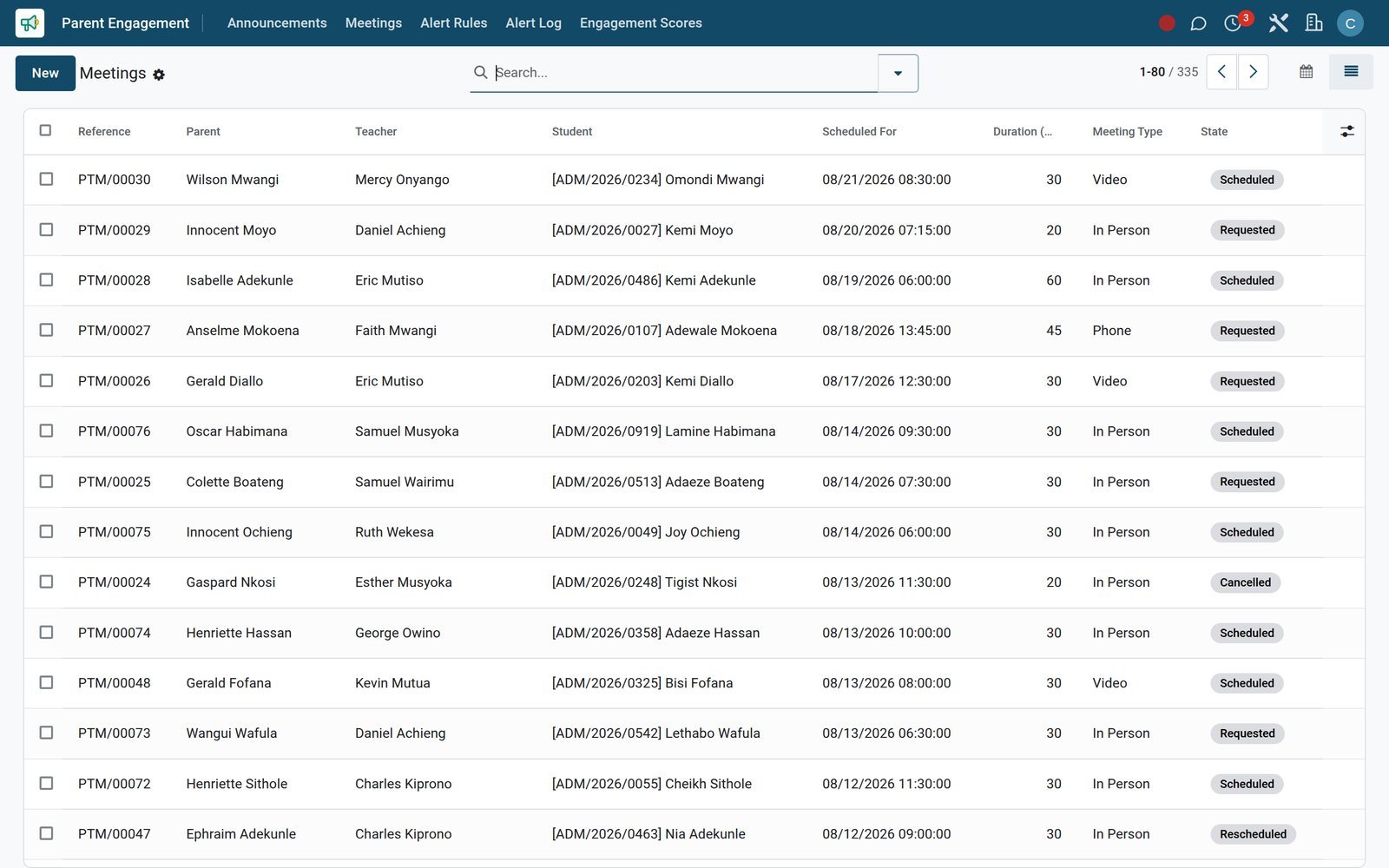
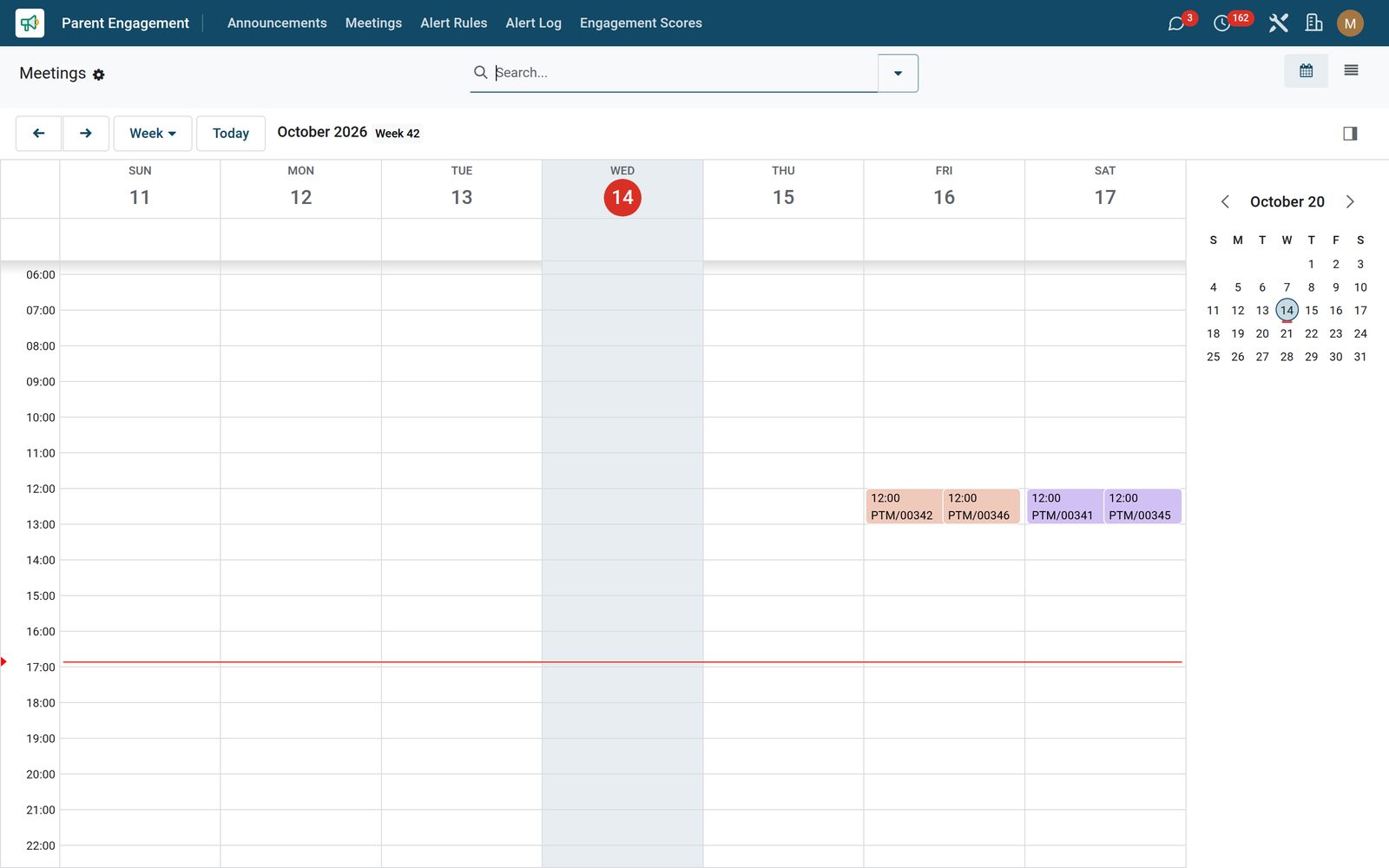
Each meeting ties a parent to a teacher and a child, with the date, a duration in minutes and whether it is in person, video or phone — pick video and the meeting-link field appears. The shipped calendar view plots every consultation on its scheduled date and gives each state its own colour, so a term of them is one screen instead of a list; click a slot and the card names the parent, the teacher and the topic. Agenda, meeting notes and action items each get their own tab of the same record, and one button moves it requested → scheduled → completed, or reschedules or cancels it. Every meeting is numbered from its own PTM/ sequence and chattered.

Parent Portal: Parent-teacher meetings on a calendar, not a notebook
03

Alert rules that run without being asked

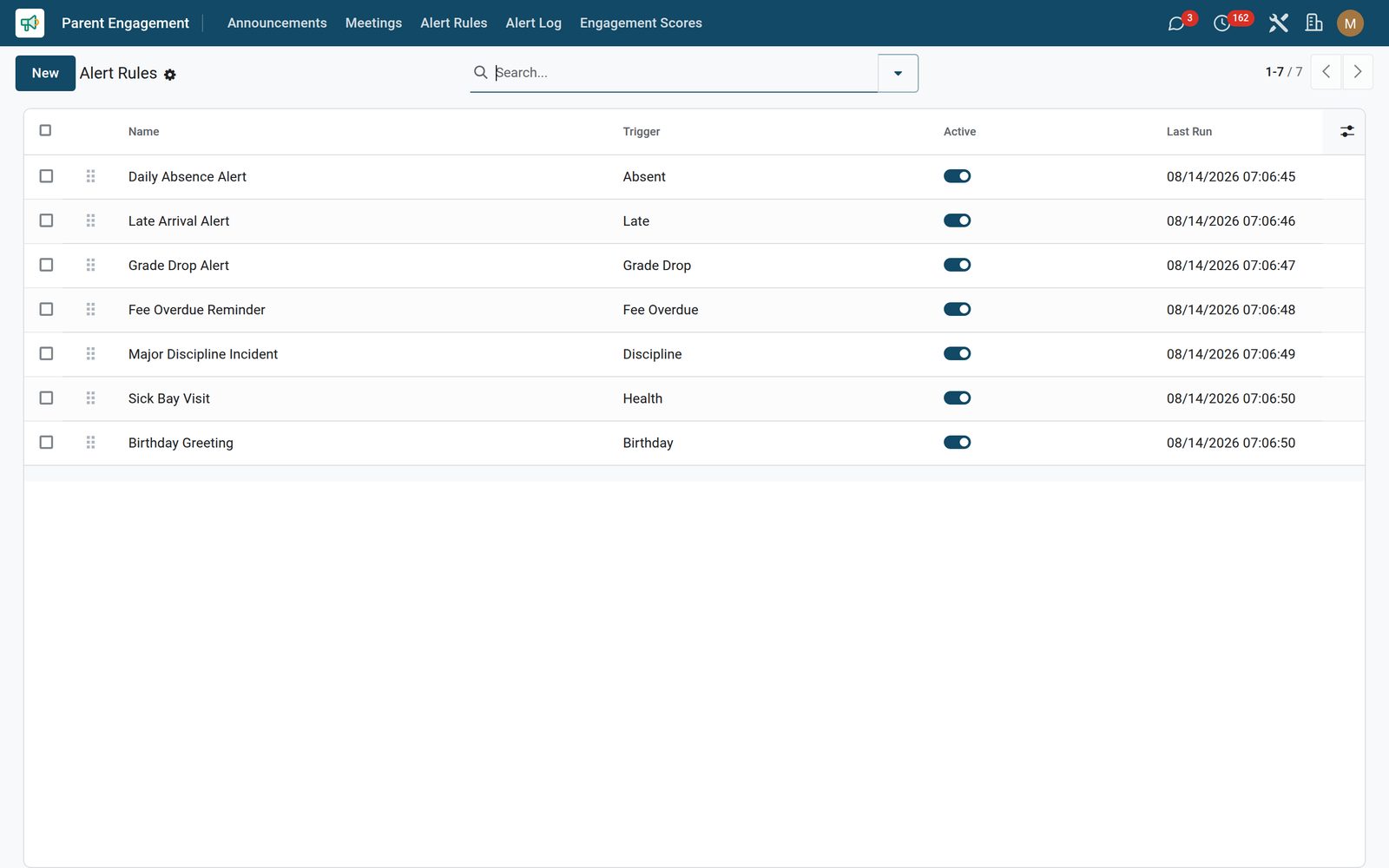
Build a rule on any of seven triggers — absent, late, grade drop, fee overdue, discipline, health or birthday — order them by drag handle, and switch each one on or off with a toggle straight in the list. A birthday rule needs nothing else: it compares every student’s date of birth to today. A mail template and five channel flags sit on the rule so the escalation you intend is recorded next to the test that raises it, and the daily check takes over from there — sweeping every active rule against every non-archived student, logging what it matched, stamping each rule’s last run, and setting aside any rule that fails so one bad rule never stops the rest of the sweep.

Parent Portal: Alert rules that run without being asked
04

Every alert raised, once, with the pivot already built

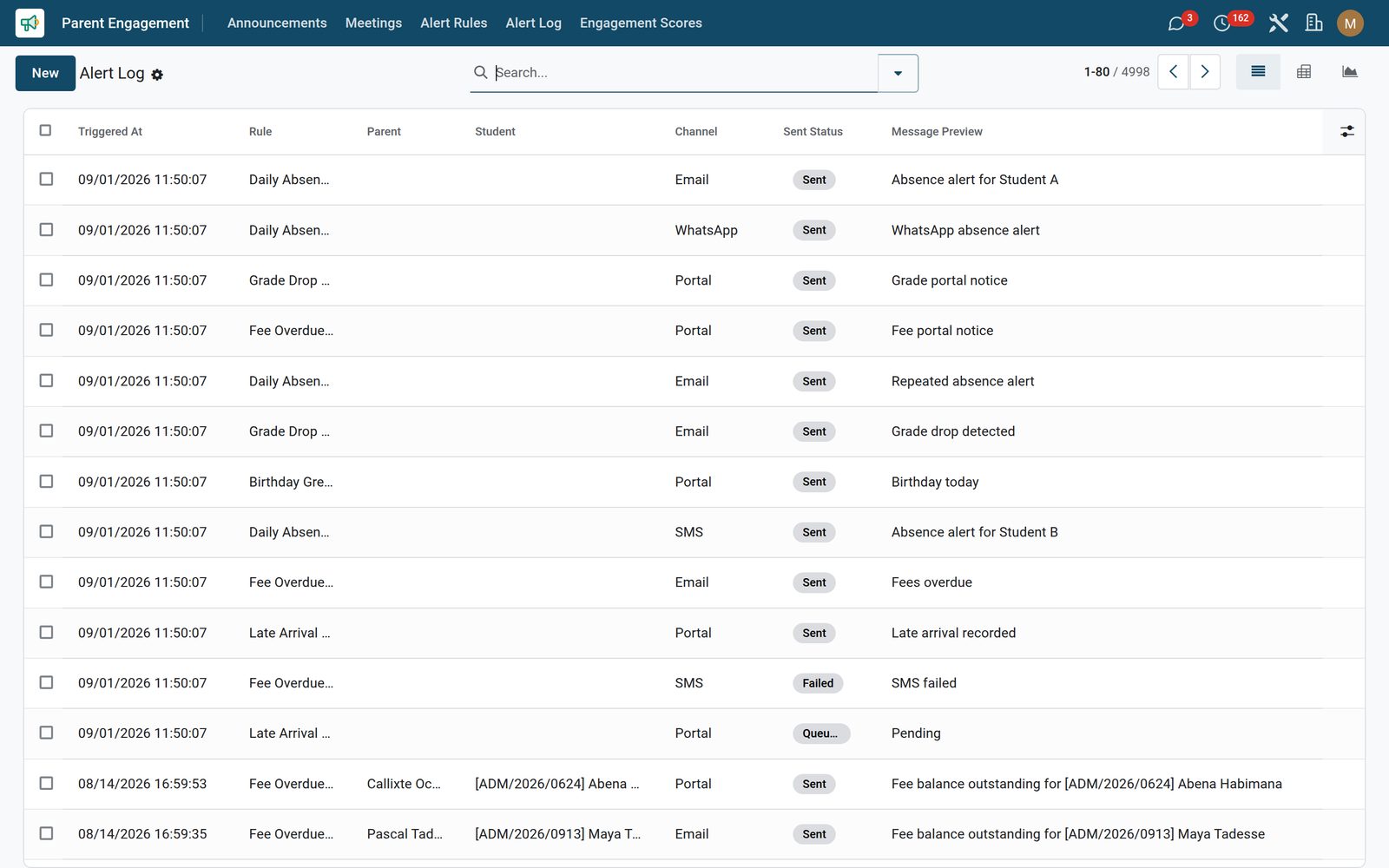
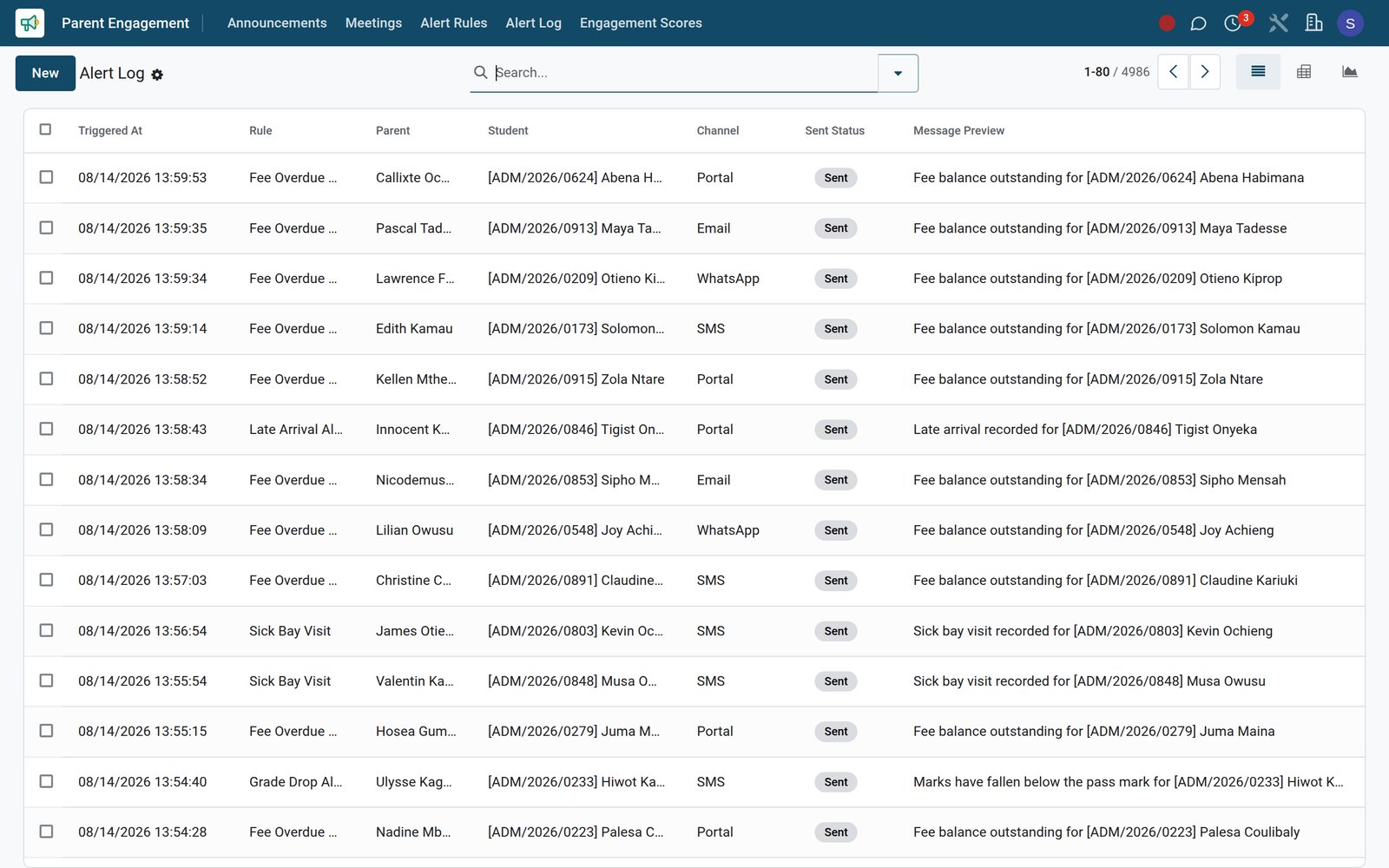
Each alert the engine raises is written to the alert log against its rule, the parent, the student and the moment it fired, with a channel, a sent status and a one-line message preview. The sweep writes at most one row per rule, per student, per guardian, per day — so re-running the daily check, or running it again after a restore, never re-alerts a parent about the same thing. The daily sweep stamps its own rows portal and sent; the queued and failed statuses and the other four channels are on the record for the entries you raise or import yourself. Retire a rule later and the history stays: the log keeps its rows and simply clears the rule reference. And the app ships the analysis with it — a pivot of rules against channels and a bar graph by rule, so a term of alerting is one chart and not an export.

Parent Portal: Every alert raised, once, with the pivot already built
05

Which parents are actually engaged, scored

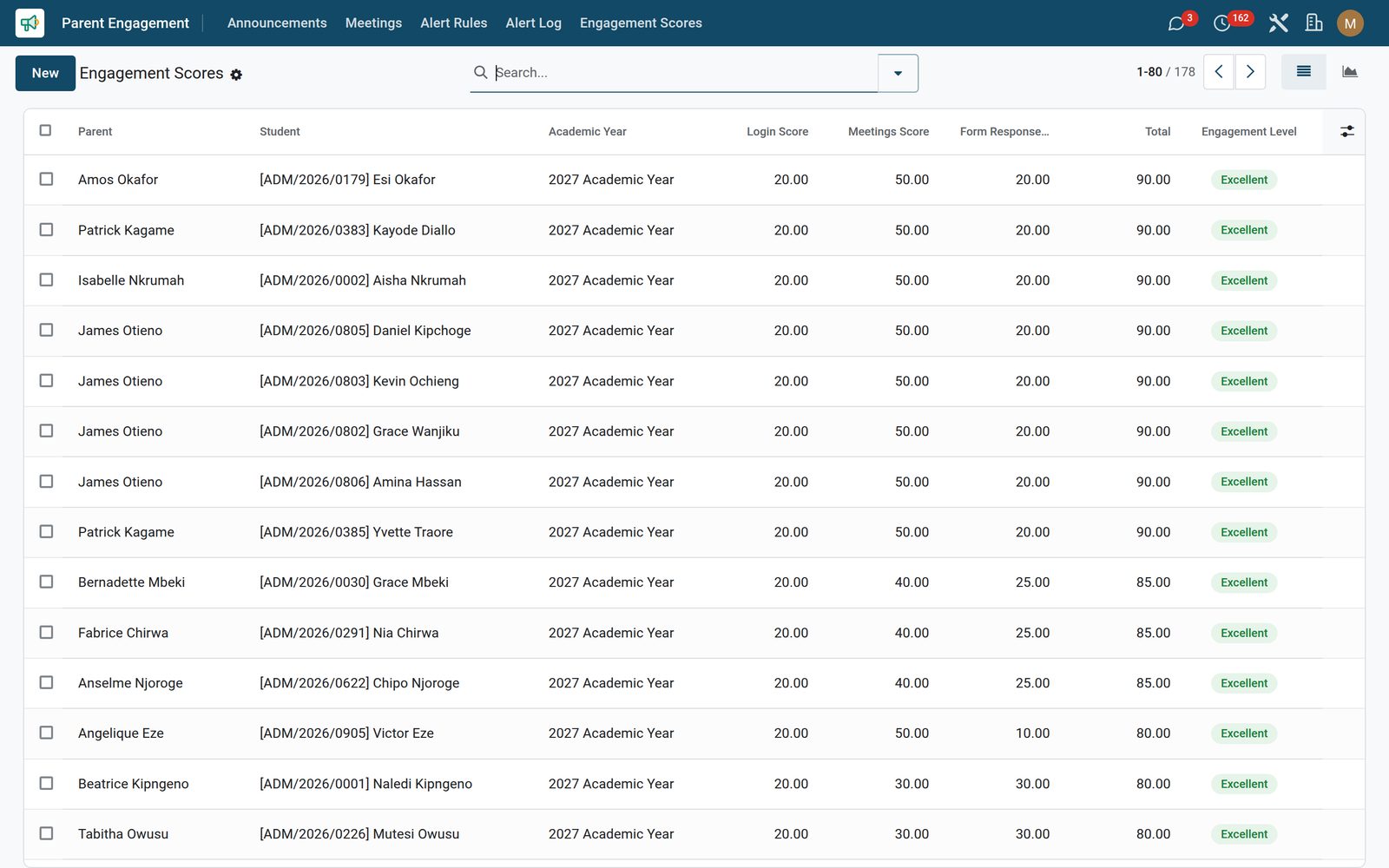
An engagement score per parent adds three components you can see and audit: a login component worth 20 as soon as the parent’s contact is linked to a user account, a meetings component of 10 for every completed parent-teacher meeting recorded against that parent, and a form responses component of 5 per submission when EduPrime Form Builder is installed. A child and an academic year can be recorded on the row for your own grouping. The total is stored, and the engagement level falls out of it automatically — low under 25, medium under 50, high under 80, excellent above — colour-badged red, amber and green in the list, groupable by band, with a graph of the school by level. Create the rows for the parents you want tracked, and the weekly check keeps all three components on every one of them current.

Parent Portal: Which parents are actually engaged, scored

What's inside

Everything in Parent Portal

26 items in 10 areas, every one shipping with the app today.

  • What it keeps

    • Parent Alert Log
    • Parent-Teacher Meeting
    • Parent Engagement Score
  • What it configures

    • Parent Announcement
    • Parent Alert Rule
  • Configuration

    • Settings
    • Field Library
  • Forms

    • Templates
    • Submissions
  • Parent Engagement

    • Announcements
    • Meetings
    • Alert Rules
    • Alert Log
    • Engagement Scores
  • Documents it prints

    • Form Submission
  • Roles it ships

    • Form Viewer
    • Form Officer
    • Form Administrator
    • Feature: Public / Anonymous Forms
    • Feature: Payment-Enabled Forms
  • Guided assistants

    • EduPrime Adaptive Institution Settings
  • It runs by itself

    • EduPrime: Dispatch scheduled announcementsRuns hourly
    • EduPrime: Evaluate parent alert rules (daily)Runs daily
    • EduPrime: Recompute engagement scores (weekly)Runs every 7 days
  • More in this app

    • Three automatic checks, on from day oneNothing here waits on someone remembering. Every hour, each announcement sitting in Scheduled whose send-at time has passed is sent and marked Sent. The daily check sweeps every active alert rule against every non-archived student, writes one log row per rule, student and guardian per day, stamps each rule’s last run, and sets aside any rule that fails so the rest of the sweep still finishes. The weekly check refreshes the login, meeting and form-response components on every engagement score row you have created. All three are listed in Settings with their timing and next run, and an administrator can retime or pause any one of them. And because announcements and meetings are full documents — history, followers and scheduled activities — the callback you promised a parent sits on the record with a due date and an owner.
    • Three roles, three parent pages, no configuration screen to learnStaff access comes in three stacked roles: Engagement Viewer reads, Engagement Officer writes and creates, Engagement Administrator can delete. Parents get three portal pages on the standard layout, each at its own address you hand out — /my/announcements lists the school’s sent notices newest first (the 50 most recent), /my/meetings shows the signed-in parent their own consultations with the date, topic, teacher and state, and /my/engagement shows that same parent’s own score and level. And there is nothing to configure: this app adds no settings page of its own, because the behaviour lives on the announcements and rules themselves, delivery uses the same standard mail and portal settings your other apps already use, and the only settings it adds are the timings of its three automatic checks.

Put Parent Portal to work

Add it to your EduPrime plan, priced per student, or start a free trial and see it running first.