

Grocery Store: Fresh produce, dated batches and home delivery for grocery stores
BridgeERP runs the grocery counter, sells produce by the kilo, keeps the expiry date of every batch of milk and bread, and turns phone orders into deliveries.
Free instant access. No credit card required.
 Invoicing
 Point of Sale
 Inventory
 Purchase
A basket that knows its batches
Produce is weighed at the counter, and every dated item is sold with the batch it came from.
 Point of Sale
Monday afternoon at the counter
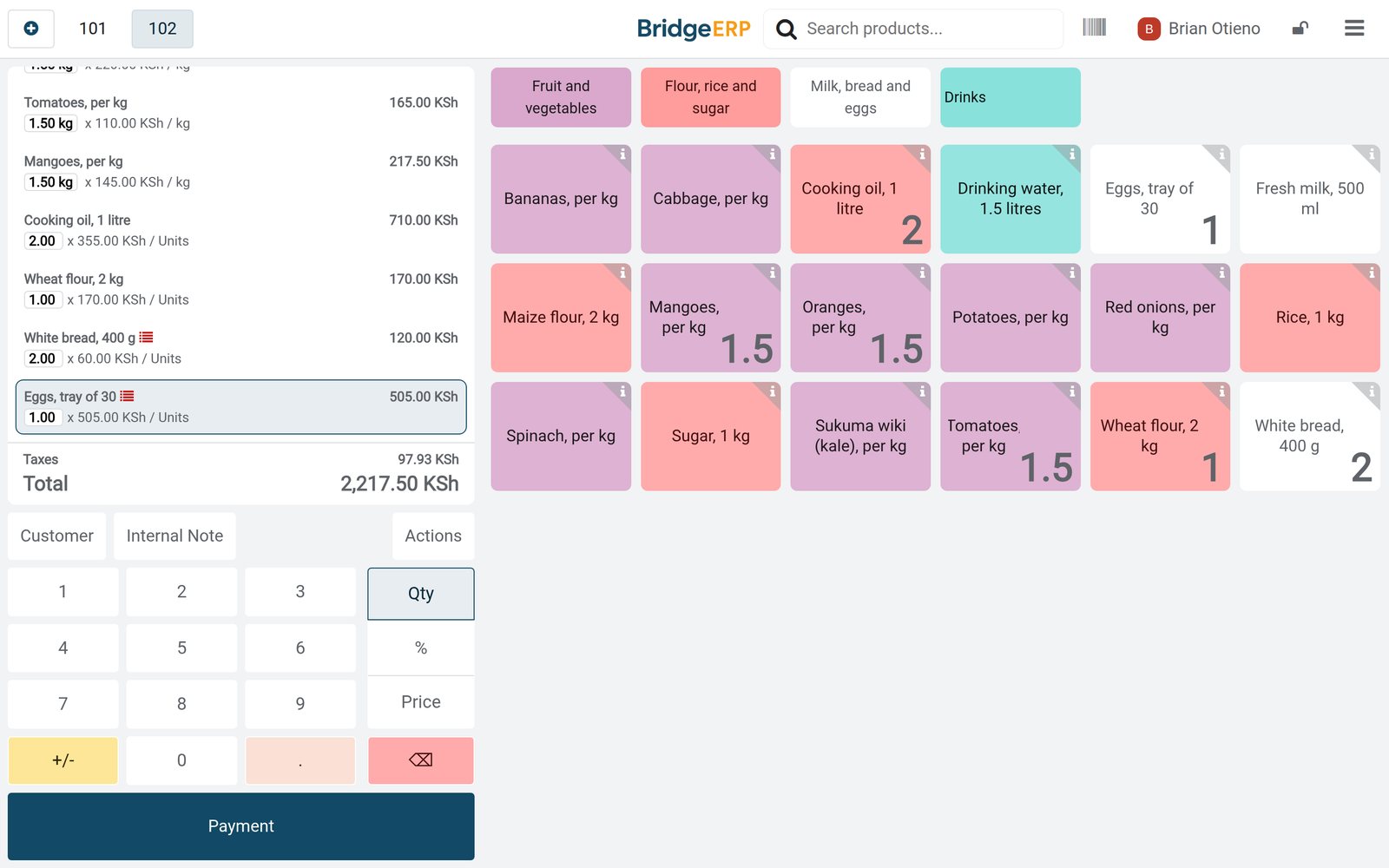
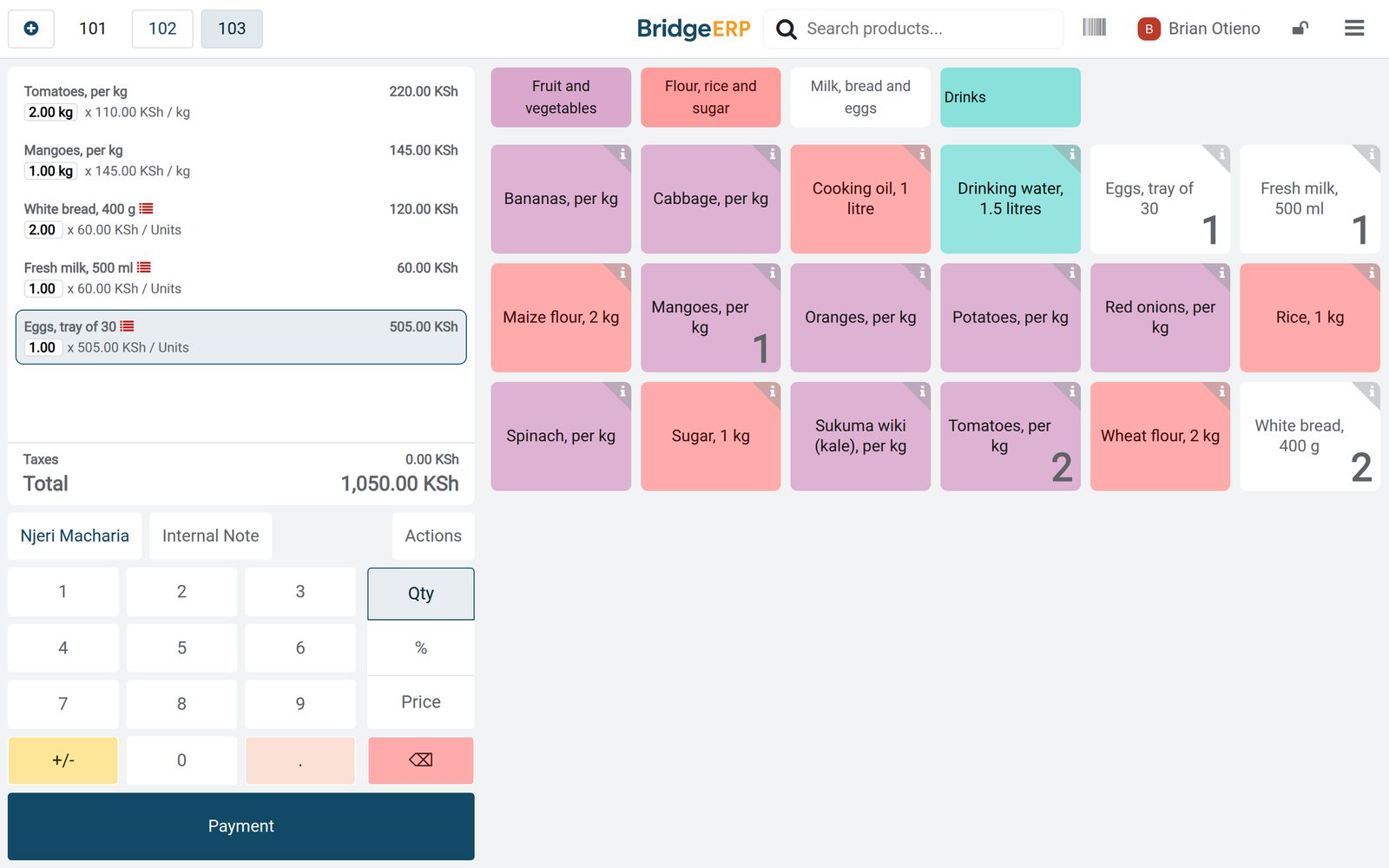
Brian Otieno sold Njeri Macharia 2 kg of tomatoes and a kilo of mangoes, with the bread, milk and eggs each showing the batch they came from.
Explore Point of Sale →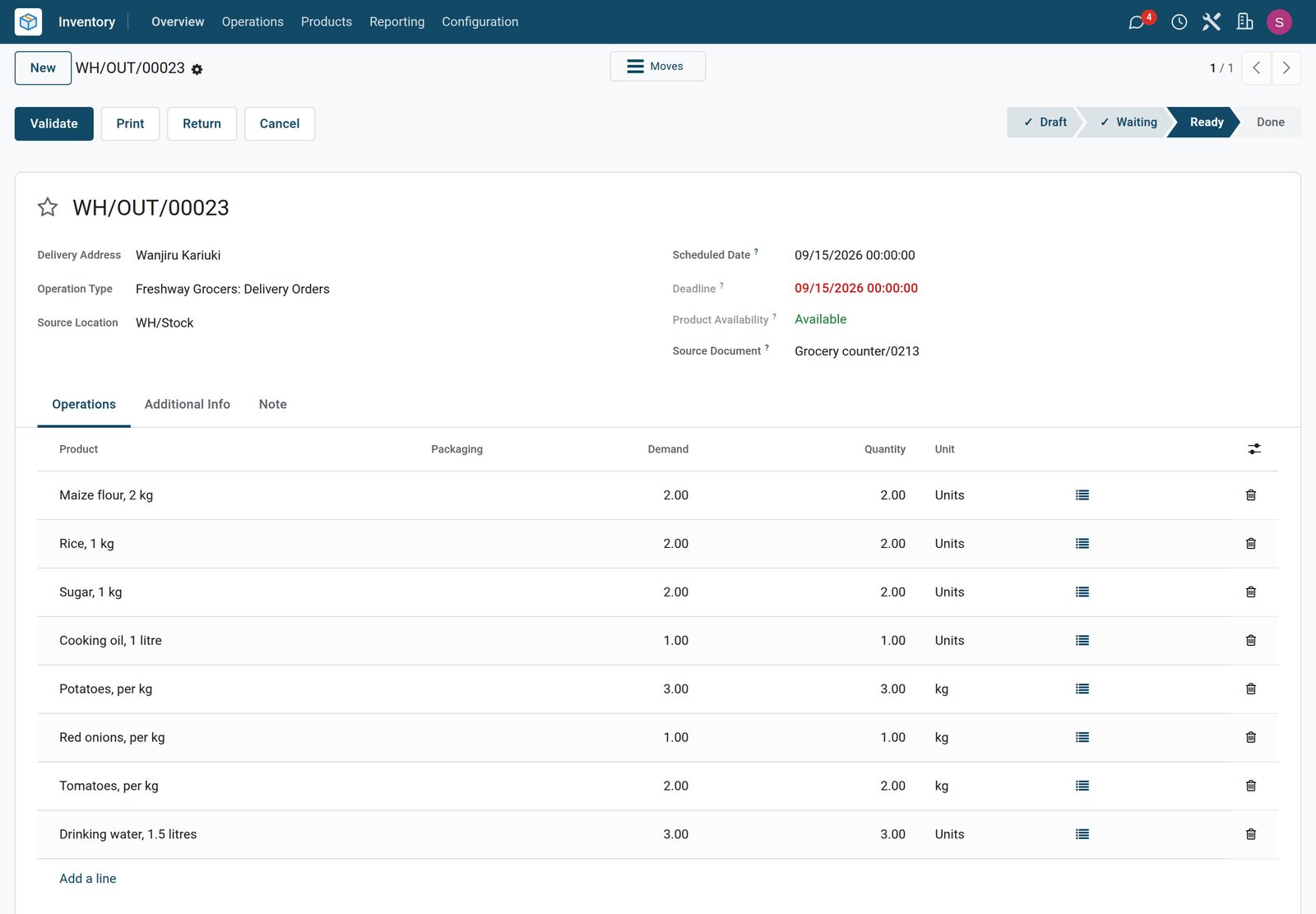 Inventory
Delivered on Tuesday
An order Wanjiru Kariuki placed on Monday evening waits as a delivery order for Tuesday, with its eight items ready to go.
Explore Inventory →By the numbers
What ships inside
Counted in the product.
- 3
- ways to track a product: by lots, by unique serial numbers or by quantity only
- 5
- removal strategies, including first expiry first out for dated food
- 4
- dates on every batch: best before, removal, alert and expiration
Inside the app
What is inside
The apps a grocery store runs on, and what each does for the day.
Counter sales
Produce, staples, dairy and drinks are sold by category at the counter till, with cashiers logging in.
Sold by weight
Fruit and vegetables are priced per kilogram, so half a kilo of spinach charges half the price.
Dated batches
Milk, bread and eggs arrive in batches, and each batch keeps its expiry, removal and alert dates.
First expiry, first out
Dated food uses first expiry first out, so deliveries and transfers take the batch that expires first.
Home delivery
A phone order is paid at the counter and becomes a delivery order for the day the customer chooses.
Zero-rated and exempt
Each product carries its own VAT: 0% on bread, milk and flour, exempt on produce, rice and eggs.
Reordering
Minimum and maximum levels show which staples to reorder and how many.
Supplier deliveries
The dairy, the bakery, the farm suppliers and the wholesaler deliver against purchase orders.
Step by step
From the morning delivery to the reorder
How a grocery day runs in BridgeERP, and which app does each step.
- Step 1
Receive
Milk and bread arrive early and each delivery is received with its batch and expiry date.
Purchase - Step 2
Sell
The counter weighs produce and records the batch of each dated item, paid by mobile money, cash or card.
Point of Sale - Step 3
Deliver
Phone orders go out as delivery orders on the day the customer asked for.
Inventory - Step 4
Close
At closing the cash is counted and the day posts to accounting.
Accounting - Step 5
Reorder
Staples that fall below their minimum level are ordered from the wholesaler and received into stock.
Purchase

Every batch with its dates
Batches keep their expiry dates, and the product decides how long each batch lasts.
 Inventory
What is on the shelf
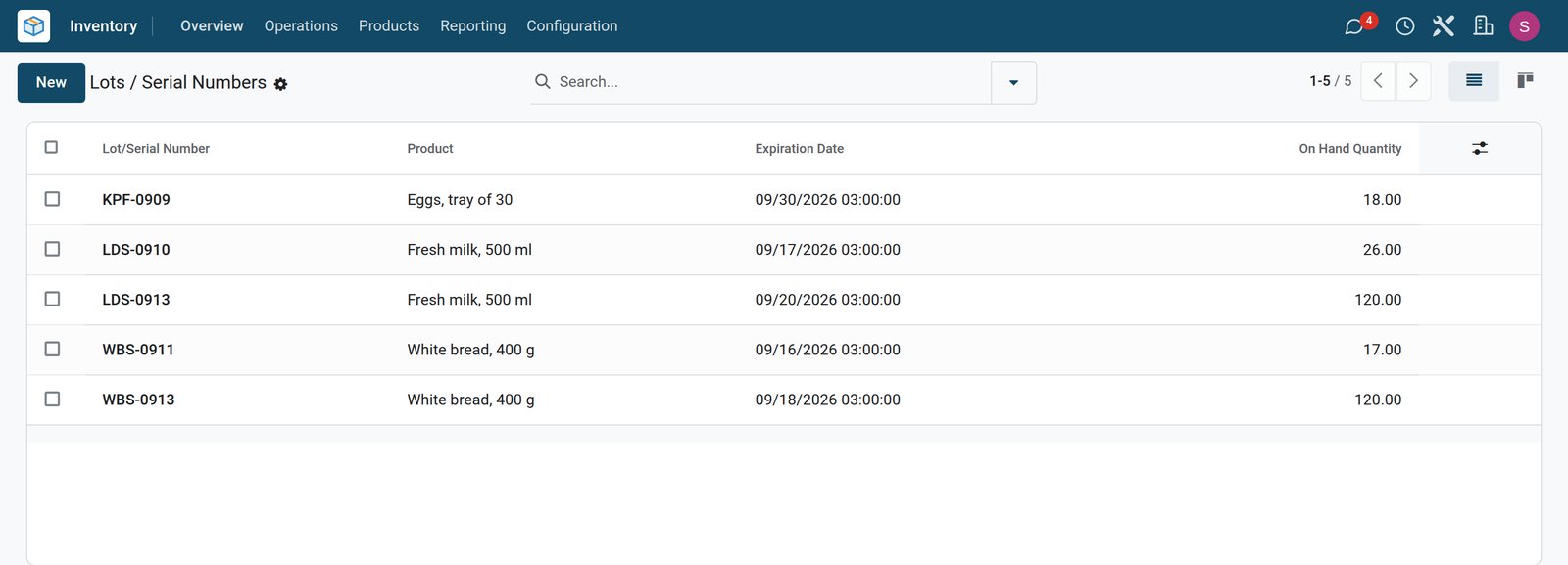
Two batches of milk and two of bread are in stock, each with its own expiry date, next to one batch of eggs.
Explore Inventory →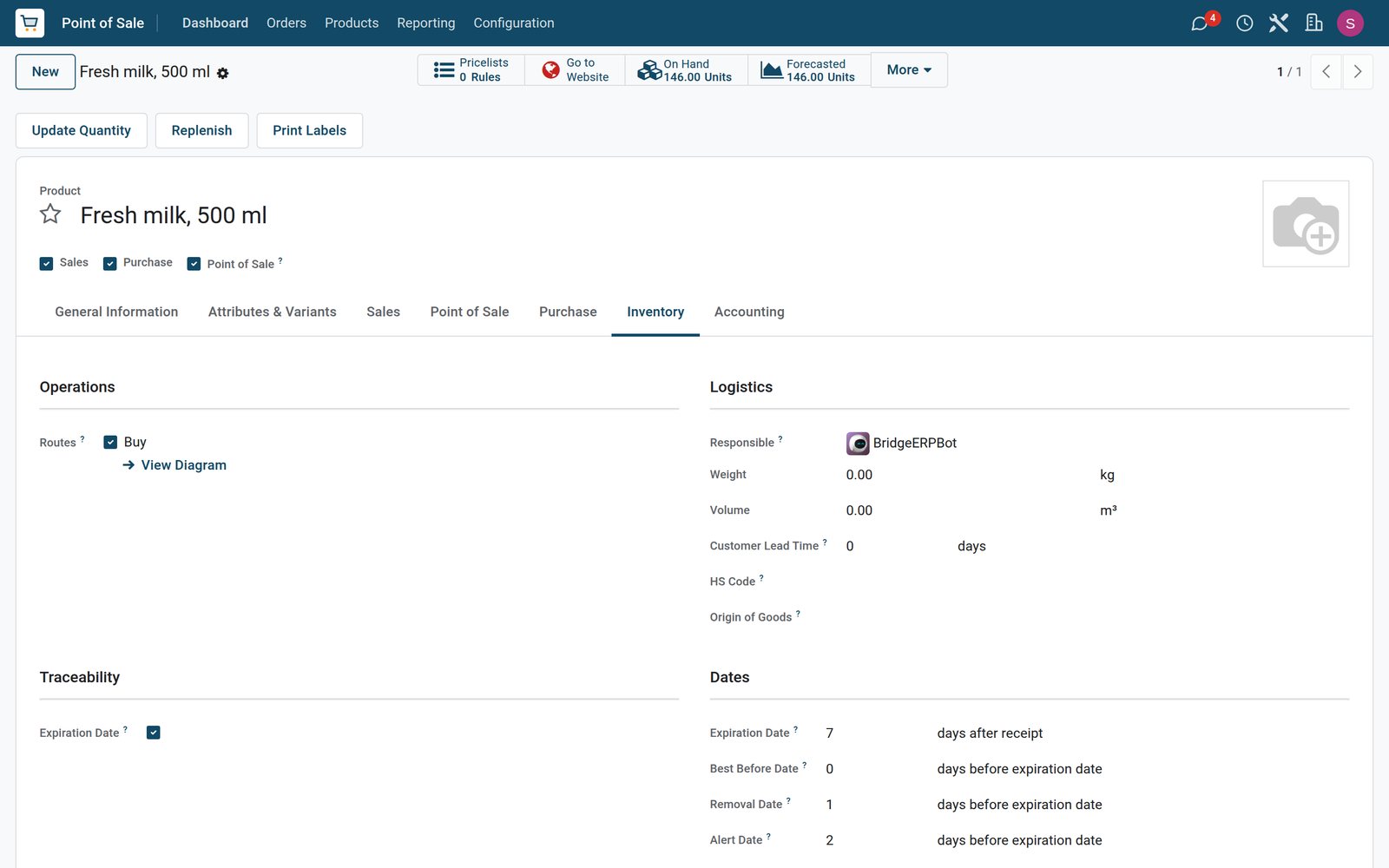 Inventory
Seven days of fresh milk
Fresh milk carries expiry dates: a batch expires seven days after it arrives, is removed a day before and raises an alert two days before.
Explore Inventory →Deliveries in, reorders out
Receipts record the batch of each delivery, and the reorder list shows what to buy next.
 Purchase
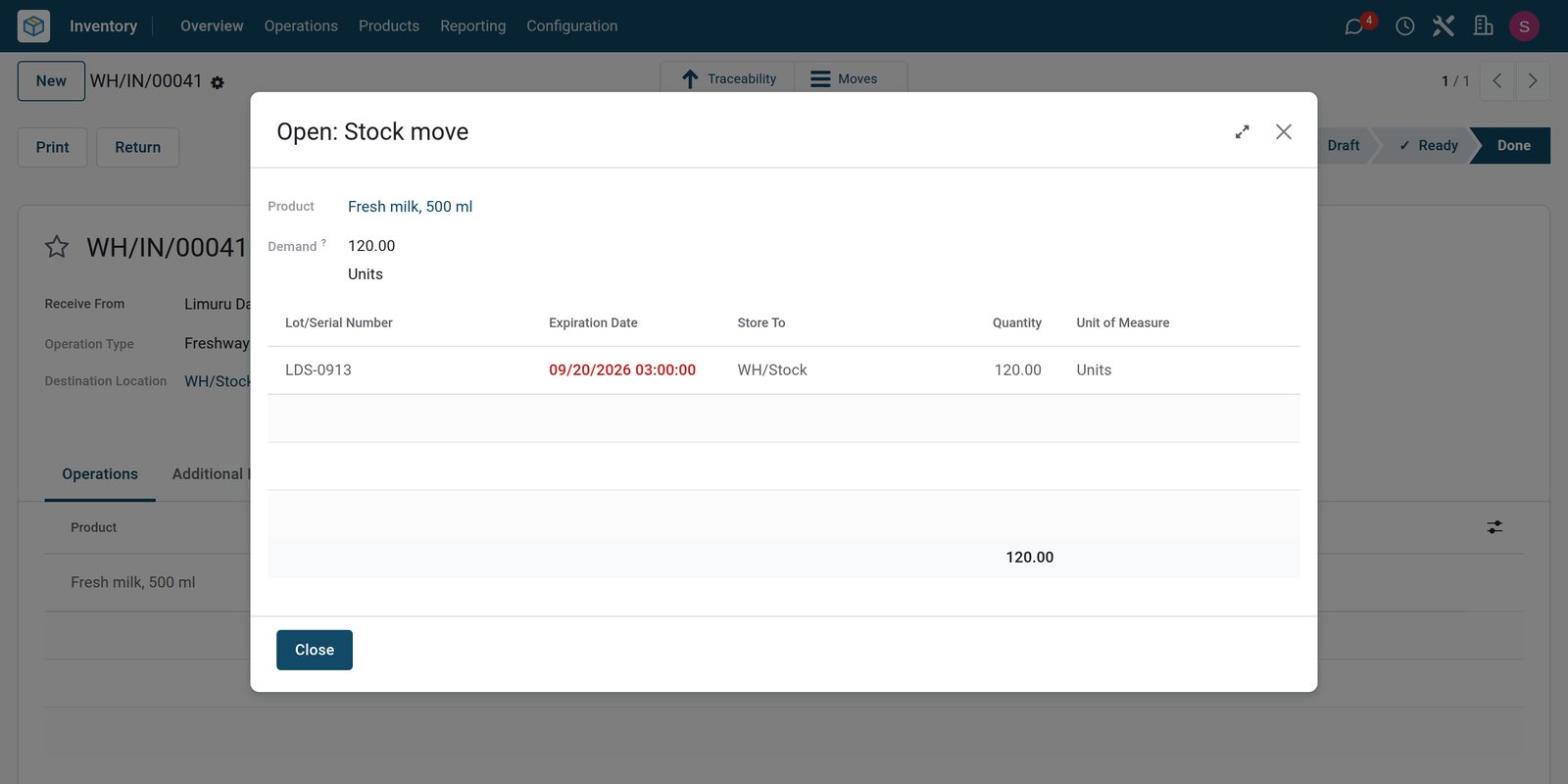
Sunday's milk delivery
The dairy delivered 120 packets of fresh milk on Sunday morning, received as batch LDS-0913 with an expiry date of 20 September.
Explore Purchase →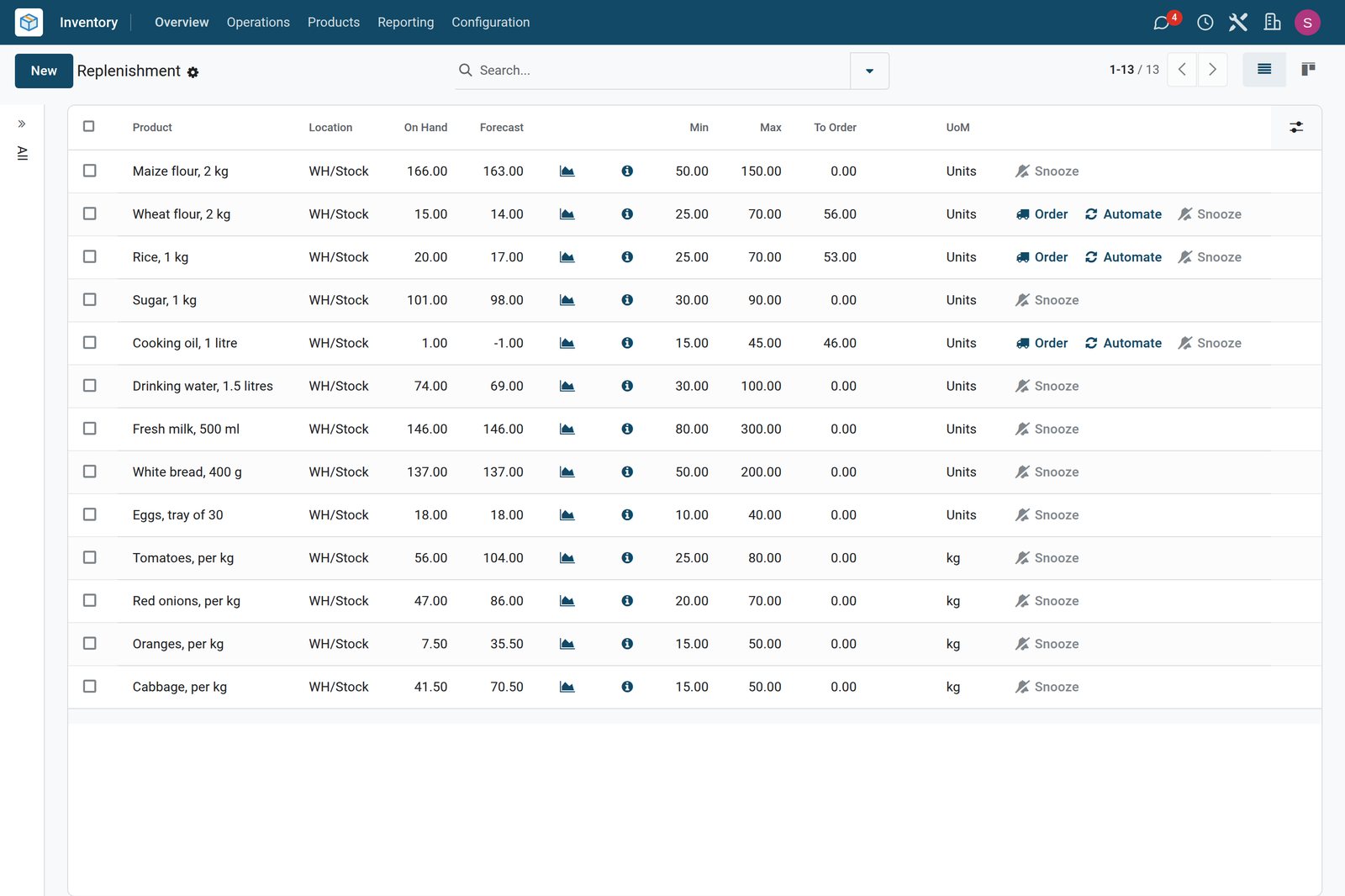 Inventory
What to order on Tuesday
Wheat flour, rice and cooking oil are below their minimum and ready to order, while the produce order on its way tops up the fruit and vegetables.
Explore Inventory →A day at the counter, closed and counted
The session keeps the float, the orders and the payments, and the analysis shows what sold.
 Point of Sale
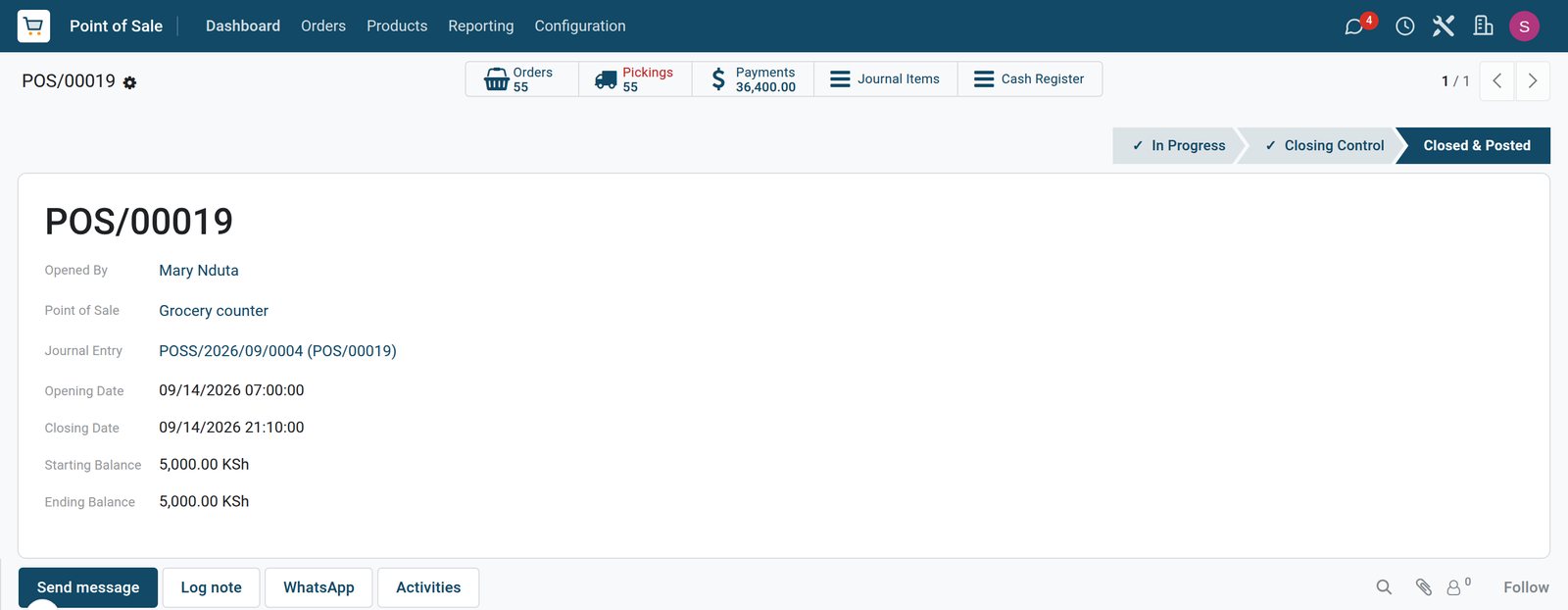
Monday at the counter
The counter opened at 07:00 on Monday with a KSh 5,000 float and closed at 21:10 after 55 orders.
Explore Point of Sale →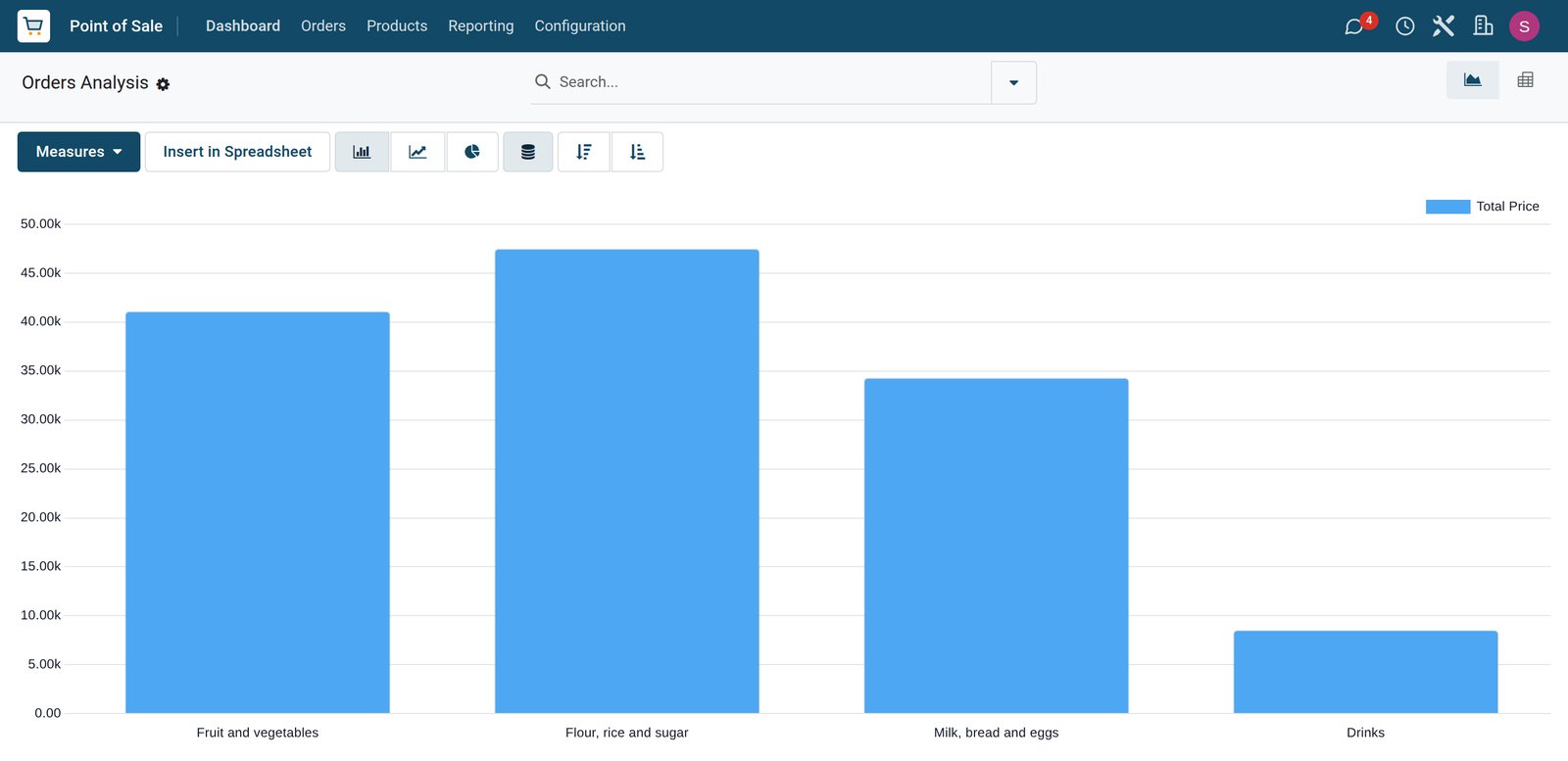 Point of Sale
Four days by shelf
Flour, rice and sugar brought in the most over the four days, just ahead of fruit and vegetables, then milk, bread and eggs, and drinks.
Explore Point of Sale →Who uses it
Who uses it, and what they see
One system for the manager, the counter and the stock room.
Shop manager
Takes phone orders for delivery, closes the till and reorders from the suppliers.
Cashier
Logs in on the counter, weighs produce, scans dated goods and takes mobile money, cash or card.
Stock and shelves
Receives the milk and bread with their batches and checks which batch is due to expire.
Delivery rider
Takes the delivery orders of the day and delivers them to the customers' doors.
Works with
Runs with the rest of BridgeERP
Apps a grocery store draws on.


In your country
Your currency, payments and taxes
Set to the country the store trades in.
Company currency
Shelf prices, supplier costs and daily takings are kept in the currency of the company; the demo store trades in KES.
Mobile money at the counter
Mobile money, M-Pesa on the demo, sits next to cash and card on the till, and phone orders for delivery are paid with it.
Tax inside the shelf price
Each product carries its own tax: taxed items include VAT in the shelf price, while zero-rated and exempt goods show 0%.
Getting started
Getting started
How a grocery store moves onto BridgeERP.
Load the products
Import products with barcodes, prices and VAT, and mark produce sold by weight.
Set expiry rules
Turn on lots and expiry dates for milk, bread and eggs, with the days each batch lasts.
Open the counter
Create the till with its cash drawer, mobile money and card, and allow orders to be delivered later.
Count the shelves
Enter opening stock and minimum and maximum levels for the staples.
Questions
Questions about Grocery Store
Not covered here? Contact us.
Can we track expiry dates on milk and bread?
Yes. Products can be tracked by lots with an expiry date, and each batch keeps its own best before, removal and alert dates.
Does the oldest batch go out first?
With first expiry first out on the product category, deliveries and transfers take the batch that expires first, and the till records the batch of each item sold.
Can customers order by phone for delivery?
Yes. The order is rung up and paid at the counter, and a delivery order is created for the date the customer chooses.
Can we sell vegetables by the kilo?
Yes. Products marked to be weighed are priced per kilogram, from the weight entered or read from a connected scale.
Can basic foods be sold without VAT?
Yes. Each product carries its own tax, so zero-rated and exempt items show 0% on the receipt line.
How do we know what to reorder?
The replenishment list shows the products below their minimum and how many bring them back to the maximum.
Tax compliance
Invoices your tax authority accepts
In Kenya, Uganda, Rwanda, Burundi and Zambia, each invoice, receipt and stock movement goes to the tax authority's own system when you post it. Ghana and Pakistan come next, and we connect 73 more countries on request.
- KenyaReady
eTIMS KRA
Invoices, credit notes, POS receipts and stock movements
- UgandaReady
EFRIS URA
Invoices, POS receipts and stock
- RwandaReady
EBM RRA
Invoices, POS receipts, stock and imports
- BurundiReady
EBMS OBR
Invoices, POS receipts, stock and manufacturing
- ZambiaReady
Smart Invoice ZRA
Invoices, POS receipts, stock and imports
Grocery Store, app by app
One connected flow instead of separate systems — the work moves from one team to the next without re-typing anything.
Every stop is a real app in your plan, and the hand-offs between them are the product.
- Customers & sales
- Operations
- Finance
Point of Sale
Touch till, offline mode, sessions, cash control and receipts.
Point of Sale →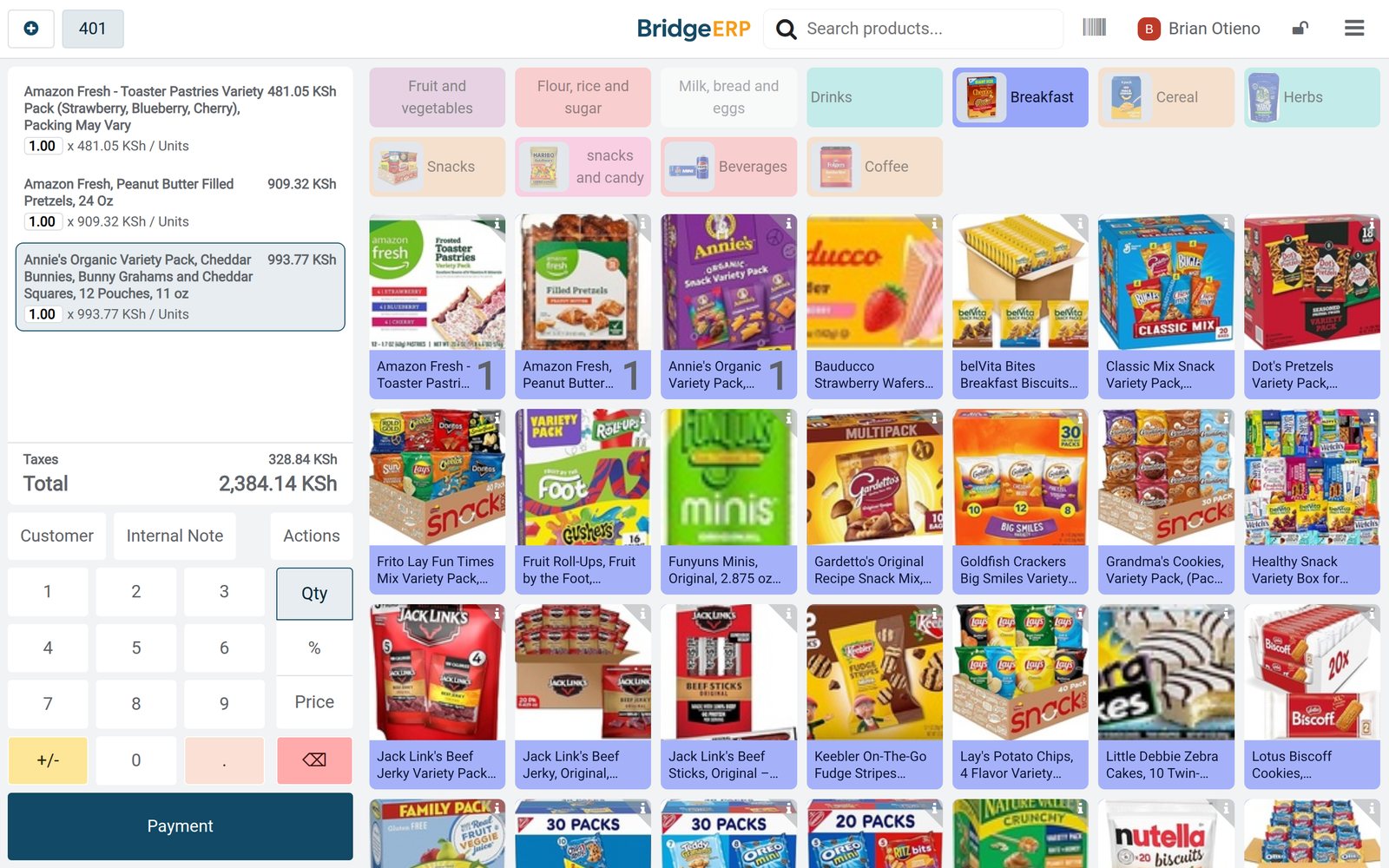
Ready when you are
Open the plan builder with the right apps for this industry already selected, or see it running first.