





Assessment Engine: Exams, marksheets, grading scales, transcripts and report cards

No extra charge. Free instant access, no credit card required.

Works with
  • Academics
Assessment Engine in the EduPrime: Exams, marksheets, grading scales, transcripts and report cards
01

Secure where it matters

The server checks every page a candidate opens: is the exam open, is the attempt paused, is this the same device, is it on the school network, is it Safe Exam Browser. The browser adds full screen, blocks copy, paste and print, and writes the candidate’s name across the page.
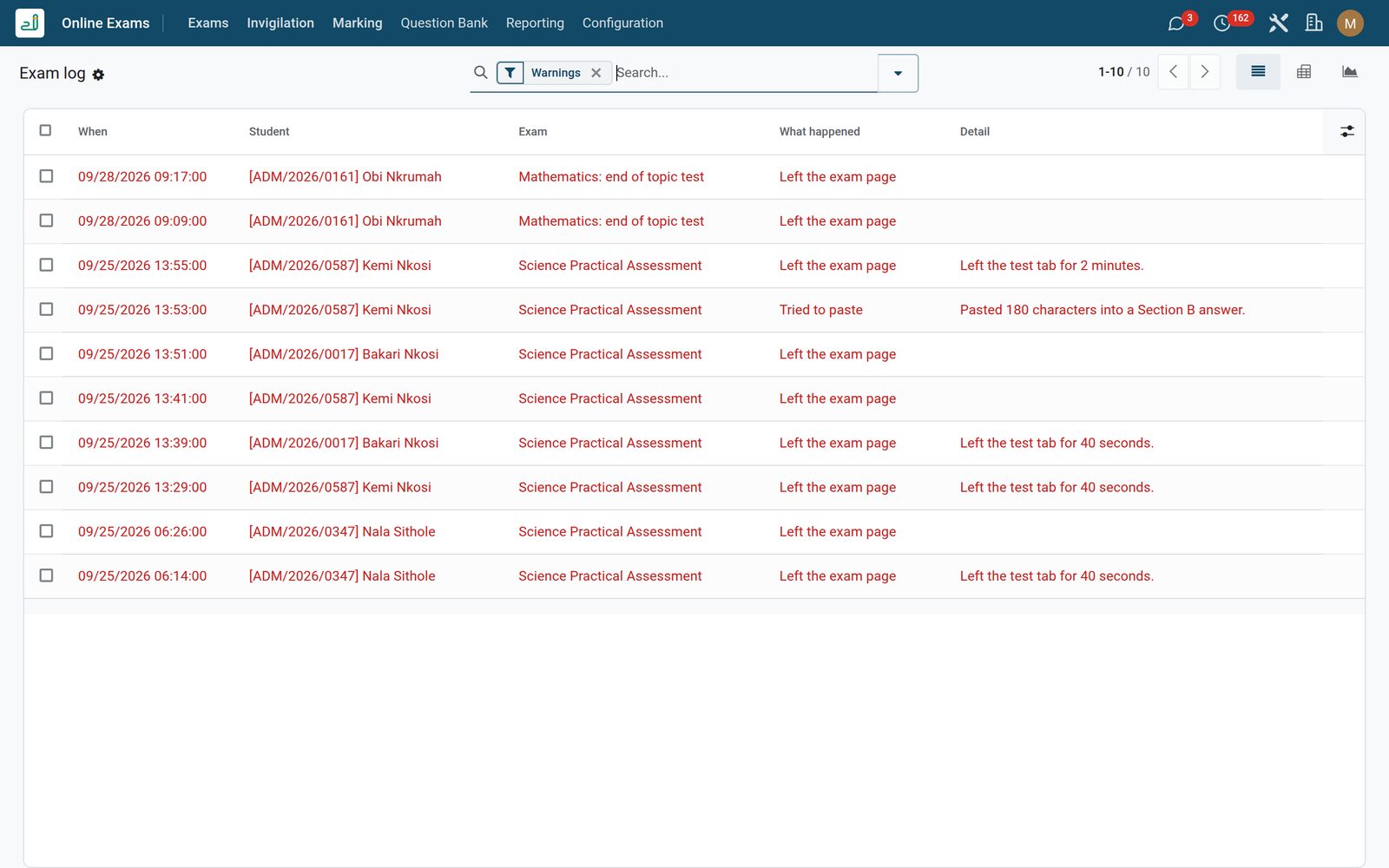
Assessment Engine: Secure where it matters
02

Results

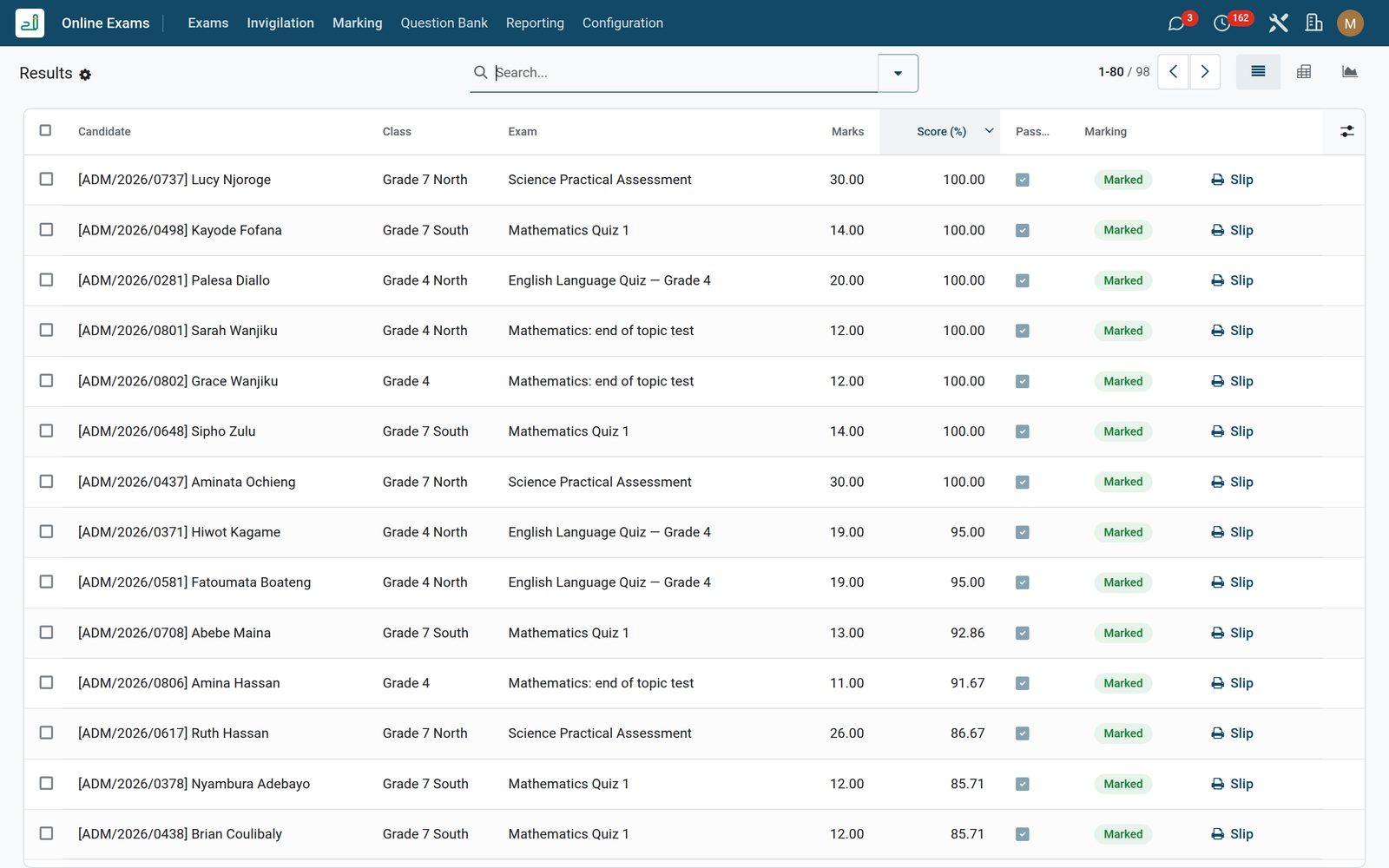
Results of every handed-in attempt: marks, score, pass or not, and a result slip to print. Switch to the pivot or the graph to compare classes and exams, or export to Excel.

Assessment Engine: Results
03

Item Analysis

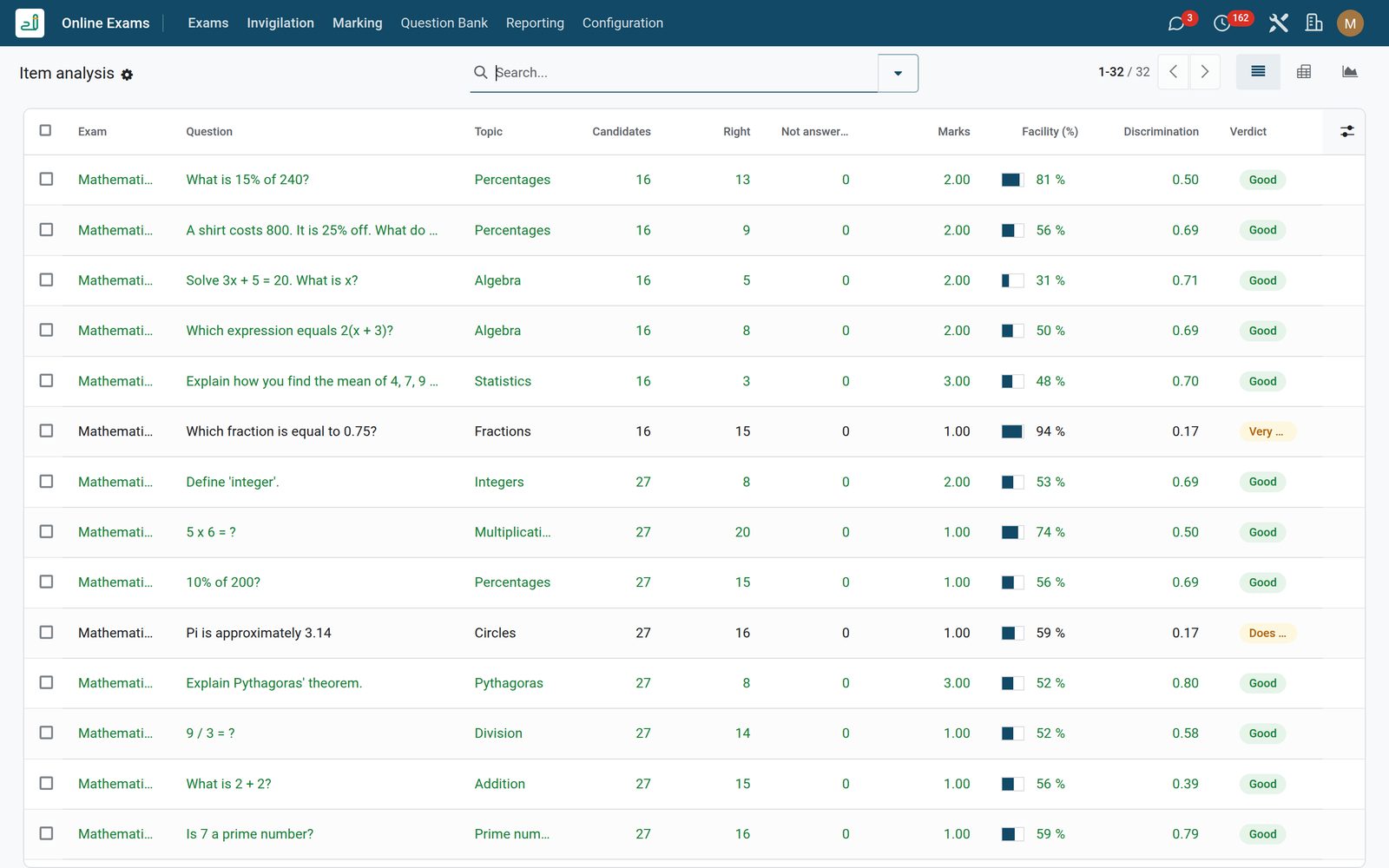
How each question behaved: how many got it right, how hard it was, and whether it separated strong from weak candidates. A question flagged “Check the key” deserves a second look.

Assessment Engine: Item Analysis
04

Topics

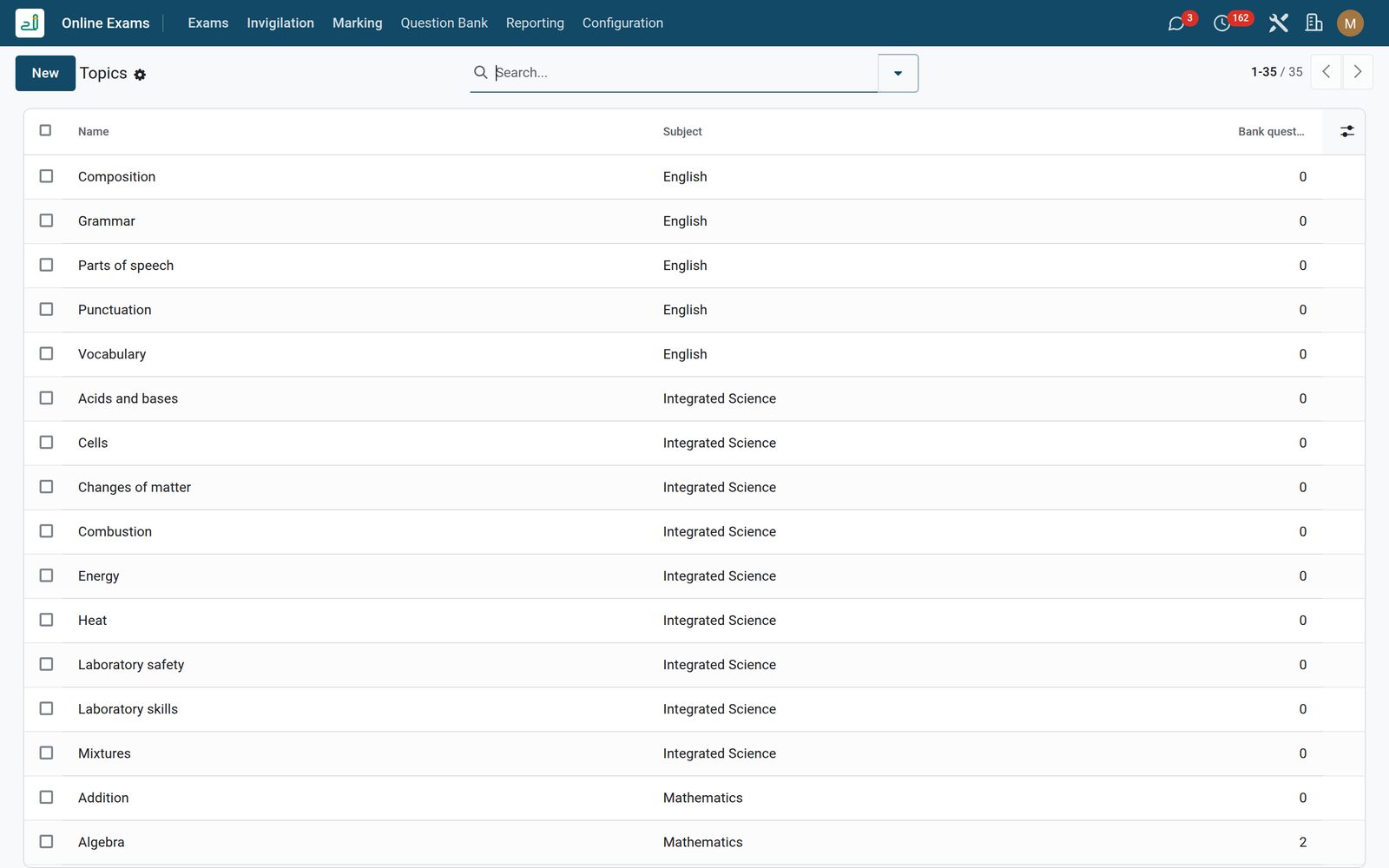
Topics per subject, used to file bank questions and to read the item analysis by topic.

Assessment Engine: Topics

What's inside

Everything in Assessment Engine

21 items in 7 areas, every one shipping with the app today.

  • Assessments

    • Exams & Quizzes
    • Question Bank
    • Attempts
    • Proctor Flags
  • Configuration

    • Settings
    • Sections
  • Documents it prints

    • Assessment Marksheet
    • Answer Key
  • It runs by itself

    • EduPrime: Auto-submit expired assessment attemptsRuns every 5 minutes
    • EduPrime: Close expired assessment templatesRuns hourly
  • Roles it ships

    • Assessment Viewer
    • Assessment Officer
    • Assessment Administrator
    • Feature: Browser Proctoring
    • Feature: Negative Marking
  • Guided assistants

    • EduPrime Adaptive Institution Settings
  • More in this app

    • Invigilate from one screenA list that refreshes itself shows who has started, how far they are, the minutes left and every warning. Pause one candidate or the whole room: their clock stops, their screen says so, and the time is given back when you resume. Give extra time and the countdown on their screen moves. Allow a new device, hand in for them or void an attempt. Extra time for a student can also be set before the exam.
    • An exam set in a few minutesGive it a subject, the classes that sit it, when it opens and closes, the time allowed and the pass mark. Add questions yourself or take them from the bank, press Schedule, and every student of those classes gets a personal invitation. With Try it the teacher sits the paper first.
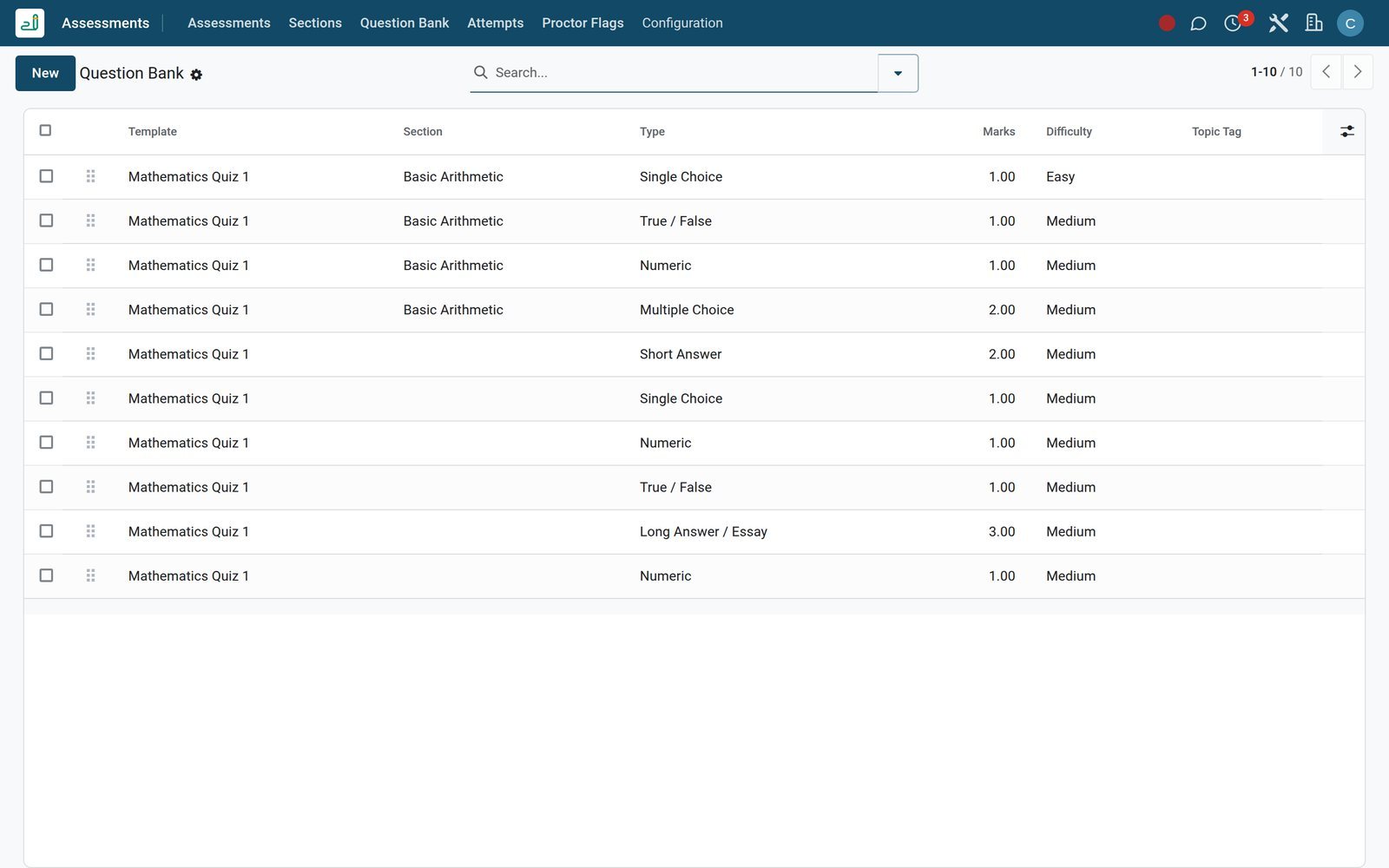
    • A question bank that grows with the schoolKeep questions by subject, topic and difficulty: single and multiple choice, numbers with a tolerance, short and long written answers with a marking guide. Pick the questions for a paper, or let each candidate draw a different set at random.
    • Marking with feedbackChoice and number questions mark themselves. Written answers come to one list with the marking guide next to each answer; the teacher gives the marks and a word of feedback, and the total updates at once. Results go out on hand-in, at a set time, or when the teacher releases them.
    • Results the head of school can useResults by class, subject and exam in a pivot or a graph, with export to Excel; a result slip for each candidate and a class list as PDF. Item analysis shows how hard each question was and whether it separated strong from weak candidates, so poor questions leave the bank.

Put Assessment Engine to work

Add it to your EduPrime plan, priced per student, or start a free trial and see it running first.