





School Events: Open days, sports days and prize-giving with registration

+$1.48/mo at 500 students. Free instant access, no credit card required.

Works with
  • EduPrime Core
School Events in the EduPrime: Open days, sports days and prize-giving with registration
01

The whole year’s programme on one calendar

Open day, sports day, PTA night, the science fair and graduation all live in one place. The Events menu opens on the calendar so the term reads at a glance, and switches to list or kanban in a click. Every event carries its school event type as a list column, and seven one-click filters ship with it — Open Day, Sports Day, Graduation, PTA / Parents, Volunteer Signup Open, and Upcoming and Past for everything from today forward or already finished — plus a group-by that puts every event of one type together. On the event itself a School Event tab holds the type, the audience tags, the classes it concerns, the livestream link, the budget and the weather plan, and stat buttons jump to its sessions, its volunteers and its feedback as you switch those features on.
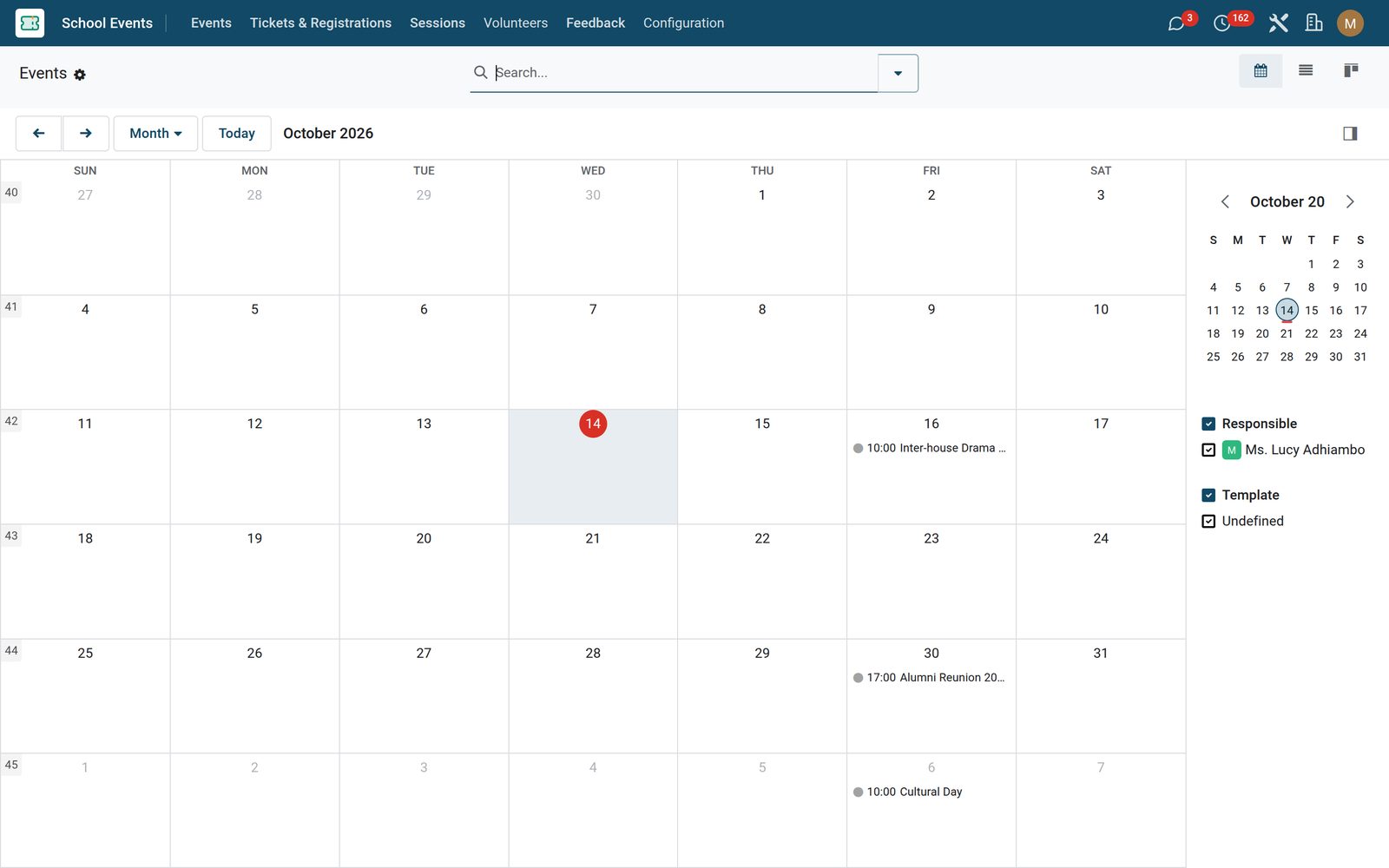
School Events: The whole year’s programme on one calendar
02

Twelve school events, ready to press

You do not set up a sports day from a blank form. Configuration › Templates ships twelve of them; press Create Event on the row or in the form header and the new event opens with the name, the school event type, the seat capacity, the volunteer-signup switch, the weather contingency plan and the full description already in place — the ticket flag rides along on graduation, concert and alumni reunion, and the sports-day template brings its own rain plan. You choose the dates; everything else is a starting point you can edit or overwrite. Every template has a drag handle for ordering and an archive flag, so your school ends up with your twelve, not ours.

School Events: Twelve school events, ready to press
03

Parallel tracks, each with its own room and presenter

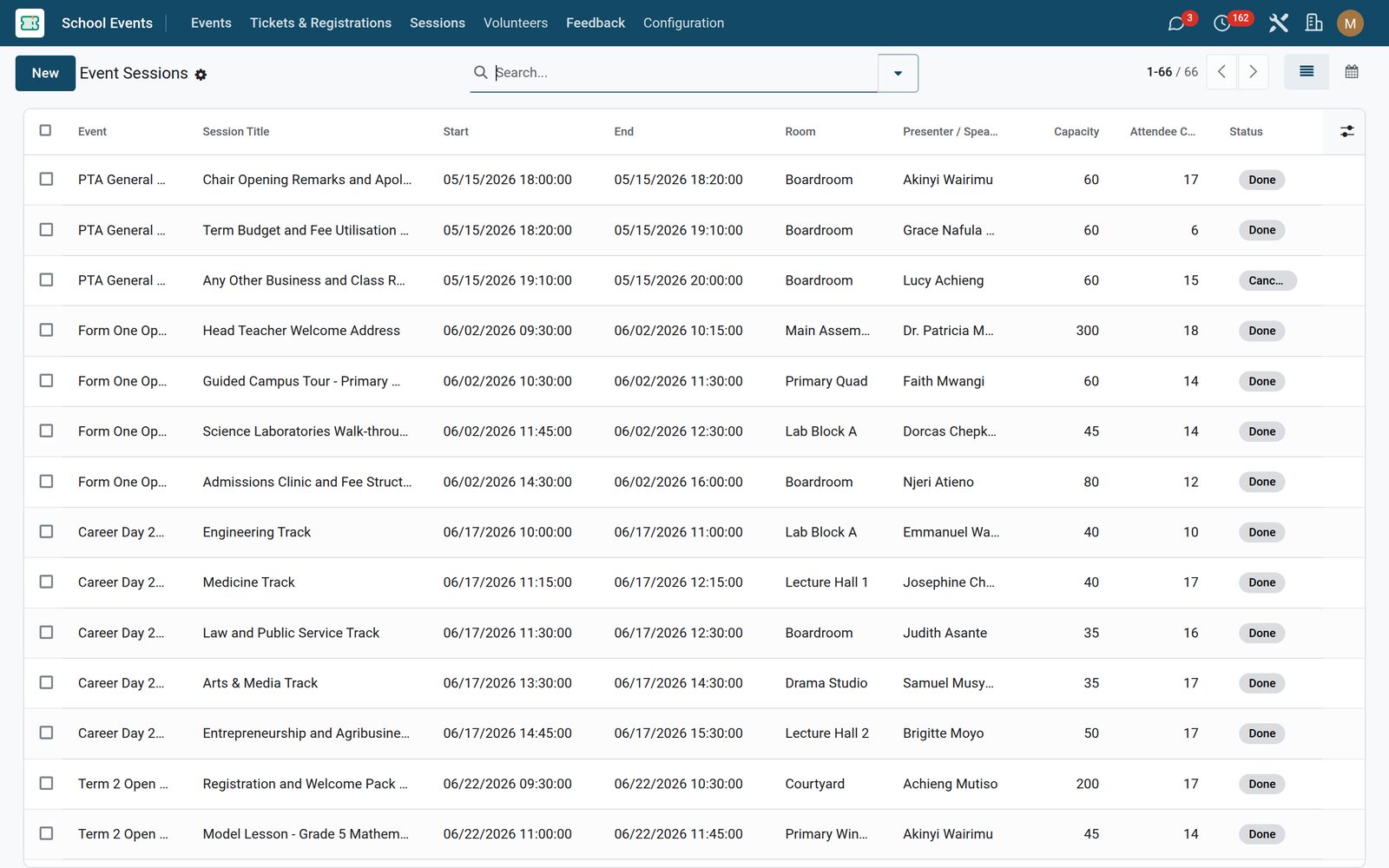
A big day — a career day, a symposium, a cultural day — is really several small ones running at once. Sessions give each track its own start and end, a computed duration, a room, a presenter — an outside contact or a member of staff — a capacity and its own attendee list with a live count. Two checks run on save: the end must be after the start, and once a capacity is set you cannot push more attendees into the session than it holds. Each session shows a draft / confirmed / done status bar and carries its own history and activities, the status is set inline from the editable Sessions grid on the event form, and the standalone week calendar colours the parallel tracks by event so the clash is obvious before the day. The whole area appears once Multi-session Events is switched on.

School Events: Parallel tracks, each with its own room and presenter
04

Parent volunteers, with the hours actually counted

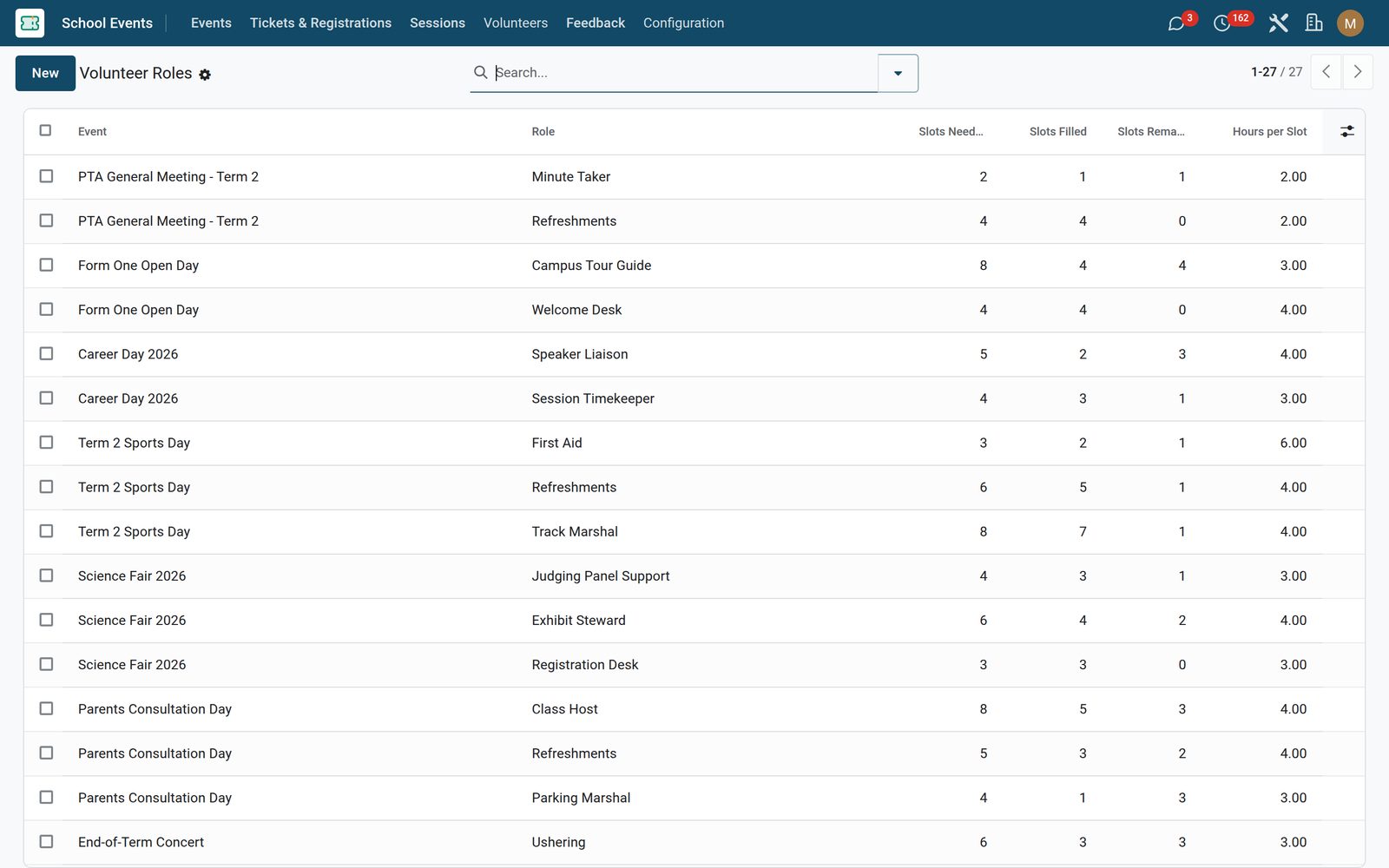
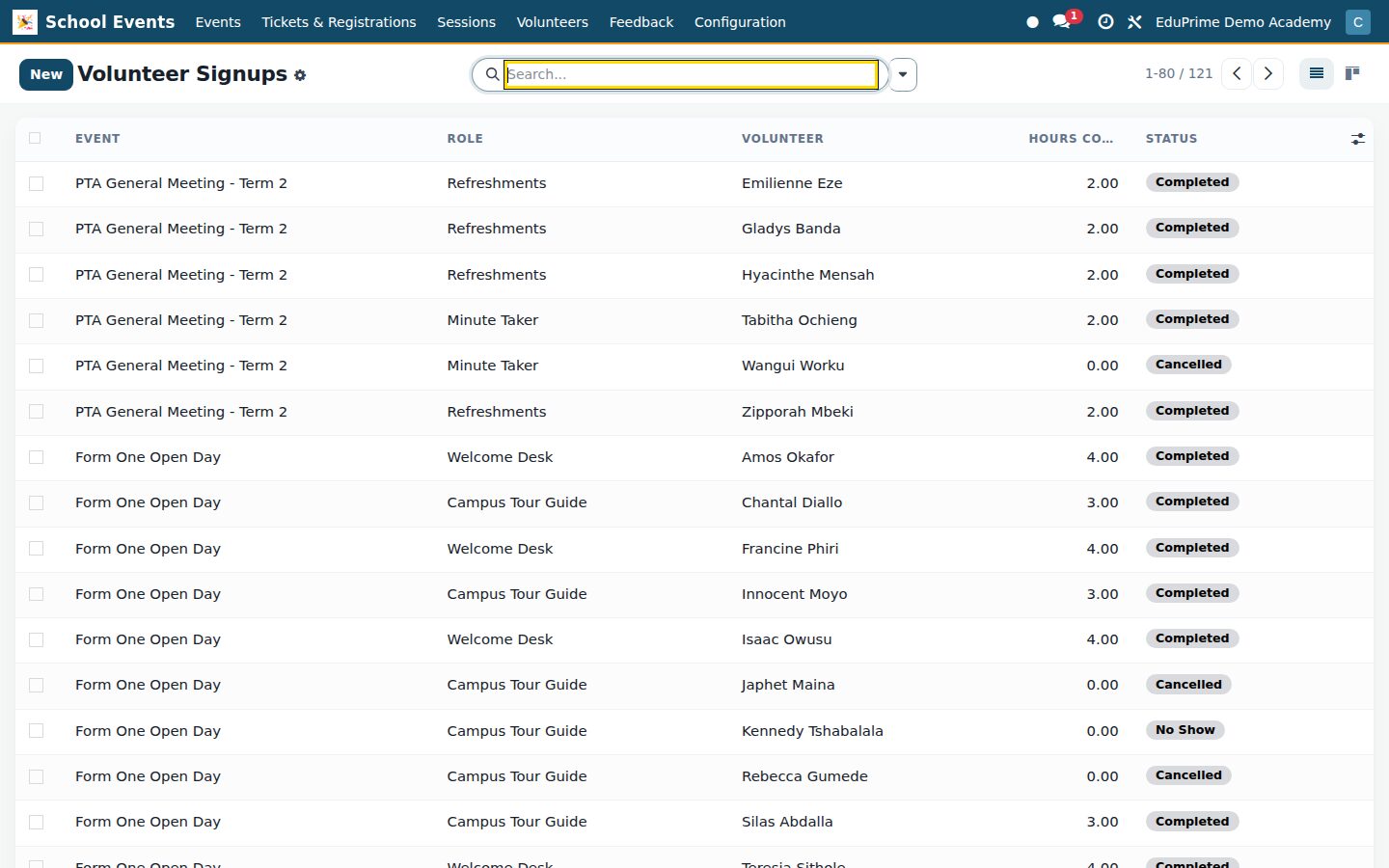
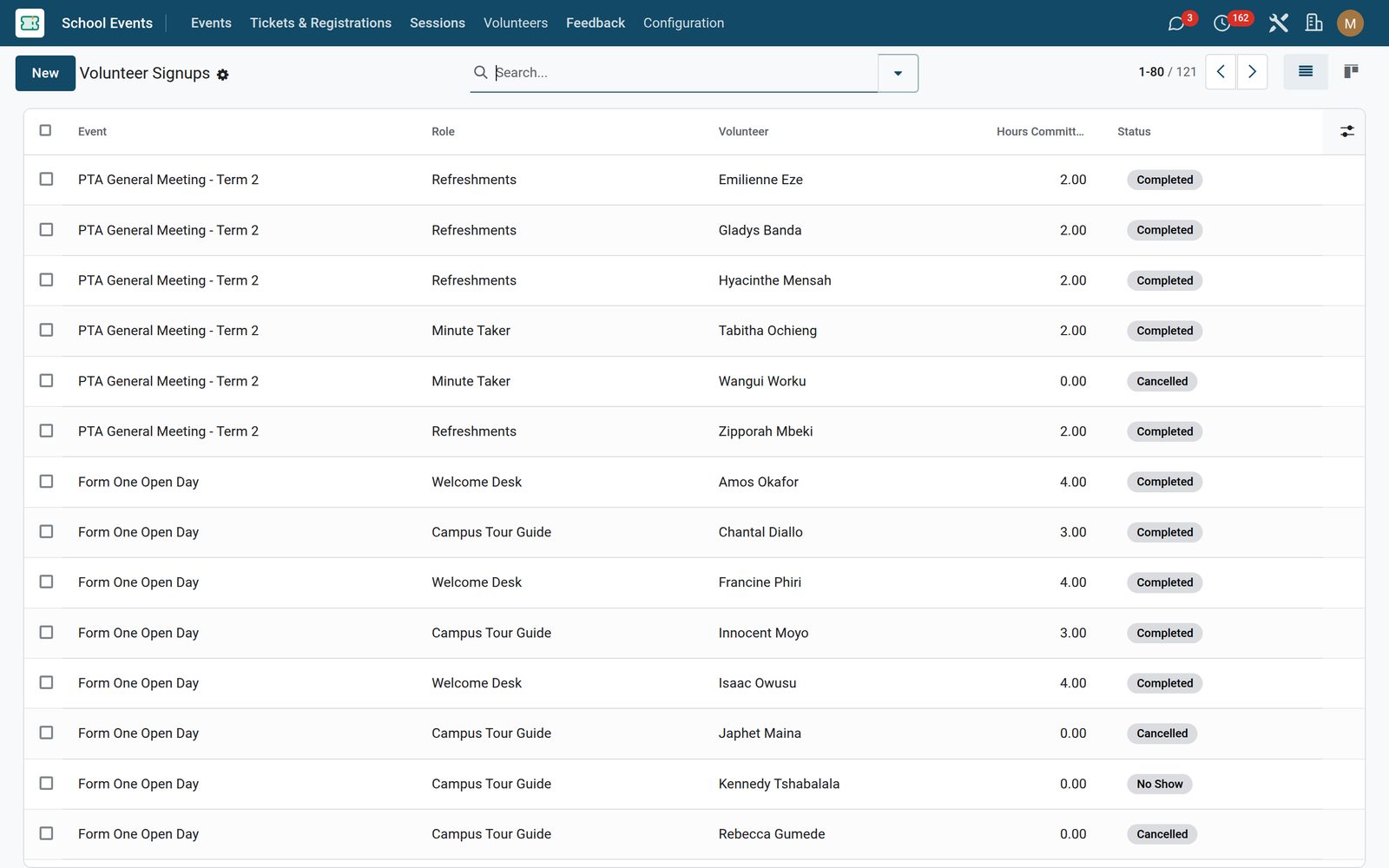
Define the volunteer roles the day needs — track marshal, first aid, refreshments — each with the slots needed and the hours per slot. You can roster people straight onto the role: the role form carries an editable grid of its signups with the volunteer, the hours committed, a status badge and notes. As signups come in, slots filled and slots remaining recount themselves from the confirmed and completed ones only, so the gaps are never flattered. A signup starts pending and moves on Confirm, Mark Completed, No Show and Cancel from the form header, and marking one completed back-fills the hours committed from the role when nobody typed them in. The same person cannot be booked twice into the same role on the same event — the app refuses it — and a kanban grouped by status shows the roster filling up. Switched on with Volunteer Management.

School Events: Parent volunteers, with the hours actually counted
05

A rating on the record, not in an inbox

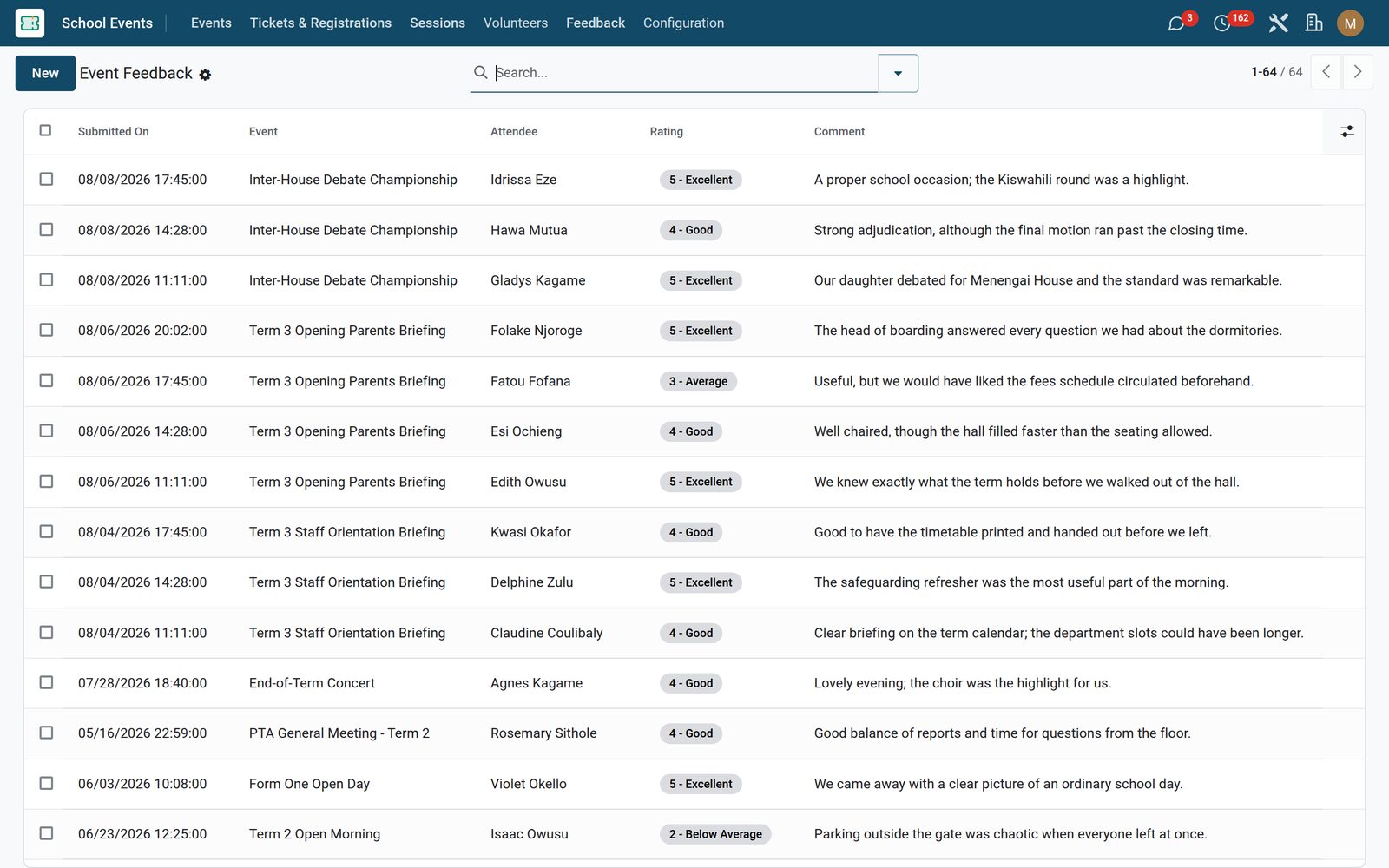
Feedback is one short record per response: the event, the attendee it came from where you know it, a required 1–5 rating from Poor to Excellent, a free-text comment and the time it was submitted. Every event gets a Feedback tab listing every response it drew — submitted on, attendee, rating, comment — and a stat button that opens the same records in the full Event Feedback list, where the rating shows as a badge and you can search, group and export across every event of the year. Switched on with Event Feedback.

School Events: A rating on the record, not in an inbox

What's inside

Everything in School Events

24 items in 7 areas, every one shipping with the app today.

  • Everything a school events team needs, nothing they don't.

    • Event types & audiencesTag each event — open day, sports day, graduation, PTA — and target it to parents, students, staff, alumni or whole classes.
    • Multi-session daysRun career days and science fairs with parallel sessions — each with its own presenter, room and capacity.
    • Volunteers & hoursOpen roles, take parent and student signups, and roll up committed hours for community-service records.
    • Feedback & budgetsCollect five-star feedback, track budget versus actual per event, and see attendance and volunteer trends over years.
  • Configuration

    • Settings
    • Templates
    • Event Types
    • Stages
    • Tag Categories
  • School Events

    • Events
    • Tickets & Registrations
    • Sessions
    • Feedback
  • Volunteers

    • Signups
    • Roles
  • Roles it ships

    • School Events User
    • School Events Manager
    • Feature: Volunteer Management
    • Feature: Multi-session Events
    • Feature: Event Feedback
    • Feature: Paid Ticketing
  • Guided assistants

    • EduPrime Adaptive Institution Settings
  • More in this app

    • What it was meant to cost, and what it didEvery event carries a planned budget and an actual spend in your company currency, with the variance worked out for you so last term’s overspend is a number, not an argument — no switch needed, the Budget block sits on the School Event tab of every event. The Past filter turns the events list into the term’s post-mortems, everything whose end date has gone by, and each event holds its own planned, actual and variance figures. Group that list by school event type and every open day you have ever run sits together.
    • Four switches decide how big the app isThe app adds one settings page of its own — Settings › School Events, also reachable from Configuration › Settings — holding four feature switches that are all off on a fresh install (the screenshot is a school that has turned all four on): Volunteer Management, Multi-session Events, Event Feedback and Paid Ticketing. Each one controls real access, so switching it on reveals its menu, its tab on the event form, its stat button and its fields, and leaving it off keeps the app down to three sections. School Events itself asks for none of them — it depends on EduPrime Core plus free, standard Events, Calendar and Discuss, and nothing else.

Put School Events to work

Add it to your EduPrime plan, priced per student, or start a free trial and see it running first.