





Science Labs: Lab inventory, practical scheduling and safety records

+$1.48/mo at 500 students. Free instant access, no credit card required.

Works with
  • Academics
Science Labs in the EduPrime: Lab inventory, practical scheduling and safety records
01

Every lab in the school, with its safety kit on the record

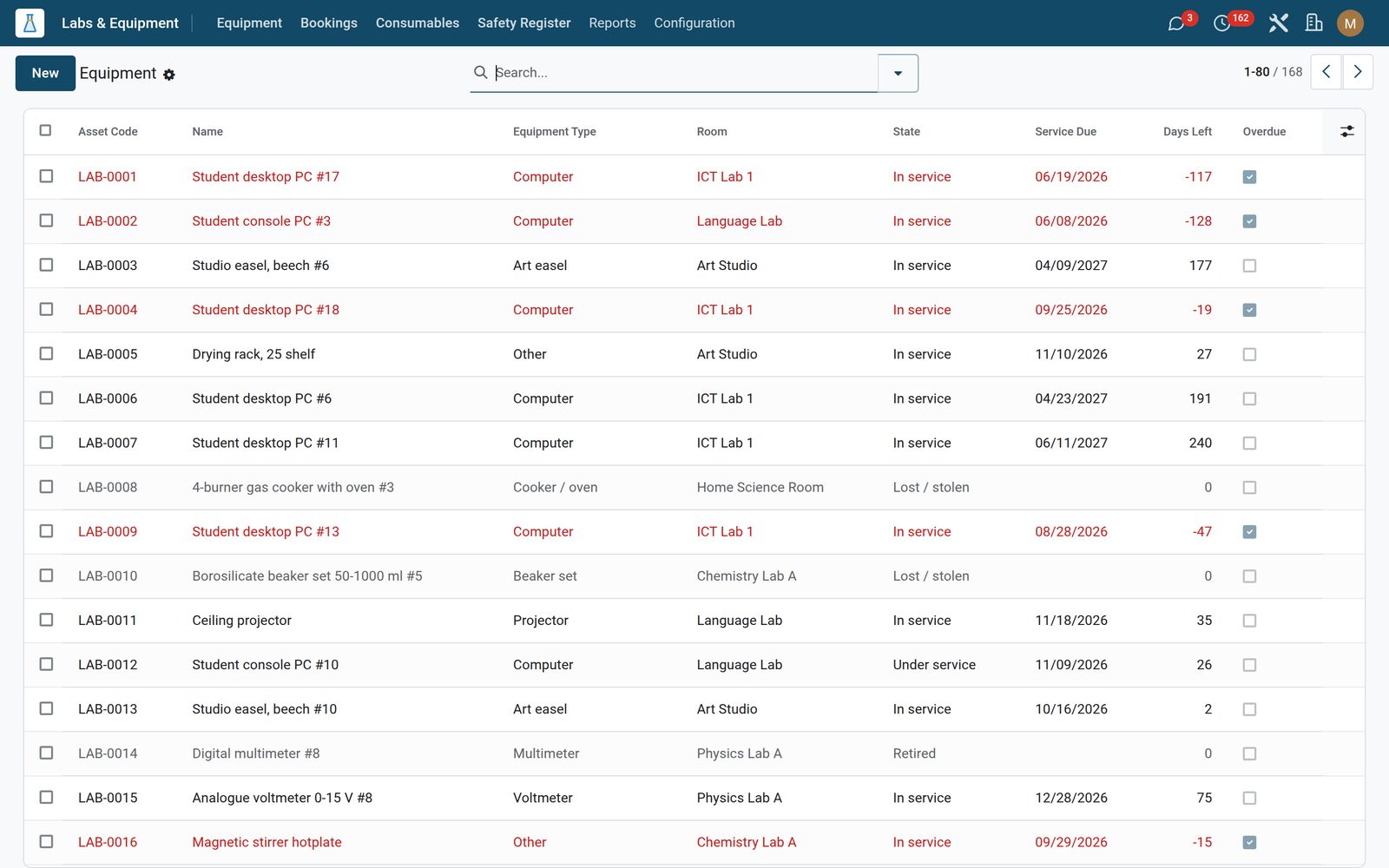
Register each room as one of nine lab types — physics, chemistry, biology, ICT, art studio, home science, language, integrated science or other — with its building, floor, working capacity, its lab technician and its safety officer. Five safety-kit flags sit on the same form: eye wash, fume hood, fire extinguisher, first-aid kit and emergency shower, with the last and next safety audit dates recorded beside them. Each room shows its own equipment count and opens its equipment list in a tab, and the Lab Register PDF prints straight off the room: every asset with its service status marked OVERDUE or OK, then the last twenty bookings. Lab codes can never repeat, so the same room cannot be entered twice.
Science Labs: Every lab in the school, with its safety kit on the record
02

The store cupboard, with the hazard label on it

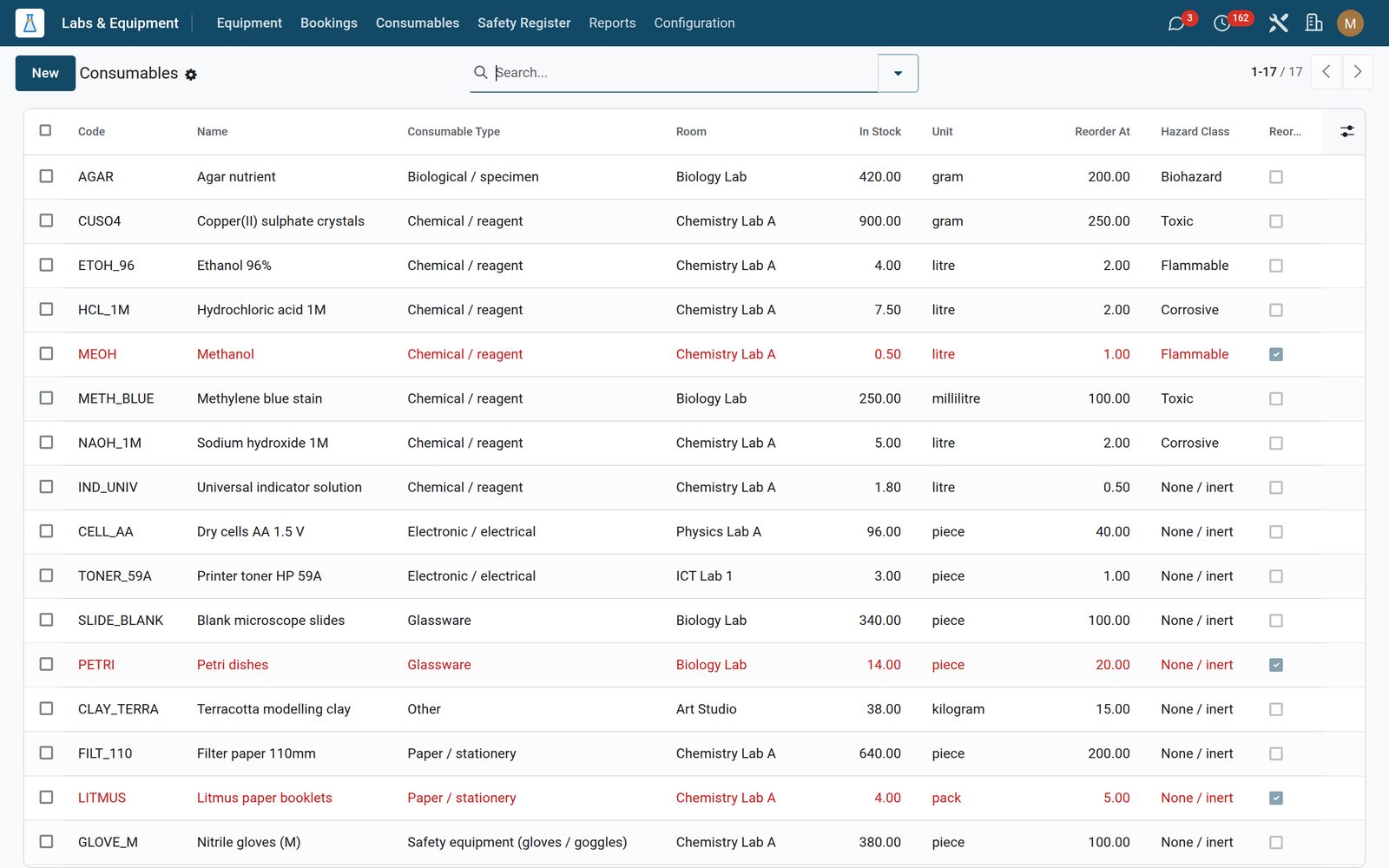
Track reagents, glassware, paper, electronics and safety kit across seven consumable types and seven units from grams to rolls, each with the room it lives in, its storage location, supplier, unit cost and expiry date. Every item carries a hazard class — inert, flammable, corrosive, toxic, explosive, biohazard or radioactive — so the acid and the filter paper are never treated the same way. Set a reorder threshold and anything at or below it flags itself, turns red in the list and wears a Reorder ribbon; a daily check posts the item, the level it is down to and the point it should have been reordered at on the record itself, and one Restock button adds the standing reorder quantity and writes what it added to the history. Consumable codes can never repeat, so the same reagent cannot be logged twice.

Science Labs: The store cupboard, with the hazard label on it
03

Which labs are actually being used, and which are not

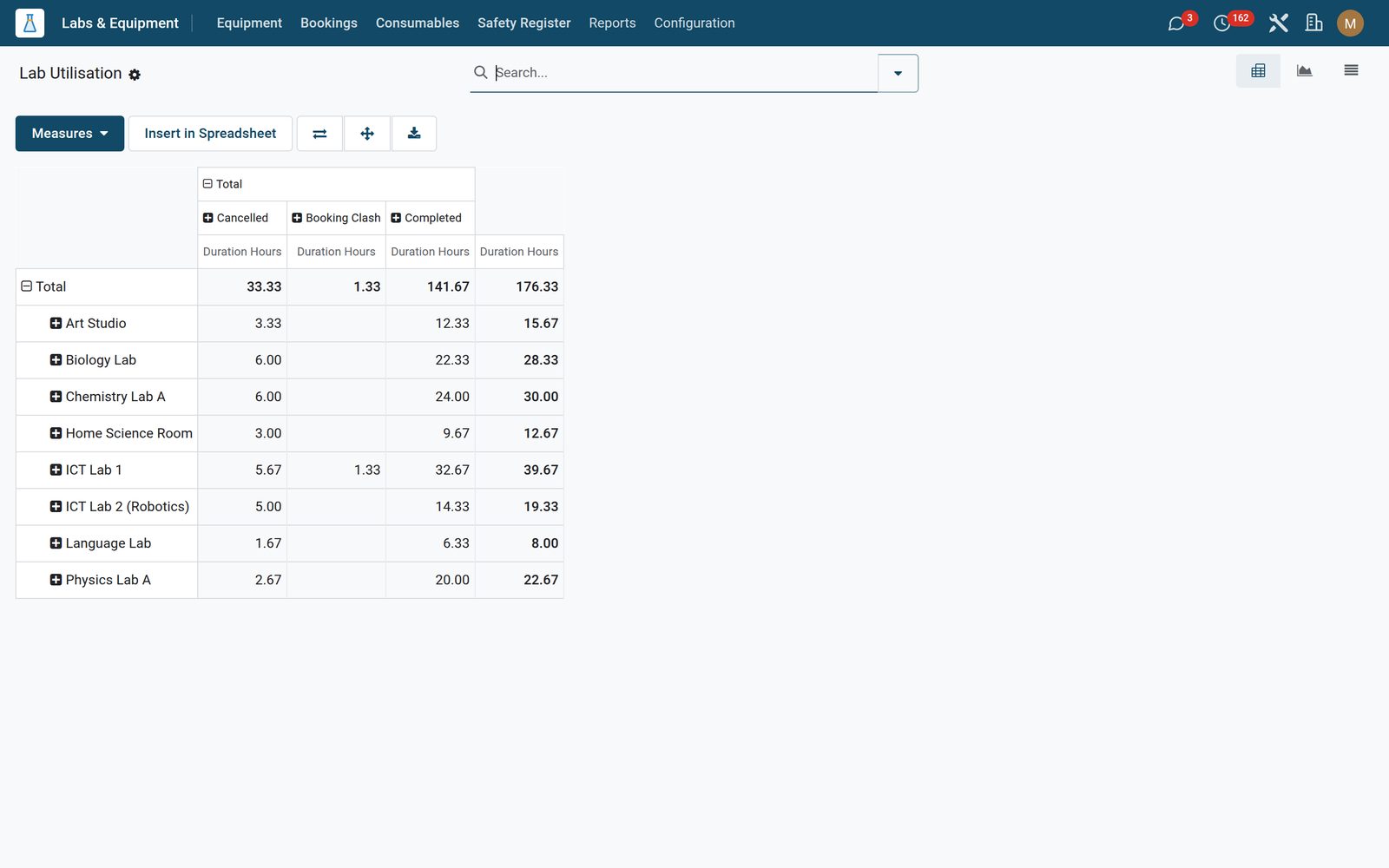
The Lab Utilisation report opens the whole booking history as a pivot of hours by room against booking state, so you can see at a glance which room is at capacity, which is empty and how much time is lost to cancellations and clashes. Flip to the bar chart for total booked hours per room, or to the list to read the underlying bookings, and expand the rows by teacher, class or date straight from the pivot’s own grouping menu. It is the number a head of department needs when the school is asked to justify another lab, and it is measured from real bookings rather than a timetable’s intentions.

Science Labs: Which labs are actually being used, and which are not
04

Safety Register

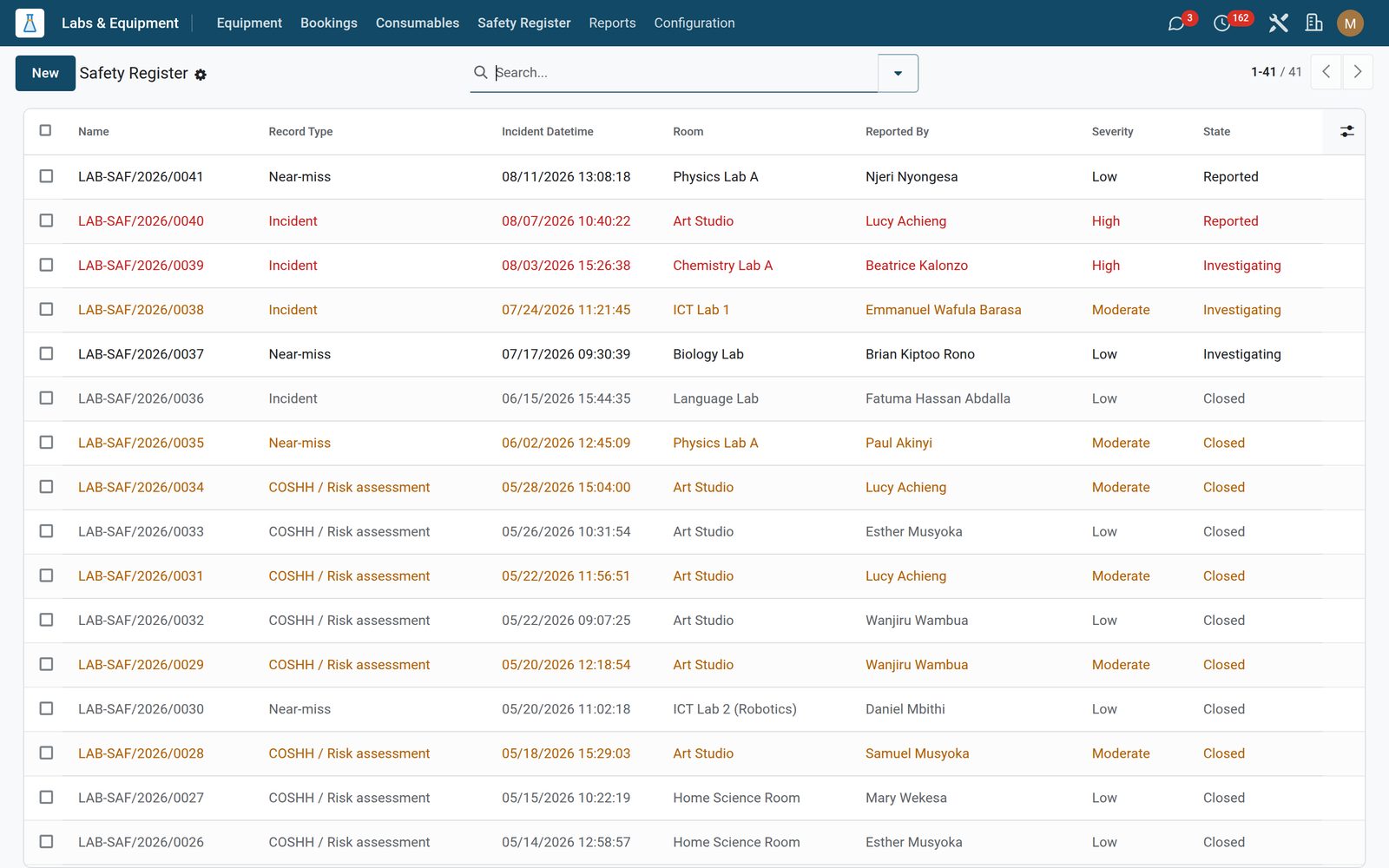
Safety incidents and near misses with room, reporter and severity.

Science Labs: Safety Register

What's inside

Everything in Science Labs

21 items in 8 areas, every one shipping with the app today.

  • Labs & Equipment

    • Equipment
    • Bookings
    • Consumables
    • Safety Register
  • Configuration

    • Settings
    • Lab Rooms
    • Specimens
  • Reports

    • Lab Utilisation
  • Documents it prints

    • Lab Register (Equipment + Utilisation)
  • It runs by itself

    • Lab: flag equipment service dueRuns weekly
    • Lab: low consumable stock alertRuns daily
    • Lab: advance booking status with the clockRuns every 30 minutes
  • Roles it ships

    • Lab Officer
    • Lab Manager
    • Feature: Biology Specimen Tracking
    • Feature: COSHH / Risk Assessment
  • Guided assistants

    • EduPrime Adaptive Institution Settings
  • More in this app

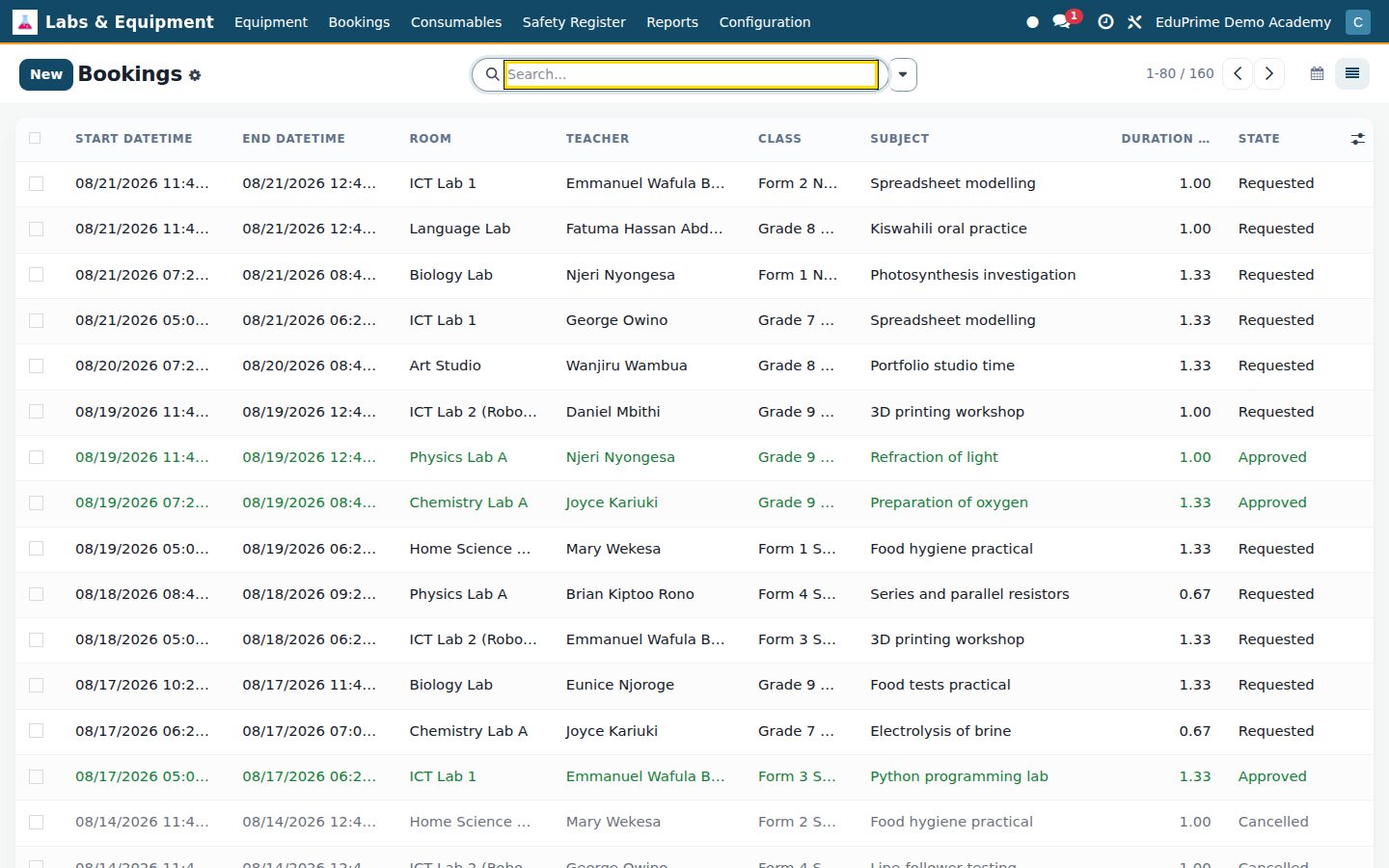
    • A booking calendar that will not let two classes into one labTeachers request a lab from a week calendar colour-coded by room, with a room filter panel down the side, and each booking carries the class, the teacher, the lesson or experiment title and the expected head count. Approval is where the checks bite: if the slot overlaps an approved, in-progress or already-completed booking for the same room the request is refused, parked in a Booking Clash state and the reason posted on its history, and the form itself carries a warning banner counting the confirmed bookings the slot already overlaps. Two more rules reject the save outright — an end time before the start, and a head count above the room’s capacity. From there a booking runs Requested, Approved, In Progress, Completed or Cancelled, and each one computes its own duration in hours.
    • Incidents, near-misses and COSHH assessments in one numbered logOne log holds three kinds of record — an incident, a near-miss or a COSHH / risk assessment — each numbered automatically as LAB-SAF and the year. Log the room, the reporting member of staff, the students involved, what happened, the immediate action and the long-term action, and whether a hospital visit or an insurance claim is needed. Four severity levels run from a no-injury near-miss to critical, with high and critical rows in red and moderate in amber, and the case moves Reported, Investigating, Closed with the changes tracked on the history. A risk assessment recorded here can be attached to the lab booking it covers.
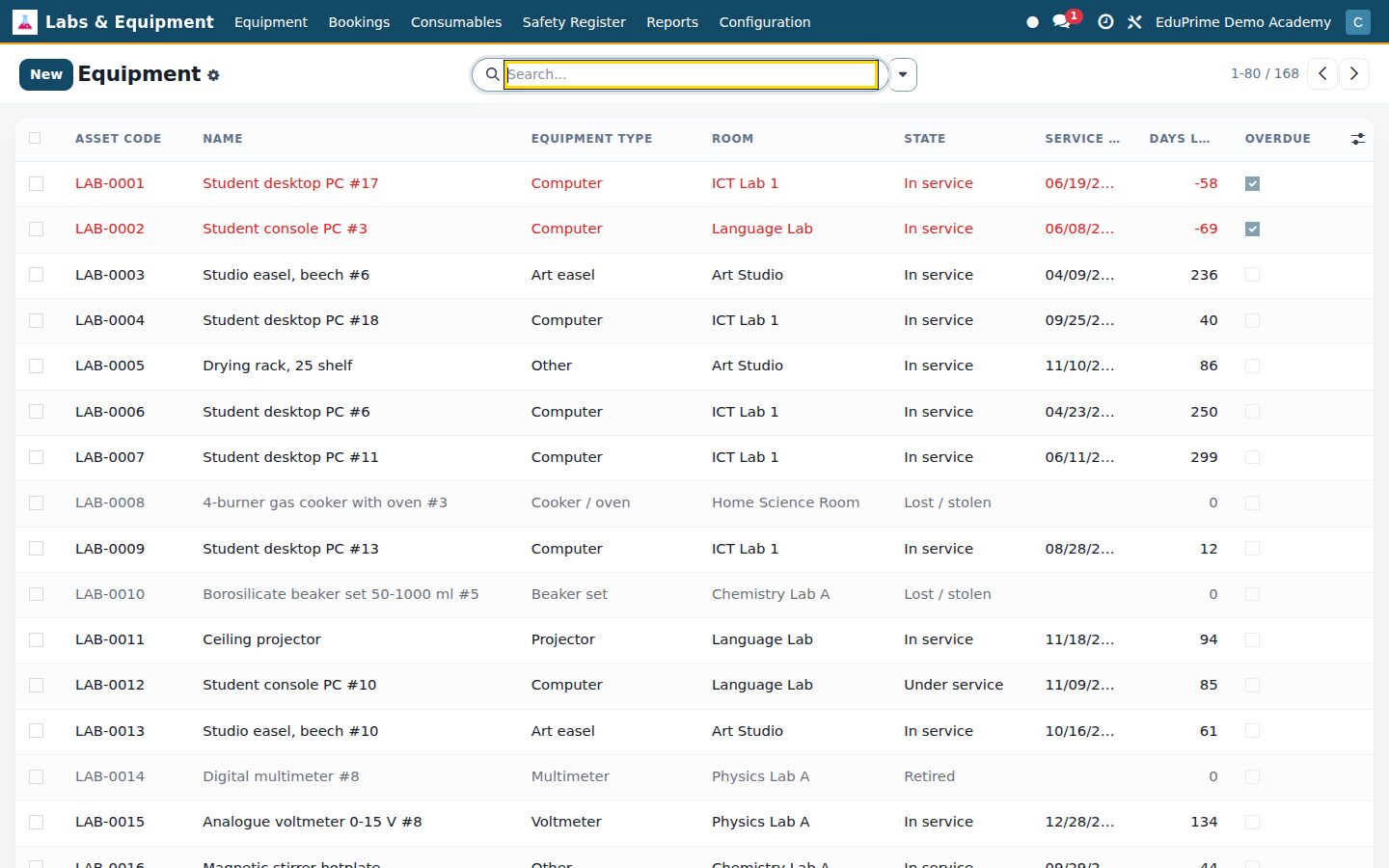
    • An equipment register with the service clock on every rowEvery microscope, balance, telescope, projector, robotics kit, multimeter, cooker and sewing machine gets an asset code, a room, a manufacturer, model and serial number, an acquisition date and cost. Give it a last service date, a next service date and a service interval in months: the list carries the days remaining next to the date, and anything past due turns the line red and stamps a Service Overdue ribbon on the form. Four header buttons drive a five-state status bar — in service, under service, out of order, lost or stolen, retired: Send to Service, Return to Service, which stamps today as the last service and rolls the next one forward by the interval so the cycle keeps itself from the first service on, Out of Order and Retire. A weekly check posts a note on the history of every in-service asset already due or falling due inside fourteen days, and any asset can be pointed at its record in the standard Maintenance app for ticketing.
    • Only the features your school actually runsTwo switches in Settings keep the app the right size, and both start off. Biology Specimen Tracking adds a Specimens register under Configuration for preserved animals, skeletons, plant specimens, microscope slides, insects, shells and seeds — eight specimen types across six preservation methods from formalin and ethanol to dried, mounted, frozen and living — each with its storage location and a condition of good, damaged, needs replacement, replaced or lost. COSHH / Risk Assessment adds the COSHH-required flag on consumables and the risk-assessment pair on bookings. Switch either off again and the menus and fields go while the data stays exactly where it was.

Put Science Labs to work

Add it to your EduPrime plan, priced per student, or start a free trial and see it running first.