





Facilities: Room booking, asset register and maintenance requests

+$1.48/mo at 500 students. Free instant access, no credit card required.

Works with
  • EduPrime Core
Facilities in the EduPrime: Room booking, asset register and maintenance requests
01

Every space on the site, on one register

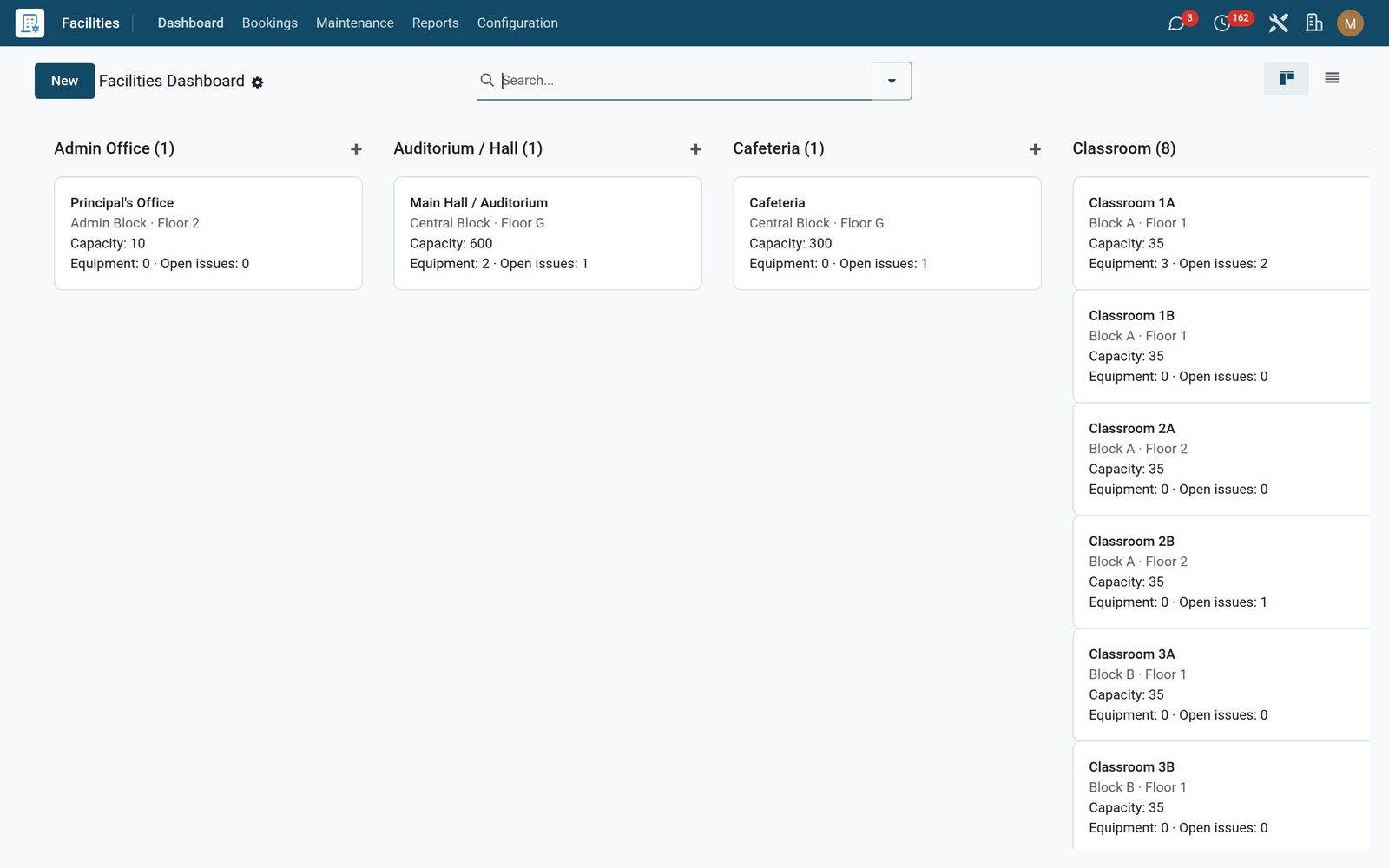
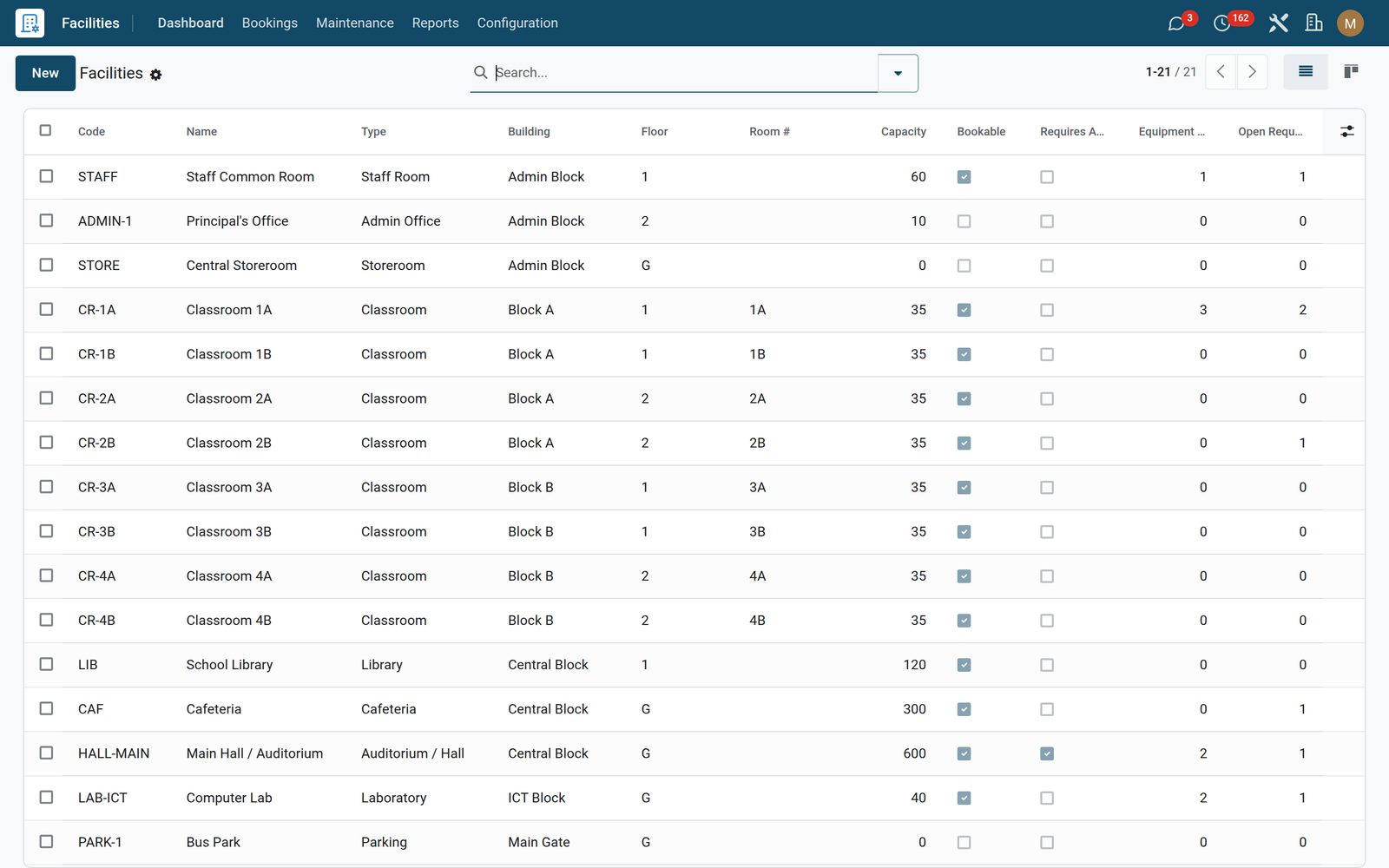
Classrooms, labs, the hall, the field, the storeroom — each one a record carrying its capacity, building, floor and room number, floor area and a photo. Two flags decide how it can be used: whether the room is bookable at all, and whether its bookings must be approved before they stand. Each room shows live counts of its bookings, its equipment and its open maintenance issues, and the kanban groups the whole estate by room type.
Facilities: Every space on the site, on one register
02

Every fault attached to the room it happened in

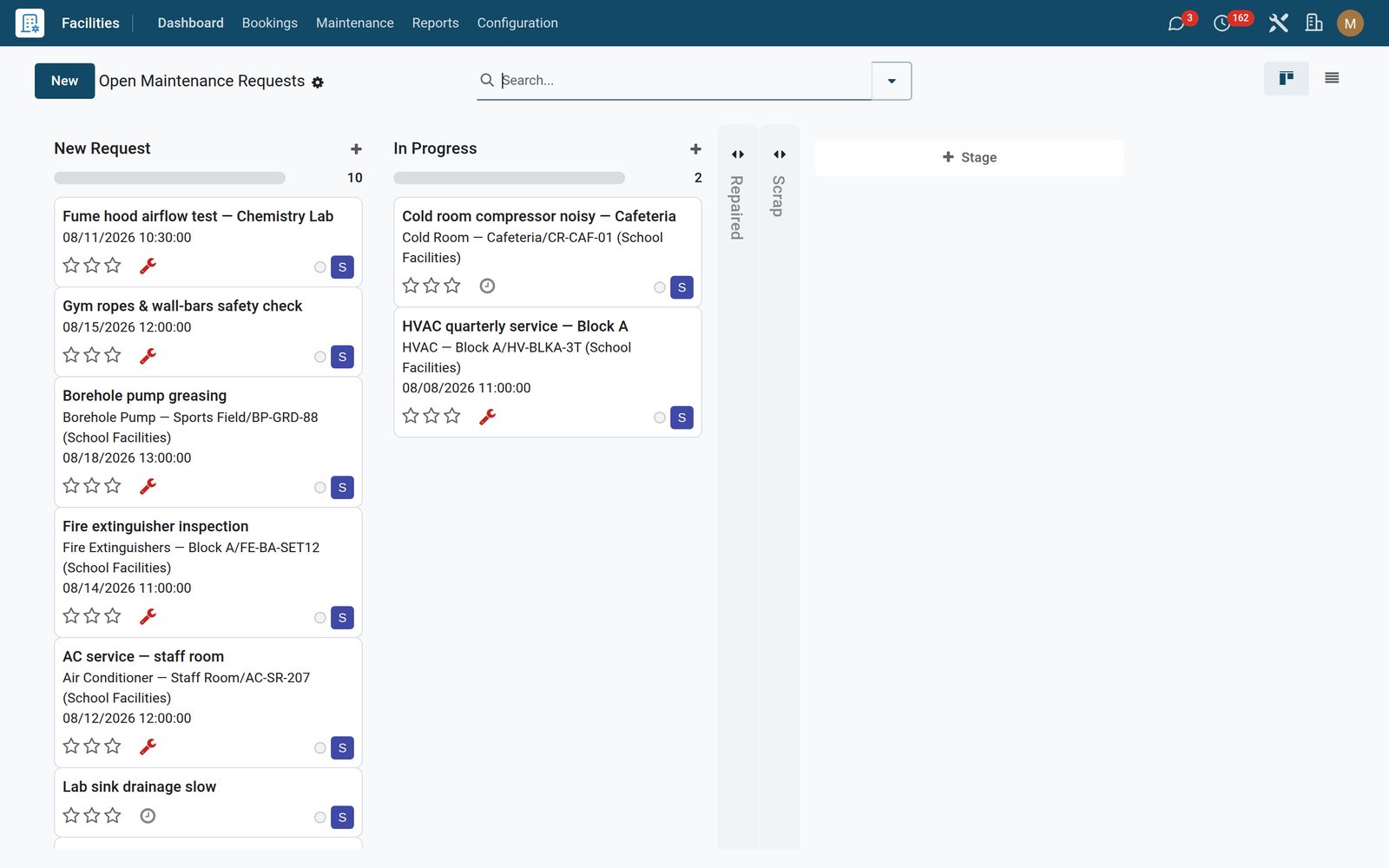
This app extends standard Maintenance rather than replacing it, so requests keep their teams, stages and kanban — and gain a facility, the specific equipment in that room, an urgency from low to critical, and a tracked Blocks Use flag that marks the faults making a room unusable. Open Requests is everything not yet in a done stage; My Assigned is the technician’s own list; and each room’s form button opens that room’s issues alone.

Facilities: Every fault attached to the room it happened in
03

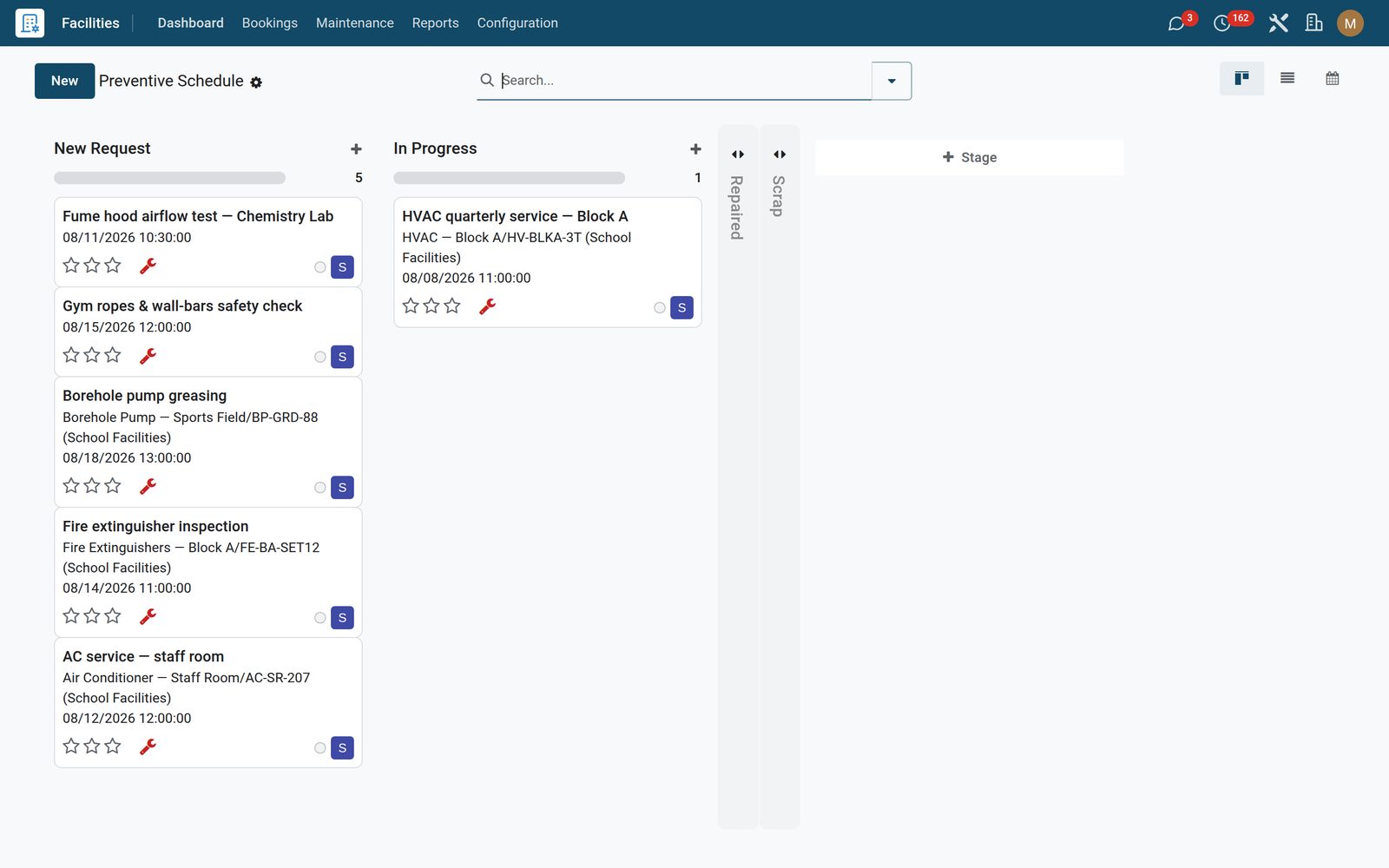
Planned work, not just breakdowns

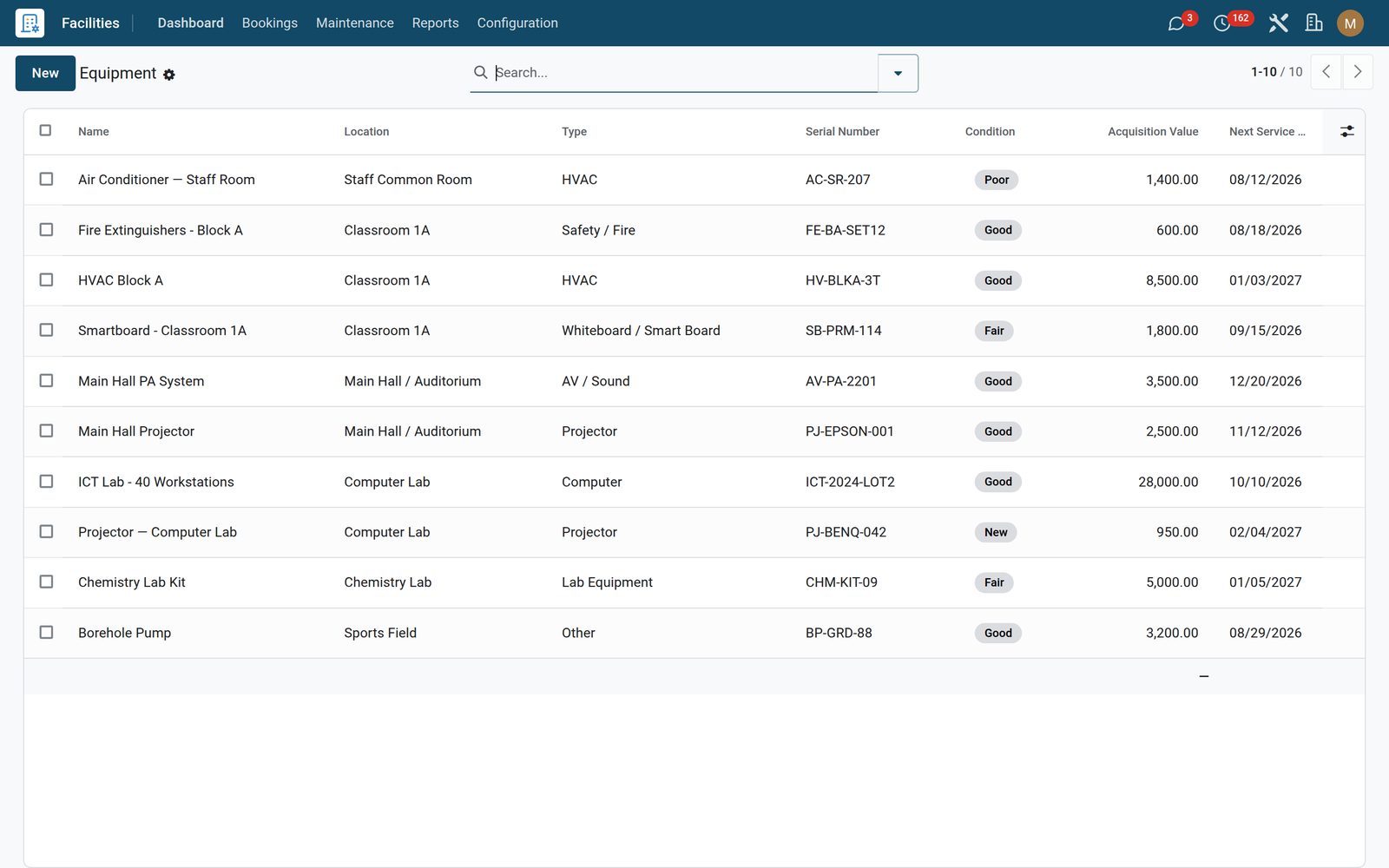
The preventive schedule board is every request marked preventive — HVAC service, fire-extinguisher inspection, lab checks — as a list, a kanban or a calendar. Behind it sits the equipment register: type, serial number, acquisition value, a five-step condition ladder from New to Out of Service, and last serviced / next service due dates. One button creates the matching standard maintenance asset, serial number carried across.

Facilities: Planned work, not just breakdowns
04

Cleaning you can prove was done

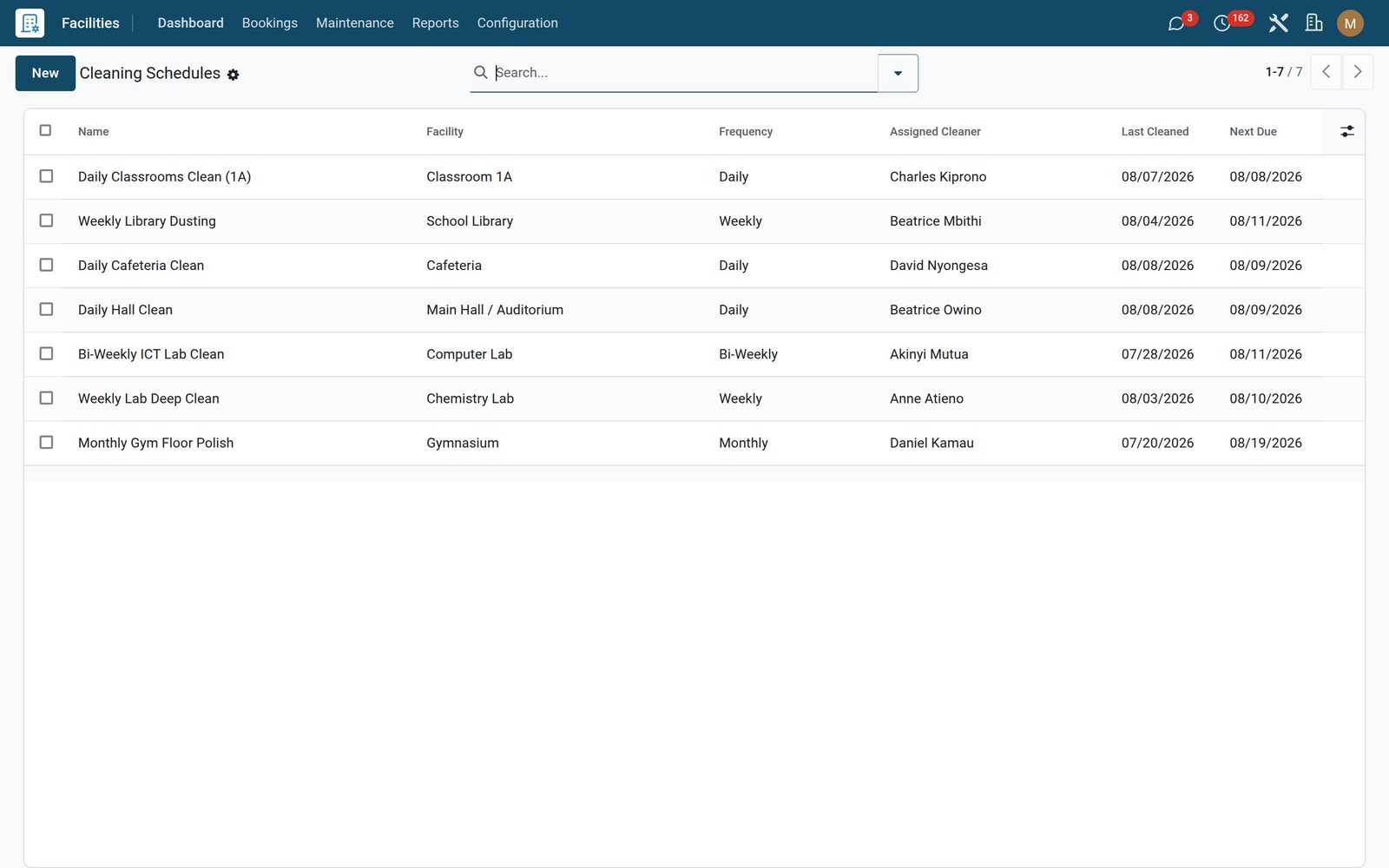
Cleaning schedules tie a room to a frequency — daily, weekly, bi-weekly, monthly or quarterly — an assigned cleaner from your employee records and a checklist for the round. Logging a clean records who, when, a quality score from 1 to 4 and any notes, then writes the last-cleaned date back to the schedule so the next due date rolls forward on its own. The log is the evidence trail an inspection asks for.

Facilities: Cleaning you can prove was done
05

The asset register the auditor asks for

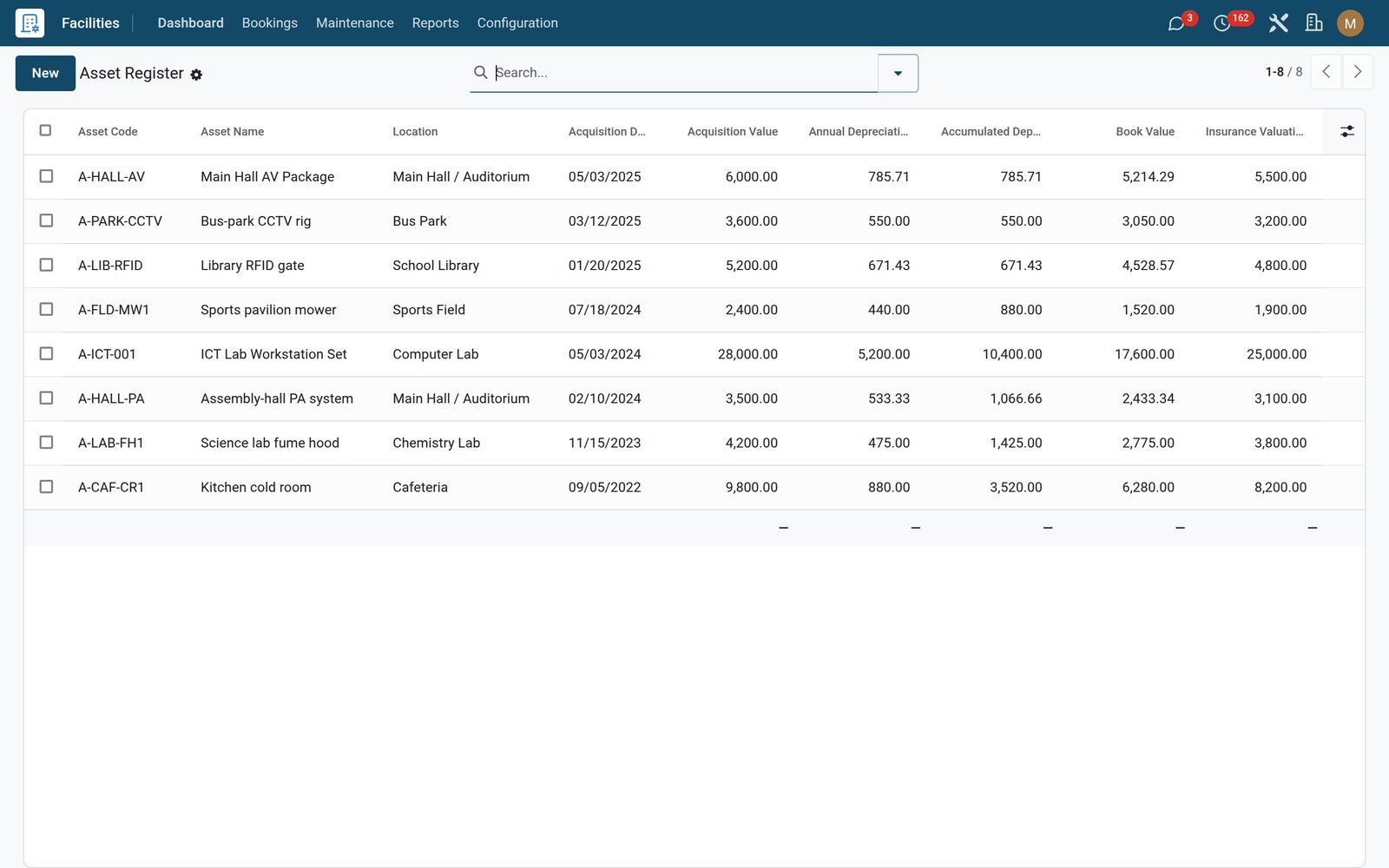
Capital items carry an asset code, the room and equipment they belong to, acquisition date and value, salvage value and useful life. From those the register computes straight-line annual depreciation, accumulated depreciation to date and a book value that never falls below salvage — next to the insurer, policy number, insured valuation and renewal date for the same item.

Facilities: The asset register the auditor asks for
06

Which rooms get used, and which ones cost you

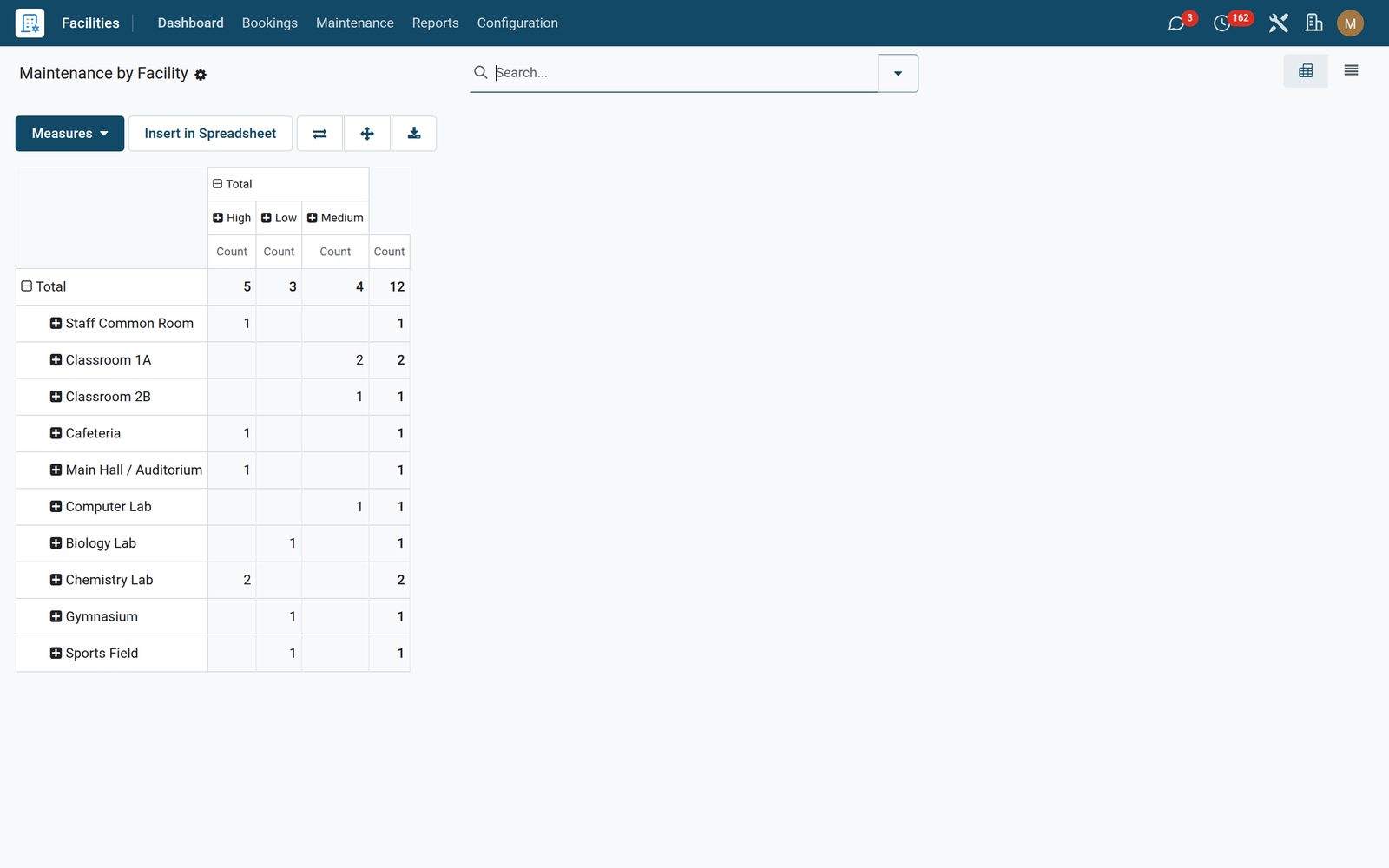
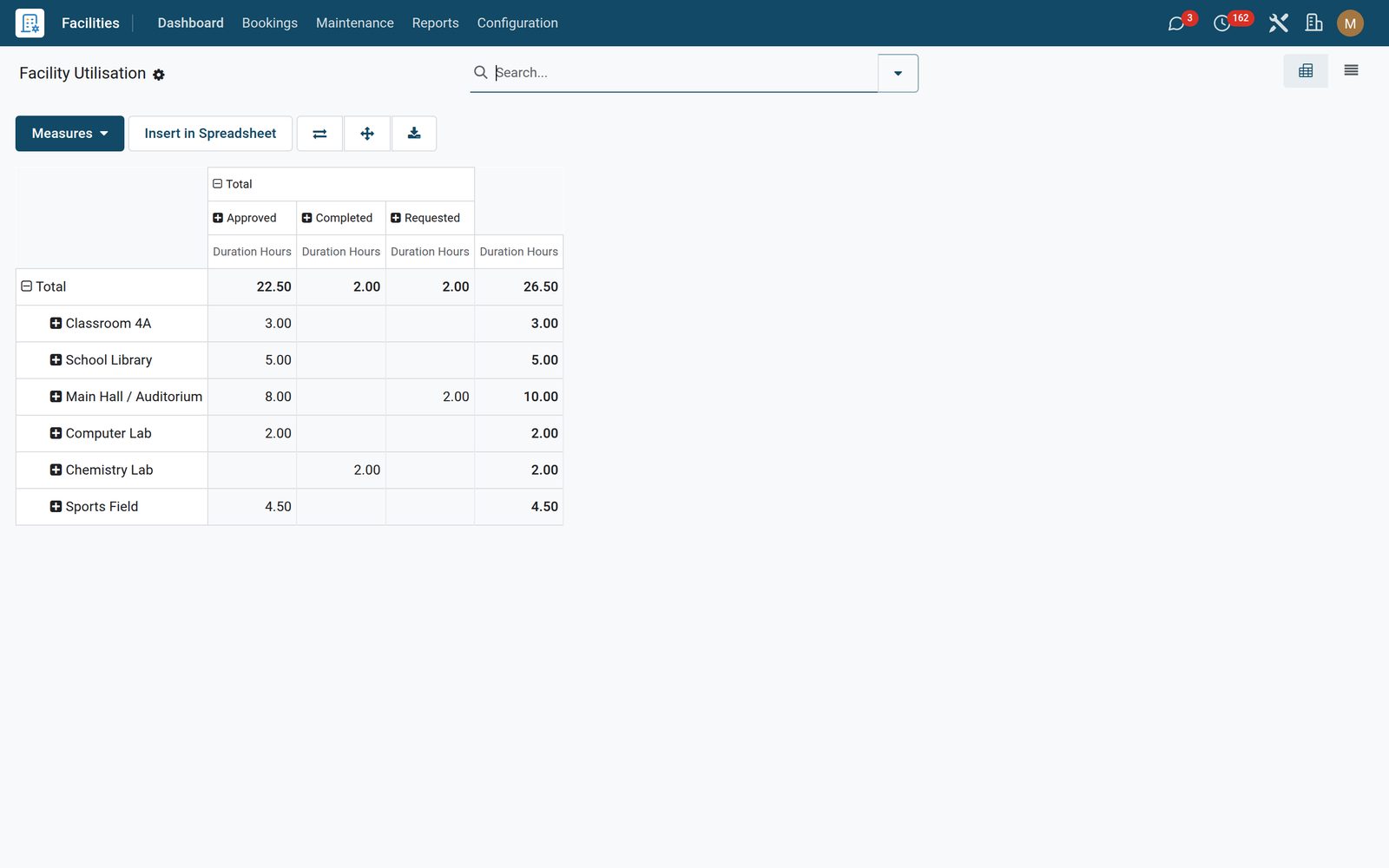
Facility utilisation pivots booked hours by room against booking status — the evidence behind “we need another lab”, not an opinion. Maintenance by facility counts requests by room against urgency, so the rooms piling up critical faults are obvious at a glance. Both slice, group, drill down and export like any pivot.

Facilities: Which rooms get used, and which ones cost you
07

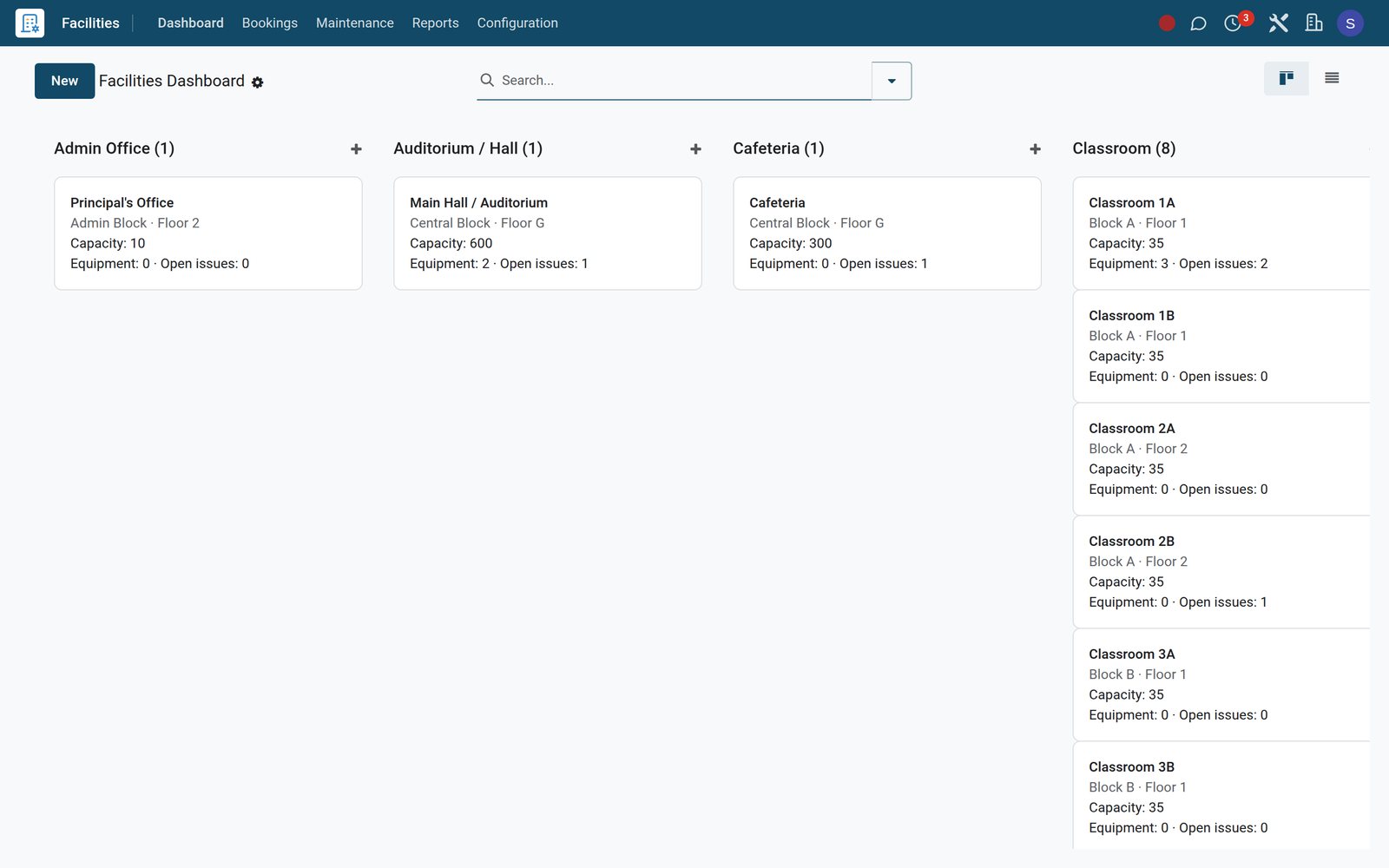
Dashboard

Every room and space as a card with type, capacity, equipment and open maintenance requests.

Facilities: Dashboard
08

Facility Utilisation

Booked hours by room and status — which spaces are actually used.

Facilities: Facility Utilisation
09

Locations

All locations with building, floor, capacity, whether bookable, approvals, equipment and open requests.

Facilities: Locations

What's inside

Everything in Facilities

24 items in 8 areas, every one shipping with the app today.

  • Maintenance

    • Open Requests
    • My Assigned
    • Preventive Schedule
    • By Facility (Pivot)
    • Asset Register
    • Cleaning Schedules
  • Configuration

    • Settings
    • Locations
    • Equipment
    • Maintenance Teams
  • Bookings

    • Book a Room
    • My Bookings
    • Calendar
  • Facilities

    • Dashboard
    • Rooms
  • Reports

    • Facility Utilisation
    • Maintenance by Facility
  • Roles it ships

    • Facilities User
    • Facilities Manager
    • Feature: Capital Asset Register
    • Feature: Cleaning & Hygiene Compliance
    • Feature: Recurring Bookings
  • Guided assistants

    • EduPrime Adaptive Institution Settings
  • More in this app

    • Book a room — and the clash is caught for youEvery booking takes a reference from its own sequence and is checked the moment it is saved. An overlap on the same room flips it to Conflicted and posts the clashing references straight into the history; expected attendees above the room’s capacity is refused outright; a free slot in a room that needs no sign-off is approved automatically. Rooms flagged Requires Approval stay Requested until someone approves them — and nobody can approve while a conflict stands, because Approve re-runs the overlap check and refuses. The week calendar is colour-coded by room, and My Bookings keeps every teacher to their own.

Put Facilities to work

Add it to your EduPrime plan, priced per student, or start a free trial and see it running first.