










01
Every bed, live on the map
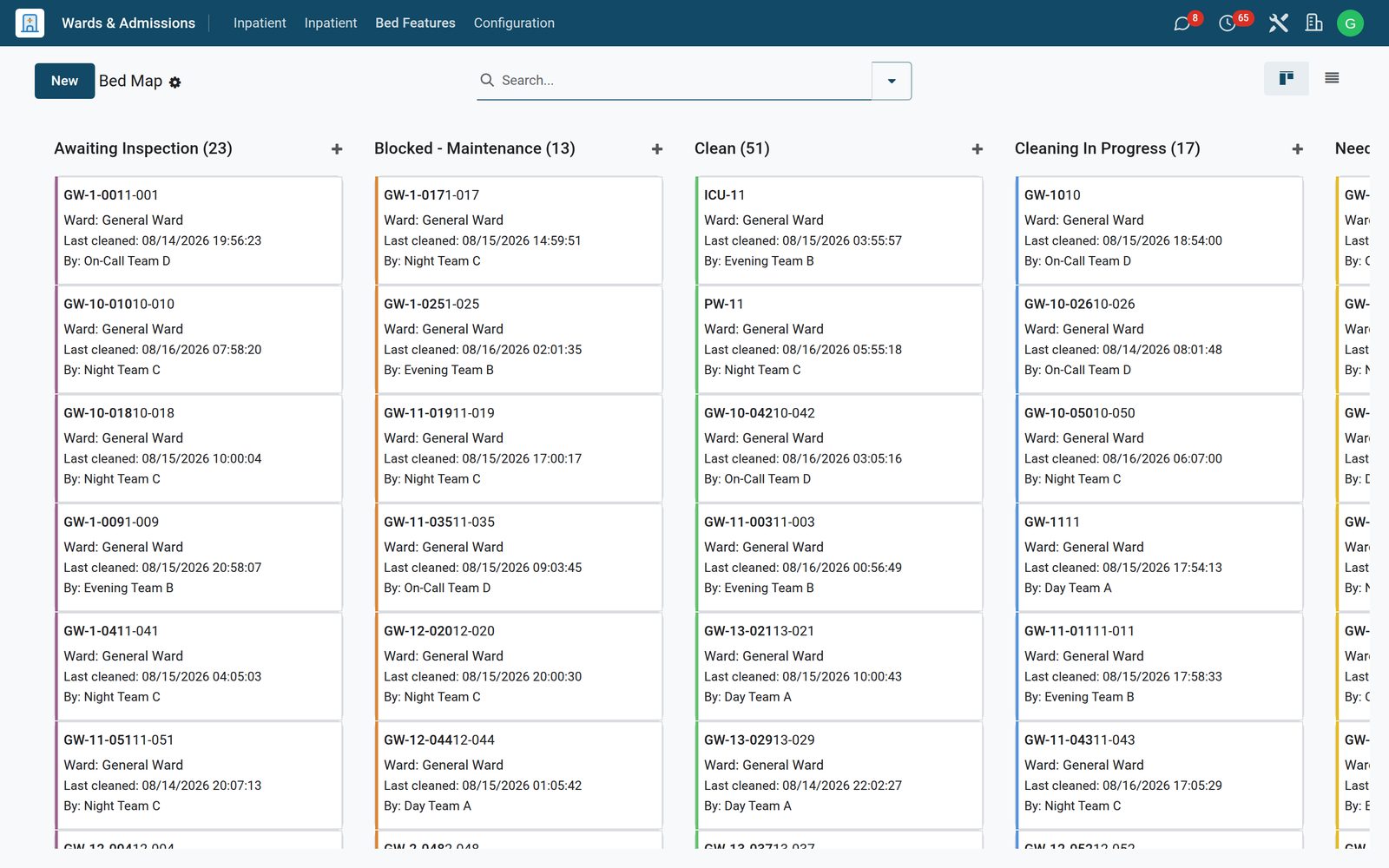
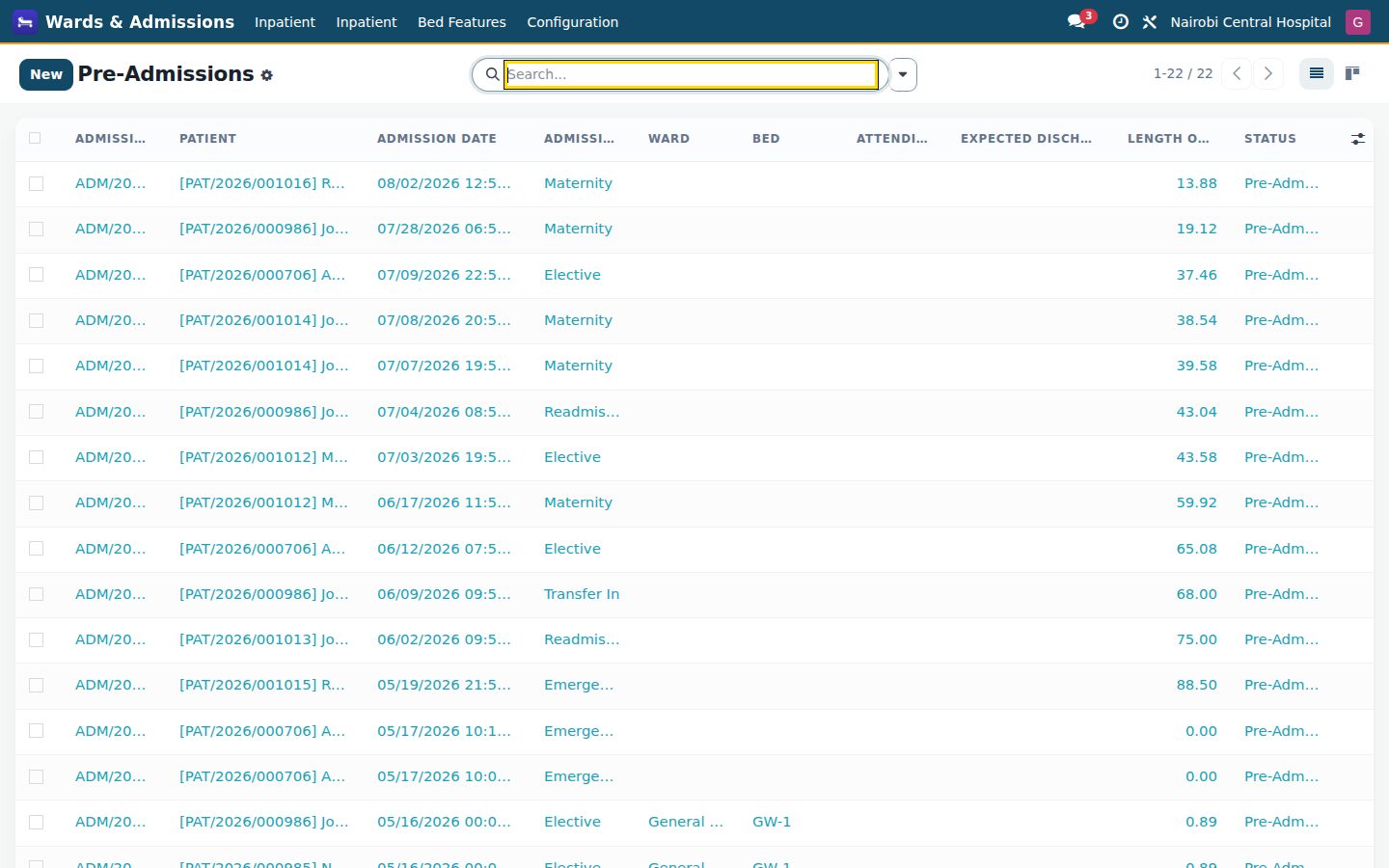
The bed map shows each ward's beds by state — occupied, free, cleaning, blocked; active admissions with the attending team and deposit, pre-admissions booked ahead and discharges with summary and clearance.
 Wards & Inpatient: Admissions, bed management, transfers, rounds and discharge summaries
Inpatient care on a live bed map: wards and beds by state, admissions with deposits and the attending team, transfers, discharge with its summary and clearance, bed turnaround with housekeeping, the mortuary handover, bed-day charges and occupancy — plus the medical certificates the ward issues.
+$57.60/mo at 20 practitioners. Free instant access, no credit card required.
 HMS Core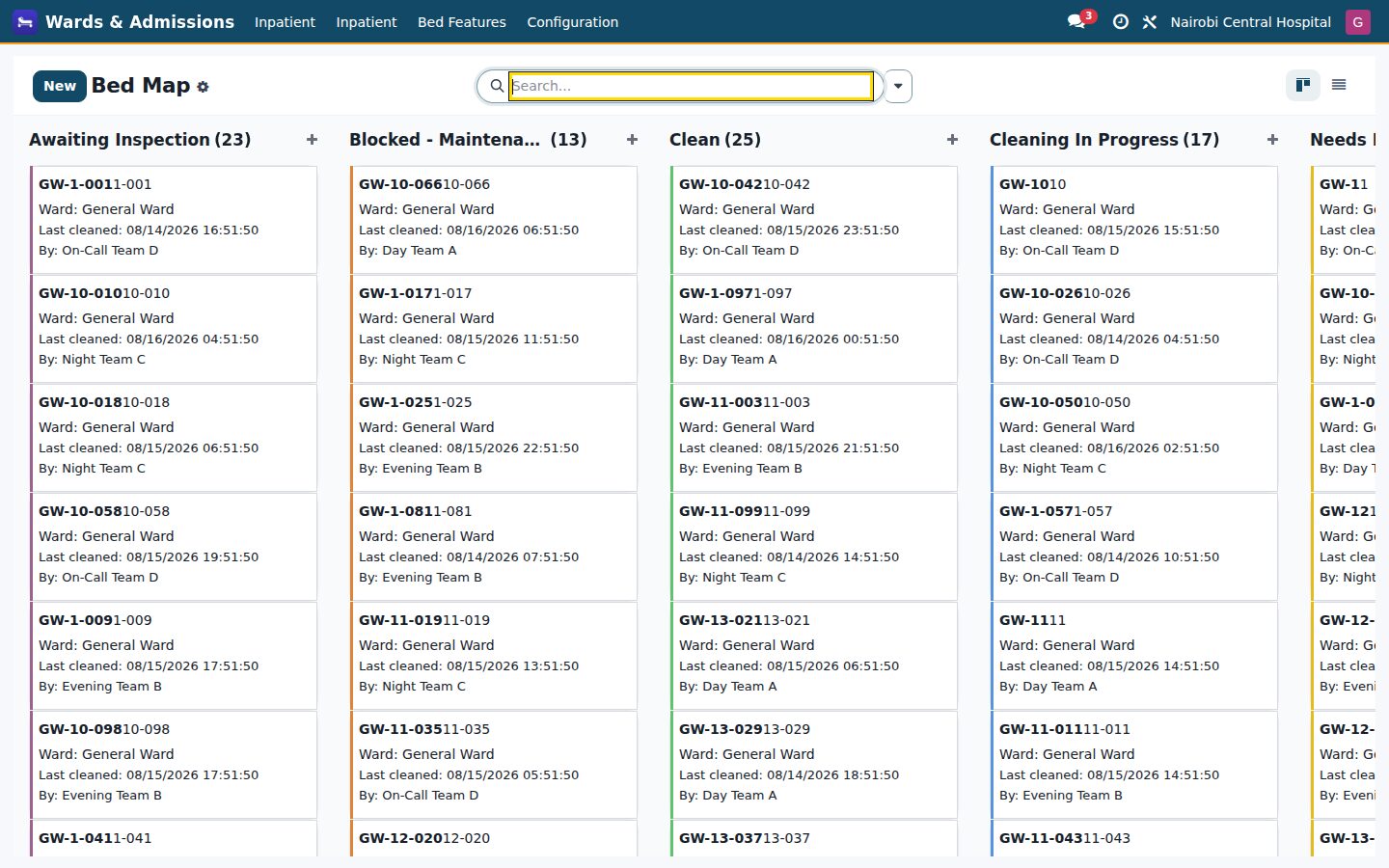
The bed map shows each ward's beds by state — occupied, free, cleaning, blocked; active admissions with the attending team and deposit, pre-admissions booked ahead and discharges with summary and clearance.
Wards with their beds, all beds and their features, beds out for maintenance, and the cleaning queue and log that bring a bed back into service.
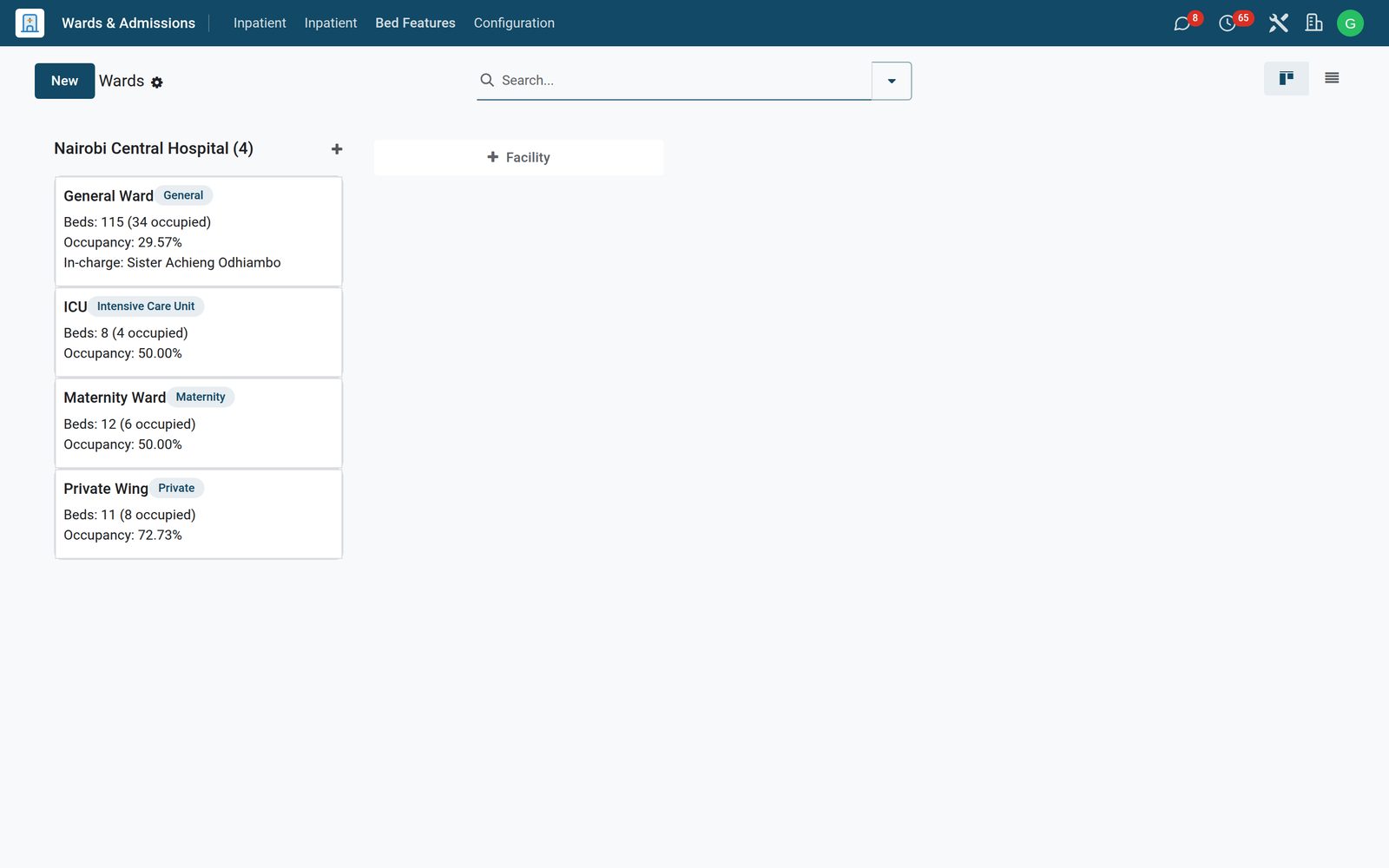
Occupancy, length of stay, 30-day readmissions and bed turnover, plus mortuary intake, bed map and transfers in pivot and graph.
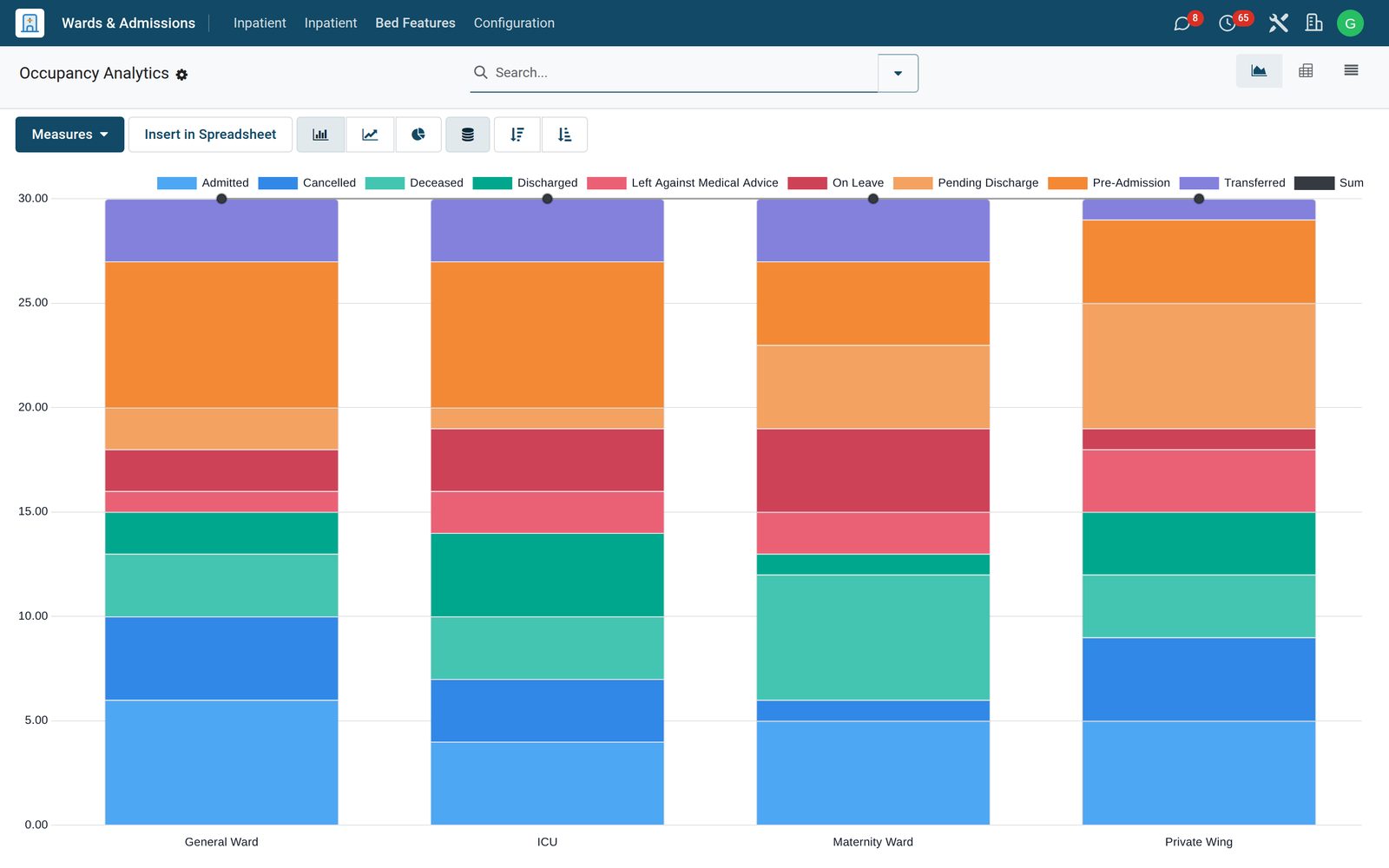
Bed features — oxygen, isolation, side room — for matching patients to beds.
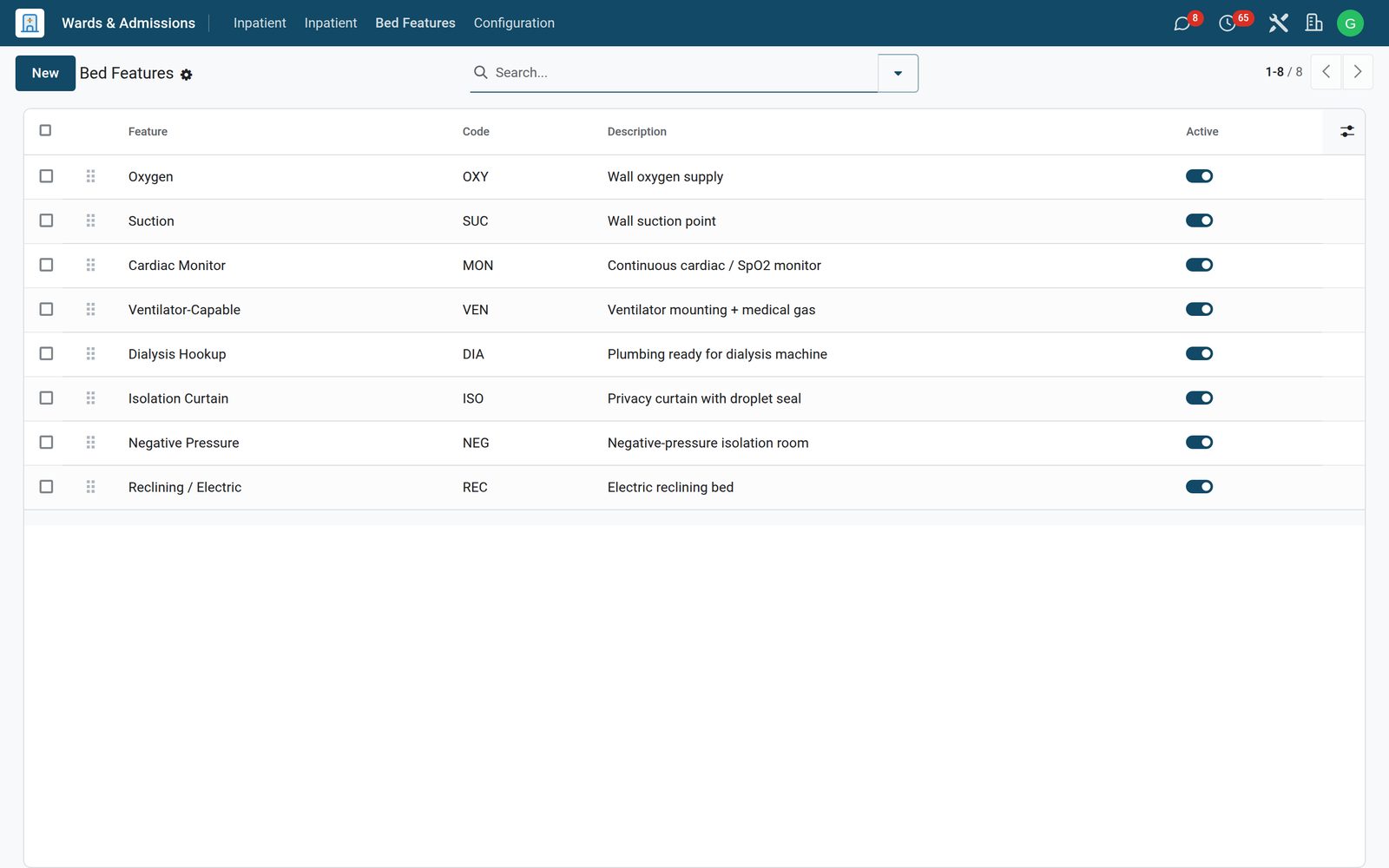
See it running
Real screens from the running product.
What's inside
74 items in 14 areas, every one shipping with the app today.
Works with
Wards & Inpatient shares one database with the rest of the Bridge HMS Suite and BridgeERP: these are the apps it already talks to, with nothing to buy in between.
Wards & Inpatient needs these to run; they come with it in the same plan.
Records created here flow straight into these apps, with no export and no import.
 NursingVitals charting, medication administration with barcode checks and nursing notes.
 Operating TheatreSurgery scheduling, checklists, anaesthesia records and theatre consumables.
 Intensive CareICU flowsheets, scoring, ventilator and infusion documentation.
 MaternityAntenatal care, labour and delivery, postnatal and newborn records.
 DietaryTherapeutic diets, meal orders and ward catering.
 HousekeepingBed turnaround, cleaning schedules and linen management.
Any BridgeERP app can join the same database.
 AccountingFull double-entry accounting, bank reconciliation, assets, budgets and statutory reports.
 ExpensesEmployee expense claims with receipt capture and reimbursement.
 InvoicingCustomer invoices, vendor bills, payments and tax handling.
 SignSend documents for legally binding electronic signature.
 SubscriptionsRecurring contracts, automatic renewals and MRR reporting.
 EmployeesEmployee records, contracts, attendance, skills, appraisals and referrals.
In the suite
HMS Core Reception
 Appointments
 Consultation / OPD
 Electronic Health Record
 Laboratory
 Pathology
 Radiology & PACS
 Pharmacy
 Billing & Cashiering
 Insurance & ClaimsNursingOperating TheatreIntensive Care
 Emergency
 Blood Bank
 DialysisMaternity
 Paediatrics
 Dental
 Ophthalmology
 Specialty Packs
 Telehealth
 Patient Portal
 Ambulance
 Mortuary
 Medical StoresDietary
 CSSD
CSSD Infection Control
 Quality & Accreditation
 Health Analytics
 Bria Clinical AI
 Interoperability
 Public Health
 Country Compliance
 Biomedical Engineering
 Facility HelpdeskHousekeepingHospital HR
 Patient SMS & WhatsApp
 M-Pesa Payments
Add it to your Bridge HMS Suite plan, priced per practitioner, or start a free trial and see it running first.