










01
One click, the whole order set
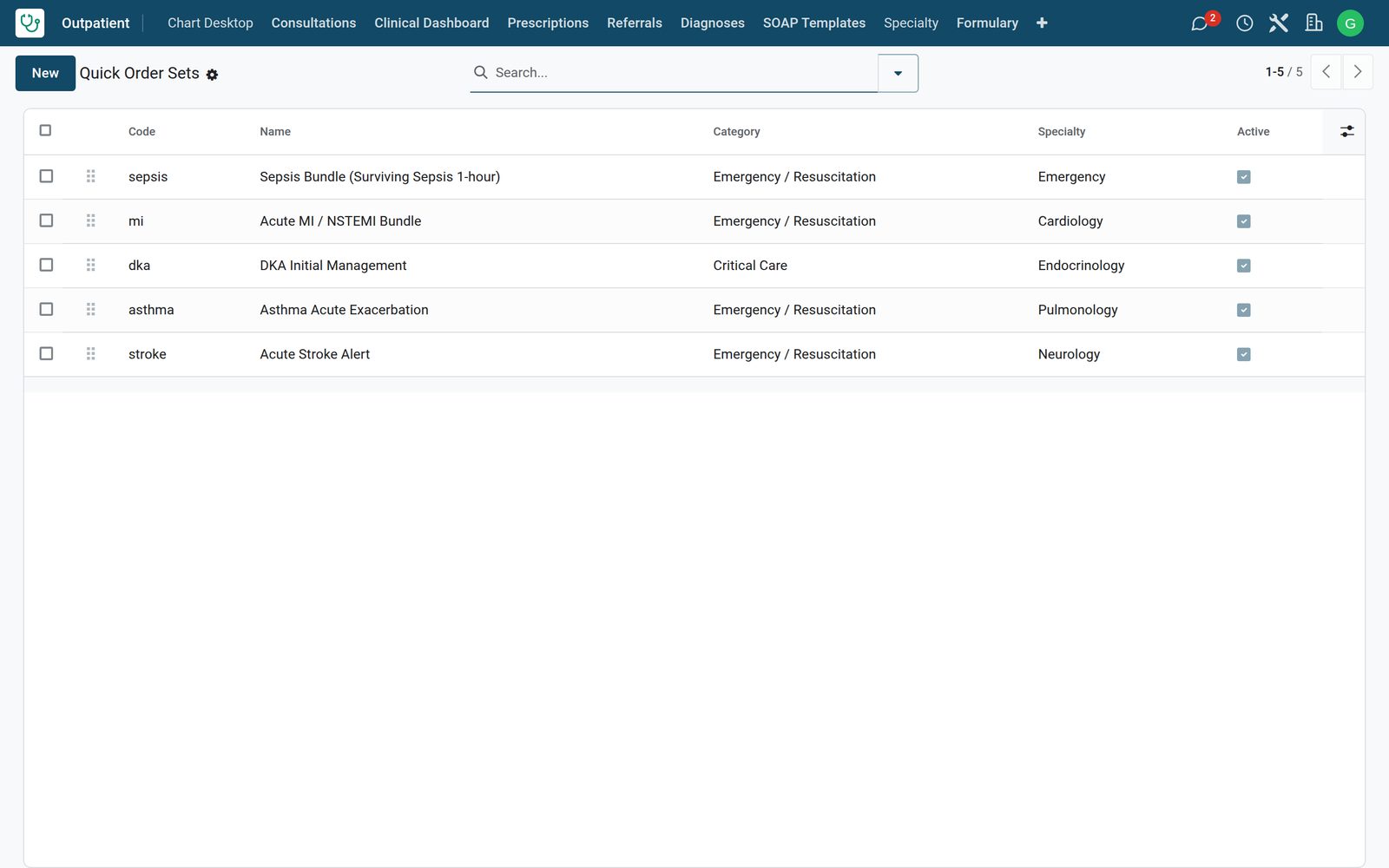
Quick order sets put the labs, imaging and drugs a condition needs into one click from the chart desktop — signed together, sent to each department at once.
 Electronic Health Record: Longitudinal record, problem lists, allergies, care plans and clinical decision support
Full-screen 3-pane doctor chart desktop with smart-phrases, ICD-10/LOINC/RxNorm autocomplete, voice dictation, ambient AI scribe, CDS warnings, order pads and patient timeline.
No extra charge. Free instant access, no credit card required.
 Consultation / OPD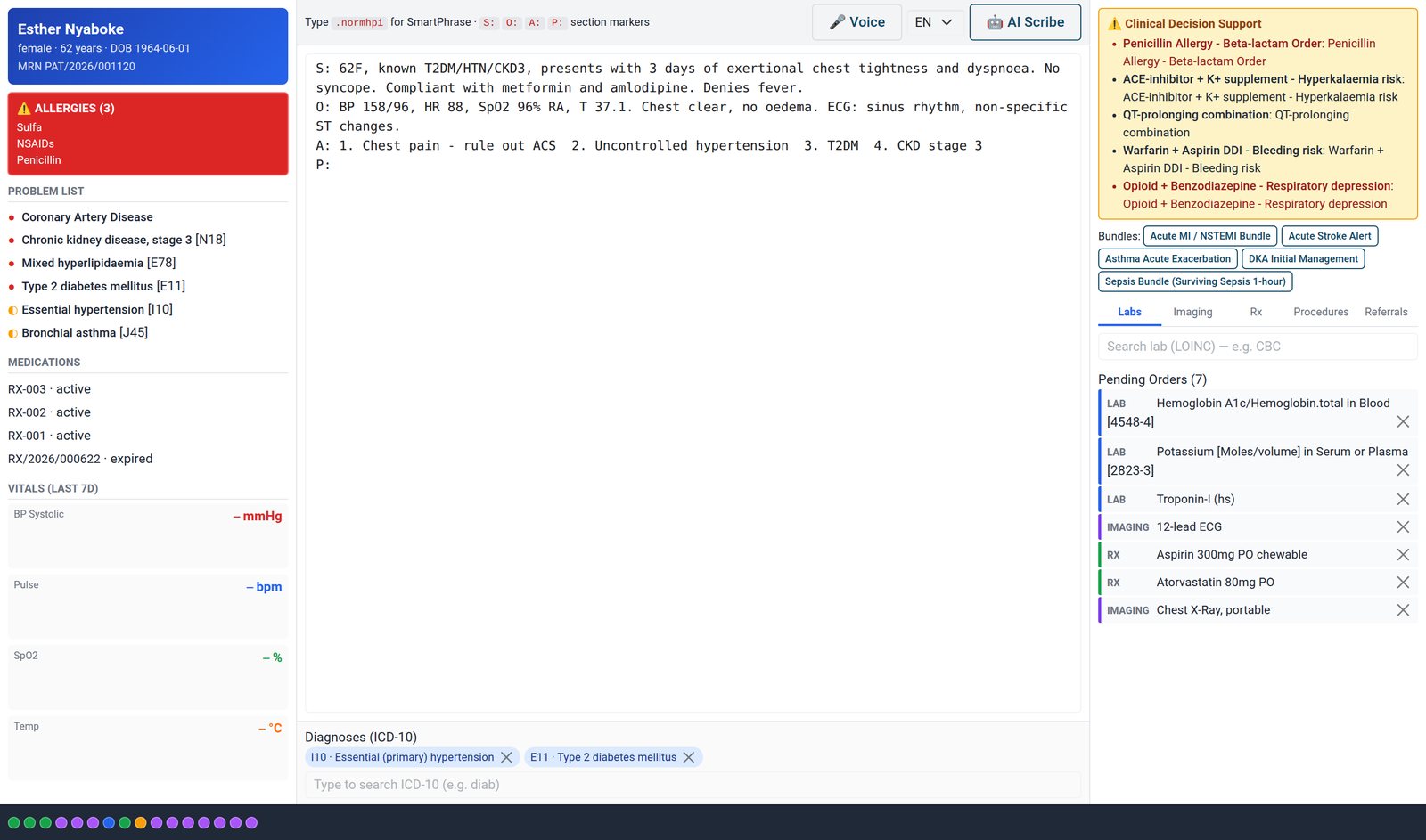
Quick order sets put the labs, imaging and drugs a condition needs into one click from the chart desktop — signed together, sent to each department at once.
What's inside
42 items in 9 areas, every one shipping with the app today.
Works with
Electronic Health Record shares one database with the rest of the Bridge HMS Suite and BridgeERP: these are the apps it already talks to, with nothing to buy in between.
Electronic Health Record needs these to run; they come with it in the same plan.
Records created here flow straight into these apps, with no export and no import.
Any BridgeERP app can join the same database.
 AccountingFull double-entry accounting, bank reconciliation, assets, budgets and statutory reports.
 ExpensesEmployee expense claims with receipt capture and reimbursement.
 InvoicingCustomer invoices, vendor bills, payments and tax handling.
 SignSend documents for legally binding electronic signature.
 SubscriptionsRecurring contracts, automatic renewals and MRR reporting.
 EmployeesEmployee records, contracts, attendance, skills, appraisals and referrals.
In the suite
 HMS Core
 Reception
 AppointmentsConsultation / OPD
 Laboratory
 Pathology
 Radiology & PACS
 Pharmacy
 Billing & Cashiering
 Insurance & Claims
 Wards & Inpatient
 Nursing
 Operating Theatre
 Intensive Care
 Emergency
 Blood Bank
 Dialysis
 Maternity
 Paediatrics
 Dental
 Ophthalmology
 Specialty Packs
 Telehealth
 Patient Portal
 Ambulance
 Mortuary
 Medical Stores
 Dietary
 CSSD
CSSD Infection Control
 Quality & Accreditation
 Health Analytics
 Bria Clinical AI
 Interoperability
 Public Health
 Country Compliance
 Biomedical Engineering
 Facility Helpdesk
 HousekeepingHospital HR
 Patient SMS & WhatsApp
 M-Pesa Payments
Add it to your Bridge HMS Suite plan, priced per practitioner, or start a free trial and see it running first.