





Reception: Registration, queueing, triage desk and visit slips

The front desk on one screen: register or find a patient by name, phone, ID or card, capture identity with ID scanning and insurance with eligibility checks, take the payment, route the visit to the right department, issue the queue ticket and call it on the screen — with self-service kiosks, visitors and desk sessions.

No extra charge. Free instant access, no credit card required.

Works with
  • HMS Core
Reception in the Bridge HMS Suite: Registration, queueing, triage desk and visit slips
01

The front desk on one screen

The reception desktop searches by name, phone, ID or card; the reception dashboard counts arrivals and waits; walk-in registration and returning patients are in and routed in under a minute.
Reception: The front desk on one screen
02

Visitors, incidents and desk sessions

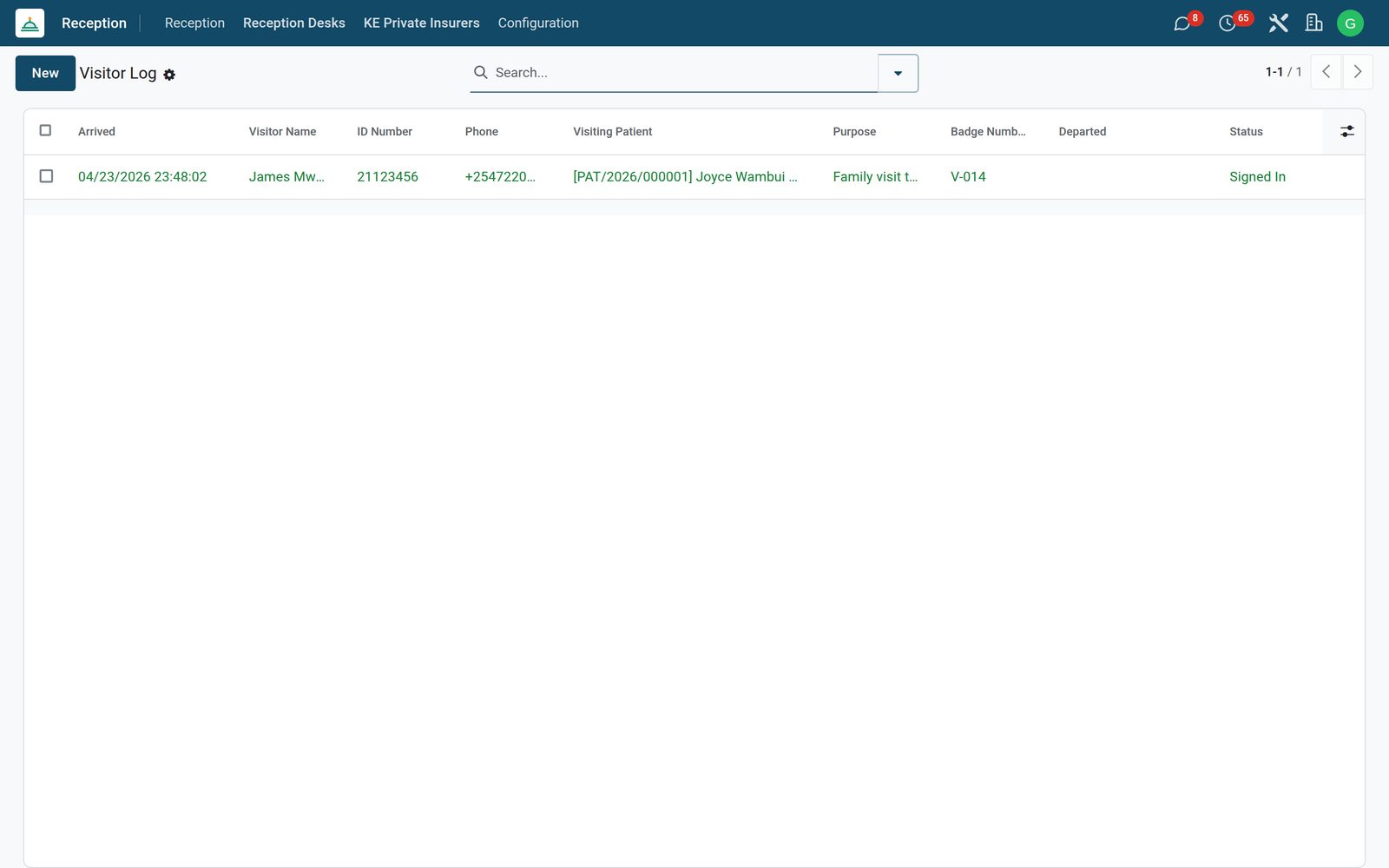
The visitor log, front-desk incidents and each receptionist's sessions.
Reception: Visitors, incidents and desk sessions

What's inside

Everything in Reception

75 items in 14 areas, every one shipping with the app today.

  • Patient Registration & Intake

    • One-Shot First-Visit Intake WizardOne form captures identity, contacts, kin, payment mode, clinical brief, consent and photo, then creates patient, visit and policy atomically.
    • First-Step Finder (Find vs Register)A single search box matches phone, national ID, a national insurance number such as NHIF or SHA, MRN or name and branches to returning-patient lookup or brand-new intake automatically.
    • Returning-Patient Lookup WizardFinds an existing patient and shows quick stats before creating a pre-loaded return visit in one click.
    • Guided 7-Step Walk-in Registration WizardA stepwise Search to Select to New to Insurance to Triage to Ticket to Done flow with Back navigation and a status bar for the whole registration.
    • Fast vs Full Registration ModesSwitches between a fast path for existing patients and a full path for new patients depending on the search outcome.
    • Scan-and-Prefill SearchScans a national ID or types a phone/name and pre-fills the new-patient form when no match is found, deciding which field the term belongs in.
  • Local Identity & Payment Capture

    • National Identity FieldsRecords national numbers, such as Kenya's Huduma Namba, NHIF and SHA, and MRN numbers alongside national ID and passport for foreigners.
    • Granular Local AddressCaptures county, sub-county/constituency, ward and village/estate for precise catchment records.
    • Six Payment ModesSelects cash, M-Pesa, NHIF/SHA, private insurance, corporate account or bank card as the patient's preferred payment mode.
    • Mobile-Money Payment Details (M-Pesa)Stores a patient's M-Pesa phone and account reference and auto-fills the M-Pesa phone from the contact number.
    • National Scheme Capture (NHIF / SHA)Records the member number and distinguishes legacy NHIF from new SHIF/SHA schemes with a member-type (self/spouse/child/parent).
    • Corporate Account CaptureHolds corporate company, employee number, principal name, HR contact and copay percentage for company-billed patients.
  • Insurer Catalog & Eligibility

    • Seeded Insurer Catalog (Kenya pack)Ships ten pre-loaded private insurers (Jubilee, AAR, APA, CIC, ICEA, Britam, Madison, Heritage, Pacis, Old Mutual/UAP) with phone and website.
    • Insurer Catalog ManagementMaintain private insurer records with code, contact, address, notes and an optional link to the canonical billing scheme.
    • Policy Enrichment FieldsAdds the insurer link, free-text scheme/plan, principal member number and member-type to insurance policies.
    • Eligibility VerificationChecks a policy's active state and validity dates and posts an eligible/expired/not-yet-valid result to the history and a notification.
    • In-Wizard Insurance VerificationDuring walk-in registration, verifies the patient's policy against the scheme and returns an eligible/expired/inactive/not-found result with notes.
  • Visit Lifecycle & Workflow

    • Granular 12-State Visit LifecycleExtends visits with registered, triage-pending, in-triage, consultation-pending, services-pending, in-services, billing-pending, in-billing and admitted states.
    • One-Click Next-Step ButtonA single Next button on the visit form advances the visit to the correct next state based on where it currently sits.
    • Dynamic Next-Step LabelComputes and shows the exact next action name (e.g. Send to Triage, Start Consultation, Discharge) so staff always know the next move.
    • Auto Triage Queue HandoffSending a visit to triage creates a clinical triage-queue entry and schedules a to-do activity for the responsible user.
    • History Transition LogEvery state change posts a from/to transition note naming the user, giving a full audit trail on the visit.
    • Auto-Fill Facility & DoctorNew visits auto-populate facility from the company or the user's staff record and the doctor from the current user's staff role.
  • Queue Tickets & Flow Management

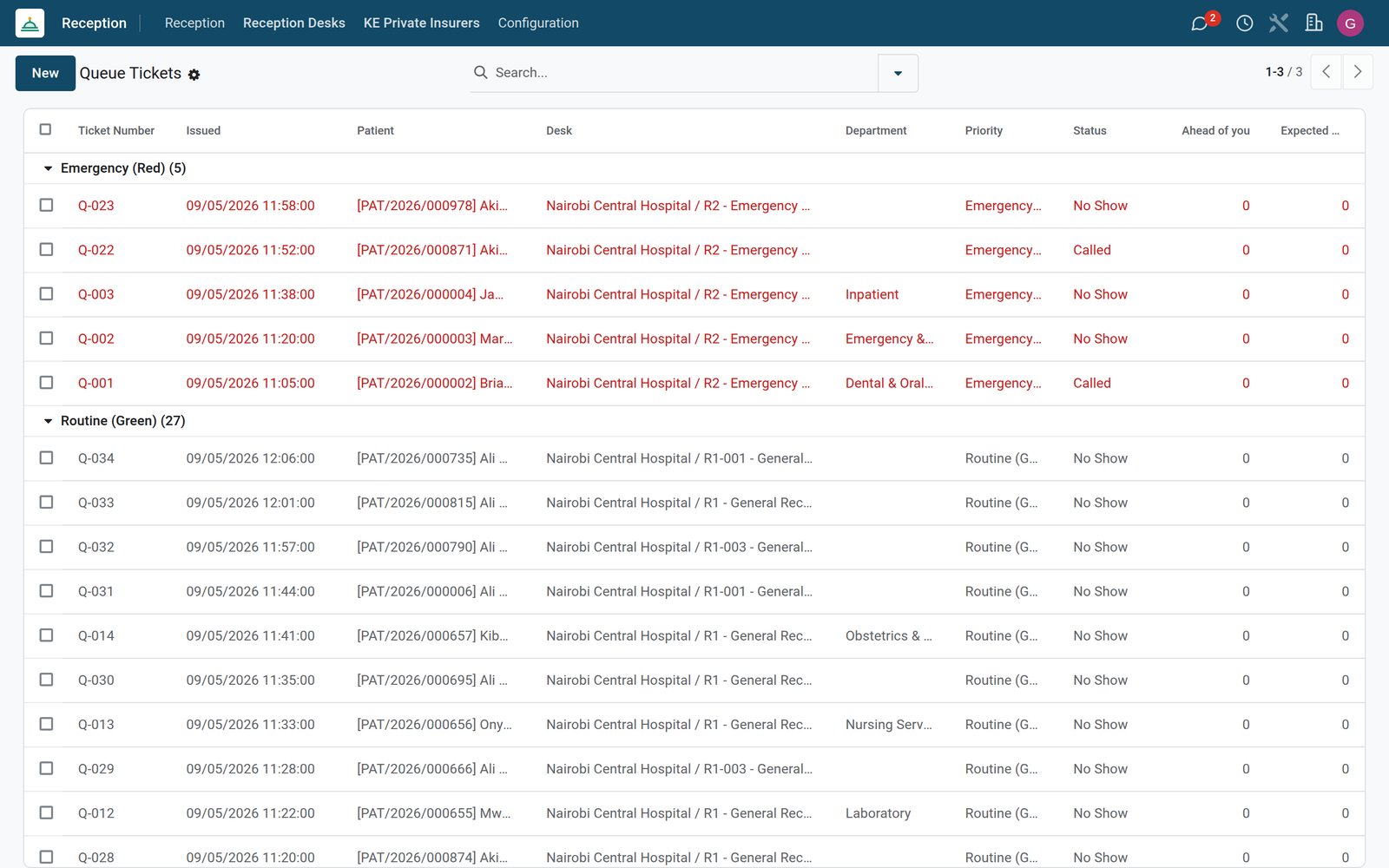
    • Printed Queue TicketsIssues numbered tickets with an auto-generated daily sequence, barcode and desk counter label.
    • Three-Tier Triage PriorityColor-codes tickets emergency (red), urgent (yellow) or routine (green) with priority-aware ordering.
    • Full Ticket Status FlowMoves tickets through issued, waiting, called, in-service, served, no-show and voided with guarded transition buttons.
    • Live Wait EstimationComputes how many callers are ahead (respecting priority) and an expected wait in minutes for each waiting ticket.
    • Call / Serve / No-Show / Void ActionsFront-desk buttons to set waiting, call, start service, mark served, mark no-show or void a ticket with timestamps.
    • Automatic auto No-ShowEvery 30 minutes, the app automatically marks tickets waiting over two hours as no-shows with a note on the ticket.
  • Arrivals, Visitors & Incidents

    • Arrivals LogRecords every arrival with an auto-numbered reference and timestamps across eight arrival types from appointment to visitor.
    • Arrival WorkflowMove arrivals through logged, in-queue, in-service, departed and no-show states with dedicated buttons.
    • Visitor Sign-In LogLogs non-patient visitors with ID number, phone, patient being visited, badge number and sign-in/sign-out timestamps.
    • Incident RegisterRecords front-desk incidents by type (complaint, insurance denied, payment issue, lost documents, verbal abuse, other) with description and resolution.
    • Incident Escalation FlowEscalate an incident to a staff member, resolve it or reopen it, with each step posted to the history.
    • Patient Arrival HistoryEach patient shows a reception-arrival count, last-reception date and a smart action to view their full arrival history.
  • Reception Desks & Sessions

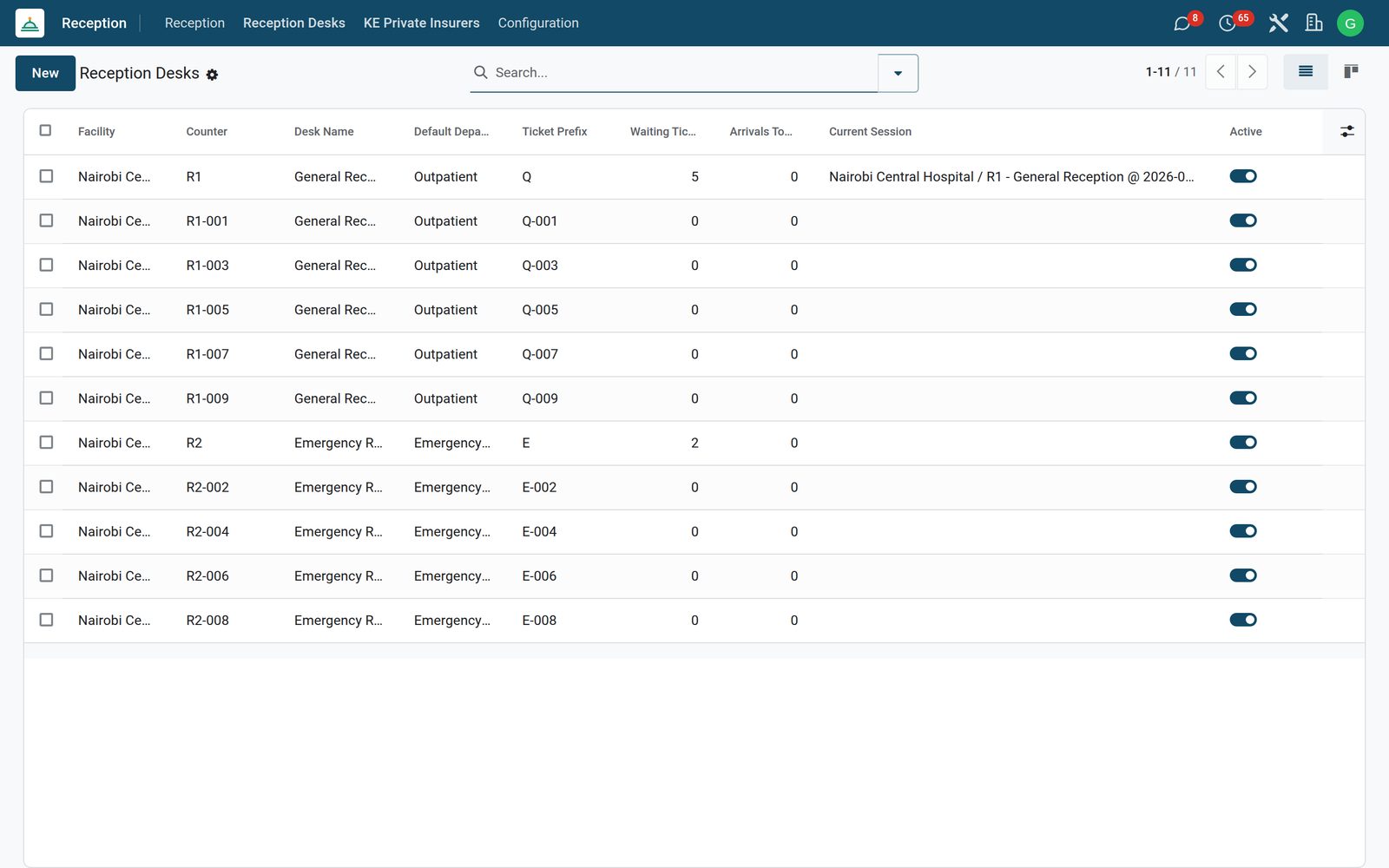
    • Reception Desk ConfigurationDefine desks per facility with counter number, ticket prefix, default department and a uniqueness check per facility.
    • Live Desk StatisticsEach desk shows its current active session, waiting-ticket count and arrivals-today count in real time.
    • Open Session from DeskA desk button opens the current active session or creates a new one in one click.
    • Walk-in Registration from DeskA desk button launches the walk-in registration wizard pre-loaded with the desk, session and default department.
    • Reception SessionsTrack receptionist sessions with open and close times, opening and closing notes and a single-active-session-per-desk guard.
    • Session Close & ReopenClose an active session or reopen a closed one, blocked if another active session already exists for the desk.
  • Dashboard & Reports

    • Live Reception DashboardA live dashboard with tiles and tables purpose-built for the front desk.
    • Nine Live KPI TilesShows arrived-today, walk-ins, waiting-now, average service minutes, no-shows, insurance denials, registrations, appointments and expected-not-arrived counts.
    • Live Priority Queue TableLists the current waiting queue ordered by priority with patient, desk, department and issue time.
    • Today's Appointments TableShows today's appointments with doctor, start time and an overdue flag for those not yet arrived.
    • Outpatient Card Report (A4)Prints a full A4 outpatient card for a visit.
    • Visit Ticket Report (80mm Thermal)Prints a thermal-format visit ticket for a visit.
  • Configuration

    • Settings
  • Reception

    • + Walk-in Registration
    • + Returning Patient
    • Walk-in Registration
    • Today's Queue
    • Arrivals Log
    • Queue Tickets
    • Appointments
    • Reception Desks
    • Visitor Log
    • Incidents
    • Sessions
    • KE Private Insurers
  • Documents it prints

    • Queue Ticket
    • Session Summary
    • Arrival Slip
    • Outpatient Card
    • Visit Ticket
  • It runs by itself

    • HMS Reception: Auto Mark No-ShowsRuns every 30 minutes
    • HMS Reception: Reset Daily Ticket SequenceRuns daily
  • Guided assistants

    • Reception First Step (find vs register)
    • First-Visit Intake Wizard
    • Reception Lookup Wizard (returning patient)
    • Walk-in Registration Wizard
    • Config Settings
  • More in this app

    • Queues that call the next patientToday's queue per department, queue tickets printed or sent by SMS, call next patient on the screen and the speaker, the arrivals log and today's appointments.
    • Self check-in and the waiting-room TVA check-in kiosk with ID scanning, and the queue board on the waiting-room TV.
    • Waiting times and arrivalsQueue tickets, arrivals, incidents, sessions and visitors in pivot and graph.

Put Reception to work

Add it to your Bridge HMS Suite plan, priced per practitioner, or start a free trial and see it running first.