










 Medical Stores: Central stores, ward requisitions, batch and expiry control
Medical stores and procurement on Inventory: the main store and every sub-store, internal requisitions and transfers, cold-chain monitoring, stock audits, par levels and consumption, the wastage and disposal register, donations; and procurement with vendor qualification, RFQs and bid comparison, purchase-order controls and goods receipt with QC.
+$38.40/mo at 20 practitioners. Free instant access, no credit card required.
 HMS Core
- Inventory
What's inside
Everything in Medical Stores
73 items in 15 areas, every one shipping with the app today.
Store & Sub-Store Registry
- Multi-Store Master RegisterA central store register lists every medical store and sub-store with unique code, name, facility and responsible staff in-charge.
- Seven Store TypesClassifies each location as Central Medical Store, Pharmacy Store, Ward Sub-Store, Theater Sub-Store, Lab Consumables, Equipment Spares or General.
- Facility-Scoped StoresEach store links to a facility, auto-defaulting from the company or the user's default facility for multi-hospital setups.
- Stock Location BindingEvery store maps to an internal BridgeERP stock location so all movements post against real inventory quantities.
- Store-In-Charge AssignmentAssigns a staff member as accountable in-charge for each store.
- Unique Store Code EnforcementThe app guarantees store codes never collide across the hospital.
Internal Requisitions & Transfers
- Store-to-Store RequisitionsWards and sub-stores raise internal requisitions naming a source and destination store with multiple item lines.
- Seven-State Requisition WorkflowRequisitions move through Draft, Submitted, Approved, Rejected, Issued, Received and Canceled with guarded action buttons.
- Urgency PrioritizationEach requisition is flagged Routine, Urgent or STAT to prioritize clinical demand.
- Requesting Ward & Requestor CaptureRecords the requesting department/
ward and the staff member who raised the request. - Auto-Generated Internal TransferApproving a requisition automatically builds an internal stock transfer between the two stores' locations.
- One-Click IssueIssue confirms and reserves the linked transfer so stock is allocated for dispatch.
Cold-Chain Monitoring
- Temperature-Monitored StoresStores can be flagged temperature-monitored with configurable low and high Celsius thresholds (default 2-8C).
- Cold-Chain Certification FlagMarks stores as cold-chain certified and filterable in search.
- Temperature & Humidity LoggingCold-chain log records dated temperature and humidity readings against monitored stores with the logging staff.
- Automatic Out-of-Range DetectionEach reading auto-computes an out-of-range flag by comparing against the store's temperature band.
- Corrective Action RecordingOut-of-range logs capture the corrective action taken for compliance evidence.
- Automatic daily Cold-Chain AlertA daily check posts an out-of-range alert message on every store with an excursion in the last 24 hours.
Stock Audits & Reconciliation
- Store Stock AuditsSchedules and records physical stock audits per store with auditor, date and status.
- Four-State Audit WorkflowAudits progress through Scheduled, In Progress, Completed and Canceled with Start and Complete buttons.
- System-vs-Actual Variance LinesAudit lines capture system quantity and counted actual quantity, auto-computing per-item variance.
- Total Variance Roll-UpEach audit computes and stores the summed variance across all counted items.
- Audit Report AttachmentA signed or scanned audit report can be attached as a binary file to each audit.
- Last-Audit-Date SyncCompleting an audit stamps the audited store's last audit date automatically.
Consumption & Par-Level Planning
- Weekly Consumption TrackingRecords quantity consumed per product per store/
ward over a defined week window. - Average Daily ConsumptionComputes average daily usage from the week range for demand analysis.
- Reorder Suggestion FlagFlags products for reorder based on positive consumption for replenishment review.
- Per-Ward Par LevelsAdds a Par Level / Ward field on products defining the minimum stock to keep at each ward sub-store.
- Automatic weekly Par-Level AuditA weekly check scans consumption to drive par-level reorder suggestions.
- Auto-Composed Consumption ReferenceConsumption records auto-name from store code, product code and week start.
- Weekly Consumption TrackingRecords quantity consumed per product per store/
Wastage & Disposal Register
- Medical Wastage RegisterLogs wasted stock per store and product with quantity, date and witnessing staff.
- Six Wastage Reason CodesCategorizes waste as Expired, Damaged, Spill, Pilferage, Recall or Other.
- Regulated Disposal MethodsRecords disposal via Incineration, Return to Vendor, Landfill, Biohazard Disposal or Other.
- Automatic Stock Scrap PostingConfirming wastage auto-creates a scrap order that removes the quantity from the store's location.
- Wastage Confirm/Cancel WorkflowWastage records move through Draft, Confirmed and Canceled states with action buttons.
- Witness AccountabilityCaptures the staff member who witnessed the disposal for governance.
Donations & NGO Receipts
- Donation Receipt RegisterRecords donated supplies received from a donor partner or NGO into a destination store.
- Batch & Expiry Donation LinesDonation line items capture product, quantity, batch number and expiry date for received goods.
- Donation Receive WorkflowDonation receipts move through Draft, Received and Canceled states.
- Sequenced Donation ReferencesDonation receipts are numbered DON/
year/ nnnnn via a dedicated sequence.
Inventory Integration
- Product Expiry DependencyBuilds on BridgeERP's product expiry tracking so batch and expiry tracking flows through stores and donations.
- Store Link on Stock LocationsStock location forms display the linked HMS store, computed from the store's location mapping.
- Pharmacy & HMS Base IntegrationDepends on HMS Core and Pharmacy to share facilities, departments, staff and drug catalog.
- Product HMS Stores TabAdds an HMS Stores page on the product form exposing the per-ward par level.
What it keeps
- Product
- Inventory Locations
What it configures
- HMS Store / Sub-Store
- HMS Store Requisition
- HMS Store Requisition Line
- HMS Store Consumption (Weekly)
- HMS Store Audit
- HMS Store Audit Line
What it configures (continued)
- HMS Store Wastage
- HMS Store Cold-Chain Log
- HMS Donation Receipt
- HMS Donation Line
Stores
- Stores
- Requisitions
- Consumption
- Audits
- Wastage
- Cold-Chain
- Donations
It runs by itself
- HMS Stores - Cold-Chain Alert DailyRuns daily
- HMS Stores - Par-Level Audit WeeklyRuns every 7 days
- HMS Stores - Quarterly Audit SchedulerRuns every 90 days
Roles it ships
- HMS / Stores Officer
More in this app
- Every store and sub-store, supplied on requestThe main store and each sub-store, ward requisitions issued and transferred, consumption against par levels, and donations received from partners.
- Stock that matches the shelfStock audits with variances, the wastage and disposal register, and cold-chain monitoring of fridges and freezers.
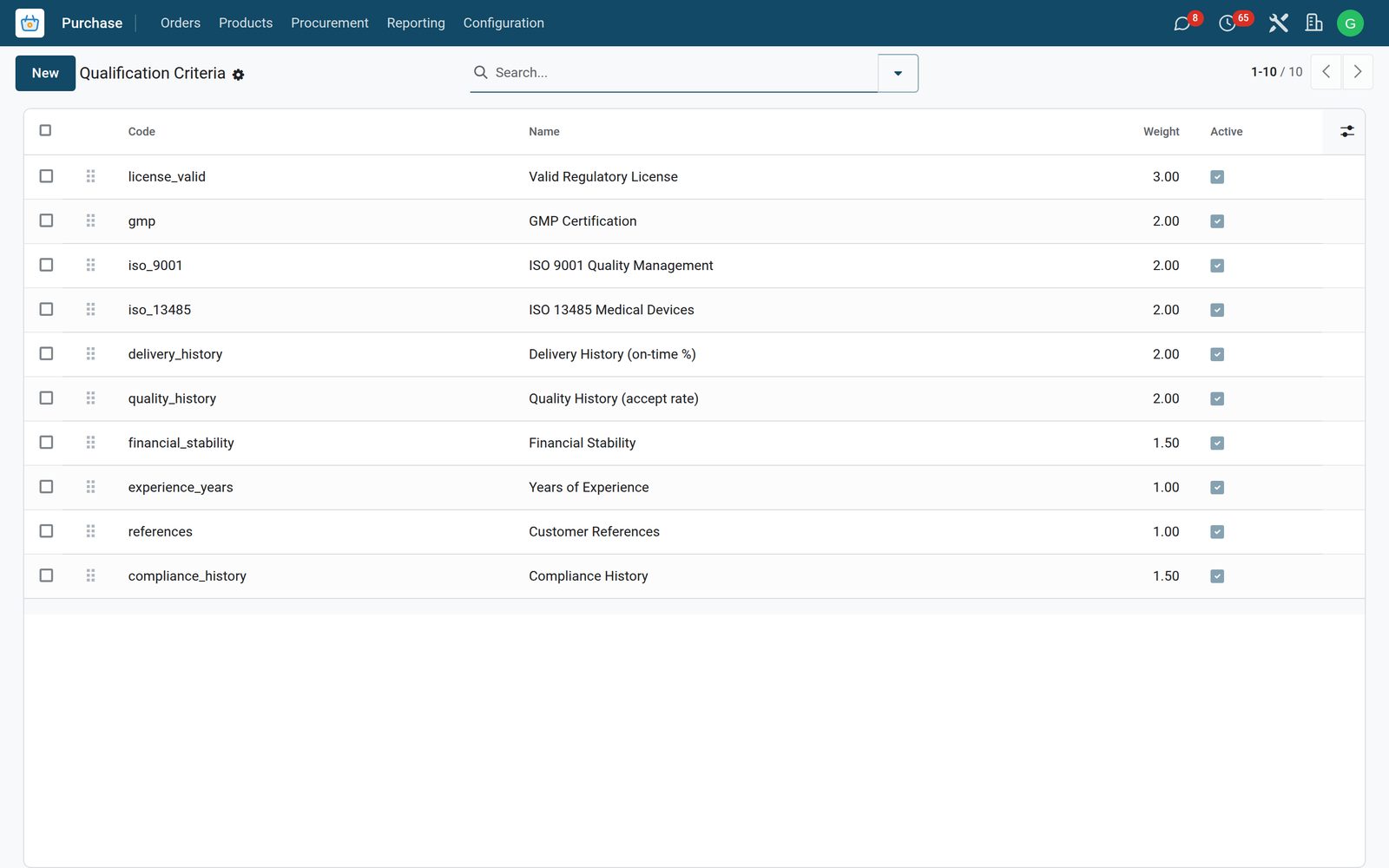
- Procurement with three quotes and an approvalInternal requisitions become RFQs; quotations received are compared in a bid comparison; PO approvals follow your thresholds.
- Received, inspected, or sent backGoods receipt notes with QC inspection and returns to the supplier.
- Vendors you have qualifiedVendors, their qualifications and audits, and framework contracts with agreed prices.
- Procurement and stock, analysedReturns, approvals, vendors, contracts, wastage, requisitions, RFQs and GRNs in pivot and graph.
Works with
What Medical Stores works with
Medical Stores shares one database with the rest of the Bridge HMS Suite and BridgeERP: these are the apps it already talks to, with nothing to buy in between.
Builds on
Medical Stores needs these to run; they come with it in the same plan.
And the wider platform
Any BridgeERP app can join the same database.
 AccountingFull double-entry accounting, bank reconciliation, assets, budgets and statutory reports.
 ExpensesEmployee expense claims with receipt capture and reimbursement.
 InvoicingCustomer invoices, vendor bills, payments and tax handling.
 SignSend documents for legally binding electronic signature.
 SubscriptionsRecurring contracts, automatic renewals and MRR reporting.
 EmployeesEmployee records, contracts, attendance, skills, appraisals and referrals.
In the suite
More Bridge HMS Suite apps
- HMS Core
 Reception
 Appointments
 Consultation / OPD
 Electronic Health Record
 Laboratory
 Pathology
 Radiology & PACS
 Pharmacy
 Billing & Cashiering
 Insurance & Claims
 Wards & Inpatient
 Nursing
 Operating Theatre
 Intensive Care
 Emergency
 Blood Bank
 Dialysis
 Maternity
 Paediatrics
 Dental
 Ophthalmology
 Specialty Packs
 Telehealth
 Patient Portal
 Ambulance
 Mortuary
 Dietary
 CSSD
CSSD Infection Control
 Quality & Accreditation
 Health Analytics
 Bria Clinical AI
 Interoperability
 Public Health
 Country Compliance
 Biomedical Engineering
 Facility Helpdesk
 Housekeeping
- Hospital HR
 Patient SMS & WhatsApp
 M-Pesa Payments
Put Medical Stores to work
Add it to your Bridge HMS Suite plan, priced per practitioner, or start a free trial and see it running first.