

 Marketing Automation: Follow up every new client, even when nobody has time
BridgeERP Marketing Automation sends the right email at the right moment, based on what each person opened, clicked or ignored, and shows how every step performs.
Free instant access. No credit card required.
Each person follows their own path
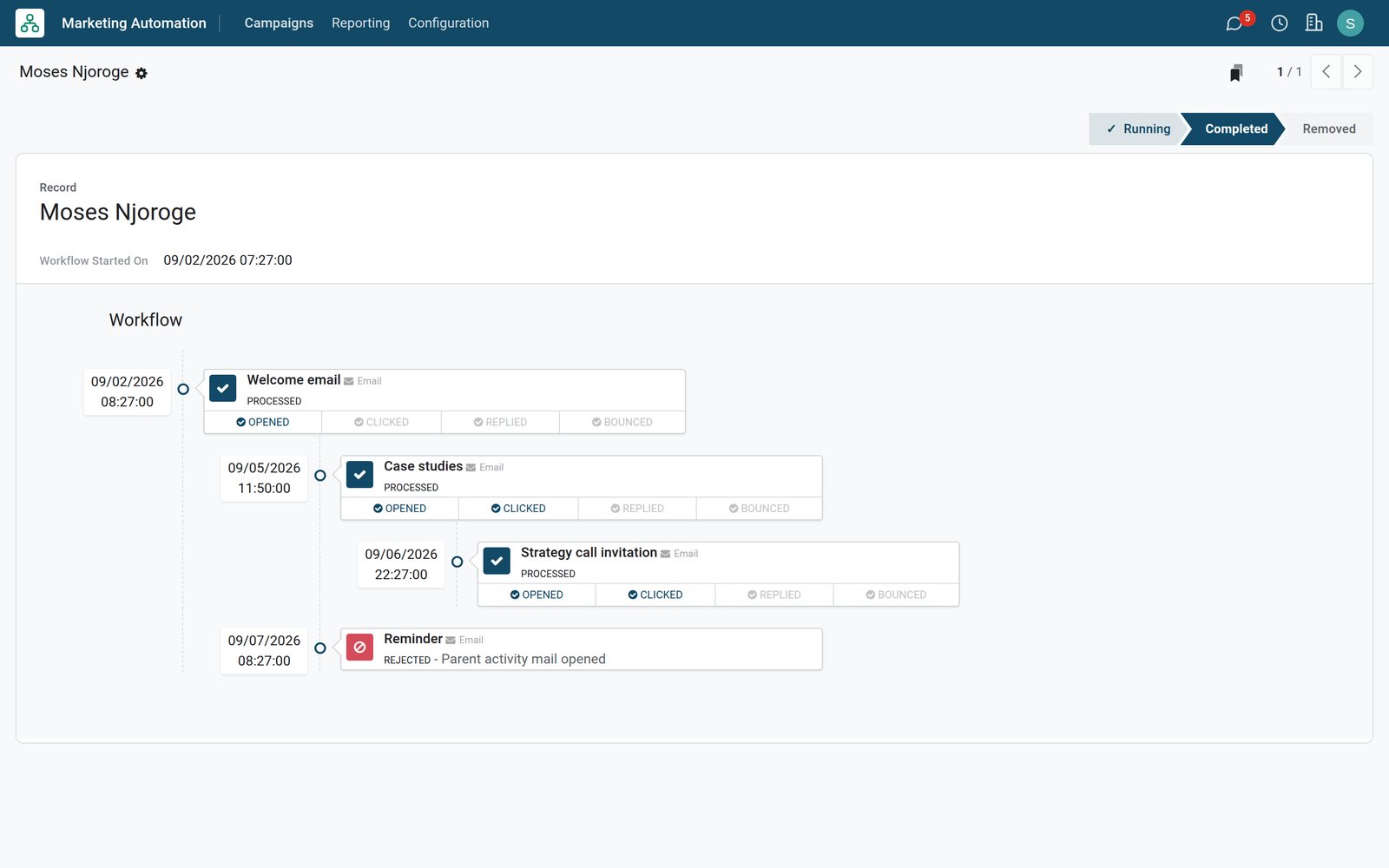
A participant's record shows every step they received, skipped or are waiting for.
 Marketing Automation
One client's journey through the series
This client opened the welcome email, read the case studies, clicked, and received the strategy call invitation; the reminder was skipped.
Explore Marketing Automation →By the numbers
What ships inside Marketing Automation
Counted in the product and on the demo database.
- 9
- triggers for the next step, from the start of the workflow to an email opened, clicked, replied or bounced
- 4
- steps in the demo welcome series, each with its own delay and trigger
- 36
- agency clients taken through the series on the demo, each on their own path
Inside the app
What is inside
The parts of Marketing Automation, grouped by what they do for the marketing team.
Visual workflow
Chain steps under each other, so each email follows the one before it in a clear tree.
Behaviour triggers
Send the next step when an email is opened, clicked or replied to, or when it is not.
Delays
Wait hours, days, weeks or months before a step, so messages arrive at a natural pace.
Any audience
Target contacts, customers or leads with a filter, and add new matches as they appear.
Emails and actions
A step sends an email designed like a newsletter, or runs an action on the record.
No duplicates
A unique field such as the email makes sure one person enters the campaign only once.
Test before launch
Run the workflow on a test participant to check every email and delay first.
Results per step
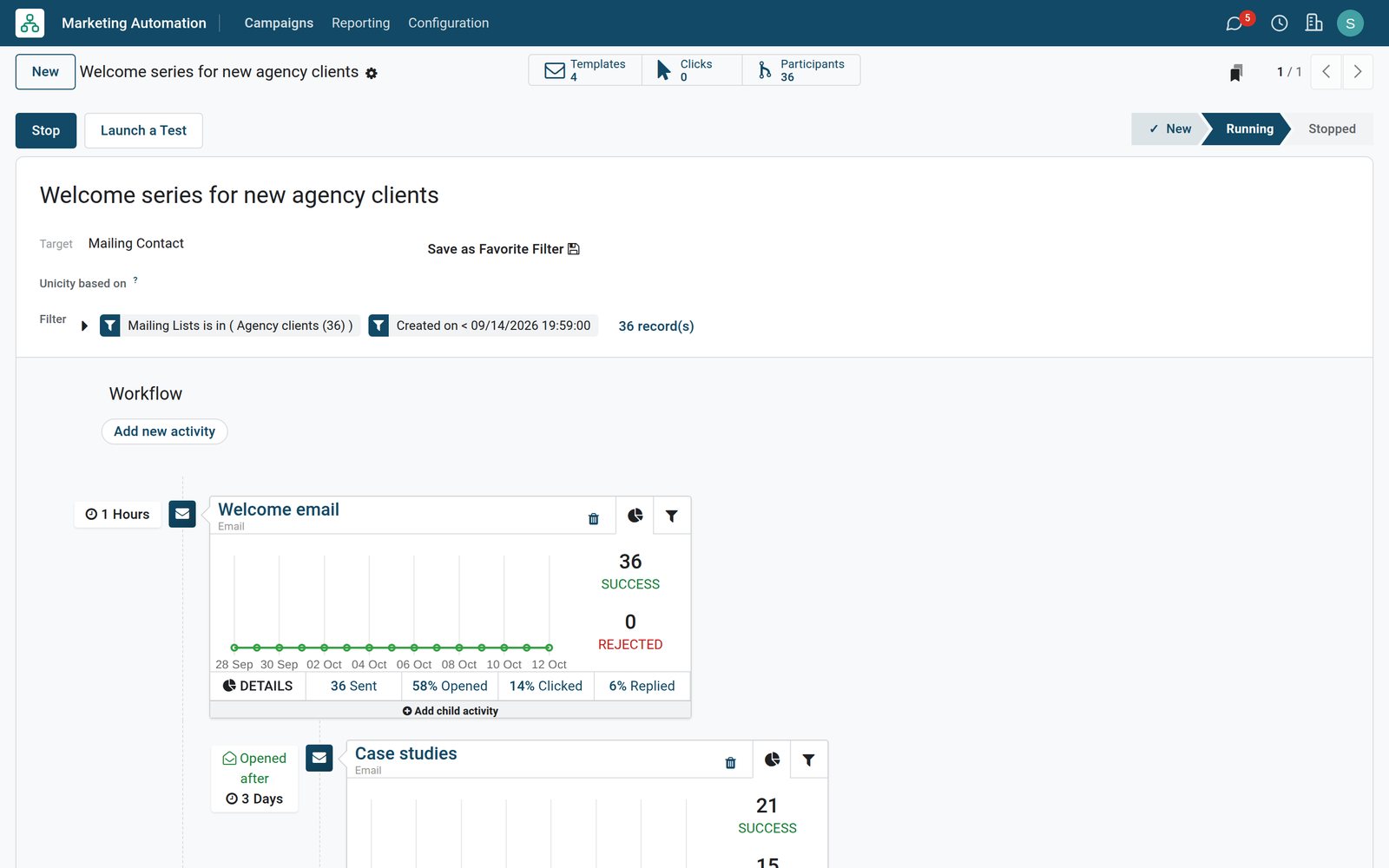
Each step shows how many were sent, opened, clicked, replied or skipped, with a two-week chart.
Step by step
From new client to booked call
How an automated series runs in BridgeERP, and which app does each step.
- Step 1
Choose who enters
Pick the list or filter of people the series is for, such as new agency clients.
Marketing Automation - Step 2
Design the steps
Write each email and set when it goes out and what triggers it.
Email Marketing - Step 3
Launch
Start the campaign; people who match the filter join as participants.
Marketing Automation - Step 4
Let it run
Each person gets the next step based on what they did, or the step is skipped.
Marketing Automation - Step 5
Measure and sell
Opens, clicks and replies per step show what works, and interested clients go to sales.
CRM


Everyone in the campaign, and where they are
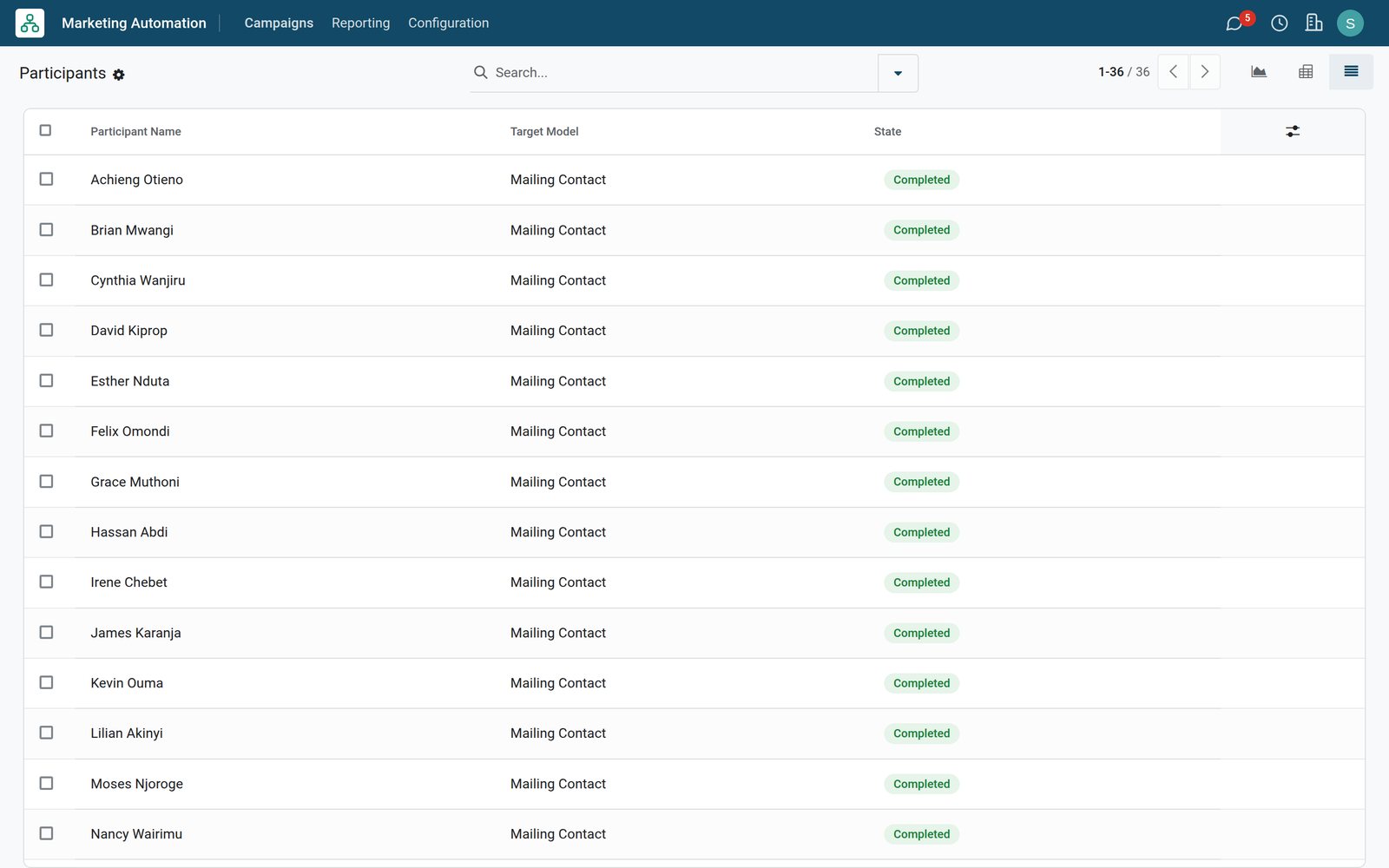
Participants list who entered each campaign and whether they are still running or completed.
 Marketing Automation
Participants of the welcome series
The participants list shows each client who went through the welcome series, with the kind of record and their state.
Explore Marketing Automation →See which step does the work
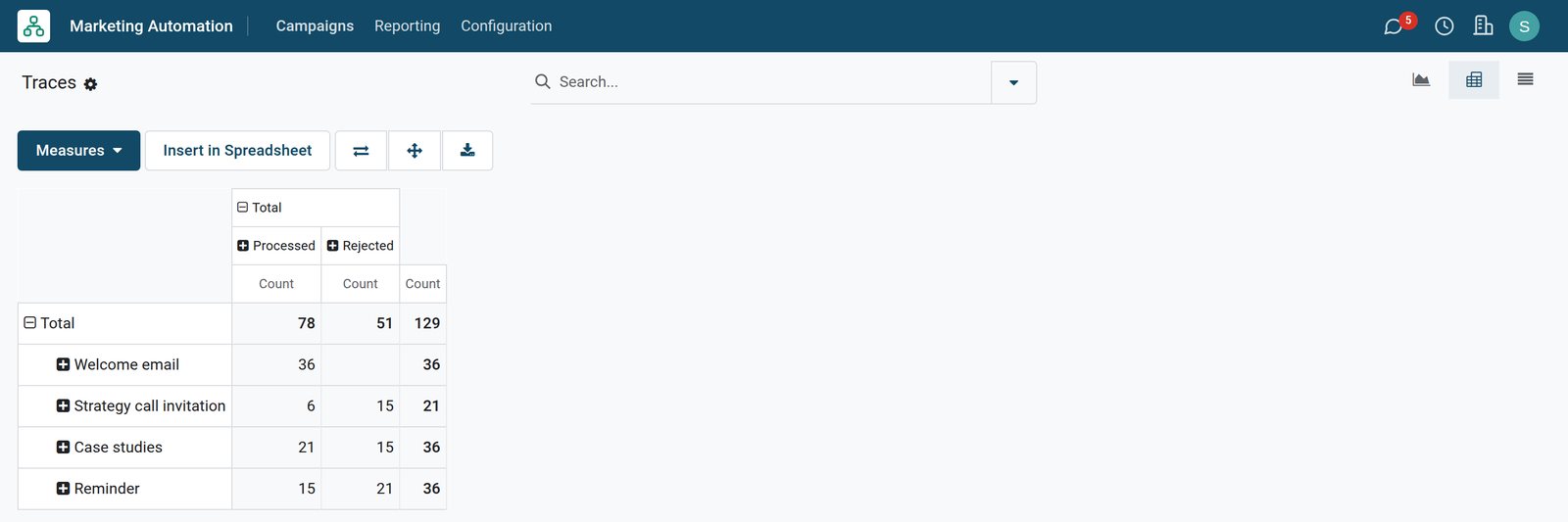
The traces report counts, for every step, how many people received it and how many skipped it.
 Marketing Automation
Processed and skipped steps
The report shows each step of the series with how many people received it and how many were skipped by its trigger.
Explore Marketing Automation →Who uses it
Who uses it, and what they see
Marketing Automation is set up once and then watched.
Marketing manager
Designs the series, chooses the triggers and delays, and launches the campaign.
Content writer
Writes each email of the series in the same designer as the newsletters.
Sales team
Calls the clients who clicked the strategy call invitation, while they are interested.
Client
Receives emails that follow what they read and clicked, instead of the same message for all.
Works with
Runs with the rest of BridgeERP
Apps that feed or follow up automated campaigns.


In your country
Built for teams in any country
What changes when a small team follows up every lead without extra staff.
Follow-up without extra staff
A small team keeps in touch with every new client, because the series runs by itself.
Messages at a local pace
Delays in days and weeks give clients time to read, instead of an email every morning.
Only who is interested
Steps triggered by opens and clicks go to people who engaged, which keeps lists healthy.
Getting started
Getting started
How a team launches its first automated series.
Start with a welcome
Write one welcome email for new clients before building anything longer.
Add one branch
Add a follow-up for those who opened, and a reminder for those who did not.
Test, then launch
Run a test participant through the series, then start the campaign.
Try it on the demo
The demo has a running welcome series for 36 agency clients with results per step.
Questions
Questions about Marketing Automation
Not covered here? Contact us.
What can start the next step?
The start of the workflow, the end of the previous step, or an email being opened, clicked, replied to or bounced, or not.
Can I wait before sending?
Yes. Each step has a delay in hours, days, weeks or months.
Who enters a campaign?
The contacts, customers or leads that match the campaign filter, each only once.
Can I test a campaign first?
Yes. A test participant goes through the steps so you can check them before launch.
Where do I see the results?
On each step of the campaign, and in the participants and traces reports.
Does it work with my newsletters?
Yes. Campaign emails are designed in the same email designer and use the same lists.
Put Marketing Automation to work
Add it to your plan and pay only for what you use, or see it running on your own demo first.